1. Introdução
This manual provides comprehensive instructions for the assembly, operation, and maintenance of your FLEXISPOT Standing Desk Frame (Model E1). Designed for home and office use, this electric sit-stand desk base offers adjustable height, an integrated power strip, and a cable management tray for an efficient and organized workspace.

The FLEXISPOT Standing Desk Frame provides a versatile foundation for your workstation, allowing for both sitting and standing positions.
2. Informações de segurança
Precauções importantes de segurança:
- Ensure the desk is securely anchored when used as a standing desk.
- Não exceda a recomendação de peso máximo de 154 libras (70 kg).
- Handle electrical components with care to avoid any risk of electric shock.
- Mantenha crianças e animais de estimação afastados da mesa durante o funcionamento.
- Avoid placing liquids directly on the control panel or motor.
3. Lista de peças
Antes da montagem, verifique se todos os componentes estão presentes e sem danos. Consulte o diagrama abaixo para identificação.

All components included in the FLEXISPOT Standing Desk Frame package.
Componentes incluídos:
- Desk Frame (Legs and Crossbeam)
- Secretária Clamp Power Strip (3 AC Outlets, 2 USB Ports)
- Bandeja de gerenciamento de cabos
- Memory Controller/Keypad
- Haste de transmissão
- Assembly Tools (Allen wrench, spanner)
- Parafusos e fixadores
4. Configuração e instalação
FLEXISPOT provides detailed assembly instructions and all necessary tools. The setup process typically takes less than 30 minutes. For a visual guide, please refer to the official installation video below.
Official FLEXISPOT Standing Desk Frame Installation Guide. This video demonstrates each step of the assembly process, from inserting the motor to attaching the desktop.
A montagem passa por cimaview:
- Insert the coupling into the motor: Ensure correct direction as shown in the video.
- Insert the motor and the right column: Secure the motor within the column.
- Install the crossbeam: Align the protrusions with the holes and secure with screws.
- Install the support plates: Attach the support plates to the frame.
- Install the desk foot: Secure the feet to the bottom of the columns.
- Adjust the crossbeam: Ensure the crossbeam is properly aligned and tightened.
- Install table board (customer provided): Secure your chosen desktop to the frame using the provided screws.
- Install the transmission rod: Connect the transmission rod between the motor and the other lifting column.
- Tighten the transmission rod nut: Ensure the rod is securely fastened.
- Instale o teclado: Attach the control keypad to the underside of the desk.
- Instale o gancho: Attach the headphone hook to the side of the desk.
- Connect all cables: Ensure all motor, power, and control cables are properly connected and managed.
DIY Desktop Workstation: The adjustable desk legs are compatible with various desktop sizes, providing maximum flexibility for your DIY setup. Recommended desktop sizes: width of 39.3" to 63", depth of 19.7" to 31.5".

The desk frame is designed to accommodate various desktop sizes, allowing for personalized customization.
5. Operação
Your FLEXISPOT Standing Desk Frame features an electric lifting mechanism and a memory controller for easy height adjustments.
Funções do painel de controle:

The programmable control panel allows for precise height adjustments and memory settings.
- Setas para cima/baixo: Press and hold to continuously adjust the desk height. The adjustable height range is 28.1''-45.7''.
- Painel de exibição LED: Mostra a altura atual da mesa em polegadas.
- Memory Settings (1, 2, 3, 4): Press a numbered button to move the desk to a pre-saved height. To save a height, adjust the desk to your desired position, then press and hold one of the numbered buttons until the display flashes or beeps.
Integrated Power Strip and Cable Management:
The desk comes with a clamp power strip for convenient access to power outlets and USB ports, reducing clutter. The integrated cable management tray helps keep your cords organized and out of sight.
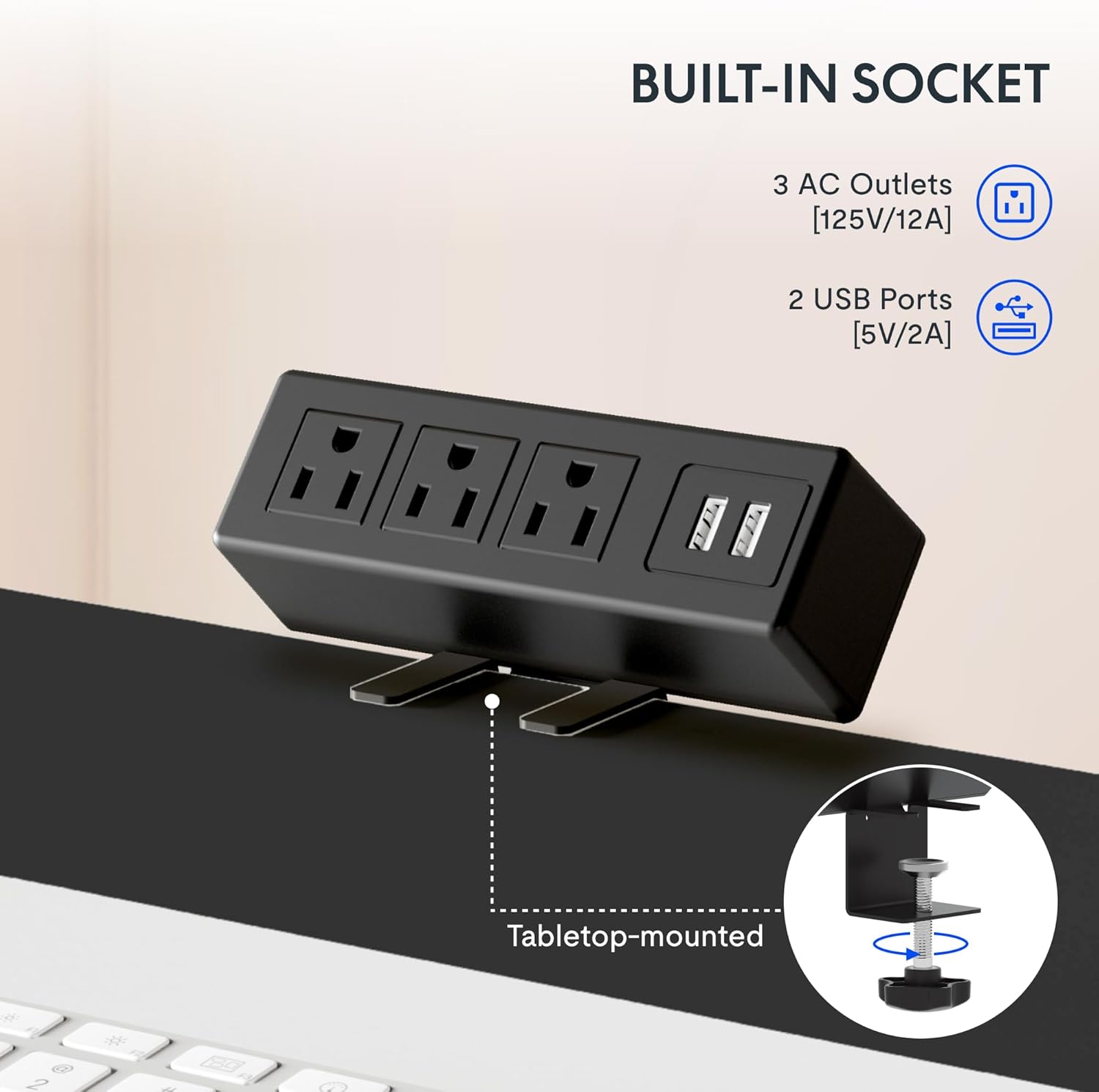
The integrated power strip provides easy access to power for your devices.
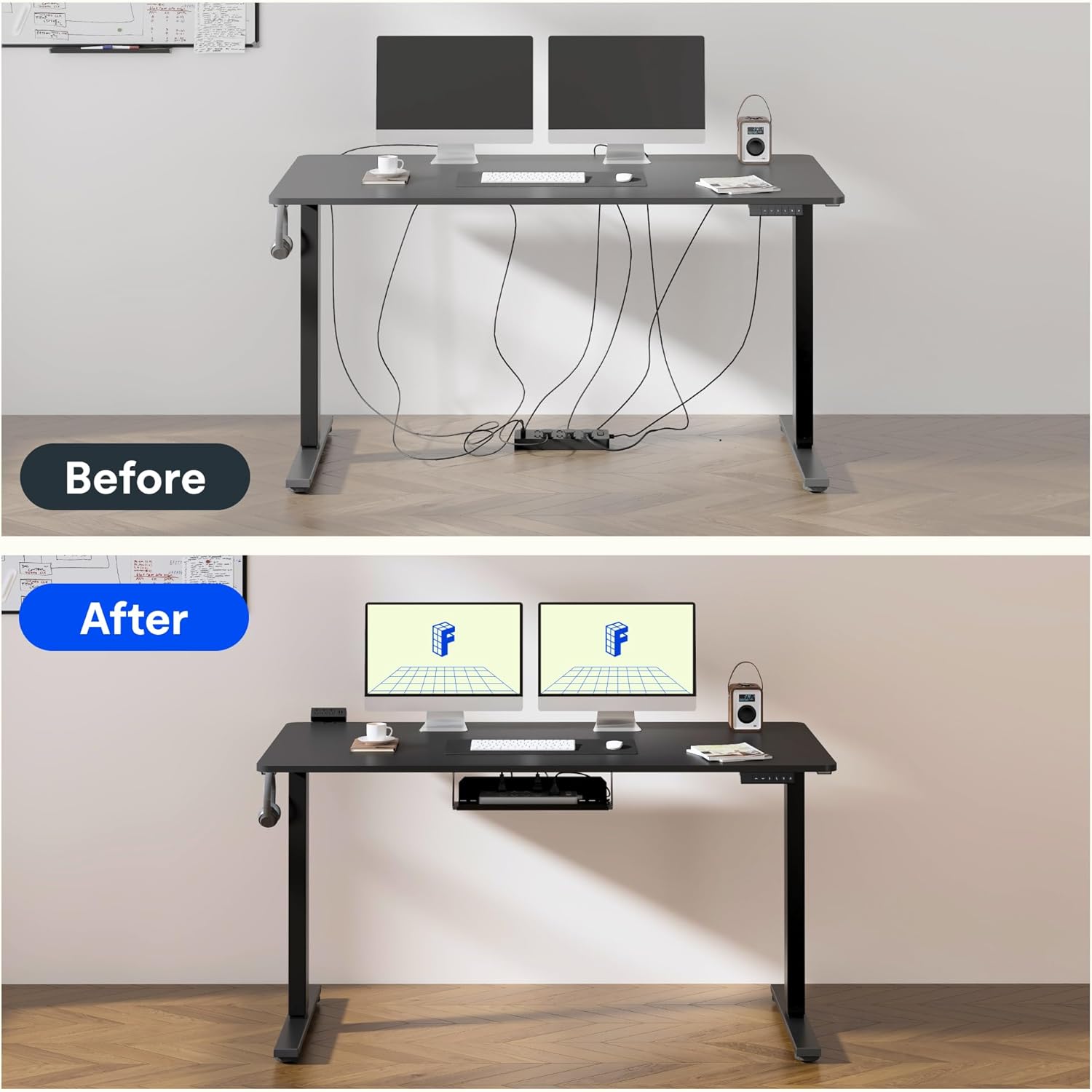
Effective cable management helps maintain a clean and clutter-free workspace.
6. Qualidade e Testes
FLEXISPOT products undergo rigorous testing to ensure durability and stability. The desk frame features dual-stage legs for continuous height adjustment and enhanced stability.

Dual-stage legs provide a wide range of continuous height adjustment for optimal ergonomics.
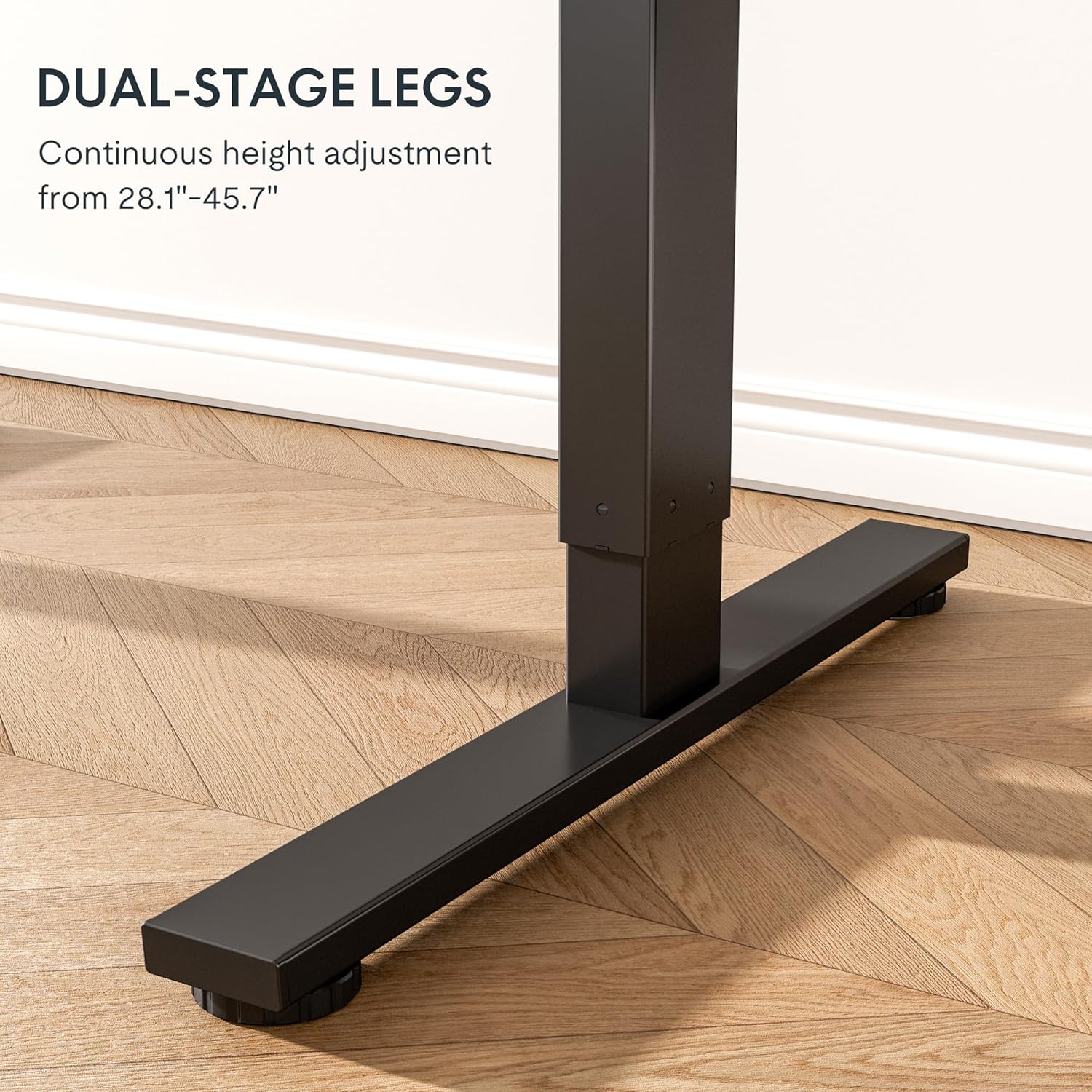
The robust design with bigger flanks, thicker columns, and wider feet ensures superior stability.
This video demonstrates the rigorous testing procedures for FlexiSpot standing desks, including durability and stability tests.
A demonstration of the computer workstation table's stability and functionality under various conditions.
Um fimview exibição de vídeoasing the features and benefits of the FLEXISPOT Standing Desk.
7. Manutenção
To ensure the longevity and optimal performance of your FLEXISPOT Standing Desk Frame, follow these simple maintenance guidelines:
- Regularly wipe down the frame with a soft, damp Use um pano para remover poeira e detritos. Evite produtos químicos agressivos.
- Check all screws and fasteners periodically to ensure they are tight. Retighten if necessary.
- Keep the electrical components (motor, control panel, power strip) dry and free from spills.
- Ensure cables are neatly managed and not pinched or tangled, especially during height adjustments.
- Não sobrecarregue a mesa além de sua capacidade máxima de peso de 70 kg (154 libras).
8. Solução De Problemas
If you encounter any issues with your FLEXISPOT Standing Desk Frame, refer to the common troubleshooting tips below. If the problem persists, please contact customer support.
| Problema | Possível causa | Solução |
|---|---|---|
| A mesa não se move ou não responde. | Cabo de alimentação desconectado; proteção contra sobrecarga ativada; erro no motor. | Check power connections. Reduce weight on the desk. Unplug for 10 seconds and plug back in to reset. |
| Ajuste de altura desigual. | Loose screws; uneven weight distribution. | Check and tighten all assembly screws. Redistribute weight evenly on the desktop. |
| Ruídos incomuns durante a operação. | Loose components; motor wear. | Ensure all parts are securely fastened. If noises persist, contact customer support. |
| Memory settings not working. | Programação incorreta. | Reprogram the memory settings by adjusting to desired height, then pressing and holding the numbered button until confirmation. |
9. Especificações
| Recurso | Detalhe |
|---|---|
| Marca | PONTO FLEXI |
| Número do modelo | E1 |
| Cor | Preto |
| Faixa de altura ajustável | 28.1'' - 45.7'' |
| Recommended Desktop Width | 39.3" a 63" |
| Recommended Desktop Depth | 19.7" a 31.5" |
| Recomendação de peso máximo | 154 libras (70 kg) |
| Material base | Liga de aço |
| Mecanismo de elevação | Elétrico |
| Componentes incluídos | Secretária Clamp Power Strip, Cable Management Tray |
| Montagem necessária | Sim |
| Inclui todas as ferramentas de montagem | Sim |

Detailed dimensions of the FLEXISPOT Standing Desk Frame.
10. Garantia e Suporte
Informações sobre garantia:
The FLEXISPOT Standing Desk Frame is covered by a comprehensive warranty:
- Garantia de 5 anos: Covers the frame, motor, and other mechanical mechanisms.
- Garantia de 2 anos: Covers the controller, switch, and electronics.
Guarde o comprovante de compra para reclamações de garantia.
Suporte ao cliente:
For further assistance, technical support, or warranty inquiries, please visit the official FLEXISPOT website ou entre em contato com a equipe de atendimento ao cliente. Você pode encontrar mais informações e detalhes de contato no Loja FLEXISPOT na Amazon.


