1. Produto acabadoview
O MOOER Micro Preamp 18 Custom 100 (MMPA18) is a compact digital preamp pedal designed to accurately recreate the sound, dynamics, and response of popular tube amplifiers. Utilizing advanced digital technology, this pedal offers a versatile solution for guitarists seeking high-quality amplifier tones in a miniature form factor.
Key features include dual channels for diverse tonal options, an integrated speaker cabinet simulation for direct recording or PA connection, and dual operating modes to adapt to various performance and recording setups.
2. Características
- Sonically accurate digital recreations of classic tube ampmais vivo antesamp seções.
- Dual channels for versatile clean and gain tones.
- Integrated speaker cabinet simulation for direct output.
- Dual operating modes to suit various user needs.
- Design compacto e durável.
3. Controles e conexões
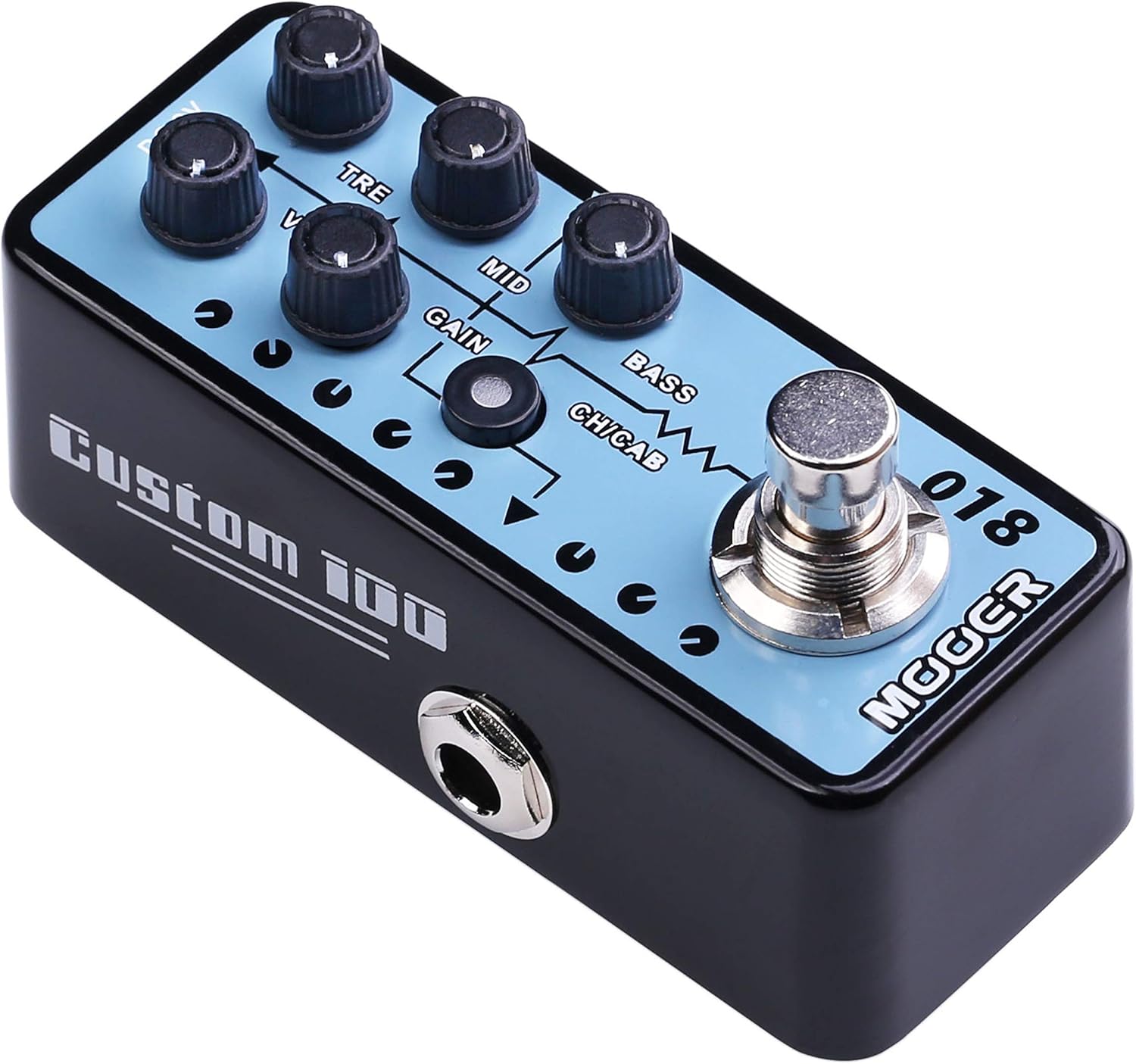
Figura 1: parte superior view do MOOER Micro Préamp 18 Custom 100, highlighting the control knobs and footswitch.
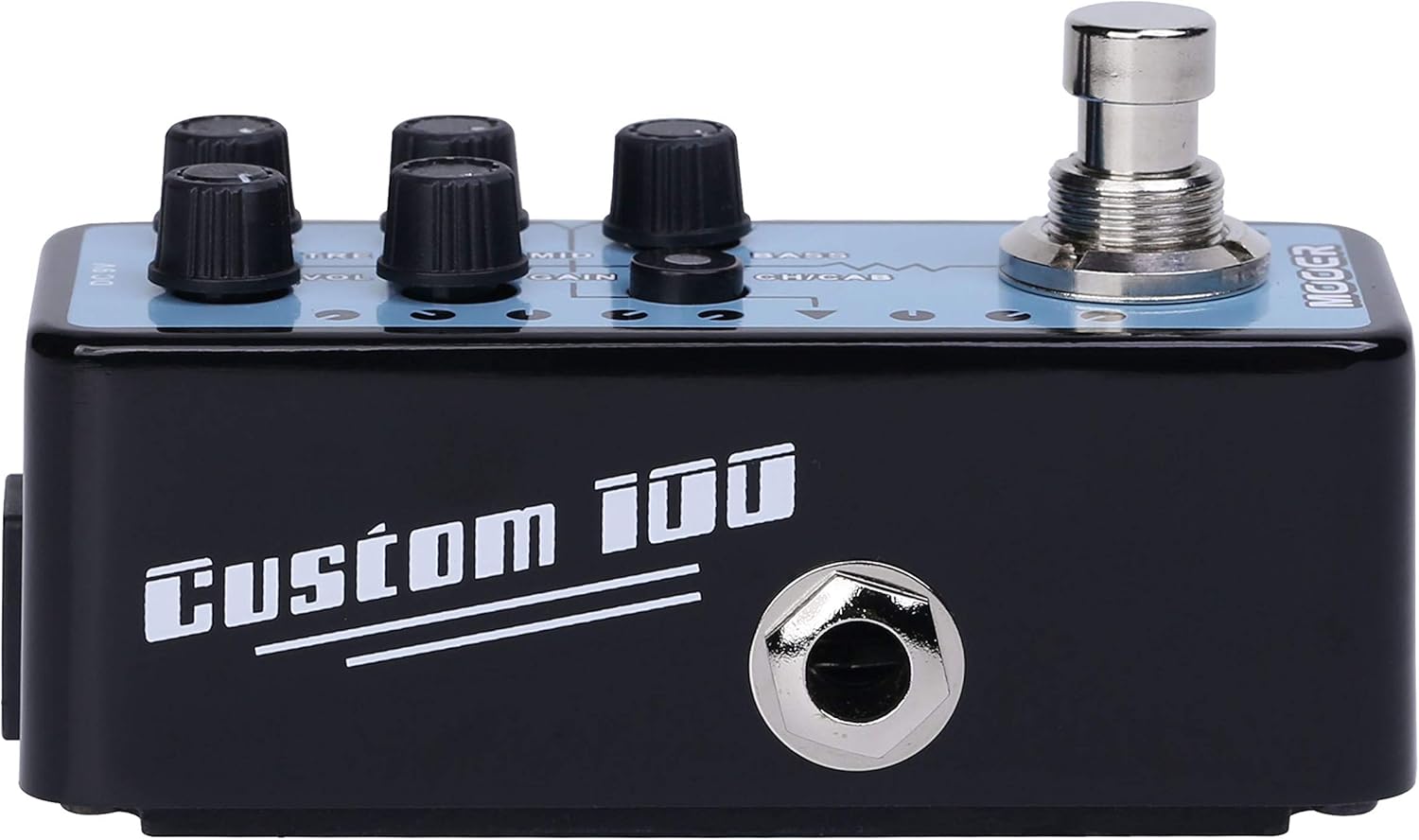
Figura 2: Lateral view do MOOER Micro Préamp 18 Custom 100, illustrating the 1/4" input and output jacks.
Controles:
- VOL (Volume): Ajusta o nível de saída geral do préamp.
- TRE (Agudo): Controla a resposta de alta frequência.
- MID (Meio): Ajusta a resposta de frequência da faixa média.
- GANHO: Controla a quantidade de overdrive/distorção.
- GRAVES: Ajusta a resposta de baixa frequência.
- CH/CAB (Channel/Cabinet Simulation Switch): This switch serves two functions:
- In normal operation, it switches between the two available channels (e.g., Clean and Gain).
- When held down, it toggles the integrated speaker cabinet simulation on or off.
- Pedal: Engages or bypasses the pedal.
Conexões:
- Input Jack (1/4" / 6.35mm): Conecte sua guitarra ou outro instrumento aqui.
- Output Jack (1/4" / 6.35mm): Conecte-se ao seu amplifier, audio interface, or other effects pedals.
- DC 9V Entrada: Connect a 9V DC power adapter (center negative, 300mA minimum).
- USB 2.0 (Hardware Interface): For firmware updates or potential software integration.
4. Configuração e operação
Configuração inicial:
- Garanta o seu amplifier and other audio equipment are turned off.
- Conecte sua guitarra ao Entrada Jack of the MMPA18.
- Conecte o Jack de saída of the MMPA18 to the input of your amplificador ou interface de áudio.
- Conecte um adaptador de energia de 9V CC (polo negativo no centro, mínimo de 300mA) ao Entrada DC 9V.
- Ligue o seu amplifier and other audio equipment.
Operação básica:
- Engaging/Bypassing: Press the footswitch to turn the preamp effect on or off. The LED indicator will illuminate when the effect is active.
- Troca de canal: Pressione brevemente o CH/CAB switch to toggle between the two channels (e.g., a clean channel and a gain channel). The LED color or state may change to indicate the active channel.
- Simulação de gabinete: Pressione e segure o CH/CAB switch for a few seconds to activate or deactivate the integrated speaker cabinet simulation. This is particularly useful when connecting directly to a mixing console, audio interface, or headphones, providing a more natural, mic'd cabinet sound.
- Ajustando o tom: Use o VOL, TRE, MID, GAIN, e BASS knobs to sculpt your desired tone. Experiment with different settings for each channel.
5. Manutenção
- Limpeza: Use um pano macio e seco para limpar o pedal. Evite produtos de limpeza abrasivos ou solventes.
- Armazenar: Guarde o pedal em local fresco e seco, longe da luz solar direta e de temperaturas extremas.
- Fonte de energia: Always use a compatible 9V DC (center negative) power supply with a minimum of 300mA. Using an incorrect power supply can damage the unit and void the warranty.
- Conexões: Verifique periodicamente todas as conexões dos cabos quanto a desgaste. Certifique-se de que as tomadas estejam livres de poeira e detritos.
6. Solução De Problemas
- Sem som:
- Check all cable connections (guitar, pedal, amplifier, power supply).
- Ensure the power supply is correctly connected and providing power.
- Verify the pedal is engaged (LED illuminated).
- Check the volume settings on the pedal and your ampmais vivo.
- Qualidade de som ruim / Ruído excessivo:
- Certifique-se de que todos os cabos estejam em boas condições e devidamente blindados.
- Try a different power supply to rule out power-related noise.
- Adjust the GAIN knob; very high gain settings can introduce noise.
- If using the cabinet simulation, ensure it is appropriate for your output device.
- Ensure the pedal is not placed too close to power transformers or other sources of electromagnetic interference.
- Pedal não responde:
- Desconecte e reconecte a fonte de alimentação.
- If issues persist, contact MOOER support.
- Superaquecimento: While normal operation may cause some warmth, excessive heat could indicate an issue. Ensure proper ventilation and use the correct power supply. If the pedal becomes unusually hot, discontinue use and contact support.
7. Especificações
| Especificação | Valor |
|---|---|
| Número do modelo | MMPA18 |
| Peso do item | 5.8 onças (165 gramas) |
| Dimensões do produto | 3.54 x 3.54 x 3.54 polegadas |
| Dispositivos compatíveis | Musical Instrument(s) |
| Tipo de conector | 1/4" (6.35mm) Jack, 1/8" (3.5mm) Jack |
| interface de hardware | USB 2.0 |
| Formato do sinal | Digital |
| Potência de saídatage | 100 Watts |
| Fonte de energia | Adaptador CA |
| Volumetage | 9 Volts |
| Marca | MOOER |
| Cor | Mehrfarbig |
8. Garantia e Suporte
MOOER products are designed for reliability and performance. For specific warranty information, please refer to the warranty card included with your product or visit the official MOOER website. In case of any issues or technical support needs, please contact MOOER customer service through their official channels.
Para obter mais assistência, você pode visitar o Loja MOOER na Amazon.


