Introdução
This user manual provides comprehensive instructions for the setup, operation, maintenance, and troubleshooting of your Alienware M15 Gaming Laptop. Please read this manual thoroughly to ensure optimal performance and longevity of your device. For additional support, refer to the official Alienware support resources.
Produto acimaview
Principais características
- 8th Generation Intel Core i7-8750H (6-Core, 9MB Cache, up to 4.1GHz w/ Turbo Boost)
- 15.6" FHD (1920 x 1080) 60Hz Anti-glare IPS, 300-nits 72% Color gamut, narrow-border Display
- 16GB, 2x8GB, DDR4, 2666MHz RAM
- 128GB PCIe M.2 SSD + 1TB (+8GB SSHD) Hybrid Drive
- Nvidia GeForce GTX 1060 with 6GB GDDR5 Graphics Card
- Sistema operacional Windows 10 Home
Componentes físicos

Figura 1: Frente view of the Alienware M15 laptop, showcasing the display with the Alienware logo.

Figura 2: Careca view of the open Alienware M15 laptop, highlighting the keyboard layout and touchpad.

Figura 3: Lado esquerdo view of the Alienware M15 laptop, showing various ports such as USB 3.0.
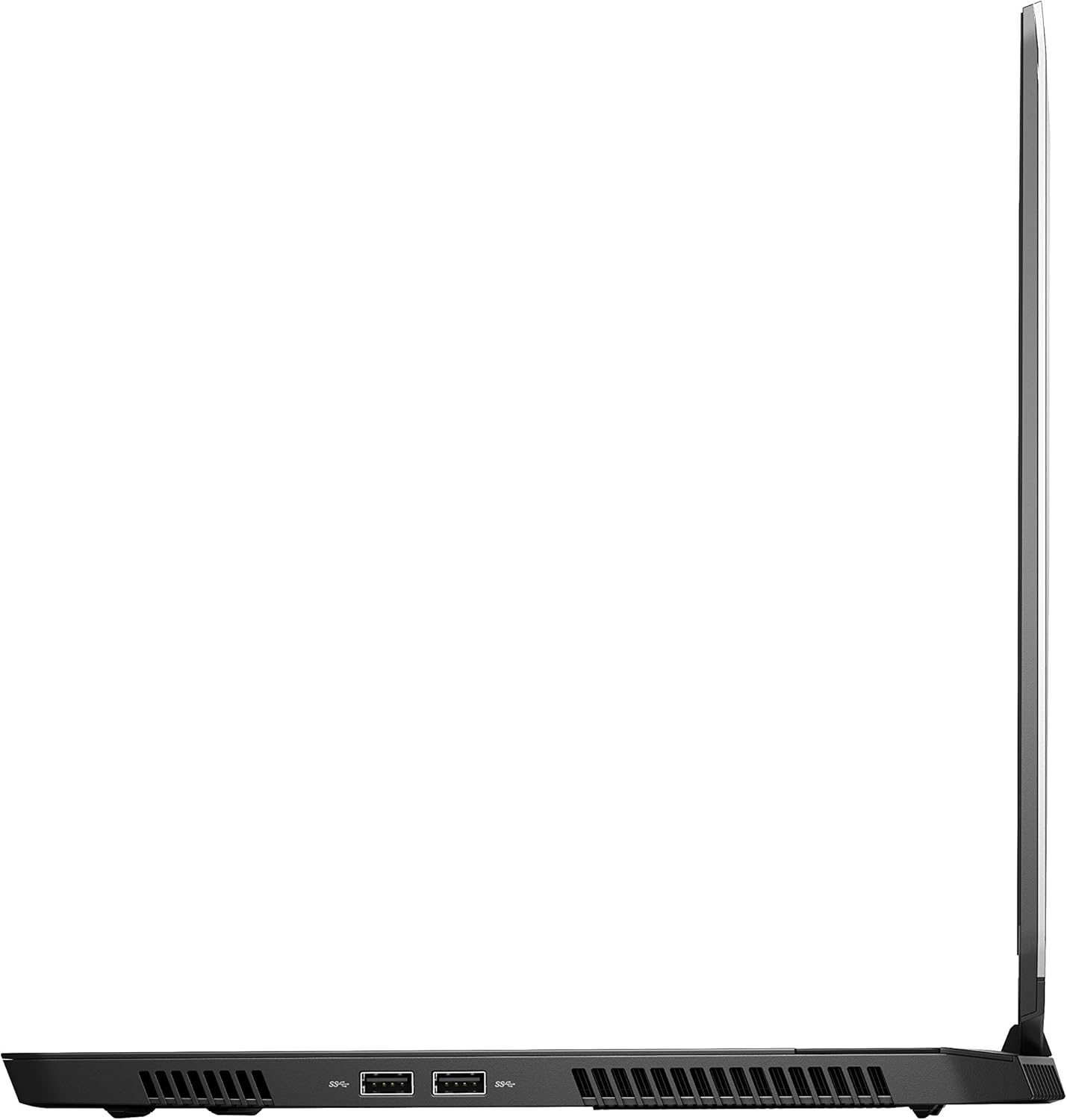
Figura 4: Lado direito view of the Alienware M15 laptop, displaying additional ports and ventilation.

Figura 5: Explodiu view illustrating the internal cooling system of the Alienware M15 laptop, including fans and heat sinks.
Configurar
Desembalando
Retire cuidadosamente todos os componentes da embalagem. Certifique-se de que os seguintes itens estejam presentes:
- Alienware M15 Gaming Laptop
- Cabo de alimentação
- Adaptador de alimentação 180W
Inicialização
- Conecte o adaptador de energia à porta de entrada de energia do laptop.
- Conecte o cabo de alimentação a uma tomada.
- Open the laptop lid and press the power button, typically located on the top right of the keyboard deck or a dedicated button on the chassis.
- Siga as instruções na tela para concluir o processo de configuração do Windows 10 Home, incluindo a seleção do idioma, a conexão de rede e a criação da conta de usuário.
Instruções de operação
Operação básica
Your Alienware M15 laptop runs on Windows 10 Home. Familiarize yourself with the operating system's interface. The keyboard features customizable backlighting via Alienware's software. The touchpad supports multi-touch gestures for navigation.
Desempenho em jogos
The Alienware M15 is designed for high-performance gaming. For optimal gaming experience, ensure the laptop is connected to the power adapter. This allows the system to utilize its full power capabilities for the CPU and GPU. While gaming, the laptop may generate significant heat; this is normal for high-performance hardware. Consider using a cooling pad for extended gaming sessions to enhance thermal management.
Manutenção
Limpeza
- Tela: Use um pano macio e sem fiapos levementeampLimpe com água ou um produto de limpeza para telas. Evite produtos químicos agressivos.
- Teclado e chassi: Use a soft brush or compressed air to remove dust from keys and vents. Wipe surfaces with a microfiber cloth.
- Portas: Use compressed air to clear dust from USB, HDMI, and other ports.
Atualizações de software
Regularly update your Windows operating system, graphics drivers (NVIDIA GeForce), and Alienware software. Updates often include performance improvements, security patches, and bug fixes. Access Windows updates through Settings > Update & Security. Graphics drivers can be updated via the NVIDIA GeForce Experience application.
Cuidados com a bateria
To maximize battery lifespan, avoid consistently discharging the battery completely. For prolonged use while plugged in, consider using battery management features (if available in Alienware Command Center) to limit charging to 80-90% capacity.
Solução de problemas
This section addresses common issues you might encounter with your Alienware M15 laptop.
| Problema | Possível causa/solução |
|---|---|
| Laptop gets excessively hot during use. | High-performance components generate heat. Ensure ventilation vents are clear. Use a cooling pad. Update graphics drivers. |
| "No media present" error or SSD/HDD not detected. | This can sometimes be a temporary software glitch. Try restarting the laptop. If persistent, ensure the power cable is securely connected and try a hard reboot (unplug power, hold power button for 15 seconds, then reconnect and power on). If the issue persists, contact support. |
| Wi-Fi connection drops frequently. | Ensure Wi-Fi drivers are up to date. Check for interference from other devices. Restart your router and the laptop. If the issue persists, consider reinstalling Wi-Fi drivers or contacting support. |
| System performance is slow or lagging. | Ensure the laptop is plugged into power for full performance. Close unnecessary background applications. Check for malware. Ensure sufficient free space on the SSD/HDD. |
Especificações
Detailed technical specifications for the Alienware M15 Gaming Laptop (Model: AWM15-7830SLV-PUS).
| Recurso | Detalhe |
|---|---|
| Tamanho de exibição de tela em pé | 15.6 polegadas |
| Resolução da tela | 1920 x 1080 pixels |
| Resolução máxima da tela | 1920x1080 pixels |
| Processador | 4.1 GHz core_i7_8750h |
| BATER | 16 GB DDR4 |
| Velocidade da memória | 2666 MHz |
| Disco rígido | 1000 GB 128GB PCIe M.2 SSD + 1TB (+8GB SSHD) Hybrid Drive |
| Coprocessador gráfico | NVIDIA GeForce GTX 1060 |
| Marca do chipset | NVIDIA |
| Descrição do cartão | Dedicado |
| Tamanho da memória RAM da placa gráfica | 6 GB |
| Tipo sem fio | 802.11a/b/g/n |
| Número de portas USB 3.0 | 3 |
| Marca | Alienware |
| Série | AWm15-7830SLV-PUS |
| Número do modelo do item | AWM15-7830SLV-PUS |
| Sistema operacional | Windows 10 Início |
| Peso do item | 4.8 libras |
| Dimensões do produto | 10.8 x 14.3 x 0.8 polegadas |
| Cor | Preto |
| Marca do processador | Intel |
| Número de processadores | 6 |
| Tipo de memória do computador | Memória RAM DDR4 |
| Tamanho da memória flash | 16 |
| Interface do disco rígido | Estado sólido |
| Velocidade de rotação do disco rígido | 5400 RPM |
| Tipo de unidade óptica | Sem unidade óptica |
| Volumetage | 240 Volts |
| Baterias | 1 pilha de lítio metálica necessária. (incluída) |
| Data da primeira disponibilidade | 5 de janeiro de 2019 |
| Nome do modelo | AWm15-7830SLV-PUS |
| Tamanho da tela | 15.6 polegadas |
| Tamanho do disco rígido | 1000 GB |
| Modelo de CPU | Core i7 8750H |
| Tamanho da memória Ram instalada | 16 GB |
| Recurso especial | Revestimento antirreflexo |
Garantia e Suporte
For detailed warranty information, please refer to the documentation included with your purchase or visit the official Alienware support website. For technical assistance, driver downloads, and further resources, please visit the Alienware support portal.
Um manual do usuário oficial (PDF) também está disponível para download: Baixe o manual do usuário em PDF.


