Introdução
Obrigado pela compra.asing the Supersonic IQ-1525BT Wireless Bluetooth Speaker. This manual provides essential information for the safe and efficient operation of your device. Please read it thoroughly before use and retain it for future reference.

Figura 1: Frente view of the Supersonic IQ-1525BT Wireless Bluetooth Speaker.
Conteúdo da embalagem
Verifique se todos os itens listados abaixo estão incluídos em seu pacote:
- Supersonic IQ-1525BT Wireless Bluetooth Speaker
- Cabo USB
- Cabo AUX
- Alça de transporte
- Manual de Instruções (este documento)
Produto acimaview
Painel de controle e portas

Figura 2: Detalhado view of the control panel, showing input ports and control knobs.
The front panel of the speaker features the main controls and input ports:
- IQ Sound Display: Digital display for mode, frequency, and other indicators.
- Slot para cartão Micro SD: Para reproduzir áudio de um cartão Micro SD.
- Porta USB: Para reproduzir áudio a partir de uma unidade flash USB.
- Entrada AUX: Entrada de 3.5 mm para conectar dispositivos de áudio externos.
- Entrada de microfone: Entrada de 6.35 mm para conectar um microfone.
- DC 5V Entrada: Entrada de energia para carregar a caixa de som.
- Botão de baixo: Ajusta o nível de graves.
- Volume Knob (OFF/VOL/ON): Turns the speaker on/off and adjusts the master volume.
- Botão de modo (M): Switches between input modes (Bluetooth, FM, USB, Micro SD, AUX).
- Botão Anterior/Retroceder: Skips to the previous track or rewinds.
- Botão Reproduzir/Pausar: Reproduz ou pausa o áudio.
- Botão Próximo/Avançar: Skips to the next track or fast forwards.
Speakers and LED Lighting
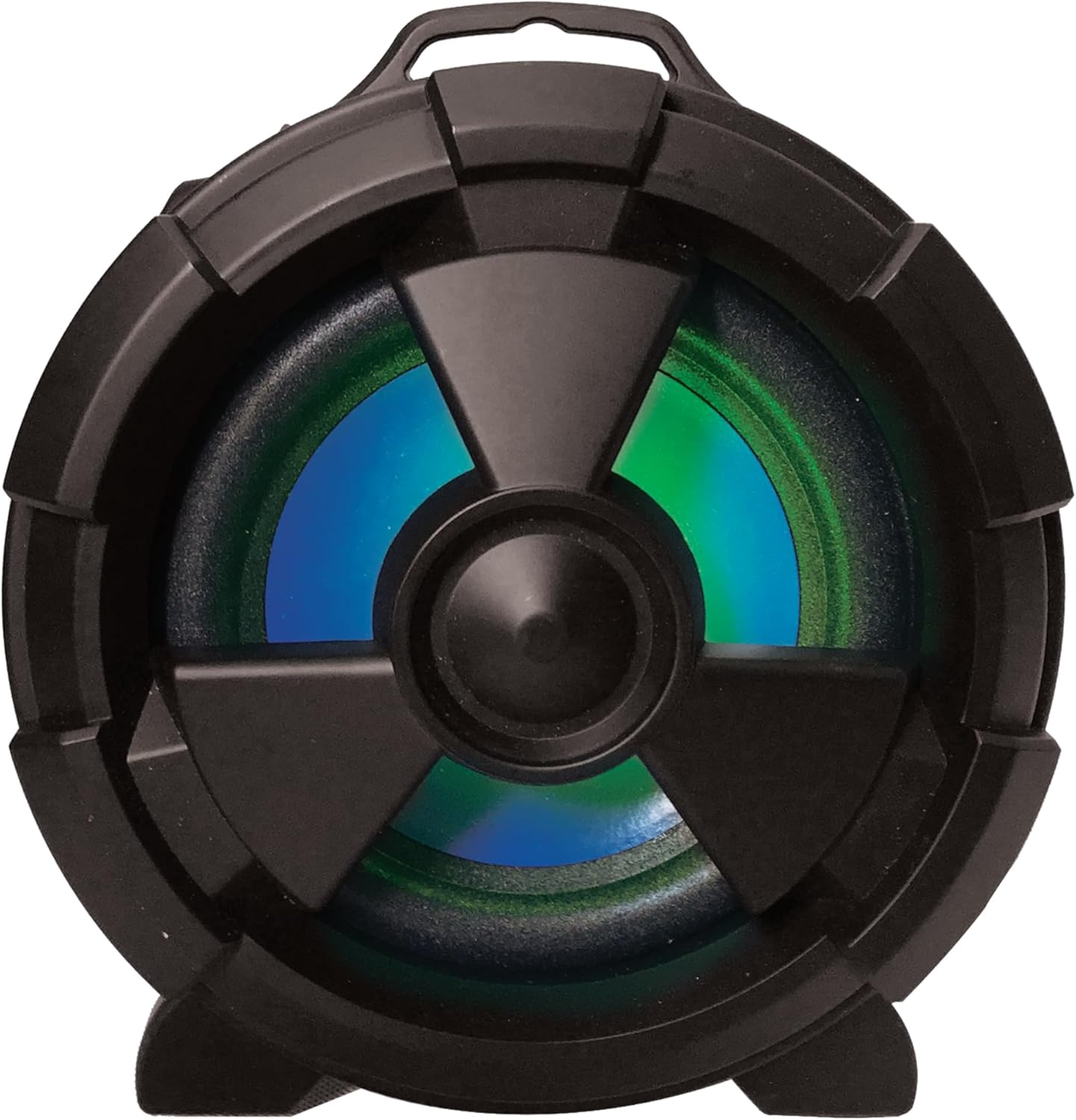
Figura 3: Lateral view highlighting the main speaker and its integrated LED lighting.
The speaker features one 5-inch main speaker and two 2-inch built-in speakers for stereo sound. The main speaker on the side includes integrated LED lighting that changes colors during operation.
Recursos de portabilidade

Figure 4: The speaker's design allows for easy transport and use in various settings.
The IQ-1525BT is designed for portability, featuring a lightweight construction and a carrying strap for convenient transport.
Configurar
Carregando o alto-falante
- Connect the provided USB cable to the DC 5V input port on the speaker.
- Conecte a outra extremidade do cabo USB a um adaptador de energia USB compatível (não incluído) ou a uma porta USB de um computador.
- O indicador de carregamento acenderá. Aguarde tempo suficiente para que a bateria esteja totalmente carregada antes da primeira utilização.
Ligar/desligar
- To turn on the speaker, rotate the Volume knob clockwise until it clicks and the display illuminates.
- To turn off the speaker, rotate the Volume knob counter-clockwise until it clicks and the display turns off.
Instruções de operação
Emparelhamento Bluetooth

Figure 5: Illustrates connecting a device via Bluetooth to the speaker.
- Turn on the speaker. It will automatically enter Bluetooth pairing mode, indicated by a flashing "BLUE" on the display and an audible prompt.
- No seu dispositivo com Bluetooth (por exemplo, smartphone, tablet), ative o Bluetooth e procure por dispositivos disponíveis.
- Select "IQ-1525BT" from the list of devices.
- Once paired, the speaker will emit an audible confirmation, and "BLUE" on the display will stop flashing.
- Agora você pode reproduzir áudio do seu dispositivo através do alto-falante.
Operação de rádio FM
- Turn on the speaker. Press the "M" (Mode) button repeatedly until "FM" appears on the display.
- Press and hold the Play/Pause button to initiate an automatic scan for FM stations. The speaker will save all found stations.
- Use the Previous/Rewind and Next/Fast Forward buttons to navigate between saved stations.
Reprodução USB/Micro SD
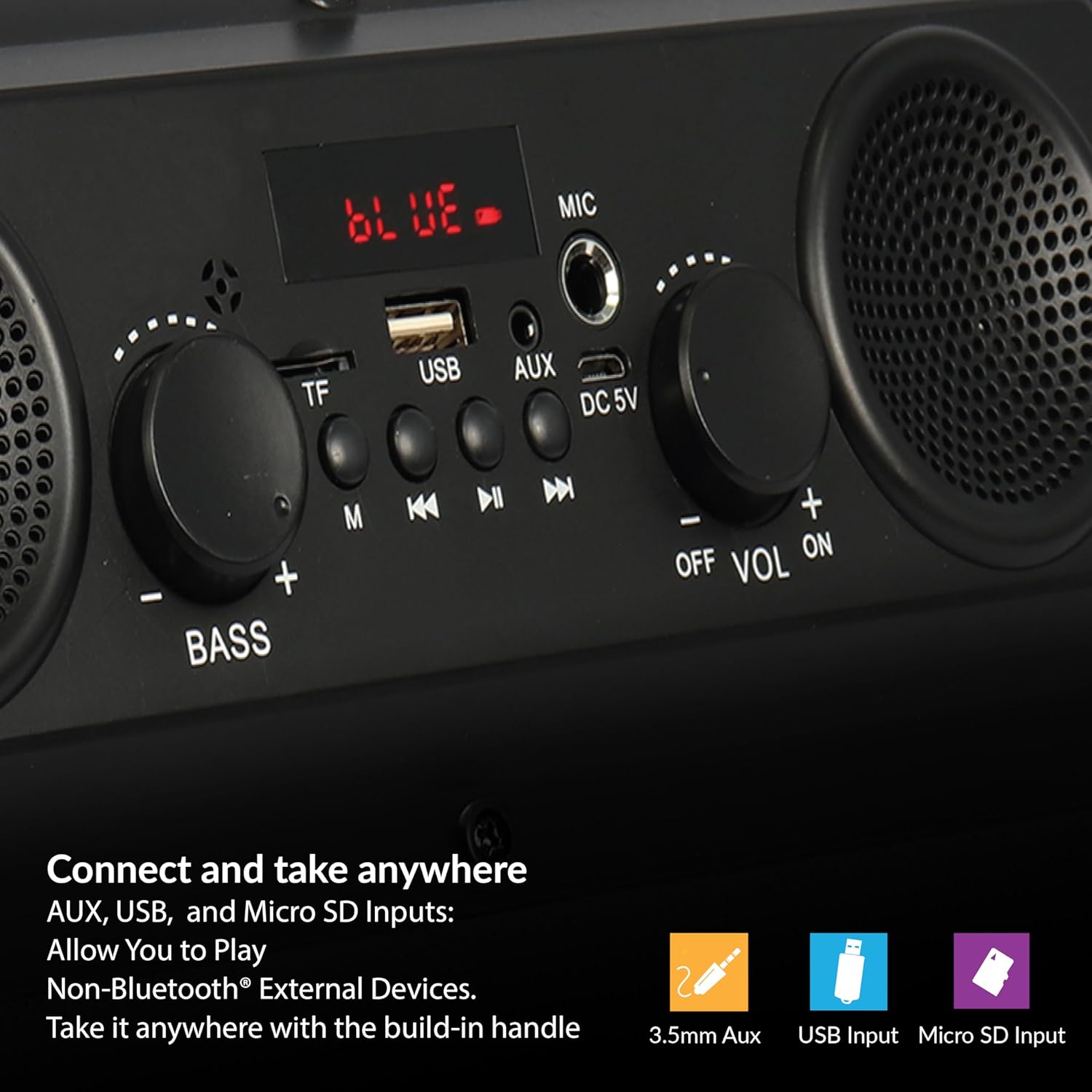
Figure 6: The speaker supports various input options for versatile audio playback.
- Insert a USB flash drive or Micro SD card (with pre-loaded audio files) na porta correspondente.
- The speaker will automatically switch to USB or Micro SD mode and begin playback. If not, press the "M" (Mode) button to select the correct mode.
- Use the Play/Pause, Previous/Rewind, and Next/Fast Forward buttons to control playback.
Entrada AUX
- Connect one end of the provided AUX cable to the AUX input port on the speaker.
- Connect the other end of the AUX cable to the audio output jack of your external device.
- Press the "M" (Mode) button until "AUX" appears on the display.
- Control audio playback from your external device.
Uso do microfone
- Connect a microphone (not included) to the MIC input port.
- Adjust the main volume using the Volume knob.
Adjusting Bass and Volume
- Gire o Volume Botão para aumentar ou diminuir o nível geral do som.
- Gire o Baixo knob to adjust the low-frequency sound output.
Manutenção
- Limpeza: Use um pano macio e seco para limpar a parte externa da caixa de som. Não use produtos de limpeza líquidos ou materiais abrasivos.
- Armazenar: Quando não estiver em uso por longos períodos, guarde a caixa de som em local fresco e seco, longe da luz solar direta e de temperaturas extremas.
- Cuidados com a bateria: To prolong battery life, avoid fully discharging the battery frequently. Recharge the speaker regularly, even if not in active use.
- Exposição à água: Este alto-falante não é à prova d'água. Evite a exposição à água ou umidade excessiva.
Solução de problemas
| Problema | Possível causa | Solução |
|---|---|---|
| A caixa de som não liga. | A bateria está esgotada. | Carregue o alto-falante usando o cabo USB fornecido. |
| Nenhum som. | O volume está muito baixo ou silenciado. Modo de entrada incorreto. | Increase the volume. Press the 'M' button to select the correct input mode. |
| O dispositivo Bluetooth não está emparelhando. | Speaker not in pairing mode. Device too far. | Ensure speaker is in Bluetooth mode (flashing 'BLUE'). Move device closer (within 10 meters). |
| Má recepção FM. | Sinal fraco. | Reposicione a caixa de som para melhorar a recepção do sinal. |
| USB/Micro SD não funciona. | Incorreto file format. Corrupted media. | Garantir áudio files are in a compatible format. Try a different USB drive or Micro SD card. |
Especificações
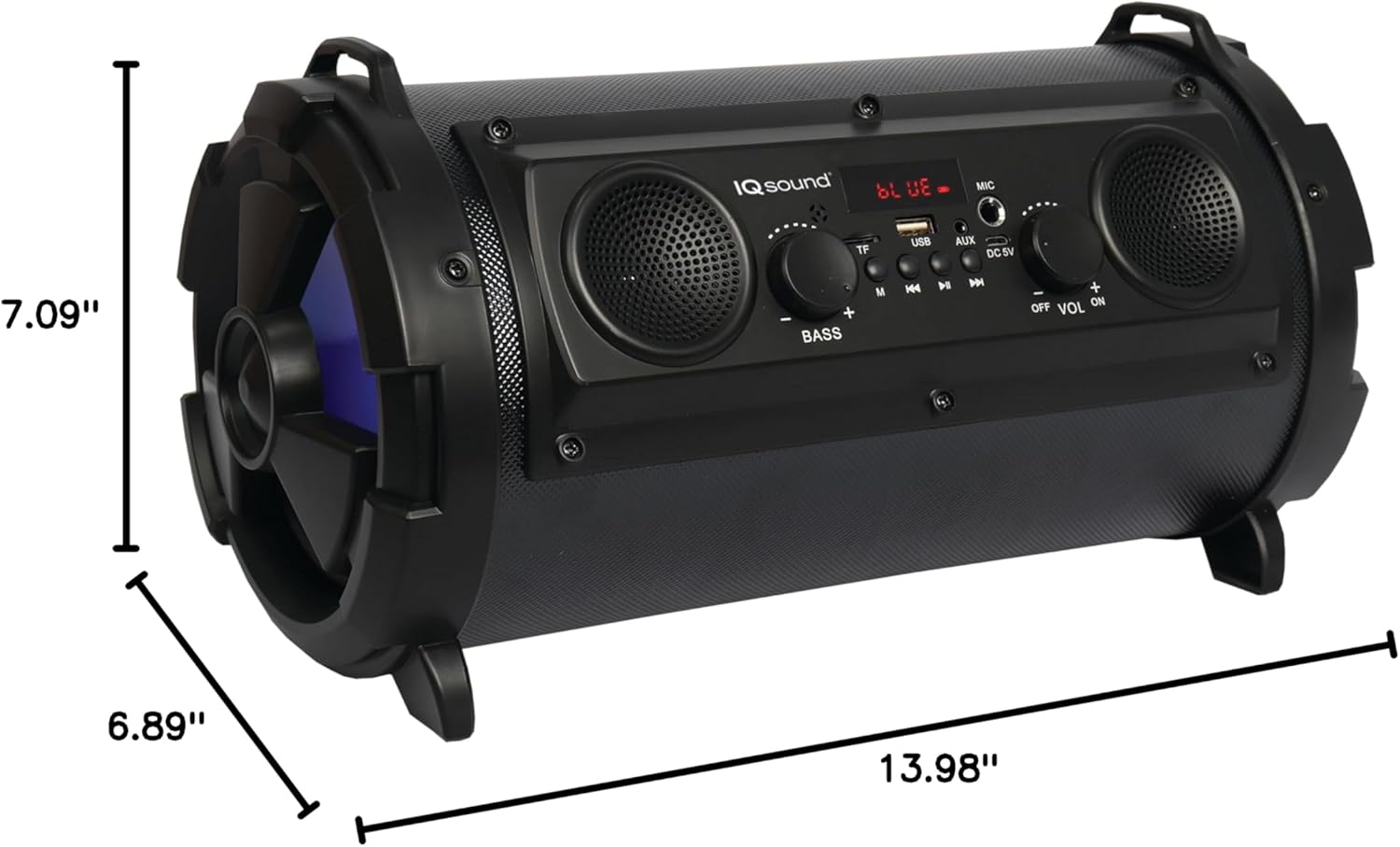
Figure 7: Product dimensions for the IQ-1525BT speaker.
| Recurso | Detalhe |
|---|---|
| Nome do modelo | QI-1525BT |
| Marca | Supersônico |
| Tipo de alto-falante | Alto-falante Bluetooth portátil |
| Potência de saída | 16 Watts |
| Configuração do alto-falante | One 5-inch, Two 2-inch built-in speakers |
| Versão Bluetooth | V4.0 |
| Distância wireless | Até 10 metros (32.8 pés) |
| Resposta de frequência | 100 Hz a 20 kHz |
| Vol de entradatage | Corrente Contínua 5 Volts |
| Bateria | 3.7-volt, 2,400 mAh rechargeable battery |
| Entradas | USB, Micro SD, AUX, Microphone |
| Características especiais | FM Tuner (87.5 - 108.0MHz), Extra Bass (Passive Radiator), LED Lighting |
| Dimensões do produto (P x L x A) | 6.89" x 7.09" x 13.98" |
| Peso do item | 1 libras |
| Material | Plástico |
Informações de garantia
This product comes with a Limited Warranty. For specific details regarding warranty coverage, terms, and conditions, please refer to the warranty card included in your product packaging or visit the official Supersonic website. Guarde o comprovante de compra para solicitações de garantia.
Apoiar
If you encounter any issues or have questions not covered in this manual, please contact Supersonic customer support for assistance. Contact information can typically be found on the product packaging or the official Supersonic website.


