Introdução
This manual provides detailed instructions for the installation, operation, and maintenance of your MYPIN CE0318-26 Dual Dash Cam. This device is designed to record high-definition video from both the front and rear of your vehicle, offering enhanced security and documentation for your journeys. Please read this manual thoroughly before use to ensure proper functionality and safety.
O que está na caixa
Verifique se todos os itens listados abaixo estão incluídos em seu pacote:
- MYPIN CE0318-26 Dual Dash Cam Unit
- Carregador de carro
- Montagem por Sucção
- Câmera Traseira com Cabo
- Cabo de dados USB
- 3M VHB Adhesive Pads (2x)
- Manual do usuário
Descrição do vídeo: This video demonstrates the unboxing of the MYPIN CE0318-26 Dual Dash Cam. It shows the main camera unit, the suction mount, the rear camera with its connecting cable, the car charger, and the user manual. The video highlights the various components included in the package.
Produto acimaview
Familiarize yourself with the main components and controls of your dash cam.
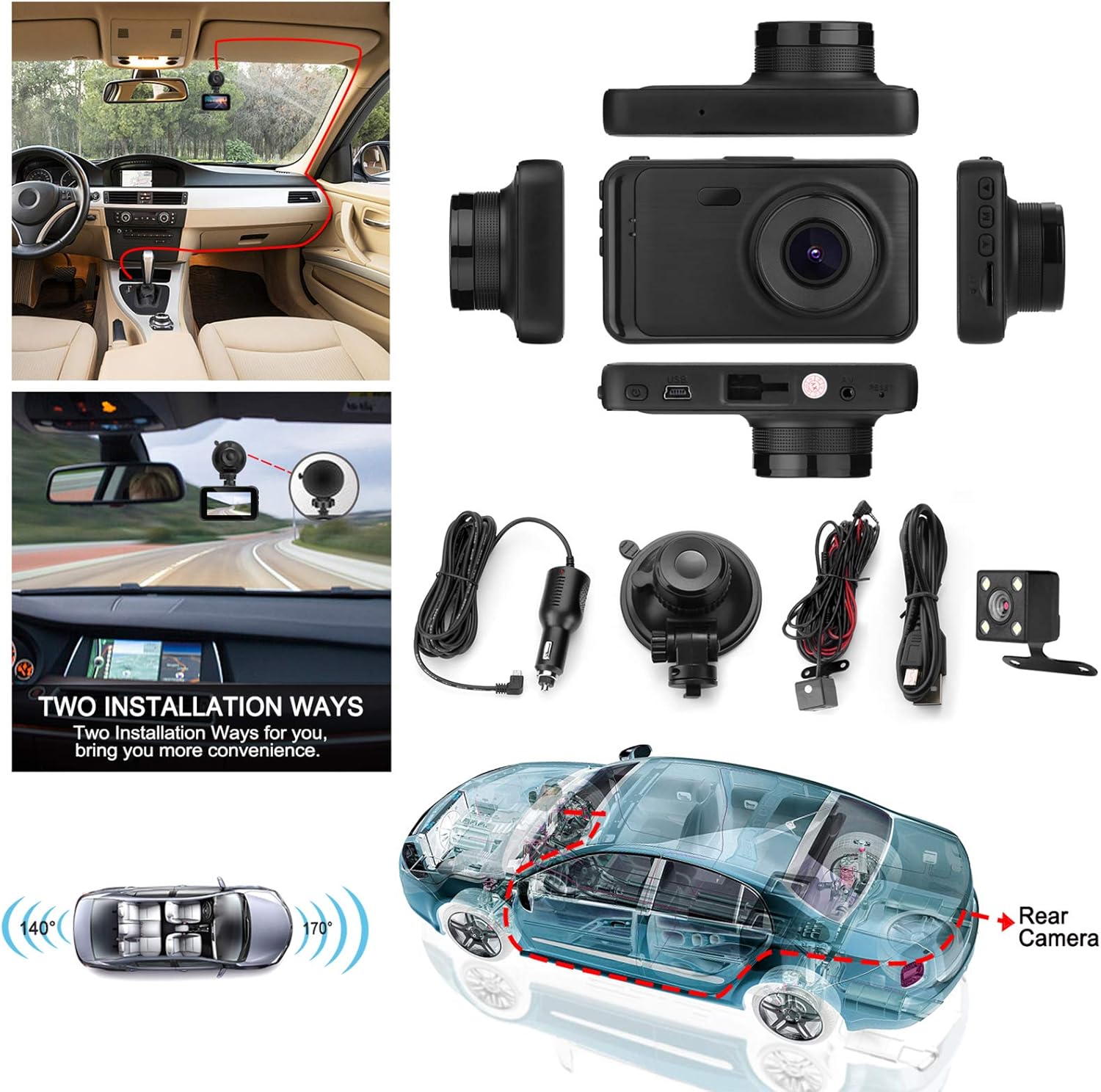
Descrição da imagem: Uma sobrecarga view displaying the MYPIN CE0318-26 Dual Dash Cam unit along with its accessories, including the car charger, suction mount, rear camera, and cables. This image illustrates the complete package contents and the camera's physical design.
Funções dos botões
The user manual includes a diagram detailing the buttons and ports:
- MODO: Alterna entre os modos de gravação de vídeo, fotografia e reprodução.
- ACIMA: Navigates up in menus or zooms in during photo mode.
- OK/REC: Confirms selections, starts/stops recording, or takes a photo.
- BAIXA: Navigates down in menus or zooms out during photo mode.
- CARDÁPIO: Acessa as configurações do sistema.
- Botão de energia: Long press to turn on/off. Short press to turn screen on/off.
Configurar
1. Instalando o cartão Micro SD
- Certifique-se de que a câmera veicular esteja desligada.
- Insert a Class 10 or higher Micro SD card (up to 32GB, not included) into the Micro SD card slot until it clicks into place.
- Para remover, empurre o cartão delicadamente até que ele se solte.
2. Montagem da Dash Cam
There are two primary ways to mount the dash cam:
- Suporte de sucção: Attach the suction cup to a clean, smooth area on your windshield, ensuring it does not obstruct your view. Secure the camera to the mount.
- Montagem adesiva: Use the provided 3M VHB adhesive pads to attach the camera mount directly to your windshield. Ensure the surface is clean and dry for optimal adhesion.
Descrição da imagem: This image illustrates two common installation methods for the dash cam: using a suction cup mount on the windshield and a more permanent adhesive mount. It also shows the routing of the rear camera cable through the vehicle.
3. Conectando a câmera traseira
Connect the rear camera to the main unit using the provided cable. Route the cable discreetly along the vehicle's interior trim to the rear of the car. Mount the rear camera on the rear windshield or license plate area, ensuring a clear view.
4. Conexão de energia
Plug the car charger into your vehicle's cigarette lighter socket and connect the mini USB end to the dash cam's USB port. The camera will automatically power on and begin recording when the vehicle starts.
Instruções de operação
Gravação de vídeo
The dash cam automatically starts recording when powered on. To manually start/stop recording, press the OK/REC button. The 3-inch LCD screen provides a real-time view das câmeras frontal e traseira.

Descrição da imagem: A close-up of the dash cam's 3-inch LCD screen, showing a clear, real-time view of a road with traffic during sunset. This highlights the display quality and user interface.
Lente Grande Angular 170 °
The front camera features a 170-degree wide-angle lens, capturing a broad view of the road and minimizing blind spots. This allows for comprehensive coverage of up to three lanes of traffic.

Descrição da imagem: A diagram illustrating the 170-degree wide-angle capability of the front camera, showing how it effectively captures three lanes of traffic from an overhead perspective.
Gravação em loop
When the memory card is full, the loop recording function automatically overwrites the oldest unlocked video files to ensure continuous recording without manual intervention. Important footagO arquivo pode ser bloqueado para impedir a sobrescrita.
G-Sensor (Emergency Lock)
The built-in G-sensor detects sudden movements or impacts (e.g., collisions). When triggered, it automatically locks the current video file, protecting it from being overwritten by loop recording. This ensures critical accident footage é preservado.
Monitor de estacionamento
With the parking monitor feature enabled, the dash cam can act as a 24-hour security camera. If a vibration or impact is detected while the vehicle is parked and the engine is off, the camera will automatically turn on and record a short video. Ensure the dash cam's internal battery has sufficient charge for this function.

Descrição da imagem: An illustration demonstrating the parking monitor feature. It shows a car parked, with icons indicating detection of a potential robbery or parking incident, triggering a 30-second recording.
Night Vision and WDR (Wide Dynamic Range)
The dash cam incorporates IR cut technology for automatic switching to clear night vision mode in low-light conditions. Wide Dynamic Range (WDR) technology enhances image quality by balancing bright and dark areas, providing clearer video footage both day and night.

Descrição da imagem: A split image comparing the dash cam's performance in daylight versus night conditions. It shows clear license plate readability in both scenarios, demonstrating effective night vision capabilities.
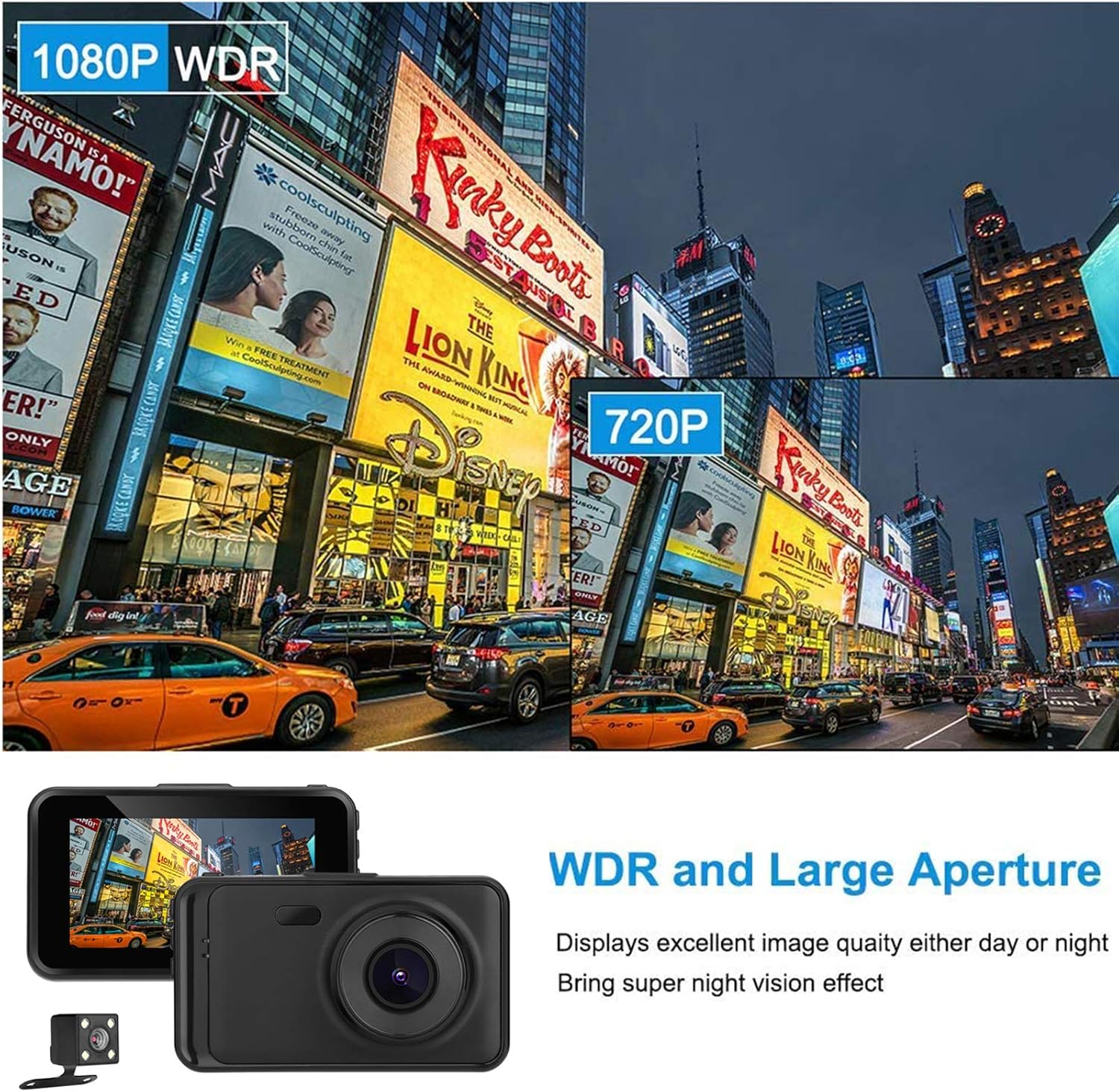
Descrição da imagem: An image illustrating the effect of WDR (Wide Dynamic Range) technology. It shows a scene with varying light levels, demonstrating how WDR improves visibility in both bright and dark areas of the image.
Descrição do vídeo: This video showcases actual footage from the MYPIN CE0318-26 Dual Dash Cam. It includes a segment demonstrating daylight recording quality (starting around 0:11) and another segment showing night recording quality (starting around 1:56), highlighting the camera's performance in different lighting conditions.
Manutenção
- Limpeza: Use um pano macio e seco para limpar a lente e a tela da câmera. Evite produtos de limpeza abrasivos ou solventes.
- Armazenar: If not in use for an extended period, store the dash cam in a cool, dry place away from direct sunlight.
- Atualizações de firmware: Verifique o fabricante webAcesse o site periodicamente para verificar se há atualizações de firmware disponíveis e, assim, garantir o desempenho ideal.
- Cartão de memória: Format the Micro SD card regularly (e.g., once a month) to prevent data corruption and ensure smooth operation.
Solução de problemas
- Câmera não liga: Ensure the car charger is properly connected and the vehicle's power outlet is functioning. Check the dash cam's internal battery charge.
- A gravação para inesperadamente: The Micro SD card may be full or corrupted. Format the card or replace it with a new Class 10 or higher card.
- Má qualidade de vídeo: Clean the camera lens. Ensure the protective film is removed from the lens. Check video resolution settings.
- Rear camera not working: Verify the rear camera cable is securely connected to both the main unit and the rear camera.
- Dash cam freezes: Press the reset button (if available) or disconnect and reconnect the power supply.
Especificações
| Recurso | Detalhe |
|---|---|
| Número do modelo | CE0318-26 |
| Resolução de captura de vídeo | 1080p |
| Tamanho da tela | 3 Inches (Note: Product description states 3", specifications state 4". Using 3" as per product title.) |
| Grande Angular | 170° |
| Características especiais | Loop Recording, Night Vision, G-Sensor, Parking Monitor, WDR |
| Tecnologia de Conectividade | USB |
| Tipo de montagem | Montagem por Sucção |
| Método de controle | Botões |
| Peso do item | 13.1 onças |
| Dimensões da embalagem | 5.59 x 4.57 x 3.5 polegadas |
| Baterias | 1 bateria de polímero de lítio necessária (incluída) |
Garantia e Suporte
For warranty information, technical support, or service inquiries, please refer to the contact details provided on the product packaging or the official MYPIN website. Guarde o recibo de compra como comprovante para solicitações de garantia.