Introdução
The Forge Doosl DSER102 is a versatile device designed to enhance your audio experience. It functions as both a Bluetooth receiver, allowing you to stream audio wirelessly to non-Bluetooth devices, and an FM transmitter, enabling you to broadcast audio to your car radio. This manual provides detailed instructions for setup, operation, and maintenance to ensure optimal performance.
Informações de segurança
- Mantenha o dispositivo longe de água, umidade e temperaturas extremas.
- Não tente desmontar ou reparar o dispositivo por conta própria. Consulte um técnico qualificado.
- Utilize apenas o cabo de carregamento fornecido ou um equivalente certificado.
- Evite a exposição prolongada à luz solar direta.
- Descarte o dispositivo e sua bateria de forma responsável, de acordo com as normas locais.
Conteúdo da embalagem
Por favor, verifique se a embalagem contém os seguintes itens:
- Forge Doosl DSER102 Bluetooth Receiver & FM Transmitter
- Cabo de carregamento micro USB
- Cabo de áudio de 3.5 mm
- Manual do usuário (este documento)
Produto acimaview
Familiarize yourself with the device's components:
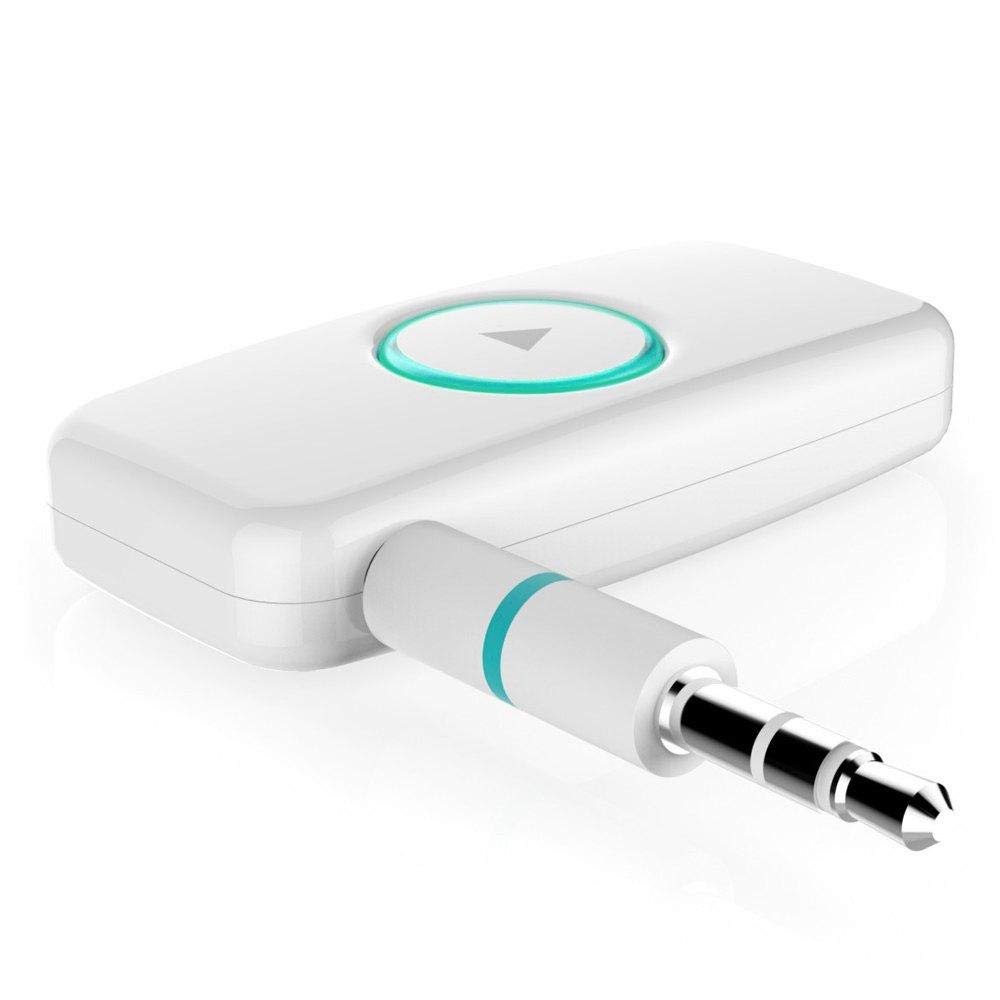
Figura 1: Frente view of the DSER102 device.
- Botão multifuncional: Power on/off, Play/Pause, Answer/End Call, Mode Switch.
- Indicador LED: Mostra o status de energia, carregamento e conexão.
- 3.5mm Audio Output/Input Port: Connects to audio devices.
- Porta de carregamento micro USB: Para carregar a bateria interna.
Configurar
1. Carregando o dispositivo
Before first use, fully charge the DSER102.
- Connect the Micro USB charging cable to the device's charging port.
- Conecte a outra extremidade do cabo a um adaptador de energia USB (não incluído) ou à porta USB de um computador.
- The LED indicator will show red during charging and turn off when fully charged. A full charge takes approximately 2 hours and provides up to 16 hours of music playback.
2. Bluetooth Receiver Mode Setup
Use this mode to stream audio from your Bluetooth-enabled phone to a non-Bluetooth speaker or car stereo.
- Ligar: Press and hold the Multi-function Button for 3 seconds until the LED indicator flashes blue rapidly, indicating pairing mode.
- Conectar ao dispositivo de áudio: Plug the DSER102 into the 3.5mm AUX input of your car stereo, home stereo, or speaker using the 3.5mm audio cable.
- Emparelhar com o telefone: On your mobile phone, enable Bluetooth and search for "DSER102" in the list of available devices. Select it to pair.
- Connection Confirmed: Once paired, the LED indicator will flash blue slowly. You can now play music from your phone through the connected audio device.
3. FM Transmitter Mode Setup
Use this mode to broadcast audio from the DSER102 to your car's FM radio.
- Ligar: Pressione e segure o botão multifuncional por 3 segundos.
- Switch to FM Transmitter Mode: Double-press the Multi-function Button to switch modes. The LED indicator will change color or pattern (refer to device for specific indication).
- Tune FM Radio: On your car's FM radio, tune to an unused FM frequency (e.g., 87.5 MHz or 108.0 MHz).
- Set DSER102 Frequency: The DSER102 will transmit on a specific FM frequency. If adjustable, match the DSER102's frequency to your car radio's frequency. If not adjustable, find the frequency the DSER102 is broadcasting on and tune your car radio to it.
- Conectar fonte de áudio: Connect your audio source (e.g., phone via Bluetooth) to the DSER102. The audio will now be transmitted to your car's FM radio.
Instruções de operação
Ligar/Desligar
- Ligar: Press and hold the Multi-function Button for approximately 3 seconds until the LED indicator lights up.
- Desligar: Press and hold the Multi-function Button for approximately 3 seconds until the LED indicator turns off.
Music Playback (Bluetooth Receiver Mode)
- Reproduzir/Pausar: Pressione rapidamente o botão multifuncional.
Call Management (Bluetooth Receiver Mode)
- Atender/encerrar chamada: Pressione rapidamente o botão multifuncional.
- Rejeitar chamada: Pressione e segure o botão multifuncional por 2 segundos.
- Rediscar último número: Pressione duas vezes o botão multifuncional.
Manutenção
- Limpe o aparelho com um pano macio e seco. Não utilize produtos de limpeza líquidos ou aerossóis.
- Guarde o dispositivo em local fresco e seco quando não estiver em uso.
- Evite deixar cair ou submeter o dispositivo a impactos fortes.
Solução de problemas
| Problema | Solução |
|---|---|
| O dispositivo não liga. | Ensure the device is fully charged. Connect it to a power source using the Micro USB cable. |
| Não é possível emparelhar com o dispositivo Bluetooth. | Make sure the DSER102 is in pairing mode (rapidly flashing blue LED). Ensure your phone's Bluetooth is enabled and within range. Try restarting both devices. |
| No audio in Bluetooth Receiver mode. | Check if the 3.5mm audio cable is securely connected to both the DSER102 and your audio system's AUX input. Ensure your audio system is set to the correct AUX input. Adjust volume on both devices. |
| Poor audio quality in FM Transmitter mode. | Find a clear, unused FM frequency on your car radio and match the DSER102's frequency to it. Avoid frequencies used by local radio stations. Reduce interference by moving the device away from other electronics. |
Especificações
- Modelo: DSER102
- Versão Bluetooth: V4.0
- Capacidade da bateria: 250mAh Li-bateria
- Tempo de reprodução da música: Até 16 horas
- Porta de carregamento: Micro USB
- Saída de áudio: 3.5 mm AUX
- Dimensões: 1.4 x 4.6 x 3.7 cm
- Peso: 200 g
- Dispositivos compatíveis: fone de ouvido, smartphone, alto-falante
Garantia e Suporte
For warranty information or technical support, please refer to the retailer where the product was purchased or visit the official Forge webGuarde o comprovante de compra como prova de aquisição.