1. Introdução
The GameMax Mirage 120mm PC Cooling Fan is designed to provide efficient cooling for computer components while offering customizable RGB lighting. This fan features a dual-ring Rainbow LED design, a hydraulic bearing for quiet operation, and a 7-blade fan structure. It is compatible with 5V addressable 3-pin Aura Sync systems, allowing for synchronized lighting effects with compatible motherboards or controllers.

Imagem 1.1: Frente view of the GameMax Mirage fan with active Rainbow LED lighting.
2. Informações de segurança
- Ensure your computer system is powered off and unplugged from the wall outlet before installation or maintenance.
- Manuseie os componentes com cuidado para evitar danos causados por eletricidade estática. Considere o uso de uma pulseira antiestática.
- Não force os conectores. Certifique-se da orientação correta antes de conectar os cabos.
- Mantenha o ventilador longe de líquidos e umidade excessiva.
- Do not attempt to disassemble the fan unit beyond what is described in this manual.
3. Conteúdo da embalagem
Verifique se todos os itens estão presentes no seu pacote:
- 1 x GameMax Mirage 120mm PC Cooling Fan
- 4 x Parafusos de montagem
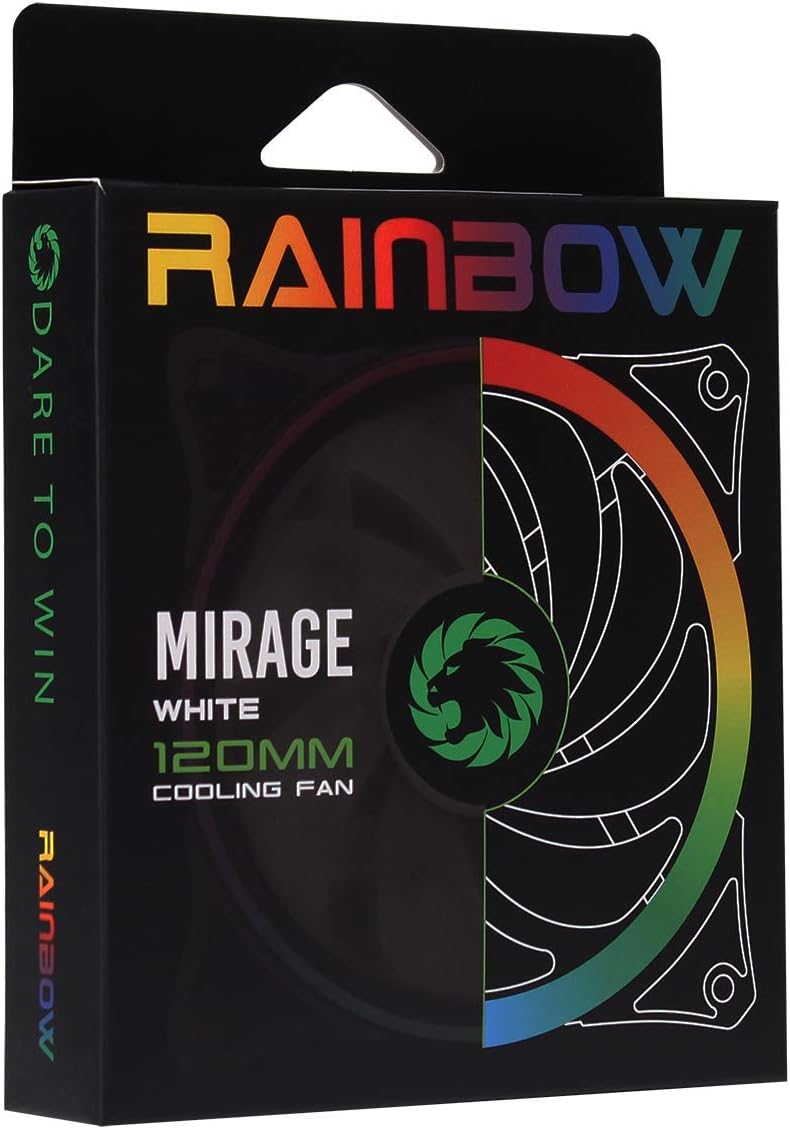
Image 3.1: Retail packaging for the GameMax Mirage fan.
4. Configuração e instalação
Follow these steps to install your GameMax Mirage 120mm PC Cooling Fan:
- Prepare seu sistema: Power off your computer and unplug it from the power outlet. Open your computer case to access the fan mounting locations.
- Monte o ventilador: Position the fan in your desired location (e.g., case front, rear, top, or radiator). Ensure the airflow direction is correct for your cooling setup. Use the four included mounting screws to secure the fan to the chassis or radiator. The fan features rubber pads on the corners to help reduce vibration.
- Conecte a alimentação do ventilador: Locate the 3-pin power connector on the fan cable. Connect this cable to an available 3-pin fan header on your motherboard or a fan controller.
- Conecte a iluminação RGB: Locate the 5V addressable 3-pin Aura connector on the fan cable. Connect this to a compatible 5V ARGB header on your motherboard (often labeled 'VDG' or 'ARGB') or an external RGB controller/hub. Warning: Do not connect this to a 12V RGB header, as it will damage the LEDs.

Image 4.1: The 3-pin power connector (top) and 5V addressable 3-pin Aura connector (bottom).
The fan cables are braided for improved aesthetics and durability, helping to keep your build neat and tidy.
5. Instruções de operação
Once installed, the GameMax Mirage fan operates as follows:
- Controle de velocidade do ventilador: The fan speed is controlled via the 3-pin power connector. If connected to a motherboard fan header, the speed can typically be adjusted through your motherboard's BIOS/UEFI settings or dedicated software.
- Controle de iluminação RGB: The Rainbow LED lighting is controlled via the 5V addressable 3-pin Aura connector.
- If connected to a compatible motherboard (e.g., ASUS Aura Sync, MSI Mystic Light, Gigabyte RGB Fusion, ASRock Polychrome Sync), you can use the motherboard's software to customize lighting effects, colors, and synchronization with other ARGB components.
- If connected to an external RGB hub/controller, refer to the instructions provided with your specific hub/controller for lighting customization options.

Imagem 5.1: Angulada view of the GameMax Mirage fan showcasing its dual-ring Rainbow LED lighting.
6. Manutenção
A manutenção regular ajuda a garantir o desempenho ideal e a prolongar a vida útil do seu ventilador de refrigeração:
- Limpeza de pó: Periodically inspect the fan blades and frame for dust accumulation. Use compressed air or a soft brush to gently remove dust. Ensure the fan is powered off and unplugged before cleaning.
- Inspeção de cabos: Occasionally check the power and RGB cables for any signs of wear or damage.
7. Solução De Problemas
- A ventoinha não está girando:
- Ensure the 3-pin power connector is securely plugged into a functional fan header on the motherboard or controller.
- Check motherboard BIOS/UEFI settings to ensure the fan header is enabled and configured correctly.
- LEDs Not Lighting Up or Incorrect Colors:
- Verify the 5V addressable 3-pin Aura connector is securely connected to a compatible 5V ARGB header (not 12V RGB).
- Ensure your motherboard's RGB software or external controller is properly installed and configured.
- If using a splitter or hub, ensure it is powered and functioning correctly.
- Ruído excessivo:
- Check for any cables or obstructions interfering with the fan blades.
- Ensure the fan is securely mounted and the rubber pads are properly seated to absorb vibrations.
- Dust accumulation can cause imbalance and noise; clean the fan as described in the Maintenance section.
8. Especificações
| Recurso | Especificação |
|---|---|
| Modelo | MIRAGEWHITE FINS |
| Tamanho do ventilador | 120 mm x 120 mm x 25 mm (0.98 x 4.72 x 4.72 polegadas) |
| Tipo de rolamento | Rolamento Hidráulico |
| Pás de ventilador | 7 lâminas |
| Tipo de LED | Addressable Rainbow LED (Dual-Ring) |
| Conector de alimentação do ventilador | 3 pinos |
| Conector RGB | 5V Addressable 3-Pin Aura Connector |
| Vol operacionaltage | 5 Volts (for RGB) / 12 Volts (for fan motor, typical for 3-pin) |
| Wat avaliadotage | 3 Watts |
| Velocidade Rotacional Máxima | 1800 RPM |
| Nível de ruído | Aproximadamente 25 dB(A) |
| Material | Rubber (for vibration dampening) |

Imagem 8.1: Voltar view of the GameMax Mirage fan, displaying the product label with model and electrical specifications.
9. Garantia e Suporte
Para informações sobre garantia e suporte técnico, consulte o site oficial da GAMEMAX. webNo site ou entre em contato com o revendedor. Guarde o comprovante de compra para eventuais solicitações de garantia.


