Introdução
This manual provides instructions for the safe and effective use of your T&G TG504 Portable Bluetooth Speaker. Please read it thoroughly before use and retain it for future reference. This speaker is designed for portable audio playback with wireless Bluetooth connectivity and water resistance.
Produto acimaview
The T&G TG504 is a cylindrical, portable Bluetooth speaker featuring a robust design and a built-in microphone for hands-free calling. It offers high-definition sound with bass boost and multiple connectivity options.
Principais características:
- Portable and Cylindrical Design
- Water Resistant Construction
- Built-in Microphone for Calls
- Conectividade sem fio Bluetooth
- AUX and USB Port for versatile playback
- Bass Boost and High Definition Sound
- Battery Powered for on-the-go use
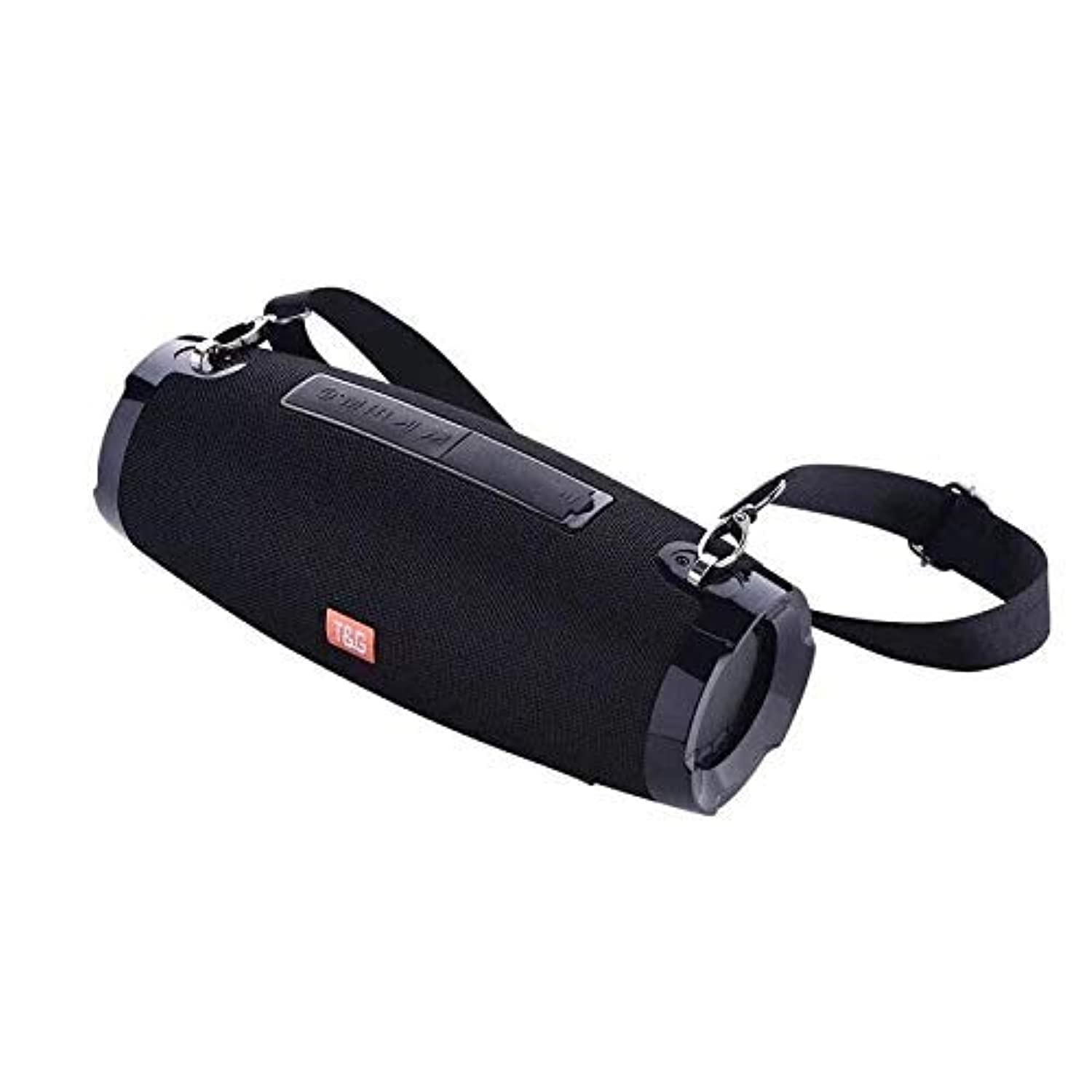
This image shows the T&G TG504 Portable Bluetooth Speaker. It features a black cylindrical design with a mesh grille covering the speaker. The T&G brand logo is visible in orange on the front. The speaker has attachment points on the sides, suggesting portability.
Conteúdo da embalagem
- T&G TG504 Portable Bluetooth Speaker
- Cabo AUX
- Cabo de carregamento USB
- Manual do usuário
Controles e Indicadores
Familiarize yourself with the speaker's controls and ports for optimal operation.
- Botão de energia: Pressione e segure para ligar ou desligar o alto-falante.
- Botão Reproduzir/Pausar: Pressione para reproduzir ou pausar o áudio.
- Aumentar volume (+): Pressione para aumentar o volume. Mantenha pressionado para pular para a próxima faixa.
- Volume baixo (-): Pressione para diminuir o volume. Mantenha pressionado para ir para a faixa anterior.
- Botão de modo (M): Press to switch between Bluetooth, AUX, and USB modes.
- Botão de chamada: Press to answer or end a phone call. Hold to reject a call.
- Porta AUX: Para conexão com fio a dispositivos de áudio.
- Porta USB: For playing music from a USB drive or charging other devices (if supported).
- Porta de carregamento: Para conectar o cabo de carregamento USB.
- Indicador LED: Exibe o status de energia, o status de carregamento e o status de emparelhamento Bluetooth.
Configurar
1. Carregando o alto-falante
- Conecte a extremidade menor do cabo de carregamento USB à porta de carregamento da caixa de som.
- Conecte a extremidade maior do cabo de carregamento USB a um adaptador de energia USB (não incluído) ou à porta USB de um computador.
- O indicador LED mostrará o status do carregamento (por exemplo, vermelho durante o carregamento, apagado quando a carga estiver completa).
- Aguarde aproximadamente 3 a 4 horas para uma carga completa antes da primeira utilização.
2. Ligar / desligar
- To power on, press and hold the Power button until the LED indicator lights up and you hear an audible prompt.
- To power off, press and hold the Power button again until the LED indicator turns off and you hear an audible prompt.
3. Emparelhamento Bluetooth
- Ensure the speaker is powered on and in Bluetooth pairing mode (LED indicator will typically flash blue). If not, press the Mode button to switch to Bluetooth mode.
- No seu dispositivo móvel (smartphone, tablet, laptop), ative o Bluetooth.
- Procurar available Bluetooth devices. The speaker will appear as "TG504" or similar.
- Select "TG504" to connect. Once paired, the LED indicator will turn solid blue, and you will hear a confirmation sound.
- O alto-falante se reconectará automaticamente ao último dispositivo emparelhado ao ser ligado, se o dispositivo estiver dentro do alcance e o Bluetooth estiver ativado.
4. Conectando via AUX
- Connect one end of the provided AUX cable to the speaker's AUX port.
- Connect the other end of the AUX cable to the headphone jack of your audio device.
- O alto-falante mudará automaticamente para o modo AUX, ou você poderá precisar pressionar o botão Mode para selecionar AUX.
Instruções de operação
Tocando música
- Modo Bluetooth: Once paired, start playing music on your connected device. Audio will stream through the speaker.
- Modo AUX: Start playing music on your connected audio device.
- Modo USB: Insira uma unidade flash USB com MP3 files into the USB port. The speaker will automatically detect and play music. Press the Mode button to switch to USB mode if needed.
- Use the Play/Pause button on the speaker or your device to control playback.
Ajustando o volume
- Press the Volume Up (+) button to increase the volume.
- Press the Volume Down (-) button to decrease the volume.
- Volume can also be adjusted from your connected device.
Handling Calls (Bluetooth Mode)
- Atender chamada: When a call comes in, press the Call button once to answer.
- Encerrar chamada: During a call, press the Call button once to end the call.
- Rejeitar chamada: When a call comes in, press and hold the Call button to reject it.
- Rediscar último número: In standby mode, double-press the Call button to redial the last number.
Controle de voz
The speaker supports voice control. Depending on your connected device, you may be able to activate your device's voice assistant (e.g., Siri, Google Assistant) by pressing and holding the Play/Pause button (or a dedicated voice button if available) for a few seconds.
Manutenção
Limpeza
- Limpe o alto-falante com um pano macio e seco.
- Não utilize produtos de limpeza abrasivos, álcool ou solventes químicos.
Armazenar
- Guarde a caixa de som em local fresco e seco, longe da luz solar direta e de temperaturas extremas.
- Se for armazenar a bateria por um longo período, carregue-a periodicamente para prolongar sua vida útil.
Cuidados com a resistência à água
- Certifique-se de que todas as tampas das portas estejam bem fechadas antes de expor a caixa de som à água.
- Do not submerge the speaker in water. Water resistance protects against splashes and light rain, not full immersion.
- After exposure to water, wipe the speaker dry before charging or opening port covers.
Solução de problemas
Caso encontre problemas com seu alto-falante, consulte a tabela a seguir para problemas comuns e suas soluções.
| Problema | Possível causa | Solução |
|---|---|---|
| O alto-falante não liga | Bateria fraca; botão liga/desliga não pressionado corretamente | Carregue a caixa de som; pressione e segure o botão Liga/Desliga por 3 a 5 segundos. |
| Não é possível emparelhar via Bluetooth. | Speaker not in pairing mode; Device Bluetooth off; Speaker too far from device | Ensure speaker LED is flashing blue; Turn on Bluetooth on your device; Move speaker closer to device (within 10 meters). |
| Sem som | Volume muito baixo; Modo incorreto selecionado; Dispositivo não está reproduzindo áudio | Increase speaker and device volume; Press Mode button to select correct input; Ensure audio is playing on your device. |
| Distorção sonora | Volume muito alto; Bateria fraca; Interferência | Reduce volume; Charge the speaker; Move away from other wireless devices. |
| Microfone não funciona | Not in call mode; Microphone blocked | Ensure you are on a call; Check for obstructions around the microphone. |
Especificações
| Nome do modelo | TG504 |
| Marca | T&G |
| Cor | Preto |
| Forma | Cilíndrico |
| Peso do item | 735 grams (approx. 1 kg / 2.2 pounds) |
| Potência máxima de saída do alto-falante | 10 watts |
| Tecnologia de Conectividade | Bluetooth, Auxiliary (AUX) |
| Tecnologia de comunicação sem fio | Bluetooth |
| Resistente à água | Sim |
| Fonte de energia | Alimentado por bateria |
| Método de controle | Voz |
| Modo de saída de áudio | Cercar |
| Tipo de montagem | Mesa |
| Dispositivos compatíveis | Tablet, Laptop, Smartphone |
| Características especiais | Bass Boost, High Definition Sound, Water Resistant, USB Port |
| Componentes incluídos | Cabo AUX |
Informações de segurança
- Não exponha o alto-falante a temperaturas extremas, luz solar direta ou alta umidade.
- Evite deixar cair ou submeter o alto-falante a impactos fortes.
- Mantenha o alto-falante longe de crianças e animais de estimação.
- Não tente desmontar, reparar ou modificar a caixa de som por conta própria. Isso anulará a garantia e poderá causar danos ou ferimentos.
- Use only the specified charging cable and a compatible power adapter.
- Do not use the speaker near water sources if port covers are not securely closed.
- Ouvir por muito tempo em níveis altos de volume pode causar danos à audição.
Garantia e Suporte
Specific warranty details are not provided in the product information. For warranty claims or technical support, please refer to the retailer or manufacturer's official website where you purchased the product. Keep your proof of purchase for any warranty-related inquiries.