1. Introdução
Thank you for choosing the Hoco ES24 Wireless Sound Earphones. This manual provides detailed instructions on how to set up, operate, and maintain your earphones. Please read this manual carefully before use to ensure optimal performance and longevity of your device.
2. Conteúdo da embalagem
Certifique-se de que todos os itens listados abaixo estejam presentes em sua embalagem:
- Hoco ES24 Wireless Earphones (Left and Right)
- Estojo de carregamento
- Cabo de carregamento USB
- Vários tamanhos de ponteiras auriculares (P, M, G)
- Manual do usuário

Image: The Hoco ES24 earphones, charging case, USB cable, and various ear tip sizes included in the package.
3. Produto acabadoview
The Hoco ES24 earphones are designed for comfortable, wireless audio experience. They come with a compact charging case that not only protects the earphones but also recharges them on the go.

Image: The Hoco ES24 earphones resting inside their open charging case, showcasingraças ao seu design compacto.
4. Configuração
4.1 Carregamento Inicial
- Antes da primeira utilização, carregue totalmente os fones de ouvido e o estojo de carregamento.
- Coloque os dois fones de ouvido no estojo de carregamento.
- Connect the USB charging cable to the charging port on the case and a power source (e.g., USB wall adapter, computer USB port).
- The LED indicator on the charging case will show the charging status. A full charge typically takes about 1 hour for fast charging.

Image: The Hoco ES24 charging case displaying the battery percentage via an LED screen, indicating charging status and capacity.
5. Instruções de operação
5.1 Ligar/Desligar
- Ligar: Open the charging case, and the earphones will automatically power on. Alternatively, press and hold the touch control area on both earphones for 3 seconds.
- Desligar: Place the earphones back into the charging case and close the lid. They will automatically power off and begin charging. Alternatively, press and hold the touch control area on both earphones for 5 seconds.
5.2 Emparelhamento Bluetooth
- Emparelhamento pela primeira vez:
a. Ensure the earphones are charged.
b. Open the charging case. The earphones will automatically enter pairing mode, indicated by a flashing LED light on one of the earbuds.
c. On your device (smartphone, tablet, etc.), enable Bluetooth and search for available devices.
d. Select "Hoco ES24" from the list of devices. Once connected, the LED indicator on the earphone will stop flashing. - Emparelhamento subsequente:
Once paired, the earphones will automatically connect to the last paired device when taken out of the charging case, provided Bluetooth is enabled on your device.
5.3 Controles de toque
The Hoco ES24 earphones feature touch-sensitive controls for easy management of music and calls.
- Reproduzir/Pausar: Um único toque em qualquer um dos fones de ouvido.
- Próxima faixa: Toque duas vezes no fone de ouvido direito.
- Faixa anterior: Toque duas vezes no fone de ouvido esquerdo.
- Atender/encerrar chamada: Um único toque em qualquer um dos fones de ouvido durante uma chamada recebida ou em andamento.
- Rejeitar chamada: Durante uma chamada recebida, mantenha pressionado qualquer um dos fones de ouvido por 2 segundos.
- Ative o Voice Assistant: Toque três vezes em qualquer um dos fones de ouvido.

Image: A user wearing the Hoco ES24 earphones, illustrating their in-ear fit and highlighting features like Bluetooth 5.0 connectivity and clear call quality.
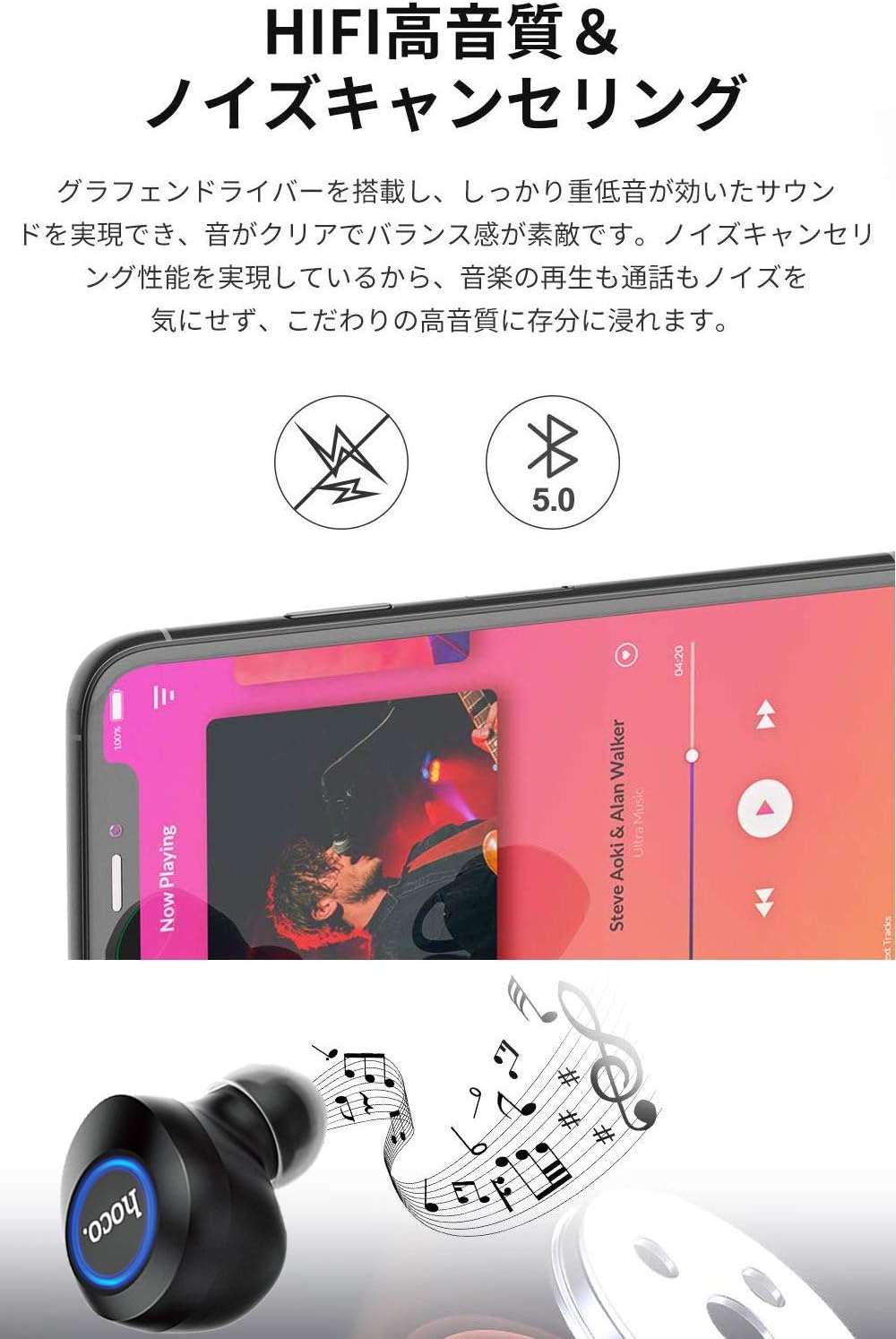
Image: A close-up of a Hoco ES24 earphone, with a smartphone screen in the background showing music playback, emphasizing HiFi sound quality and noise cancellation capabilities.
6. Manutenção
6.1 Limpeza
- Limpe regularmente os fones de ouvido e o estojo de carregamento com um pano macio, seco e sem fiapos.
- Não utilize produtos de limpeza abrasivos, álcool ou solventes químicos.
- Remova cuidadosamente qualquer cera ou resíduo das pontas dos fones de ouvido e da tela do alto-falante usando uma escova pequena e macia ou um cotonete.
6.2 Armazenamento
- Quando não estiverem em uso, guarde os fones de ouvido no estojo de carregamento para protegê-los contra poeira e danos.
- Avoid storing the device in extreme temperatures (hot or cold) or in humid environments.
6.3 Cuidados com a bateria
- Para prolongar a vida útil da bateria, evite descarregar completamente os fones de ouvido e o estojo de carregamento com frequência.
- Carregue o dispositivo regularmente, mesmo que não o utilize com frequência.
7. Solução De Problemas
If you encounter any issues with your Hoco ES24 earphones, refer to the following common problems and solutions:
| Problema | Solução |
|---|---|
| Os fones de ouvido não ligam. | Ensure the earphones and charging case are fully charged. Place earphones in the case and close the lid, then open again. |
| Não foi possível emparelhar com o dispositivo. | Make sure Bluetooth is enabled on your device. Ensure earphones are in pairing mode (flashing LED). Turn off and on your device's Bluetooth. Forget "Hoco ES24" from your device's Bluetooth list and try pairing again. |
| No sound from one or both earphones. | Check device volume. Ensure earphones are properly connected. Try re-pairing. Clean any debris from the speaker mesh. |
| O estojo de carregamento não está carregando. | Verifique se o cabo USB está firmemente conectado tanto ao gabinete quanto à fonte de alimentação. Tente usar um cabo USB ou adaptador de energia diferente. |
| Os controles de toque não respondem. | Ensure your fingers are clean and dry. Restart the earphones by placing them in the case and taking them out again. |
8. Especificações
Below are the technical specifications for the Hoco ES24 Wireless Sound Earphones:
- Modelo: ES24
- Conectividade: Sem fio (Bluetooth 5.0)
- Fator de forma: Intra-auricular
- Material: Plástico
- Método de controle: Tocar
- Microfone: Sim
- Cancelamento de ruído: No (Passive noise isolation may be present due to in-ear design)
- Dispositivos compatíveis: All devices with Bluetooth functionality
- Peso do item: 55 grams (earphones + case)
- Dimensões do produto: 2.38 x 2.1 x 2.35 cm (earphone dimensions)
- Componentes incluídos: Protective charging case
- Cor: Preto
- Faixa etária: Adulto
- Tempo de carregamento: Approximately 1 hour (fast charge)
- Tempo de uso: Approximately 4-5 hours (single use)
9. Informações de segurança
Observe as seguintes diretrizes de segurança para evitar danos ao dispositivo ou ferimentos a você mesmo:
- Não desmonte, repare ou modifique o produto.
- Mantenha o dispositivo longe de água, umidade e temperaturas extremas.
- Evite a exposição prolongada a níveis de volume elevados para evitar danos auditivos.
- Mantenha fora do alcance de crianças e animais de estimação.
- Elimine o produto de forma responsável de acordo com os regulamentos locais.
10. Garantia e Suporte
Hoco products are designed and manufactured to the highest quality standards. For warranty information, technical support, or customer service inquiries, please refer to the warranty card included in your package or contact your local retailer or Hoco customer support directly. Please retain your proof of purchase for any warranty claims.


