1. Introdução
Thank you for choosing the Greadio Retro Bluetooth Speaker and Vintage FM Radio. This manual provides essential information for the safe and efficient operation of your device. Please read it thoroughly before use and retain it for future reference.
2. Informações de segurança
- Não exponha o dispositivo à água, umidade ou temperaturas extremas.
- Evite deixar cair ou submeter o dispositivo a impactos fortes.
- Não tente desmontar ou reparar o dispositivo por conta própria. Contate pessoal de serviço qualificado.
- Mantenha fora do alcance de crianças.
- Use apenas o cabo de carregamento fornecido.
3. Conteúdo da embalagem
Verifique se todos os itens estão presentes na embalagem:
- Greadio Retro Bluetooth Speaker (Model GR919P)
- Cabo de carregamento USB
- Cabo AUX
- Manual do usuário

Image: Greadio Retro Bluetooth Speaker (Pink) with its charging cable, AUX cable, and user manual.
4. Produto acabadoview
Familiarize yourself with the main components and controls of your Greadio Retro Bluetooth Speaker.

Image: Front panel of the speaker, showing the speaker, frequency scale, tuning knob, volume knob, and ON/OFF & Function knob.

Image: Rear panel of the speaker, showing the Micro USB port, TF card socket, Play/Pause button, and Previous/Next buttons.
Principais características:
- Tamanho compacto: Com dimensões de 4.4 x 2.7 x 2 polegadas, é altamente portátil.
- Volume alto: Equipped with a five-watt amplifier for rich and clear audio.
- Bluetooth 5.0: Advanced wireless connectivity for quick pairing.
- Reprodução em vários modos: Supports FM Radio, Bluetooth, TF Card, and AUX input.
- Bateria recarregável integrada: Proporciona até 9 horas de diversão.
5. Configuração
5.1 Carregamento Inicial
Before first use, fully charge the speaker. Connect the provided USB charging cable to the Micro USB port on the back of the speaker and plug the other end into a USB power adapter (not included) or a computer's USB port. The charging indicator light will illuminate during charging and turn off when fully charged.
5.2 Ligar/Desligar
To power on the speaker, rotate the ON/OFF & Function knob clockwise until you hear a click and the display lights up. To power off, rotate the knob counter-clockwise until it clicks off.
6. Modos de operação
The Greadio Retro Bluetooth Speaker supports multiple playback modes. Rotate the ON/OFF & Function knob to switch between modes.
6.1 Modo Bluetooth
In Bluetooth mode, the speaker can connect wirelessly to your smartphone, tablet, or other Bluetooth-enabled devices.
- Turn on the speaker and switch to Bluetooth mode. The display will show a blue light, indicating it's ready for pairing.
- On your device, enable Bluetooth and search for "Greadio" or "R919".
- Selecione a caixa de som na lista para emparelhar. Um som de confirmação indicará que o emparelhamento foi bem-sucedido.
- Agora você pode reproduzir áudio do seu dispositivo através do alto-falante.

Image: The speaker's dial illuminated in blue, signifying Bluetooth mode is active.
Video: Demonstrates how to connect the Greadio Bluetooth Speaker to a smartphone via Bluetooth, showing the pairing process and audio playback.
6.2 Modo Rádio FM
Enjoy your favorite FM radio stations with the vintage-style tuner.
- Turn on the speaker and switch to FM Radio mode. The display will show an orange light.
- Rotate the Tuning Knob (large central knob) to scan for available FM stations.
- Adjust the Volume Knob (smaller knob) to your desired listening level.

Image: The speaker's dial illuminated in orange, signifying FM radio mode is active.
6.3 Modo de cartão TF
Reproduza músicas diretamente de um cartão TF (MicroSD).
- Insira um cartão TF (até 32 GB, não incluído) com áudio MP3. files into the TF card socket on the back of the speaker.
- The speaker will automatically switch to TF Card mode and begin playback.
- Use the Play/Pause button and Previous/Next buttons on the back to control playback.

Image: The TF card slot located on the rear of the speaker for direct music playback.
6.4 Modo AUX
Connect external audio devices using the AUX cable.
- Connect one end of the provided AUX cable to the AUX port on the back of the speaker.
- Connect the other end to the audio output of your external device (e.g., MP3 player, computer).
- A caixa de som mudará automaticamente para o modo AUX. Reproduza o áudio do seu dispositivo externo.

Image: The AUX port on the rear of the speaker for wired audio connections.
7. Carregamento
The speaker features a built-in 1100mAh rechargeable Lithium Ion battery. When the battery is low, the speaker will indicate this (e.g., voice prompt). Connect the Micro USB charging cable to a 5V/1A USB power source to recharge. A full charge typically takes 3-4 hours and provides up to 9 hours of playback time, depending on volume and mode.
8. Manutenção
- Limpe o alto-falante com um pano macio e seco. Não use produtos de limpeza abrasivos ou solventes.
- Guarde a caixa de som em local fresco e seco, longe da luz solar direta e de temperaturas extremas.
- If not used for extended periods, charge the battery at least once every three months to prolong its lifespan.
9. Solução De Problemas
| Problema | Possível causa | Solução |
|---|---|---|
| A caixa de som não liga. | Bateria fraca. | Carregue totalmente a caixa de som. |
| Sem som no modo Bluetooth. | Not paired or volume too low. | Ensure device is paired and volume is up on both speaker and source device. |
| Recepção de rádio FM ruim. | Sinal fraco ou interferência. | Adjust the speaker's position or rotate for better reception. The charging cable can act as an antenna. |
| O cartão TF não está funcionando. | Card not inserted correctly or unsupported file formatar. | Reinsira o cartão TF. Certifique-se de que... files estão no formato MP3. |
10. Especificações
- Número do modelo: GR919P
- Dimensões do produto: 4.4 x 2.7 x 2 polegadas
- Peso do item: 7.7 onças
- Tecnologia de conectividade: Bluetooth 5.0
- Tecnologia do sintonizador: FM
- Fonte de energia: Alimentado por bateria (1 bateria de íon de lítio incluída)
- Recurso especial: Recarregável
- Fabricante: Greádio
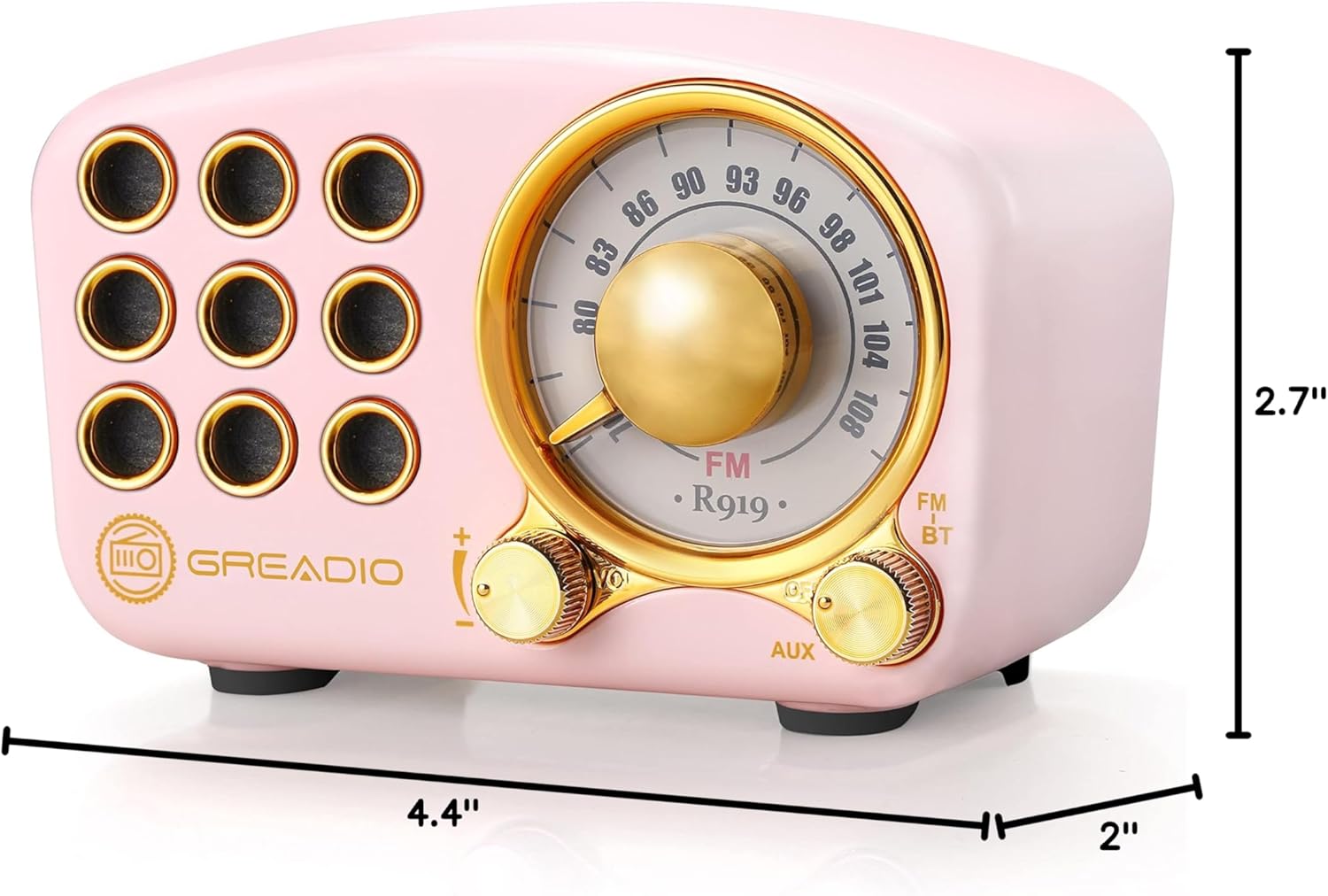
Image: Dimensions of the Greadio Retro Bluetooth Speaker.
11. Garantia e Suporte
Greadio products are designed for reliability and performance. For warranty information or technical support, please refer to the contact details provided on the product packaging or visit the official Greadio webGuarde o comprovante de compra como prova de aquisição.


