Introdução
This manual provides instructions for the setup, operation, and maintenance of your Blink Indoor wireless HD security camera system. The Blink Indoor camera offers wireless monitoring with HD video, infrared night vision, motion detection, and two-way audio, all powered by a long-lasting battery.

Image: The Blink Indoor camera, a compact white and black device, shown on a wooden surface next to a plant.
Conteúdo da embalagem
Antes de começar, certifique-se de que todos os componentes estejam presentes:
- Blink Indoor Camera (quantity dependent on system purchased)
- Blink Sync Module 2
- AA 1.5V Lithium Metal Batteries (two per camera)
- Mounting Kit (per camera)
- Cabo USB
- Adaptador de energia
Configurar
The Blink Indoor camera system is designed for easy self-installation without the need for professional wiring.
Requisitos do sistema
- Always-on high-speed internet connection (broadband, fiber, or DSL).
- Rede Wi-Fi de 2.4 GHz 802.11b/g/n.
- Compatible smartphone or tablet with:
- iOS 17 ou mais recente
- Android 10 ou mais recente
- Fire OS 8 or newer
Etapas de instalação
- Baixe o aplicativo Blink Home Monitor: Procurar "Blink Home Monitor" in your device's app store and install it.
- Criar uma conta: Abra o aplicativo e siga as instruções na tela para criar uma nova conta Blink ou entrar em uma conta existente.
- Set up the Sync Module 2:
- Plug the Sync Module 2 into a power outlet using the provided USB cable and power adapter.
- Follow the in-app instructions to connect the Sync Module 2 to your home Wi-Fi network. The Sync Module acts as a hub for your Blink cameras.
- Insert Batteries into the Camera:
- Open the battery compartment on the back of the Blink Indoor camera.
- Insert the two AA 1.5V lithium metal batteries, ensuring correct polarity.
- Feche o compartimento da bateria com segurança.

Image: A Blink Indoor camera shown with an overlay indicating "Long-lasting battery life — runs up to two years on two AA lithium batteries."
- Add the Camera to Your System:
- In the Blink Home Monitor app, tap the "+" icon to add a new device.
- Select "Blink Indoor Camera" and scan the QR code located inside the camera's battery compartment.
- Follow the remaining in-app prompts to complete the camera setup and link it to your Sync Module.
- Mount the Camera (Optional): Use the included mounting kit to position your camera in your desired indoor location. Ensure it has a clear view da área que você deseja monitorar.
Instruções de operação
The Blink Indoor camera provides comprehensive home monitoring features accessible through the Blink Home Monitor app.
Ao vivo View e áudio bidirecional
- Open the Blink Home Monitor app.
- Select your camera to initiate a live view fluxo.
- Use the microphone icon in the app to speak through the camera's speaker, and listen through the app for two-way audio communication.

Image: A Blink Indoor camera next to a smartphone displaying a live feed from the camera, showing a dog in a living room. Text reads: "Monitor your home right from your phone using the Blink app."

Image: Hands holding a smartphone displaying a live feed from a Blink Indoor camera, showing a living room with a dog on a couch. Text reads: "Stay connected to what's happening inside your home — day or night."
Detecção de movimento e alertas
- Enable motion detection in the Blink Home Monitor app settings for your camera.
- Customize motion sensitivity and activity zones to receive alerts only when necessary.
- When motion is detected, the camera will record a short video clip and send a notification to your smartphone.
Visão noturna infravermelha
The Blink Indoor camera automatically switches to infrared HD night vision in low-light conditions, allowing for clear monitoring day or night.
Indicadores LED
- LED azul: Indicates when the camera is active (optional, can be disabled in settings).
- LED vermelho: Illuminates when recording in night vision mode.
Integração Alexa
The Blink Indoor camera works with Alexa-enabled devices. Link your Blink account to Alexa through the Alexa app to use voice commands for monitoring your home.
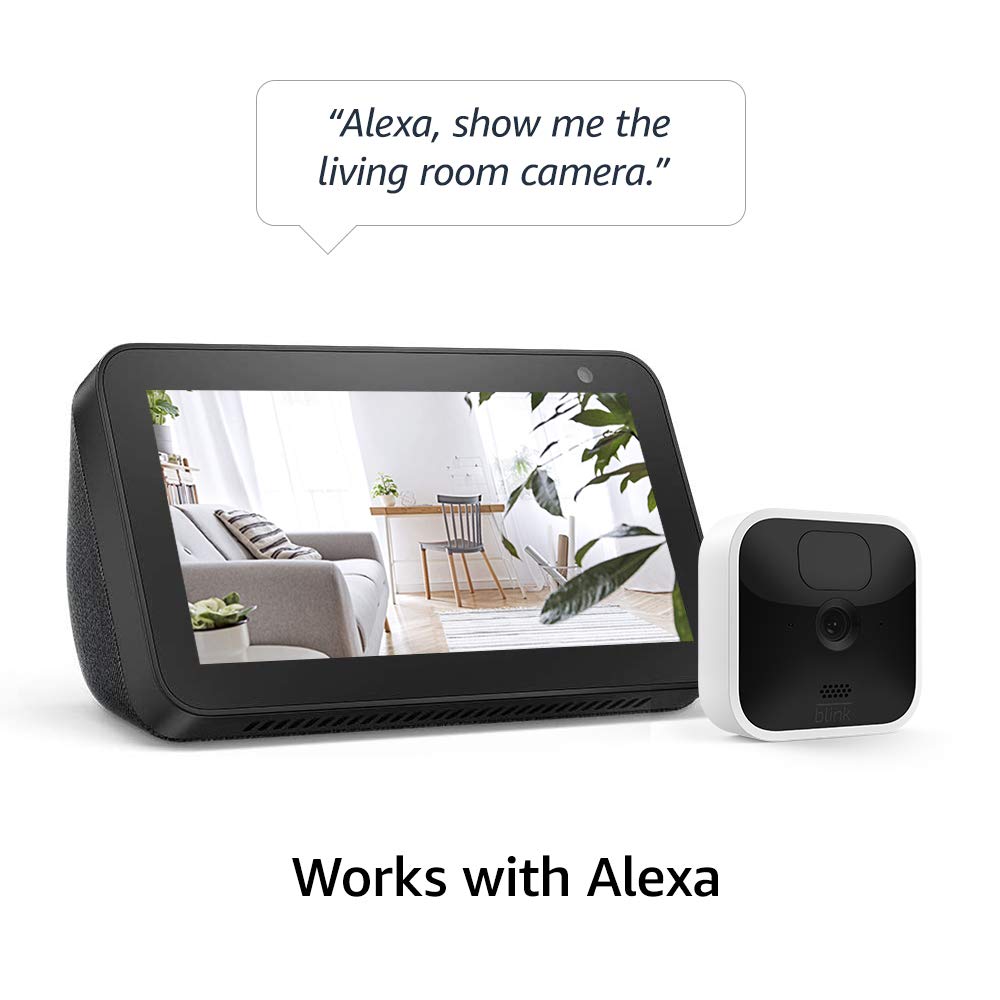
Image: A Blink Indoor camera next to an Amazon Echo Show device displaying a live feed from the camera. A speech bubble above reads: "Alexa, show me the living room camera."
Manutenção
Substituição da bateria
The Blink Indoor camera is powered by two AA 1.5V lithium metal batteries, designed to last up to two years under typical usage. Battery life can vary based on device settings, usage frequency, and environmental factors. Replace batteries when the app indicates low power.
- Access the battery compartment on the back of the camera.
- Remova as pilhas velhas.
- Insert two new AA 1.5V lithium metal batteries, ensuring correct polarity.
- Feche bem o compartimento da bateria.
Observação: Use only non-rechargeable AA 1.5V lithium metal batteries for optimal performance and battery life.
Limpeza
To clean the camera, gently wipe the exterior with a soft, dry cloth. Avoid using liquid cleaners or abrasive materials.
Solução de problemas
If you encounter issues with your Blink Indoor camera, consider the following basic troubleshooting steps:
- Não ao vivo View/Offline Camera:
- Check your home Wi-Fi connection and ensure it is active and stable.
- Verify the Sync Module 2 is powered on and connected to the internet.
- Ensure the camera batteries are not depleted.
- Restart the Sync Module 2 by unplugging it for 30 seconds and plugging it back in.
- Má qualidade de vídeo:
- Certifique-se de que a lente da câmera esteja limpa e livre de obstruções.
- Check your Wi-Fi signal strength at the camera's location. A weak signal can affect video quality.
- Problemas de detecção de movimento:
- Review motion detection settings in the Blink Home Monitor app, including sensitivity and activity zones.
- Ensure there are no objects blocking the camera's field of view.
For more detailed troubleshooting, refer to the official Blink support resources mentioned in the Support section.
Especificações
| Recurso | Detalhe |
|---|---|
| Campo de View | Diagonal de 110° |
| Resolução de vídeo | 1080p HD (day), Infrared HD night vision (dark) |
| Resolução da foto | 640 x 360 nHD |
| Taxa de quadros da câmera | Até 30 fps |
| Tamanho | 71 x 71 x 31 mm |
| Peso | 48 gramas |
| CPU | Immedia Proprietary – AC1002B, 4 núcleos / 200 MHz |
| Alimentação (Câmera) | 2 AA 1.5V lithium metal (non-rechargeable) batteries |
| Alimentação (Módulo de Sincronização 2) | Conversor de 100-220V CA para 5V CC |
| Duração da bateria | Up to 2 years (varies by settings/use) |
| Conectividade | Wi-Fi 2.4b/g/n de 802.11 GHz |
| Áudio | Saída de áudio para alto-falantes e gravação de áudio bidirecional. |
| LEDs | 1 blue (active, optional), 1 red (night vision recording) |
| Temperatura de operação | 32 a 95° F (0 a 35° C) |
| Geração | 3ª Geração |
Informações de garantia
The Blink Indoor camera system comes with a Garantia limitada de 1 ano. For full details regarding warranty coverage and service terms, please refer to the official Blink website or the terms provided with your product documentation.
Use of Blink cameras is subject to the terms found aqui.
Apoiar
For additional information, detailed guides, and customer support, please visit the official Blink support resources:
- Blink Indoor Support Page: View mais informações
- Guia de Configuração: See the setup guide


