1. Introdução
Obrigado pela compra.asing the ELECTROPRIME Digital Voice Recorder. This device is designed for high-quality audio recording and playback, functioning as both a dictaphone and an MP3 music player. Please read this manual carefully to ensure proper use and optimal performance.
Conteúdo da embalagem:
- ELECTROPRIME Digital Voice Recorder (Model: ASHA20BEBUBEB16153)
- Cabo USB
- Manual do usuário
2. Produto acabadoview
Familiarize-se com os componentes e controles do dispositivo.
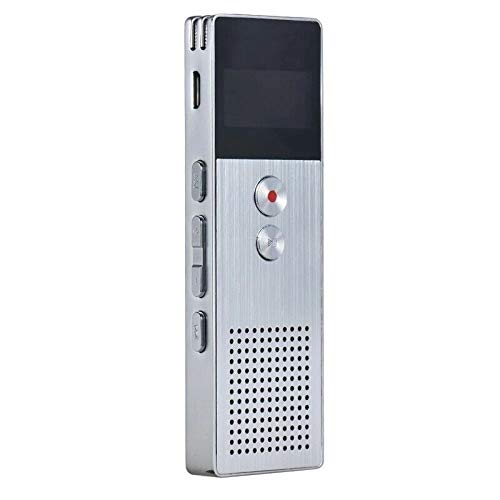
Imagem 2.1: Frente view of the ELECTROPRIME Digital Voice Recorder. This image displays the device's screen, the prominent red record button, and other control buttons on the front panel, along with the speaker grille at the bottom.
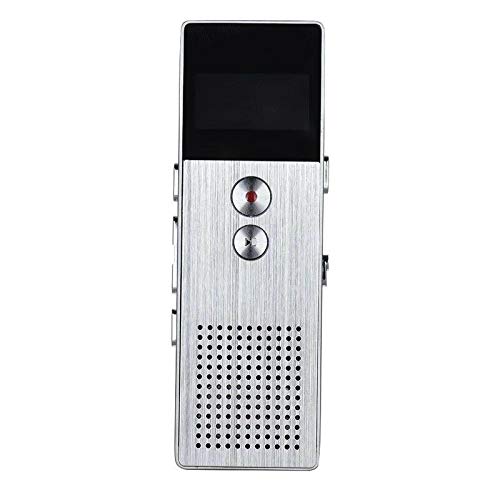
Imagem 2.2: Lado view of the ELECTROPRIME Digital Voice Recorder. This image highlights the side controls, including the power switch, volume buttons, and the USB charging/data transfer port. The device's compact design is visible.
Componentes do dispositivo:
- Tela de exibição: Exibe o status da gravação, a hora, o nível da bateria e as opções do menu.
- Botão de gravação: Initiates and stops audio recording.
- Botão Reproduzir/Pausar: Starts and pauses playback of audio files.
- Botões de volume (+/-): Ajusta o volume de reprodução.
- Botão Menu/Modo: Navigates through menus and switches operating modes.
- Porta USB: For charging and data transfer to a computer.
- Microfone: Built-in stereo microphone for audio input.
- Palestrante: Para reprodução direta de áudio.
- Plug do fone de ouvido: Para audição privada.
- Interruptor de alimentação: Liga ou desliga o dispositivo.
3. Configuração
3.1 Carregando o dispositivo
Before first use, fully charge the device. Connect the recorder to a computer's USB port or a USB wall adapter (not included) using the provided USB cable. The battery indicator on the screen will show charging status. A full charge typically takes 2-3 hours.
3.2 Ligar/Desligar
- Para ligar, deslize o Interruptor de energia para a posição ON.
- Para desligar, deslize o Interruptor de energia para a posição OFF.
3.3 Configurações iniciais
Upon first power-on or after a reset, you may need to set the date, time, and language. Use the navigation buttons to select options and confirm with the Play/Pause button.
4. Instruções de operação
4.1 Gravação de Voz
The device supports high-quality stereo recording in .WAV format, offering up to 23 hours of continuous recording with its 8GB internal memory.
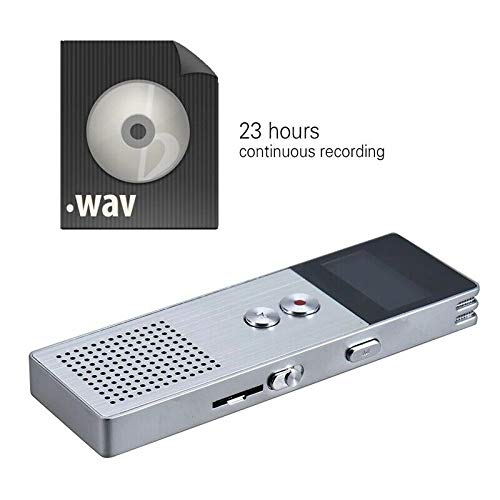
Imagem 4.1: The recorder's capability to record in .WAV format and its impressive 23-hour continuous recording capacity are highlighted in this image, alongside the device itself.
- Certifique-se de que o dispositivo está ligado.
- Pressione o Botão de gravação (red circle) to start recording. The screen will display a recording indicator and elapsed time.
- Para pausar a gravação, pressione o Botão Reproduzir/Pausar. Pressione-o novamente para continuar.
- Para interromper a gravação e salvar o file, pressione o Botão de gravação novamente. O file será salvo automaticamente.
Dica: For best recording quality, ensure the microphone is not obstructed and the device is placed on a stable surface.
4.2 Reprodução
- In the main menu, navigate to the "Recordings" or "Music" folder using the navigation buttons.
- Selecione o desejado file e pressione o Botão Reproduzir/Pausar para iniciar a reprodução.
- Durante a reprodução, use o Botões de volume (+/-) para ajustar o volume.
- Pressione o Botão Reproduzir/Pausar to pause playback, and again to resume.
- Para parar a reprodução, pressione o Botão de parada (if available, otherwise navigate out of playback mode).
4.3 MP3 Music Player Functionality
The device can also function as an MP3 player. Transfer MP3 files to the device via USB connection to your computer.
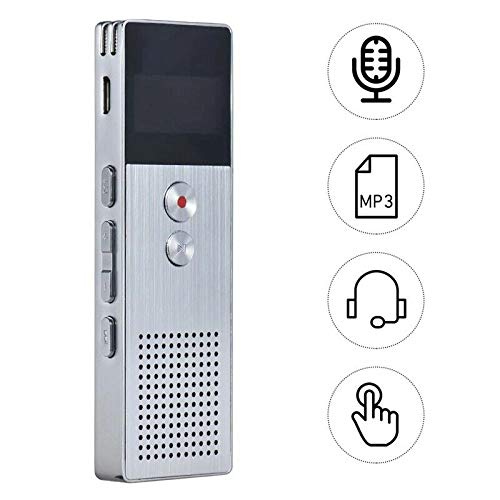
Imagem 4.2: This image illustrates the multi-functional capabilities of the device, including its use as a voice recorder (microphone icon), an MP3 player (MP3 icon), and its compatibility with headphones (headphone icon). The touch icon suggests ease of interaction.
- Conecte o dispositivo ao seu computador usando o cabo USB.
- The device will appear as a removable disk. Copy your MP3 files into the "Music" folder on the device.
- Ejete o dispositivo do seu computador com segurança.
- On the recorder, navigate to the "Music" menu and select your desired MP3 file para reprodução.
4.4 File Management (Connecting to PC)
To transfer, delete, or organize files, connect the recorder to your computer using the USB cable. The device will be recognized as a mass storage device. You can then drag and drop files as you would with any USB drive.
5. Manutenção
- Mantenha o dispositivo seco. A umidade pode danificar os circuitos internos.
- Evite temperaturas extremas.
- Não deixe cair nem sujeite o dispositivo a impactos fortes.
- Limpe o dispositivo com um pano macio e seco. Não utilize produtos químicos ou detergentes agressivos.
- Regularly back up important recordings to your computer.
6. Solução De Problemas
O dispositivo não liga:
- Verifique se a bateria está carregada. Conecte a uma fonte de energia e tente novamente.
- Verifique se o interruptor de alimentação está na posição ON.
Não foi possível gravar:
- Check available memory. If full, transfer files to a computer and delete them from the device.
- Certifique-se de que o microfone não esteja coberto.
- Verify the device is in recording mode.
Nenhum som durante a reprodução:
- Adjust the volume using the Volume Buttons.
- Certifique-se de que os fones de ouvido estejam conectados corretamente, caso os esteja utilizando.
- Verifique se o áudio file está corrompido.
Dispositivo não reconhecido pelo computador:
- Try a different USB port or USB cable.
- Certifique-se de que o dispositivo esteja ligado ao ser conectado.
- Reinicie o seu computador.
7. Especificações
| Marca | ELETROPRIME |
| Número do modelo | ASHA20BEBUBEB16153 |
| Armazenamento de memória | 8 GB |
| Formato de gravação | WAV |
| Formatos de reprodução | MP3, WAV |
| Microfone | Estéreo |
| Gravação Contínua | Até 23 horas |
| Conectividade | USB |
8. Garantia e Suporte
For warranty information or technical support, please refer to the product packaging or contact ELECTROPRIME customer service through their official website or the retailer where the product was purchased. Please have your model number (ASHA20BEBUBEB16153) and purchase details ready.