Introdução
Thank you for choosing the Tracer Roadster 4 in 1 Steering Wheel. This manual provides detailed instructions for setting up, operating, maintaining, and troubleshooting your new racing wheel. Please read this manual thoroughly before use to ensure optimal performance and longevity of your device.
The Tracer Roadster 4 in 1 Steering Wheel is designed for an immersive gaming experience, compatible with various platforms including PlayStation 4 and Windows PC. It features a responsive steering wheel, integrated shifter, and a pedal set for realistic control.
Conteúdo da embalagem
- Tracer Roadster 4 in 1 Steering Wheel
- conjunto de pedais
- Manual do usuário (este documento)
Guia de configuração
Connecting to PlayStation 4 (PS4)
- Connect the steering wheel's USB cable to an available USB port on your PS4 console.
- Power on your PS4 console. The red LED on the steering wheel will illuminate, indicating power.
- Connect the steering wheel to your PS4 controller using a microUSB cable (not included). This step is crucial for authentication.
- Pressione o LAR button on the steering wheel. The green LED will illuminate, indicating successful connection and readiness for use.
Conectando ao PC (Windows)
- Connect the steering wheel's USB cable to an available USB port on your Windows PC.
- The system should automatically detect and install the necessary drivers. If not, please refer to the manufacturer's website para download de drivers.
- Once drivers are installed, the steering wheel will be ready for use with compatible PC racing games.

Figure 1: The Tracer Roadster 4 in 1 Steering Wheel, including the main wheel unit, integrated shifter, and separate pedal set. This image shows the complete setup ready for connection.
Instruções de operação
Controles do volante
The steering wheel features a full range of motion for precise control in racing games. It includes various buttons and a D-pad for in-game navigation and actions, mimicking a standard game controller layout.
- Pad direcional (D-Pad): For menu navigation and specific in-game controls.
- Action Buttons (X, Circle, Square, Triangle / A, B, X, Y): Botões de ação padrão para jogos.
- L1/R1, L2/R2 Buttons: Shoulder buttons, often used for shifting gears or other actions.
- Botão HOME: PS4 system menu access.
- Botão PROG: For programming specific functions (refer to game-specific instructions).
- Painel tátil: Integrated touchpad for additional control options, especially on PS4.
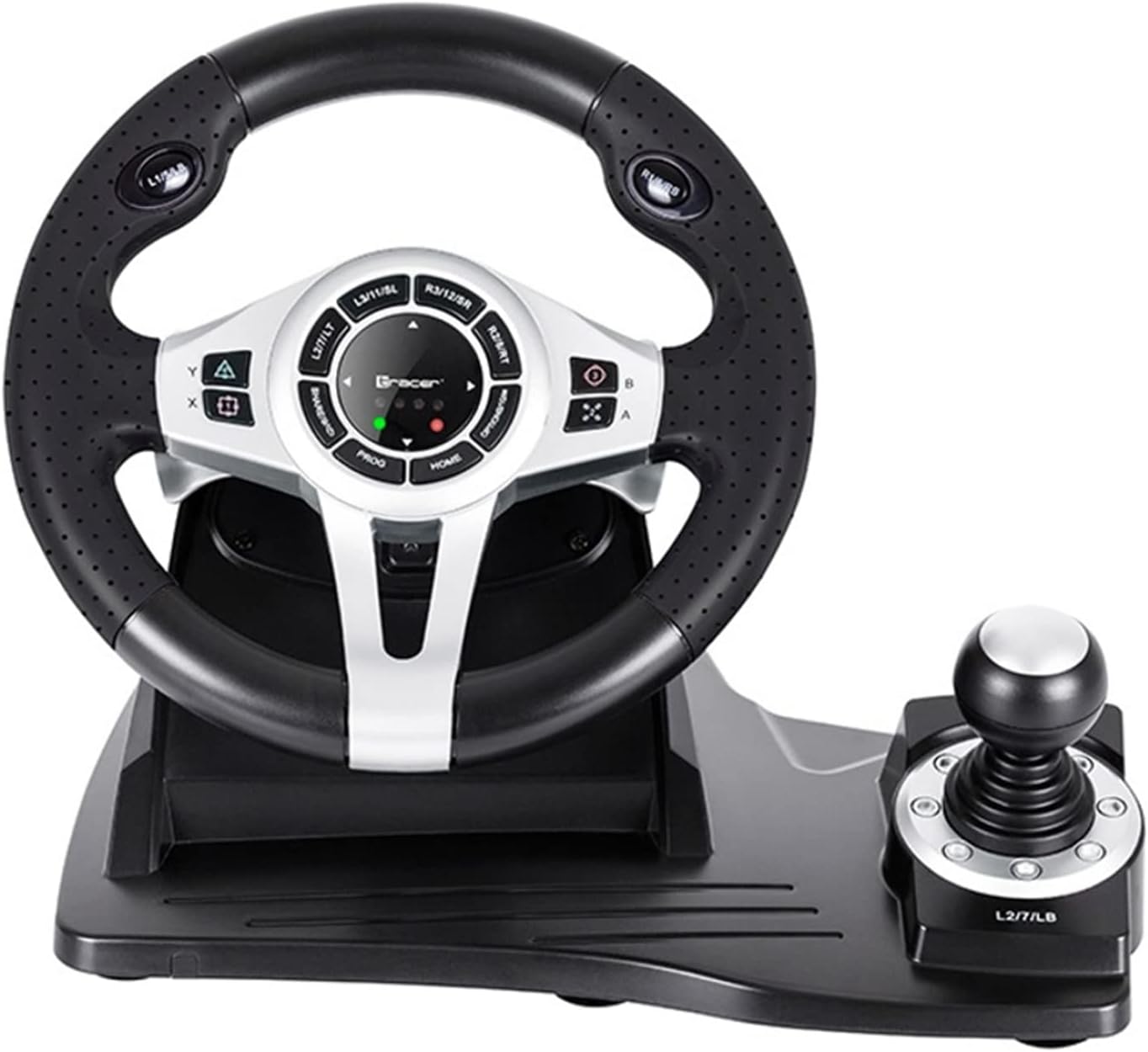
Figura 2: Uma análise detalhada view of the central control panel on the steering wheel, showing the various buttons, D-pad, and indicator lights. The integrated shifter is visible to the right.
conjunto de pedais
The separate pedal set includes an accelerator and brake pedal for realistic driving simulation. Ensure the pedal set is placed on a stable surface to prevent slipping during intense gameplay.

Figure 3: The standalone pedal unit, featuring both accelerator and brake pedals. The textured base provides grip to prevent movement during use.
Manutenção e Cuidados
- Limpeza: Use a soft, dry cloth to clean the surface of the steering wheel and pedals. For stubborn dirt, a slightly damp Pode-se usar um pano, mas certifique-se de que não entre umidade nos componentes internos.
- Armazenar: Quando não estiver em uso, guarde o dispositivo em local fresco e seco, longe da luz solar direta e de temperaturas extremas.
- Evite líquidos: Não exponha o dispositivo a água ou outros líquidos.
- Manuseie com cuidado: Evite deixar cair ou submeter o dispositivo a impactos fortes.
Solução de problemas
| Problema | Possível causa | Solução |
|---|---|---|
| Steering wheel not recognized by PS4. | Incorrect connection or authentication issue. | Ensure the steering wheel's USB cable is securely connected to the PS4. Verify the microUSB cable connection between the steering wheel and the PS4 controller. Press the LAR botão no volante. |
| No response from steering wheel on PC. | Drivers not installed or USB port issue. | Try a different USB port. Check Device Manager for driver status. Reinstall drivers if necessary from the manufacturer's website. |
| Os indicadores LED não acendem. | No power or connection issue. | Ensure the USB cable is firmly connected to the console/PC. Check if the console/PC is powered on. |
| Os pedais não respondem. | Loose connection to the steering wheel. | Verify that the pedal unit's cable is securely plugged into the steering wheel base. |
Especificações
| Recurso | Detalhe |
|---|---|
| Marca | Rastreador |
| Nome do modelo | Roadster 4 in 1 |
| Número do modelo | TRAJOY46524 |
| Tecnologia de Conectividade | USB |
| Dispositivos compatíveis | PlayStation 4, Windows PC |
| Tipo de controlador | Volante |
| Cor | Preto |
| Recurso especial | Painel de toque |
| Número de botões | 8 (excluding D-pad and shifter controls) |
| Peso do item | 2 quilos |
| Dimensões do produto (C x L x A) | 2.8 x 24.6 x 16.5 cm |
Garantia e Suporte
For warranty information and technical support, please refer to the official Tracer webNo site ou entre em contato com o revendedor. Guarde o comprovante de compra para eventuais solicitações de garantia.
Para obter mais assistência, você pode visitar o Página do produto na Amazon.com.be.


