Introdução
This manual provides detailed instructions for the setup, operation, and maintenance of your LTC Nimbleback LK-301 Low Profile Mechanical Keyboard. Please read this manual thoroughly before using the product to ensure proper functionality and to maximize your user experience.

Image: The LTC Nimbleback LK-301 Low Profile Mechanical Keyboard, showcasing seu layout completo e design elegante.
Características do produto
- Baixo Profile Interruptores mecânicos: Equipped with responsive and comfortable white mechanical switches.
- Conectividade Dupla: Supports both Bluetooth 3.0 wireless and wired USB Type-C connections.
- Comutação de múltiplos dispositivos: Seamlessly switch between up to three connected Bluetooth devices.
- Layout de 96 teclas: A compact layout that retains essential keys, including a numeric keypad.
- White Backlighting: Features white backlighting with 17 different modes, adjustable brightness, and speed.
- RGB Side Lighting: Customizable RGB lighting on the sides of the keyboard.
- Construção durável: Built with an all-metal frame for enhanced durability and a premium feel.
- Thin & Lightweight Design: Ideal for portability and comfortable use.
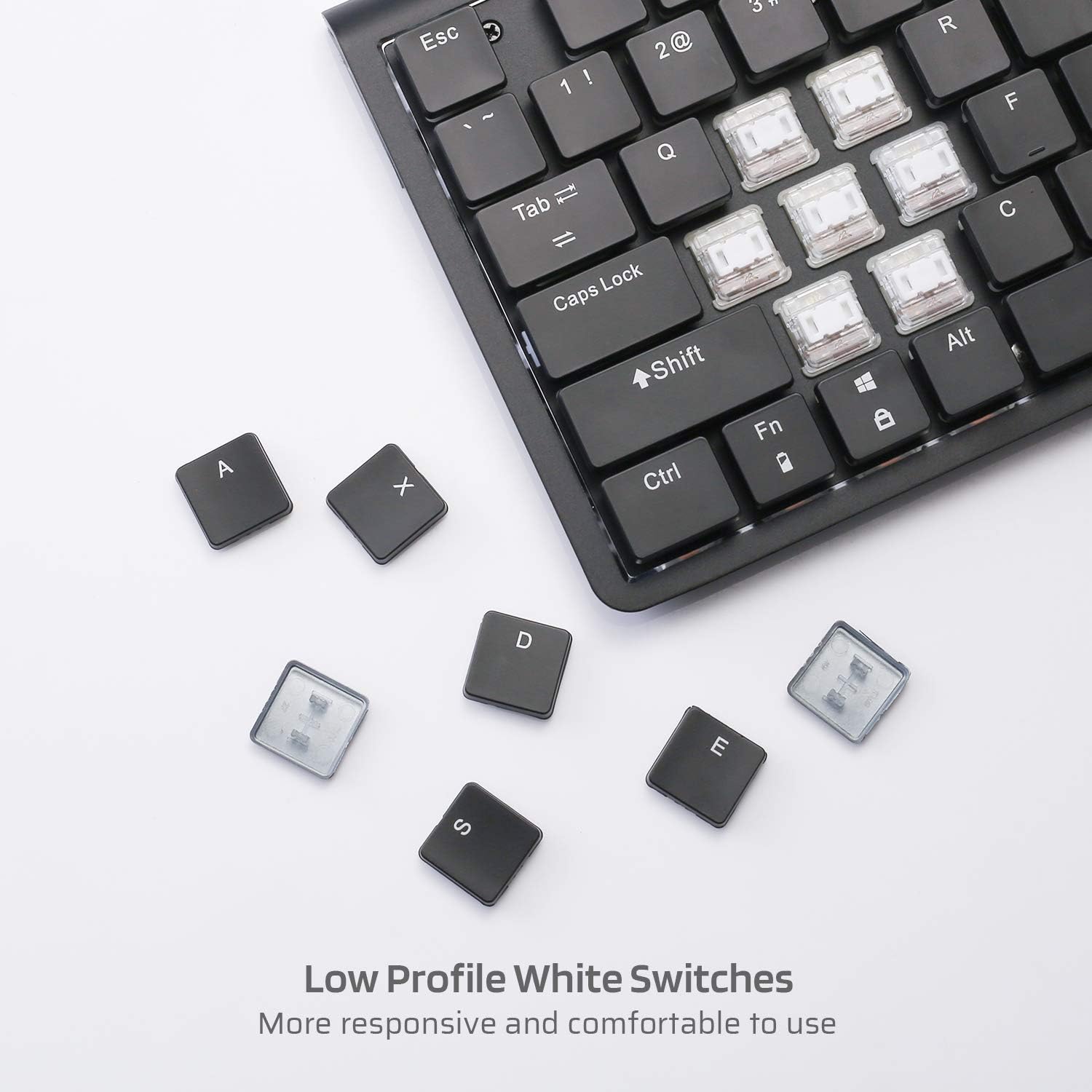
Imagem: Close-up view of the low profile white mechanical switches, highlighting their design.
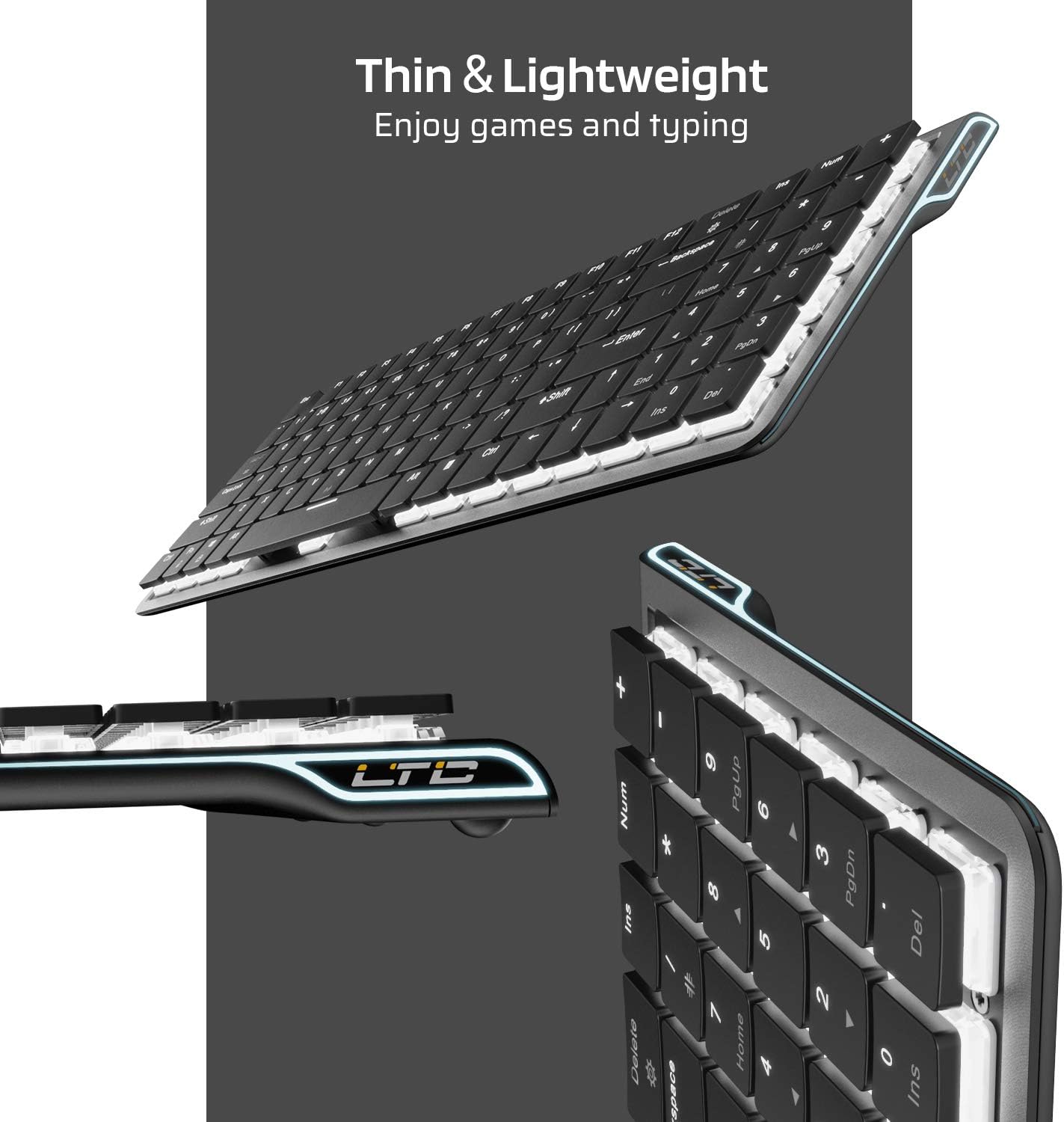
Imagem: Lado view of the keyboard, emphasizing its thin and lightweight profile.
Instruções de configuração
Conexão com fio
- Locate the USB Type-C cable included in the package.
- Connect one end of the USB Type-C cable to the port on the keyboard.
- Conecte a outra extremidade do cabo a uma porta USB disponível no seu computador.
- O teclado será reconhecido automaticamente e estará pronto para uso.
Conexão sem fio Bluetooth
- Certifique-se de que o teclado esteja carregado ou conectado via USB-C inicialmente.
- Locate the ON/OFF switch on the underside of the keyboard and slide it to the 'ON' position.
- Imprensa Fn + Tab to switch the keyboard to wireless mode. The keyboard's backlight will blink twice to indicate wireless mode.
- To select a Bluetooth device slot, press Fn + Q, Fn + W, ou Fn + E. The corresponding key will blink slowly.
- To enter pairing mode, long-press Fn + B for 3 seconds. The selected Bluetooth key (Q, W, or E) will blink quickly, indicating it is ready to pair.
- On your device (computer, tablet, or mobile phone), enable Bluetooth and search for available devices. Select "LTC Nimbleback LK-301" from the list.
- Once paired, the selected Bluetooth key will stop blinking and remain steadily lit.

Image: Illustration showing both wireless Bluetooth 3.0 and wired USB Type-C connection options for the keyboard.

Image: The keyboard connected to multiple devices (smartphone, tablet, laptop), demonstrating its multi-device switching capability.
Vídeo: Um excessoview of the LTC Nimbleback LK-301 Low Profile Mechanical Keyboard, demonstrating its features and design. This video is provided by AceGadget.
Instruções de operação
Controle de luz de fundo
- Alterar o modo de luz de fundo: Imprensa Fn + Excluir to cycle through 17 different white backlight modes.
- Pre-set Backlight Modes:
- Imprensa Fn + 1 for FPS (First-Person Shooter) backlight mode.
- Imprensa Fn + 2 for LOL (League of Legends) backlight mode.
- Imprensa Fn + 3 for Office backlight mode.
- Ajustar o brilho da luz de fundo: Imprensa Fn + Seta para cima para aumentar o brilho, e Fn + seta para baixo para diminuir o brilho.
- Ajustar a velocidade da luz de fundo: Imprensa Fn + seta para a direita to increase animation speed, and Fn + seta para a esquerda to decrease animation speed.
Side RGB Lighting Control
- Change Side Light Mode/Color: Imprensa Fn + /? (located on the numeric keypad) to cycle through various RGB side lighting effects and colors.
Vídeo: Uma análise detalhadaview of the LTC Nimbleback LK-301 Low Profile Mechanical Keyboard, including demonstrations of its backlighting and side RGB effects. This video is provided by AngelPGC Store.
Manutenção
Para garantir a longevidade e o desempenho ideal do seu teclado, siga estas orientações de manutenção:
- Limpeza: Use um pano macio e seco para limpar a superfície do teclado. Para uma limpeza mais profunda, use ar comprimido para remover poeira e detritos entre as teclas. Evite usar produtos químicos agressivos ou materiais abrasivos.
- Armazenar: When not in use, store the keyboard in a cool, dry place away from direct sunlight and extreme temperatures. The included fabric bag can be used for protection during storage or travel.
- Exposição Líquida: Avoid spilling liquids on the keyboard. In case of accidental spills, immediately disconnect the keyboard, turn it off, and allow it to dry completely before attempting to use it again.
Solução de problemas
Keyboard Not Responding (Wired Mode)
- Certifique-se de que o cabo USB Type-C esteja firmemente conectado tanto ao teclado quanto ao computador.
- Tente conectar o teclado a uma porta USB diferente do seu computador.
- Teste o teclado em outro computador para descartar problemas específicos do sistema.
Keyboard Not Connecting (Bluetooth Mode)
- Verify that the keyboard's ON/OFF switch is in the 'ON' position.
- Certifique-se de que o teclado esteja no modo sem fio (Fn + Tab).
- Confirm that the correct Bluetooth device slot is selected (Fn + Q/W/E).
- Re-enter pairing mode by long-pressing Fn + B por 3 segundos.
- Check your device's Bluetooth settings to ensure Bluetooth is enabled and the keyboard is visible or already paired. Try removing and re-pairing the device.
- Verifique se a bateria do teclado tem carga suficiente.
Backlight Not Working or Dim
- Ajuste o brilho usando Fn + Seta para cima.
- Alterne entre os modos de luz de fundo usando Fn + Excluir to see if a different mode activates the lights.
- Ensure the keyboard battery has sufficient charge, as low battery can affect backlight performance.
Especificações
| Recurso | Detalhe |
|---|---|
| Número do modelo | LK-301 |
| Tecnologia de Conectividade | Bluetooth 3.0, USB Tipo C (com fio) |
| Descrição do teclado | Teclado de jogo mecânico |
| Características especiais | Bluetooth, Lighting (White Backlit, RGB Side), Wireless |
| Cor | Preto |
| Material | Metal |
| Peso do item | 1.76 libra (aproximadamente 0.8 kg) |
| Dimensões da embalagem | 15.28 x 6.3 x 2.2 polegadas |
| Componentes incluídos | USB Receiver (Note: USB Type-C cable is also included for wired connection and charging) |
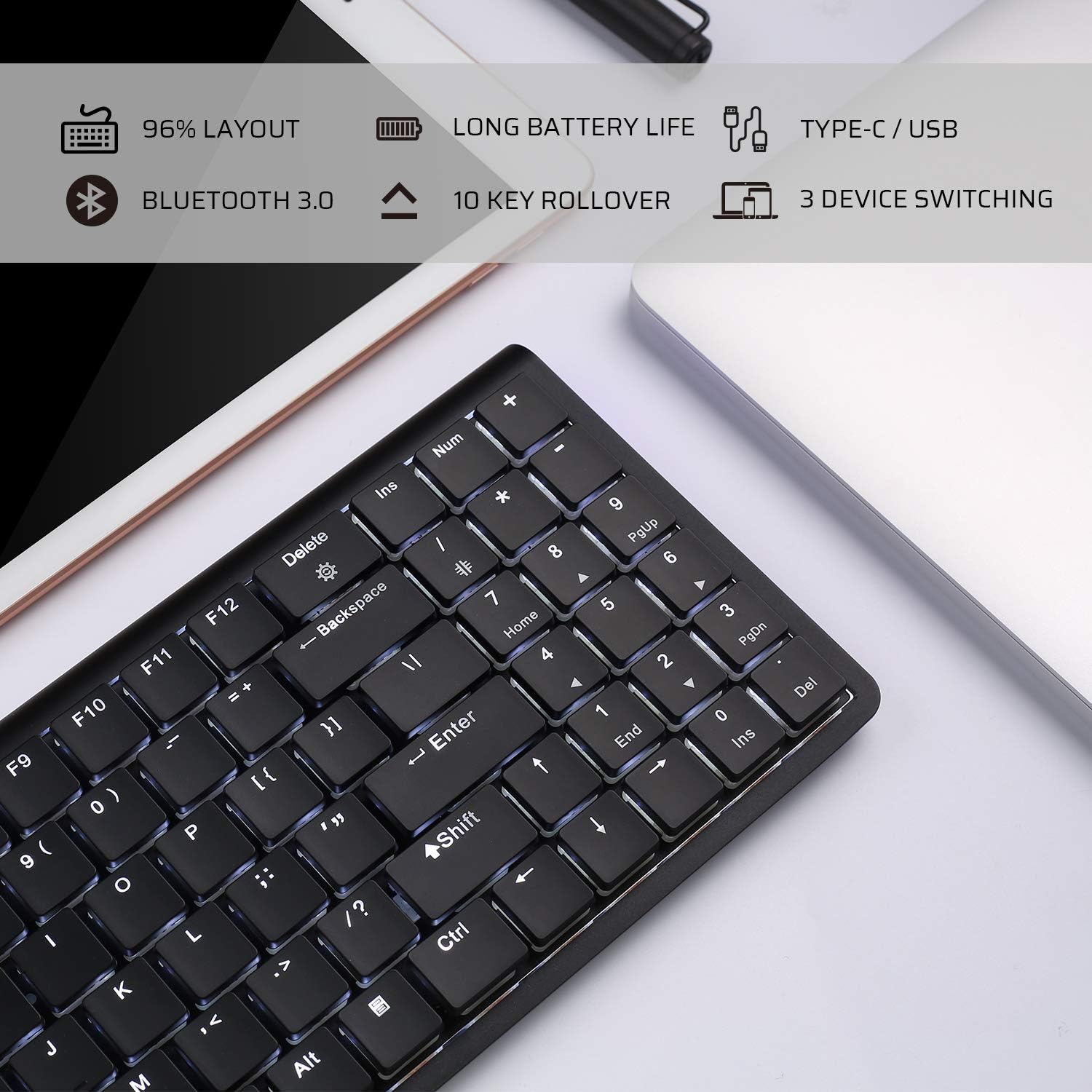
Image: An infographic highlighting key features such as 96% layout, long battery life, Type-C/USB, Bluetooth 3.0, 10-key rollover, and 3-device switching.
Garantia e Suporte
For warranty information and customer support, please refer to the warranty card included in your product packaging or visit the official LTC webGuarde o comprovante de compra como prova para eventuais solicitações de garantia.


