Introdução
This user manual provides detailed instructions for the operation, setup, and maintenance of your Pymeter Digital Temperature Controller. Designed for precise temperature management, this dual-probe thermostat is ideal for various applications including terrariums, heat mats, heating pads, cooling fans, freezers, and refrigerators. Please read this manual thoroughly before use to ensure safe and optimal performance.
Precauções de segurança
- Always ensure the device is properly grounded.
- Do not immerse the main unit in water or expose it to excessive moisture. The probes are waterproof, but the main unit is not.
- Garanta o valor totaltage of connected devices does not exceed 1200W (10A).
- Mantenha fora do alcance de crianças e animais de estimação.
- Desligue a energia antes de limpar ou realizar qualquer manutenção.
- Não tente desmontar ou reparar a unidade por conta própria. Contate pessoal qualificado para assistência técnica.
- Different measurement methods and contact status can lead to varied results. Do not compare with common inaccurate thermometers. Calibrate with an ice-water mixture (0℃/32℉) if necessary for verification.
Conteúdo da embalagem
Verifique se todos os itens estão presentes no seu pacote:
- 1 x Pymeter Digital Temperature Controller (10A 1200W)
- 2 x Waterproof Temperature Probes
- 1 x Manual do Usuário (este documento)

Image: Contents of the Pymeter Digital Temperature Controller package, showing the main unit, two temperature probes, and the instruction manual.
Características e componentes do produto
The Pymeter Digital Temperature Controller is designed for versatile temperature management with its dual-zone control capabilities.
- Dual Zones Control: Two independent outlets, each capable of controlling heating or cooling devices.
- Dual Waterproof Sensors: Allows for monitoring and control of two separate areas simultaneously.
- Características de segurança: High and low temperature alarms, and temperature difference alarm for enhanced security.
- Proteção do Compressor: Features a Power-On delay to protect compressors from frequent on/off cycles, suitable for converting freezers to refrigerators.
- Ampla aplicação: Suitable for reptile terrariums, heat mats, aquariums, greenhouses, grow tents, and more.

Image: The Pymeter Digital Temperature Controller, displaying its digital screen, control buttons (SET, SAV, Up, Down), and two distinct power outlets labeled OUT 1 and OUT 2.
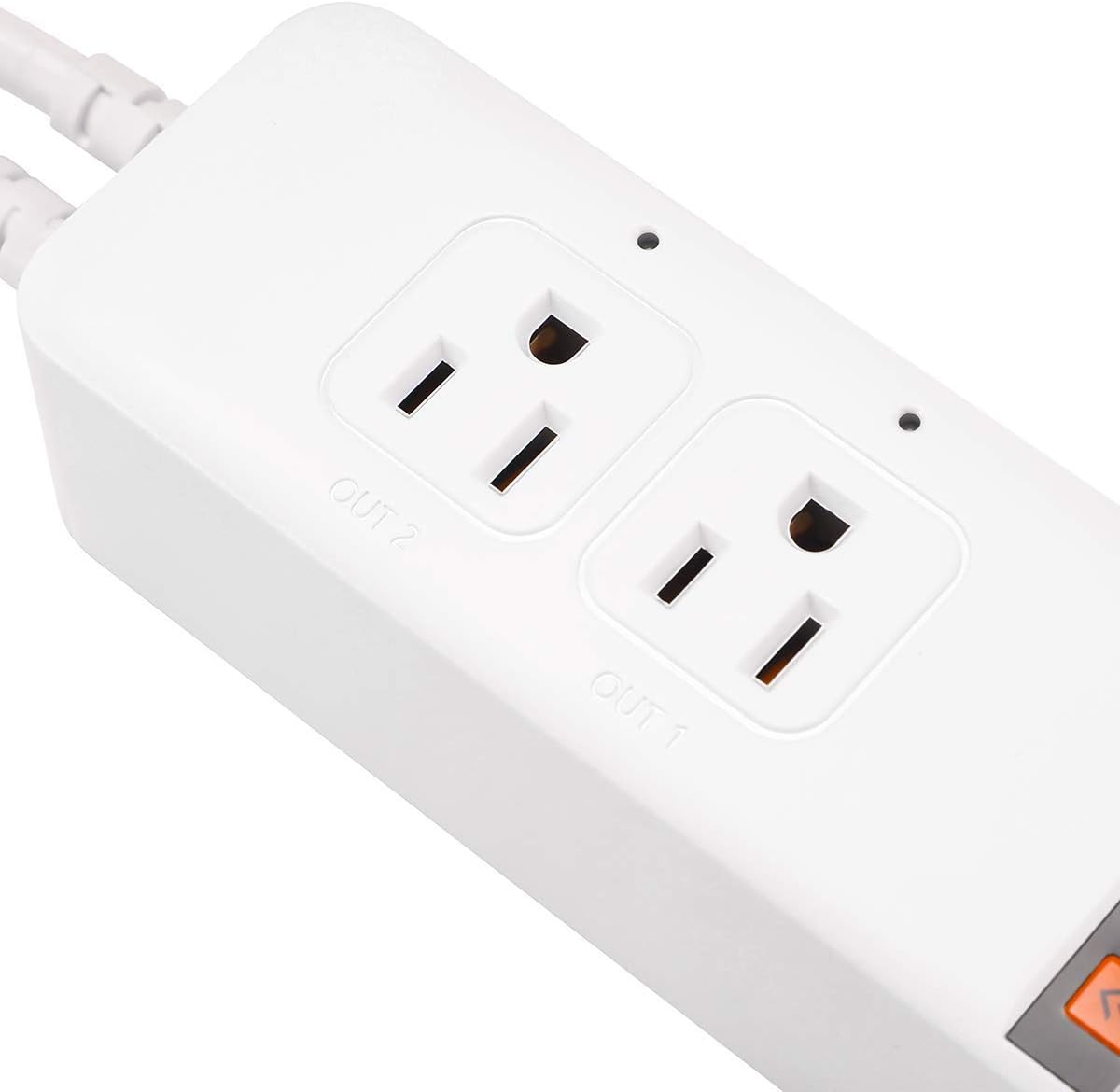
Imagem: Uma imagem detalhada view of the two controlled outlets on the Pymeter thermostat, showing their individual indicator lights and labels.

Image: An illustration demonstrating the Pymeter controller's use with a terrarium, showing how it can manage both a heat lamp and a heat mat for optimal heating.
Instalação e configuração
- Montagem: The unit can be wall-mounted or placed on a flat surface. Ensure it is in a location with good ventilation and away from direct heat or moisture.
- Conectar sondas: Insert the two waterproof temperature probes into the designated ports at the bottom of the unit. Place the probe tips in the areas where temperature monitoring and control are required.
- Conectar dispositivos: Plug your heating or cooling devices (e.g., heat mat, fan, lamp) into the "OUT 1" and "OUT 2" controlled outlets.
- Ligar: Plug the Pymeter controller into a standard 120V AC power outlet. The display will light up, showing the current temperature readings.

Image: The Pymeter controller installed on a wall, illustrating its compact design and how it can be integrated into a setup.
Instruções de operação
Compreendendo a tela
The display shows two main temperature values:
- PV (Valor do Processo): The current temperature measured by the probe.
- SV (Valor Definido): The target temperature or setting value.
Basic Navigation and Settings
- Pressione o DEFINIR button to cycle through the settings for each outlet (1oN, 1oF, 2oN, 2oF, AL, AH, d7, P0-P8).
- Use o Up e Abaixo arrows to adjust values.
- Imprensa SALVAR to save your changes and exit the setting mode. If no button is pressed for a few seconds, the unit will automatically save and exit.
Temperature Control Logic
The Pymeter controller operates by setting ON-Temp and OFF-Temp for each outlet.
Heating Mode (1oN & 1oF for Outlet 1, 2oN & 2oF for Outlet 2)
- Heating starts when the temperature drops to the ON-Temp (1oN/2oN).
- Heating stops when the temperature rises to the OFF-Temp (1oF/2oF).
- For heating, you MUST SET ON-Temp LESS than OFF-Temp.
- In heating mode, ON-Temp is the minimum temperature you allow, and OFF-Temp is the maximum temperature you allow.
Cooling Mode (1oN & 1oF for Outlet 1, 2oN & 2oF for Outlet 2)
- Cooling starts when the temperature rises to the ON-Temp (1oN/2oN).
- Cooling stops when the temperature drops to the OFF-Temp (1oF/2oF).
- For cooling, you MUST SET ON-Temp GREATER than OFF-Temp.
- In cooling mode, ON-Temp is the maximum temperature you allow, and OFF-Temp is the minimum temperature you allow.
Advanced Settings (P0-P8)
Pressione e segure o DEFINIR button for 3 seconds to enter the advanced settings menu (P0-P8).
| Parâmetro | Descrição | Valor Padrão |
|---|---|---|
| P0 | Unidade de temperatura (℃/℉) | ℉ |
| P1 | Power-On Delay (0-10 minutes) | 0 |
| P2 | Temperature Calibration (Sensor 1) | 0.0 |
| P3 | Temperature Calibration (Sensor 2) | 0.0 |
| AL | Alarme de baixa temperatura | Default (usually very low) |
| AH | Alarme de alta temperatura | Default (usually very high) |
| d7 | Temperature Difference Alarm (between Sensor 1 and Sensor 2) | Default (usually high) |
Observação: To factory reset settings, change the temperature unit (P0) from Fahrenheit to Celsius or vice versa. This will revert all alarm settings (AL, AH, d7) to their default values.
Manutenção
- Limpeza: Wipe the unit with a soft, dry cloth. Do not use abrasive cleaners or immerse in water.
- Cuidados com a sonda: Ensure probes are clean and free of debris for accurate readings. Avoid bending or damaging the probe cables.
- Armazenar: When not in use, store the controller in a cool, dry place away from direct sunlight.
Solução de problemas
Issue: Reading temperature is inaccurate.
Solução: Every Pymeter controller is calibrated at the factory. Do not compare its readings to common inaccurate thermostats or temperature guns. If you suspect inaccuracy, calibrate the device using an ice-water mixture (which is 32℉ / 0℃ when ice is melting). You can also use the P2 and P3 parameters in the advanced settings to fine-tune the calibration if needed, comparing it to a known accurate thermometer.
Issue: Beeper keeps sounding.
Solução: This is likely due to the alarm settings (AL, AH, d7) being triggered.
- AL (Alarme de Baixa Temperatura): Sounds when the current temperature is at or below the AL setting.
- AH (Alarme de Alta Temperatura): Sounds when the current temperature is at or above the AH setting.
- d7 (Temperature Difference Alarm): Sounds when the temperature deviation between Sensor 1 and Sensor 2 exceeds the d7 setting.
Especificações técnicas
| Especificação | Valor |
|---|---|
| Marca | Pimetro |
| Número do modelo | 10 A 1200 W |
| Dimensões do produto | 8.26"P x 2.16"L x 1.57"A |
| Tipo de controlador | Botão de pressão |
| Recurso especial | Dual Zones Control, Each outlet works for Heating or Cooling |
| Cor | Branco |
| Usos específicos para o produto | Heat Pump, Refrigerator |
| Tipo de controle de temperatura | Aquecimento, Resfriamento |
| Componentes incluídos | Sensores duplos |
| Fonte de energia | AC |
| Peso do item | 1.04 libras |
| Volumetage | 120 Volts |
| Material | Policarbonato (PC) |
| Forma | Retangular |
| Tipo de exibição | LIDERADO |
| Tipo de controle | Controle de botão |
| Método de controle | Remoto |
| Tipo de montagem | Montagem na parede |
| Estilo | Moderno |
| Luz de fundo | Sim |
| O quetage | 1200 watts |
| UPC | 791386439637 |
| Fabricante | Pimetro |
| Pilhas necessárias | Não |

Image: Dimensional drawing of the Pymeter controller, indicating its length, width, and height.

Image: The back of the Pymeter controller, displaying its electrical specifications and regulatory compliance markings.
Garantia e Suporte
For warranty information and technical support, please refer to the contact details provided on the product packaging or visit the official Pymeter website. Guarde o recibo de compra para reclamações de garantia.


