Introdução
The Sharper Image SI-160 2-in-1 Steam Mop provides a chemical-free solution for cleaning and freshening various surfaces in your home. This versatile appliance functions as both a steam mop for floors and a handheld steam cleaner for targeted cleaning tasks. Please read this manual thoroughly before initial use to ensure safe and effective operation.
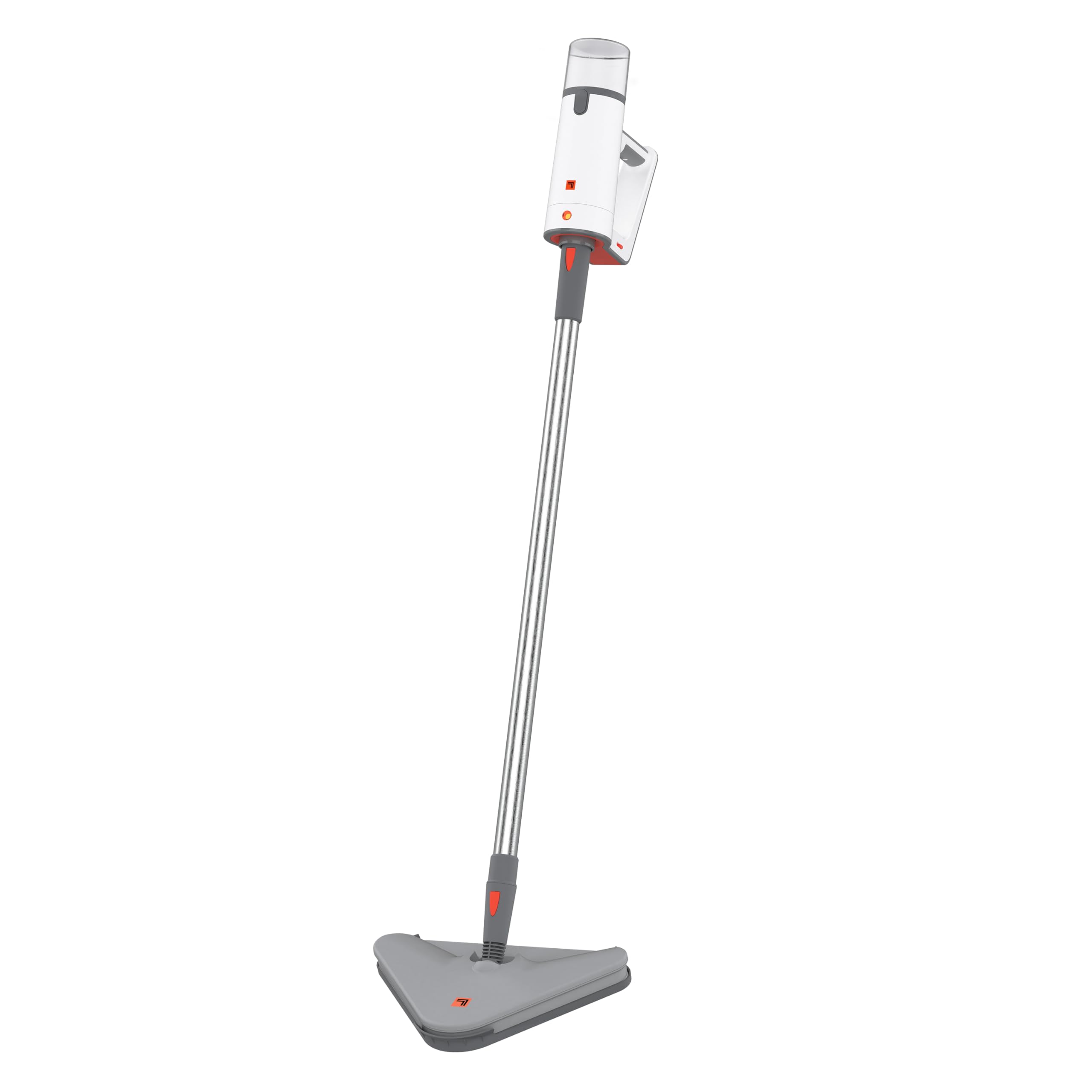
Image: The Sharper Image SI-160 2-in-1 Steam Mop in its upright configuration, ready for use.
Informações importantes de segurança
AVISO: Para reduzir o risco de incêndio, choque elétrico ou ferimentos, siga sempre as precauções básicas de segurança ao usar um aparelho elétrico.
- Leia todas as instruções antes de usar o aparelho.
- Este aparelho foi projetado apenas para uso doméstico.
- Garantir o volumetage rating of the appliance matches your local power supply (120V for U.S. models). Using voltage converters or adapters may void the warranty and cause malfunction.
- Não mergulhe o aparelho em água ou outros líquidos.
- Always unplug the appliance when not in use and before performing any maintenance.
- Mantenha crianças e animais de estimação longe do aparelho durante o funcionamento.
- Use only manufacturer-recommended accessories and attachments.
- Não direcione o vapor para pessoas, animais ou tomadas elétricas. O vapor é quente e pode causar queimaduras.
- Do not use on unsealed wood floors, unglazed ceramic, or any surface that is sensitive to heat or moisture. Test on an inconspicuous area first.
Conteúdo da embalagem
Carefully unpack your Sharper Image SI-160 Steam Mop and ensure all items are present. If any parts are missing or damaged, contact customer support.
- SI-160 Steam Cleaner Unit
- Varinha de Extensão
- Cabeça de esfregão
- 2 x Panos de Mop de Microfibra
- Planador de tapete
- Bico de jato
- Utility Brushes (various types)
- Guia do Proprietário (este manual)

Image: An illustration showing the 9 versatile accessories included with the Sharper Image SI-160, including utility brushes, mop pads, and a carpet glider.
Conjunto
The Sharper Image SI-160 is designed for easy assembly. Most components simply slot into place without the need for tools.
- Fixe a cabeça do esfregão: Align the mop head with the bottom of the extension wand and push until it clicks securely into place.
- Conecte a haste de extensão: Insert the top of the extension wand into the main steam cleaner unit until it locks.
- Attach a Microfiber Mop Pad: Place a clean microfiber mop pad onto the mop head, ensuring it adheres firmly to the hook-and-loop fasteners.
- Encha o tanque de água: Open the water tank cap, fill the 8.45 oz tank with distilled water (recommended to prevent mineral buildup), and securely close the cap. Do not overfill.

Imagem: Um lado view of the Sharper Image SI-160 highlighting its lightweight design, comfortable grip, and telescopic extension pole for adjustable height.
Operação
Mop Mode (Floor Cleaning)
- Ensure the unit is fully assembled with the mop head and a clean microfiber pad attached.
- Encha o tanque de água com água destilada.
- Plug the power cord into a grounded electrical outlet. The unit will begin to heat up.
- Wait approximately 25 seconds for the steam mop to reach operating temperature.
- Press and hold the steam trigger on the handle to release steam. Move the mop slowly and steadily across the floor surface.
- The steam flow can be adjusted for different floor types. Use on sealed hardwood, ceramic tile, grout, laminate, and durable stained concrete. Avoid unsealed surfaces.
- The 8.45 oz water tank provides up to 15 minutes of continuous steam. Refill as needed.

Image: The Sharper Image SI-160 Steam Mop in action, cleaning a sealed wooden floor, demonstrating its effectiveness in mop mode.
Handheld Mode (Targeted Cleaning)
- Unplug the unit. Detach the extension wand and mop head from the main steam cleaner unit.
- Select the appropriate accessory (e.g., jet nozzle, utility brush) for your cleaning task and attach it securely to the handheld unit.
- Encha o tanque de água com água destilada.
- Conecte o cabo de alimentação a uma tomada elétrica aterrada.
- Wait approximately 25 seconds for the unit to heat up.
- Direct the steam nozzle towards the area to be cleaned and press the steam trigger. Use short bursts of steam for stubborn grime.
- This mode is ideal for cleaning grout, stovetops, sinks, and other hard-to-reach areas.
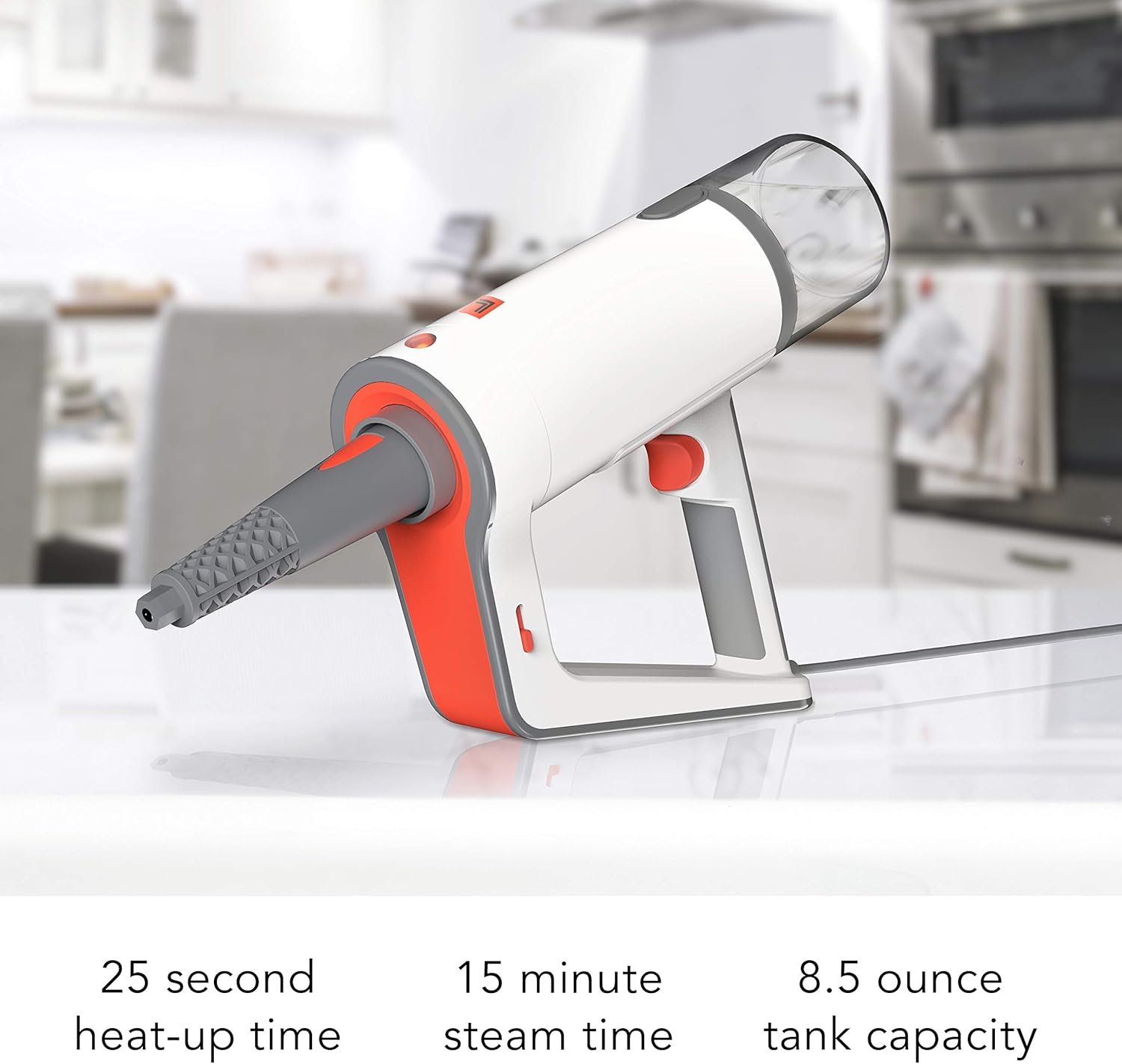
Image: The Sharper Image SI-160 in handheld mode, effectively cleaning a stovetop grate with concentrated steam.

Image: The handheld unit of the Sharper Image SI-160, illustrating its quick 25-second heat-up time, 15-minute continuous steam time, and 8.5-ounce water tank capacity.
Manutenção e Cuidados
Proper maintenance ensures the longevity and optimal performance of your steam mop.
- Após cada uso: Unplug the unit and allow it to cool completely. Empty any remaining water from the tank.
- Limpeza da unidade: Limpe o exterior da máquina de limpeza a vapor com anúncioamp cloth. Do not use abrasive cleaners or solvents. The manufacturer recommends 'Hand Wipe Clean'.
- Microfiber Mop Pads: Remove and wash microfiber mop pads after each use. They are typically machine washable; refer to the care label on the pads.
- Descalcificação: Over time, mineral deposits can build up in the water tank and internal components, especially if tap water is used. To descale, fill the tank with a solution of 1 part white vinegar to 2 parts distilled water. Run the unit until half the solution is used, then turn off and let it sit for 30 minutes. Finish running the solution, then rinse the tank thoroughly with fresh distilled water. Perform descaling monthly or as needed based on water hardness.
- Armazenar: Store the steam mop in a cool, dry place, out of reach of children. Ensure the unit is completely dry before storing.
Solução de problemas
If you encounter issues with your Sharper Image SI-160, refer to the following common problems and solutions:
| Problema | Possível causa | Solução |
|---|---|---|
| Sem vapor ou com baixa produção de vapor |
|
|
| Vazamento de água da unidade |
|
|
| O pano do esfregão não está limpando de forma eficaz. |
|
|
If the problem persists after trying these solutions, please contact Sharper Image customer support.
Especificações
| Recurso | Detalhe |
|---|---|
| Marca | Imagem mais nítida |
| Nome do modelo | SI-160 |
| Características especiais | Carry Handle, Edge Cleaning, Lightweight, Removable Nozzle |
| Recomendação de superfície | Chão |
| O quetage | 1350 watts |
| Fator de forma | Em pé |
| Cor | Branco |
| Fonte de energia | CA/CC |
| Volumetage | 120V |
| Capacidade do tanque de água | 8.45 onças |
| Temperatura Máxima | 200 graus Fahrenheit |
| Dimensões do produto | 13.7 x 13.3 x 43.8 polegadas |
| Peso do item | 6.93 libras |
Garantia e Suporte
Your Sharper Image SI-160 2-in-1 Steam Mop is covered by a Garantia do fabricante de 1 ano a partir da data da compra. Esta garantia cobre defeitos de materiais e de fabricação sob uso doméstico normal.
For warranty claims, technical assistance, or any questions regarding your product, please contact Sharper Image customer service. Our dedicated customer service team is based in Andover, KS, and is ready to assist you.
Guarde seu comprovante de compra para validação da garantia.