Introdução
Thank you for choosing the Deli M007 Electronic Calculator. This manual provides essential information for the proper setup, operation, and maintenance of your calculator. Please read it thoroughly to ensure optimal performance and longevity of your device.
Produto acimaview
The Deli M007 is a 12-digit basic function electronic calculator designed for everyday use. It features a clear LCD display, dual power source (solar and battery), and essential arithmetic functions, along with memory and percentage cálculos.

Figura 1: Frente view of the Deli M007 Calculator, showing the 12-digit display and key layout.
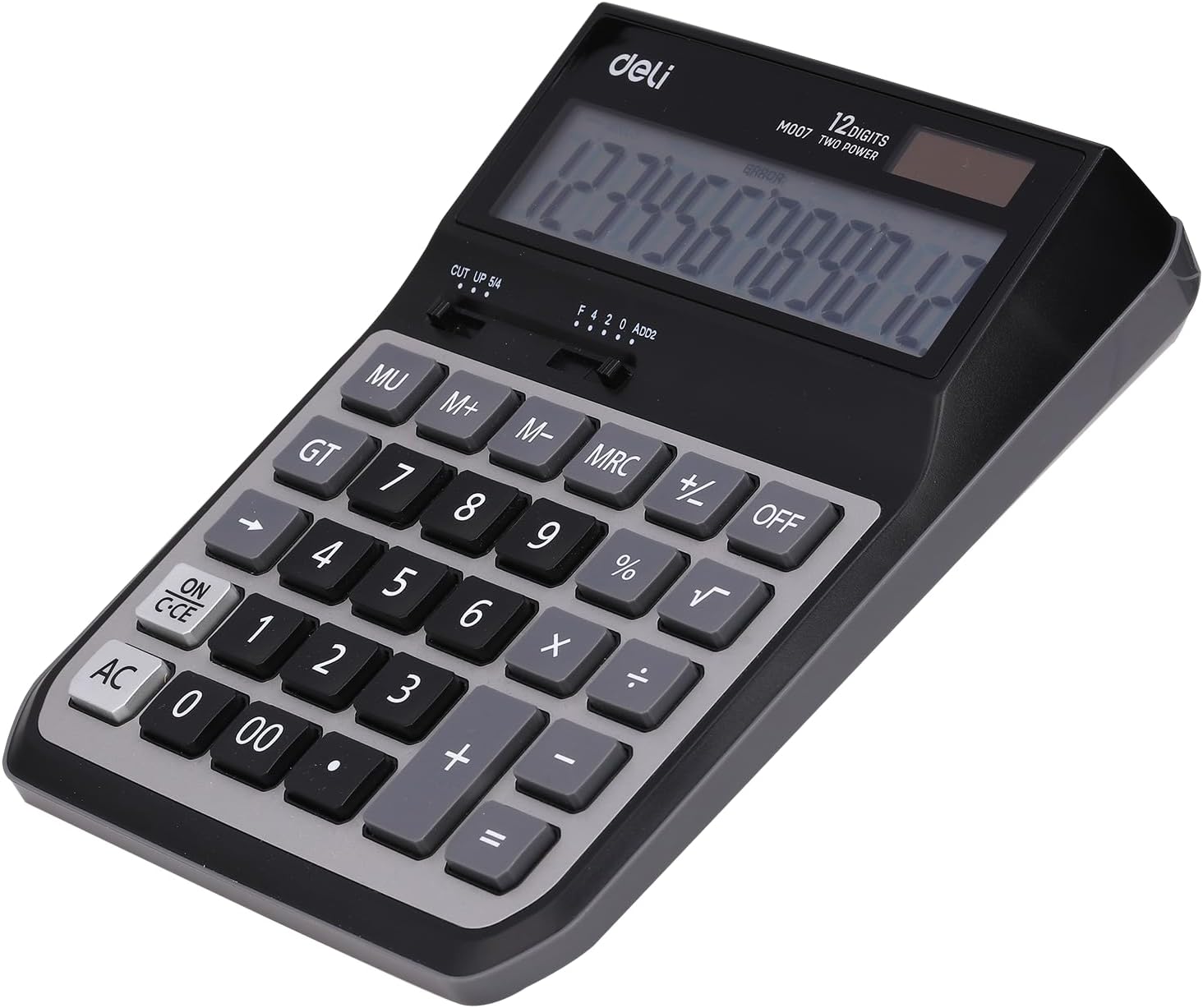
Figura 2: Voltar view of the Deli M007 Calculator, illustrating the battery compartment and product details.
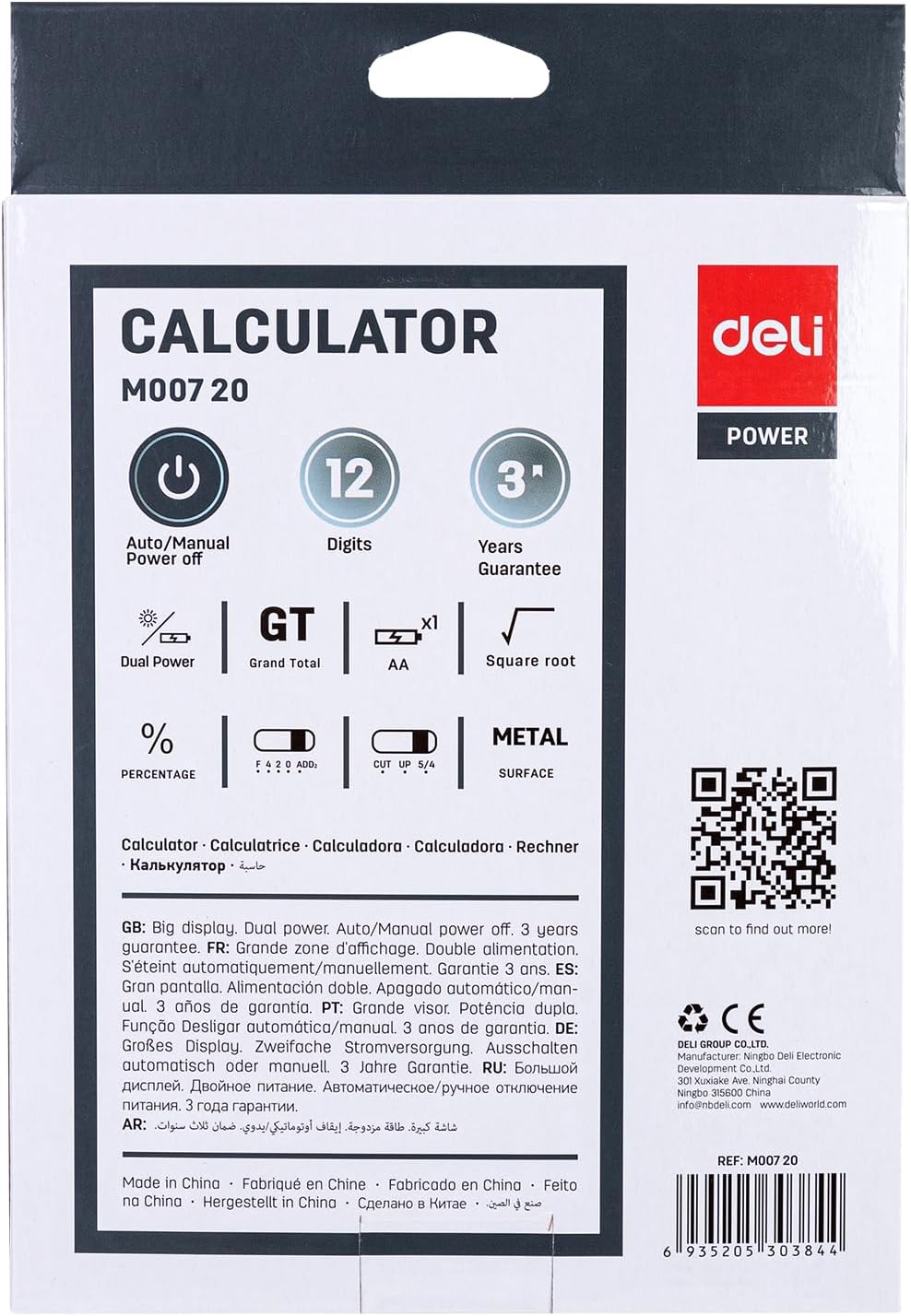
Figure 3: Packaging of the Deli M007 Calculator, detailing key features and specifications.
Configurar
- Desembalagem: Carefully remove the calculator from its packaging.
- Fonte de energia: The Deli M007 operates on dual power (solar and battery). For initial use or in low light conditions, ensure a battery is installed. The battery compartment is located on the back of the calculator (refer to Figure 2). Open the cover, insert the required battery type (usually an AA battery, check compartment for specific type) with correct polarity, and close the cover.
- Inicialização: Pressione o ON/C-CE button to turn on the calculator. The display should show '0'.
Instruções de operação
This section outlines the basic operations and functions of your Deli M007 calculator.
Operações aritméticas básicas
- Adição (+): Digite o primeiro número e pressione +, enter the second number, then press =.
- Subtração (-): Digite o primeiro número e pressione -, enter the second number, then press =.
- Multiplicação (×): Digite o primeiro número e pressione ×, enter the second number, then press =.
- Divisão (÷): Digite o primeiro número e pressione ÷, enter the second number, then press =.
Principais funções
- ON/C-CE: Turns the calculator on. When on, a single press clears the last entry (Clear Entry). A second press clears all calculations (Clear All).
- CA: All Clear. Clears all entries and calculations, resetting the calculator to zero.
- OFF: Turns the calculator off. The calculator also features an automatic power-off function to save energy.
- MU (Mark Up): Used for calculating mark-up percentage.
- GT (total geral): Recalls the grand total of all calculations performed since the last AC press.
- M+, M-, MRC (Memory Functions):
- M+: Adiciona o valor exibido à memória.
- M-: Subtrai o valor exibido da memória.
- MRC: First press recalls the memory content. Second press clears the memory.
- % (porcentagemtage): Usado para porcentagemtage cálculos. Para example, to calculate 10% of 200, enter 200 × 10 %, then press =.
- √ (raiz quadrada): Calcula a raiz quadrada do número exibido.
- CUT UP 5/4 (Rounding Selector): This slider switch controls the rounding method for decimal places. 'CUT' truncates the number, 'UP' rounds up, and '5/4' rounds to the nearest digit.
- F 4 2 0 ADD2 (Decimal Place Selector / Add Mode): This slider switch sets the number of decimal places (F for floating, 4, 2, 0) or activates 'ADD2' mode, which automatically places two decimal places for currency calculations.
Manutenção
- Limpeza: Use a soft, dry cloth to clean the calculator's surface. Do not use liquid cleaners or abrasive materials, as they may damage the display or casing.
- Substituição da bateria: When the display becomes dim or calculations are incorrect, it's time to replace the battery. Refer to the 'Setup' section for instructions on battery installation.
- Armazenar: Store the calculator in a cool, dry place away from direct sunlight and extreme temperatures. Avoid dropping the calculator or subjecting it to strong impacts.
Solução de problemas
| Problema | Possível causa | Solução |
|---|---|---|
| A calculadora não liga. | Low or dead battery; insufficient light for solar power. | Replace the battery. Ensure adequate lighting for solar panel. |
| Display shows 'ERROR'. | Calculation overflow; invalid operation (e.g., division by zero). | Imprensa AC to clear the error and restart the calculation. |
| Resultados de cálculo incorretos. | Incorrect input; incorrect decimal or rounding settings. | Verify your input. Check the CUT UP 5/4 e F 4 2 0 ADD2 slider settings. |
Especificações
| Recurso | Detalhe |
|---|---|
| Marca | Delicatessen |
| Nome do modelo | M007 |
| Tipo de exibição | LCD |
| Número de dígitos | 12 dígitos |
| Fonte de energia | Dual Power (Solar & Battery) |
| Cor | Cinza Preto |
| Dimensões do produto | 15 x 8 x 4 cm |
| Peso do item | 410 gramas |
| Número da peça do fabricante | 6935205303844 |
Garantia e Suporte
The Deli M007 Electronic Calculator comes with a Garantia de 3 anos A garantia é válida a partir da data da compra e cobre defeitos de fabricação em condições normais de uso. Guarde seu comprovante de compra para eventuais solicitações de garantia.
For further assistance, technical support, or warranty inquiries, please contact Deli customer service:
- E-mail: info@imddeli.com
- Website: www.deliworld.com
You can also scan the QR code below for more product information:
Scan this QR code for more details.


