1. Introdução
This manual provides detailed instructions for the safe and effective use of your Elecom LBT-TWS05BK True Wireless Bluetooth Earphones. Please read this manual thoroughly before using the product and retain it for future reference.
The Elecom LBT-TWS05BK earphones are designed for stable connectivity, superior comfort, and high usability, delivering rich audio performance. They feature an ergonomic design, advanced communication technology, and convenient smart features.
2. Informações de segurança
Para garantir o funcionamento seguro e evitar danos, observe as seguintes precauções:
- Do not expose the earphones or charging case to extreme temperatures, humidity, or liquids.
- Evite deixar cair ou submeter o dispositivo a impactos fortes.
- Não tente desmontar ou modificar o produto. Isso anulará a garantia.
- Mantenha fora do alcance de crianças e animais de estimação.
- Ouça em volume moderado para evitar danos à audição.
- Be aware of your surroundings when using the earphones, especially in traffic or dangerous situations.
3. Conteúdo da embalagem
Verifique se todos os itens estão presentes na embalagem do seu produto:
- Elecom LBT-TWS05BK True Wireless Bluetooth Earphones (Left and Right)
- Estojo de carregamento
- USB Charging Cable (Type-A to Type-C)
- Ear Caps (XS, S, M, L sizes; M size pre-installed)
- Manual de instruções
4. Produto acabadoview
Familiarize yourself with the components of your Elecom LBT-TWS05BK earphones.

Imagem: Close-up view of the Elecom LBT-TWS05BK true wireless earbuds, showcasing their sleek black design and the ELECOM branding.

Image: The Elecom LBT-TWS05BK earbuds placed inside their compact charging case, ready for storage or charging.
The earphones feature a compact design with a 6.0mm diameter external magnetic dynamic driver for clear sound. The charging case is designed for single-handed operation with a push-button lid.
5. Configuração
5.1. Carregando os fones de ouvido e o estojo
- Connect the supplied USB Type-A to Type-C cable to the charging case's USB Type-C port and a USB power source.
- The LED indicators on the charging case will show the charging status. Four LEDs indicate a full charge.
- Place the earphones into the charging case. They will begin charging automatically.
- A 15-minute charge provides approximately 1 hour of music playback. A full charge of the earphones allows for about 5 hours of continuous music playback or 4.5 hours of talk time. The charging case can recharge the earphones up to 2.5 times, providing a total of about 17.5 hours of use.
5.2. Emparelhamento inicial
The Elecom LBT-TWS05BK supports auto-pairing and Google Fast Pair for compatible Android devices.

Image: An illustration demonstrating the Google Fast Pair feature, where simply opening the charging case near a compatible smartphone prompts a pairing notification. Also shows the one-push open mechanism of the case.
- Certifique-se de que o Bluetooth do seu smartphone esteja ativado.
- Abra o estojo de carregamento. Os fones de ouvido entrarão automaticamente no modo de emparelhamento.
- For Android devices with Google Fast Pair, a notification will appear on your screen. Tap to connect.
- For other devices, go to your device's Bluetooth settings and select "LBT-TWS05BK" from the list of available devices.
- Once paired, the earphones will automatically connect to the last paired device when removed from the case.
5.3. Como encaixar os fones de ouvido
The earphones feature an ergonomic design for optimal fit and stability.
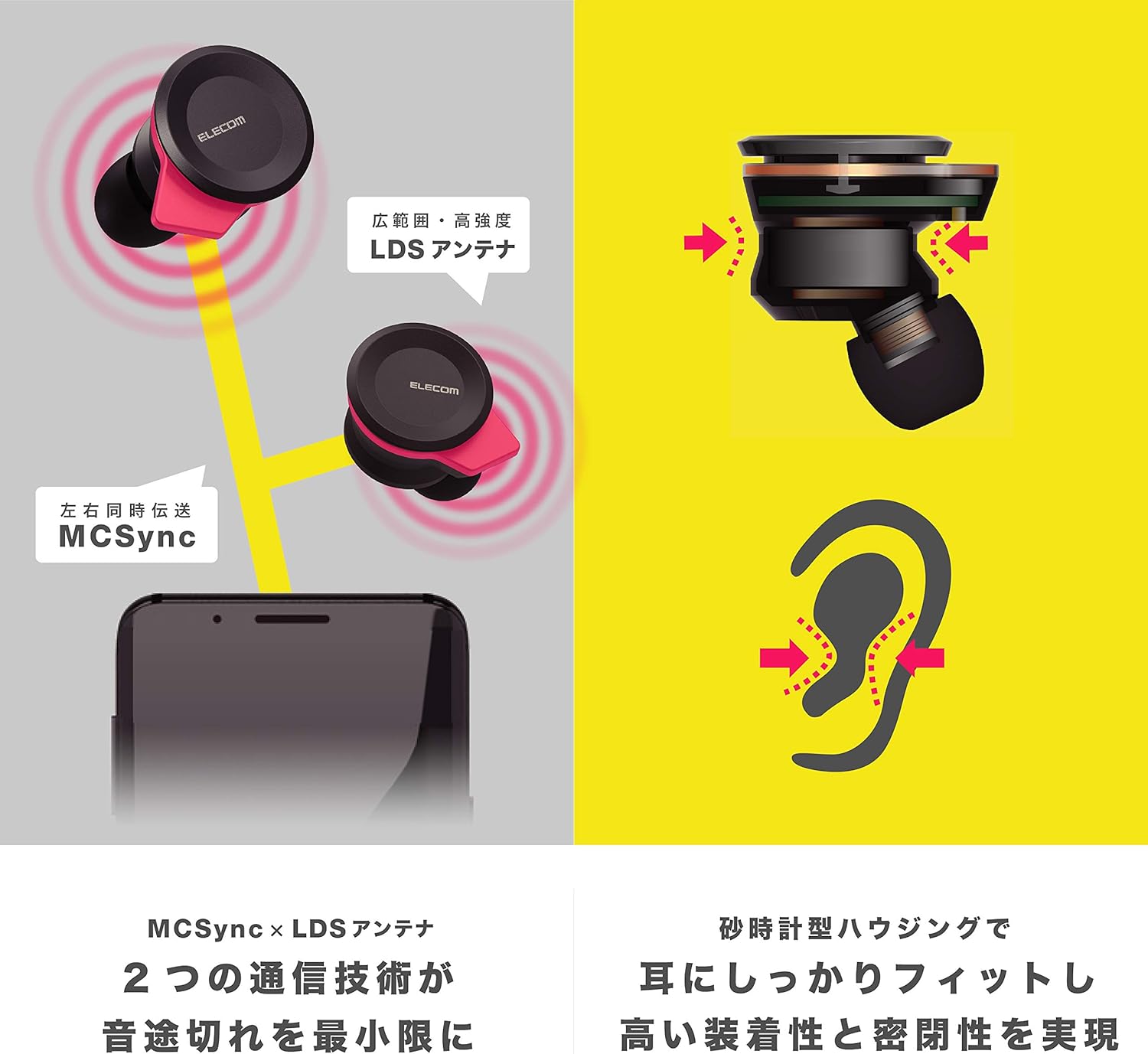
Image: An illustration showing the ergonomic hourglass shape of the earbud designed to fit securely in the ear, alongside a diagram explaining the MCSync and LDS antenna technologies for stable communication.
- Select the ear caps that provide the best seal and comfort from the four included sizes (XS, S, M, L). The M size is pre-installed.
- Insira suavemente o fone de ouvido no canal auditivo.
- Adjust the earbud so that the hourglass shape is firmly seated between your ear tragus and anti-tragus for a stable fit.
6. Instruções de operação
The Elecom LBT-TWS05BK earphones offer various functions for audio playback, calls, and smart assistant interaction.
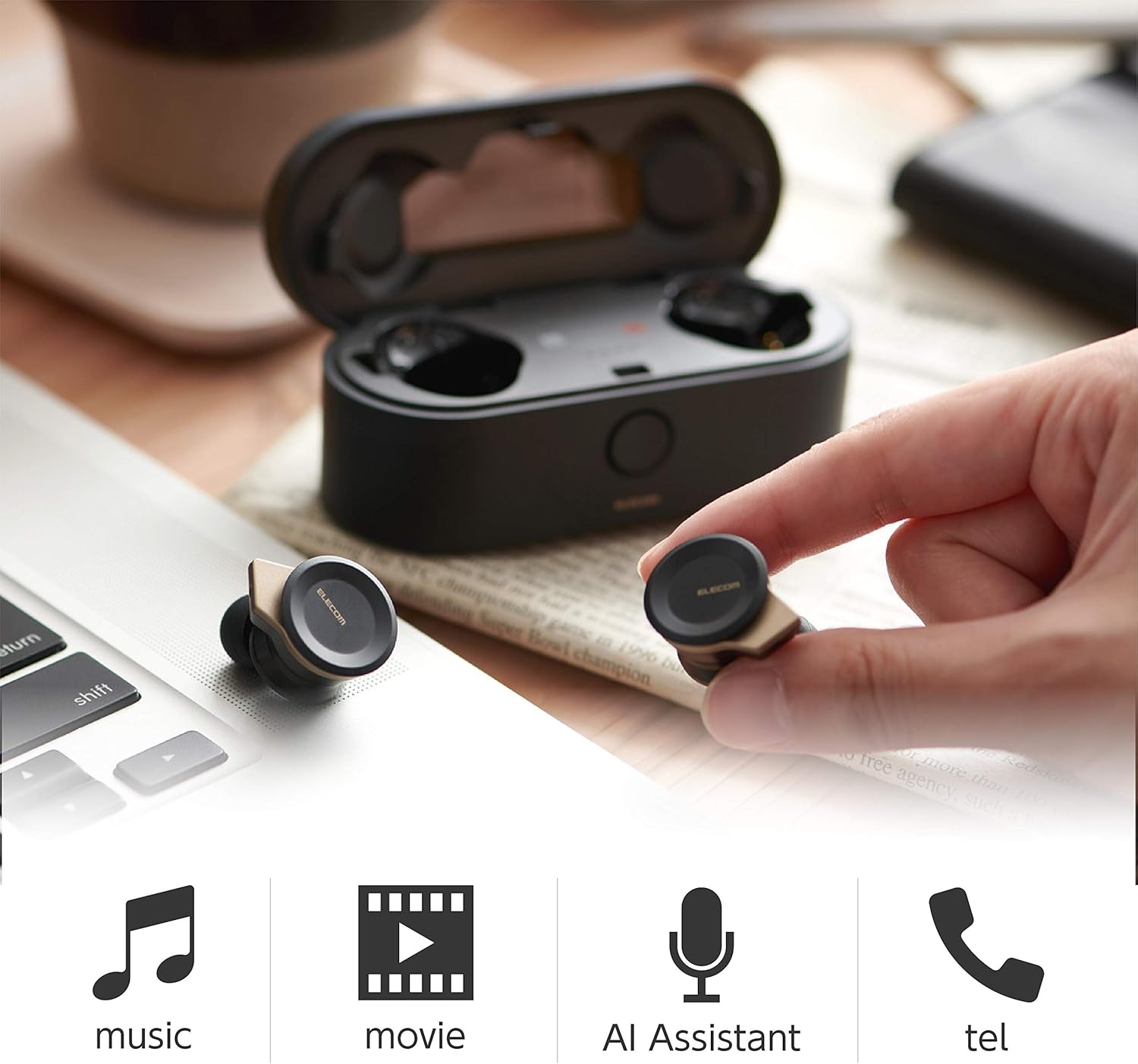
Image: The Elecom LBT-TWS05BK earbuds displayed with icons representing their versatile uses: music playback, movie watching, AI assistant activation, and phone calls.
6.1. Ligar/desligar
- Ligar: Retire os fones de ouvido do estojo de carregamento. Eles ligarão automaticamente.
- Desligar: Place the earphones back into the charging case. They will power off automatically.
6.2. Reprodução de música
Use the buttons on the earphones to control music playback (specific button functions may vary, refer to quick start guide for exact mapping):
- Reproduzir/Pausar: Um único toque em qualquer um dos fones de ouvido.
- Próxima faixa: Pressione duas vezes o fone de ouvido direito.
- Faixa anterior: Pressione duas vezes o fone de ouvido esquerdo.
- Controle de volume: Adjust via your connected device or voice assistant.
6.3. Atendimento de chamadas
The right earbud supports calls and voice AI functions.
- Atender/encerrar chamada: Single press on the right earbud.
- Rejeitar chamada: Pressione e segure o fone de ouvido direito por 2 segundos.
6.4. Voice AI Activation
Compatible with voice AI assistants like Siri and Google Assistant.
- Activate Voice AI: Triple press on the right earbud.
6.5. External Sound Capture Function
This function allows you to hear surrounding sounds while wearing the earphones.
- Ativar/Desativar: Pressione e segure o fone de ouvido esquerdo por 2 segundos.
7. Manutenção
A manutenção adequada garante a longevidade e o bom desempenho dos seus fones de ouvido.
- Limpeza: Use a soft, dry cloth to clean the earphones and charging case. Do not use abrasive cleaners or solvents.
- Protetores de orelha: Remove and clean ear caps regularly with water and mild soap. Ensure they are completely dry before reattaching.
- Armazenar: Quando não estiverem em uso, guarde os fones de ouvido no estojo de carregamento para protegê-los contra poeira e danos.
- Cuidados com a bateria: Evite descarregar completamente a bateria com frequência. Recarregue-a regularmente para manter sua saúde.
8. Solução De Problemas
If you encounter issues with your Elecom LBT-TWS05BK earphones, refer to the following common solutions:
- Sem problemas de som/conexão:
- Certifique-se de que os fones de ouvido estejam carregados e ligados.
- Verifique se o Bluetooth está habilitado em seu dispositivo.
- Tente emparelhar novamente os fones de ouvido com o seu dispositivo.
- Ensure earphones are within the 10m transmission distance.
- Fones de ouvido não carregam:
- Verifique se o cabo de carregamento está conectado firmemente tanto à capa quanto à fonte de alimentação.
- Check if the charging case has sufficient battery.
- Ensure the earphones are correctly seated in the charging case.
- Má qualidade de som:
- Ensure ear caps provide a good seal in your ear.
- Limpe quaisquer detritos dos bicos dos fones de ouvido.
- Aproxime-se do seu dispositivo conectado para melhorar a intensidade do sinal.
- Voice AI/Calls Not Working on Left Earbud:
- Note that calls and voice AI functions are only compatible with the right earbud.
9. Especificações
| Recurso | Especificação |
|---|---|
| Número do modelo | LBT-TWS05BK |
| Método de comunicação | Bluetooth Standard Version 5.0 |
| Saída | Classe de potência Bluetooth 1 |
| Distância Máxima de Transmissão | Aprox. 10m |
| Banda de frequência | 2.4 GHz |
| Método de modulação | FHSS (espectro de propagação de salto de frequência) |
| Compatível com Bluetooth Profiles | A2DP, AVRCP, HFP, HSP |
| A2DP Compatible Codec | SBC, AAC |
| A2DP Compatible Content Protection | SCMS-T |
| Maximum Registration Capacity | 8 dispositivos |
| Multipoint (Simultaneous Standby) | Não compatível |
| Tipo de driver | 6.0mm diameter external magnetic dynamic driver (ETEMDriver) |
| Tecnologia da Comunicação | MCSync (MultiCast Synchronization), LDS Antenna |
| Microfone | High-quality MEMS microphone with HDVoice |
| Tempo de conversação contínua | Aproximadamente 4.5 horas |
| Continuous Music Playback Time | Aproximadamente 5 horas |
| Total Playback Time (with charging case) | Aproximadamente 17.5 horas |
| Porta de carregamento | USB Tipo C |
| Carga rápida | Carga de 15 minutos para 1 hora de reprodução. |
| Peso | 61 Grams (total package weight) |
| Material | Plástico |
| Nível de resistência à água | Resistente à água |
| Dispositivos compatíveis | Smartphones, Tablets, iOS Devices, Android Devices |
10. Garantia e Suporte
For warranty information and customer support, please refer to the official ELECOM webConsulte o site ou entre em contato com o revendedor local. Guarde o comprovante de compra para eventuais solicitações de garantia.


