Manual do Usuário do Ventilador de Torre DC CREATE/COOL
Model: 901ac5f5-3fab-4ab6-92cb-7ef7d8ca7a54
1. Introdução
Thank you for choosing the CREATE/COOL DC Tower Fan. This bladeless tower fan is designed to provide efficient and quiet air circulation with its advanced DC motor and 9-speed settings. Featuring a sleek design, remote control, and 90-degree oscillation, it offers optimal comfort for any room.
Please read this manual thoroughly before operating the device to ensure safe and proper use. Keep this manual for future reference.
2. Instruções de segurança
- Desligue sempre o ventilador da tomada antes de limpá-lo ou realizar qualquer manutenção.
- Não utilize o ventilador com um cabo ou ficha danificados. Se o cabo ou a ficha estiverem danificados, contacte pessoal de assistência técnica qualificado.
- Do not place the fan near water or in excessively humid environments.
- Keep fingers, hair, and loose clothing away from the fan's openings during operation.
- Certifique-se de que o ventilador esteja colocado em uma superfície estável e plana para evitar que tombe.
- Este aparelho não se destina ao uso por pessoas (incluindo crianças) com capacidades físicas, sensoriais ou mentais reduzidas, ou com falta de experiência e conhecimento, a menos que tenham recebido supervisão ou instruções sobre o uso do aparelho de uma pessoa responsável pela sua segurança.
- As crianças devem ser supervisionadas para garantir que não brinquem com o aparelho.
- Do not insert any objects into the fan's openings.
- Não cubra o ventilador durante o funcionamento.
3. Conteúdo da embalagem
Verifique se todos os itens estão presentes na embalagem:
- CREATE/COOL DC Tower Fan Unit
- Controle remoto
- Cabo de alimentação (integrado)
- Manual do usuário (este documento)
4. Configuração
- Desembale o ventilador: Carefully remove the tower fan and all accessories from the packaging.
- Colocação: Place the fan on a firm, level surface. Ensure there is adequate space around the fan for proper air circulation and oscillation.
- Conecte a energia: Insert the power plug into a standard electrical outlet. Ensure the voltage matches the fan's requirements (230V).
- Bateria do controle remoto: The remote control may require batteries (not included). Open the battery compartment and insert the correct type and number of batteries, observing polarity.
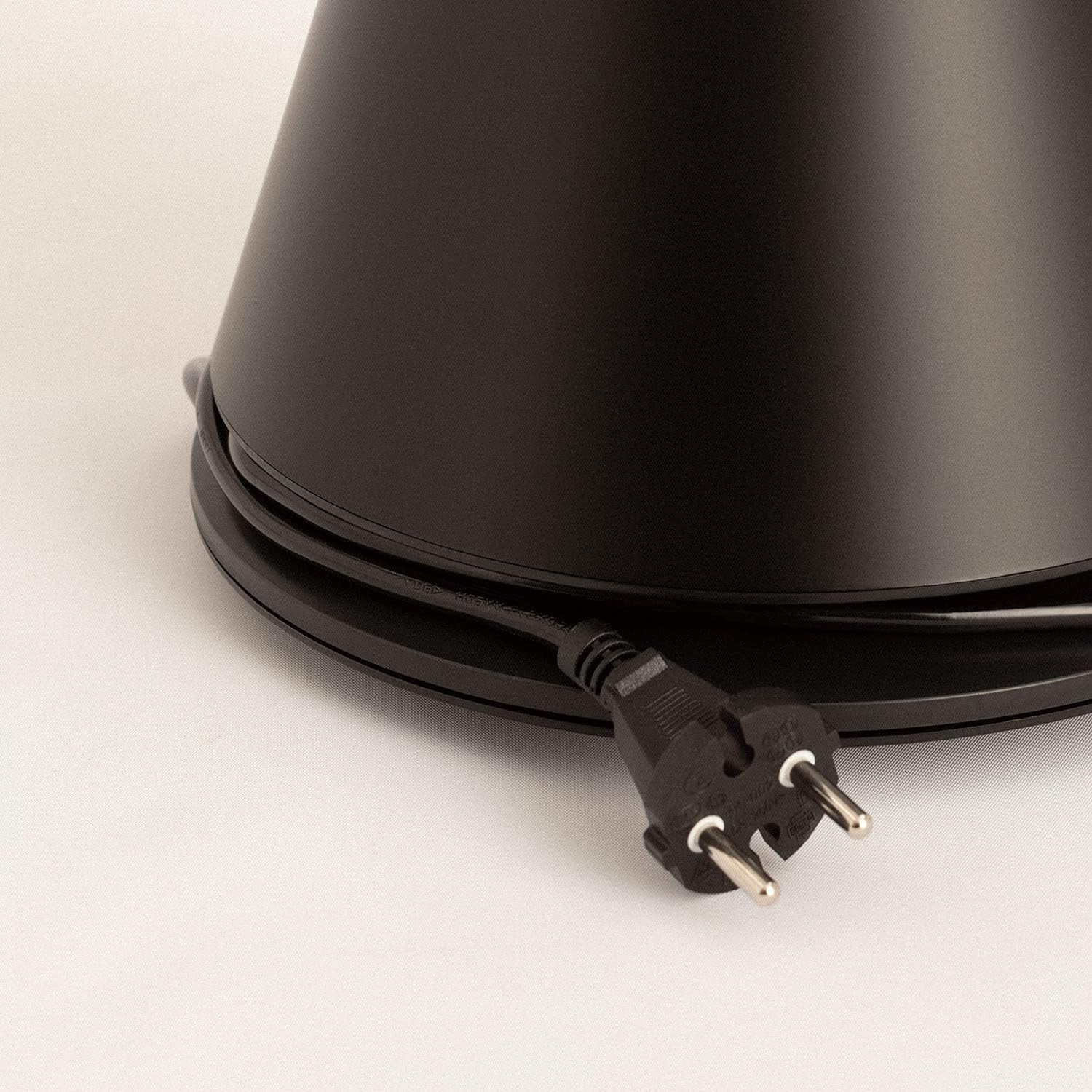
Image: Power cord connected to the fan base.
This image shows the integrated power cord and plug, ready for connection to a wall outlet. The cord is neatly wrapped around the base for storage.
5. Instruções de operação
Control Panel (Digital Display Touch-System)
The fan features a digital display touch-system on its top, which also serves as the integrated remote control storage. Touch the icons to control the fan.
Controle remoto
The magnetic remote control can be stored conveniently on top of the fan. It provides full functionality for operating the fan from a distance.

Image: Remote control for the tower fan.
This image displays the compact remote control with clearly labeled buttons for power, speed adjustment, mode selection, and oscillation control.
Funções:
- Ligar/desligar: Pressione o botão liga / desliga (⏻) para ligar ou desligar o ventilador.
- Ajuste de velocidade: The fan has 9 speed levels. Use the '+' and '-' buttons to increase or decrease the fan speed.
- Modos de vento: Select between 2 wind modes (e.g., Normal, Sleep, Natural - specific modes may vary). Press the mode button to cycle through available modes.
- Oscilação: Pressione o botão de oscilação (↻) to activate or deactivate the 90-degree oscillation feature, which distributes air evenly across the room.
- Temporizador: Set the fan to automatically turn off after a specified period. Refer to the display for timer settings (e.g., 1-12 hours).

Image: Tower fan placed in a bedroom.
This image shows the sleek black tower fan positioned in a modern bedroom, demonstrating its compact footprint and aesthetic integration into a living space.
6. Manutenção
A limpeza regular ajudará a manter o desempenho do ventilador e prolongar sua vida útil.
- Limpeza do Exterior: Limpe as superfícies externas do ventilador com um pano macio e seco.amp pano. Não use produtos de limpeza abrasivos ou solventes.
- Remoção de poeira: Use a vacuum cleaner with a brush attachment or compressed air to remove dust from the air intake and outlet grilles.
- Armazenar: Se for guardar o ventilador por um longo período, desligue-o da tomada, limpe-o bem e guarde-o em local fresco e seco, de preferência na embalagem original.
- Não mergulhe o ventilador em água ou qualquer outro líquido.
7. Solução De Problemas
| Problema | Possível causa | Solução |
|---|---|---|
| O ventilador não liga. | Não está conectado à tomada; a tomada não está funcionando; o botão liga/desliga não foi pressionado. | Certifique-se de que o ventilador esteja firmemente conectado a uma tomada em funcionamento. Pressione o botão liga/desliga. |
| Fluxo de ar fraco. | Low speed setting; Air inlets/outlets blocked by dust. | Aumente a velocidade do ventilador. Limpe as entradas e saídas de ar. |
| Ventilador é barulhento. | Fan not on a level surface; Internal obstruction; High speed setting. | Place the fan on a flat, stable surface. Check for any obstructions. Reduce fan speed. |
| O controle remoto não funciona. | Pilhas descarregadas ou inseridas incorretamente; Obstrução entre o controle remoto e o ventilador. | Replace batteries, ensuring correct polarity. Remove any obstructions. Ensure remote is pointed at the fan. |
8. Especificações
| Recurso | Detalhe |
|---|---|
| Marca | CRIAR |
| Número do modelo | 901ac5f5-3fab-4ab6-92cb-7ef7d8ca7a54 |
| Dimensões do produto | 102 x 23 x 102 cm (approx. 23D x 23W x 102H cm) |
| Peso | 2.6 quilos |
| Cor | Preto |
| Fonte de energia | Elétrico com fio |
| Volumetage | 230 Volts |
| O quetage | 26 Watts |
| Nível de ruído | 2 dB (Note: This value seems unusually low based on customer reviews, typical fan noise is higher. Please refer to actual product performance.) |
| Número de velocidades | 9 |
| Características especiais | Oscillating, Lightweight, DC Motor, Timer, Remote Control |
9. Garantia e Suporte
CREATE products are manufactured to the highest quality standards. For information regarding warranty coverage, please refer to the warranty card included with your purchase or visit the official CREATE website.
For technical support, troubleshooting assistance, or spare parts, please contact CREATE customer service. Contact details can typically be found on the product packaging or the official brand website.
Website: Loja Oficial CREATE


