1. Introdução
This manual provides detailed instructions for the APEXEL APL-DG5H 5-in-1 Cellphone Lens Kit. This kit enhances your smartphone photography capabilities with a variety of specialized lenses. Please read these instructions carefully before use to ensure proper operation and care of your product.
1.1 Conteúdo da embalagem
- 1 lente olho de peixe de 198°
- 1 x 0.63X Wide Angle Lens
- 1 x 15X Macro Lens
- 1 x 2X Telescope Lens
- 1 x CPL Lens
- 4 x Lens Caps
- 1 x EVA Storage Bag
- 1 x Clipe Universal
- 1 x Pano de limpeza
- 1 x Manual do Usuário (Inglês)
1.2 Produto Acimaview
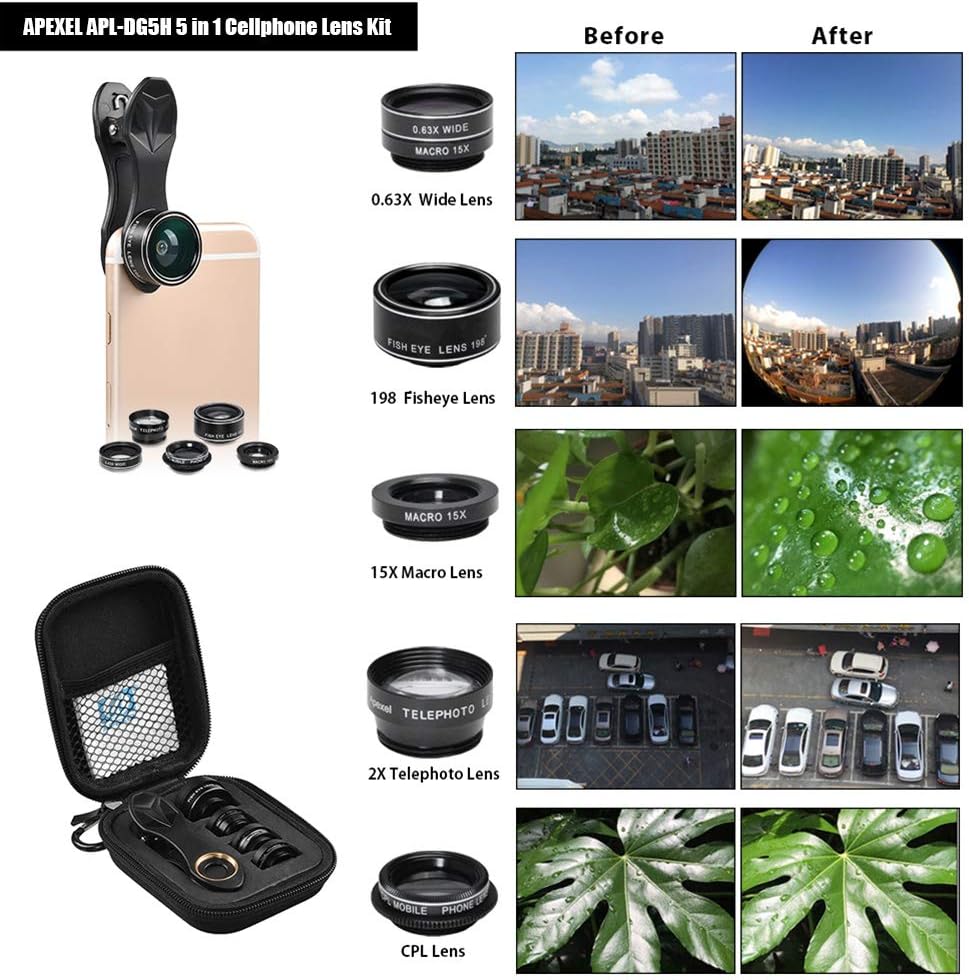
The APEXEL APL-DG5H kit includes five distinct lenses designed to expand the photographic range of your smartphone. Each lens offers a unique effect, from capturing expansive landscapes to detailed close-ups.

2. Lens Components
Each lens in the kit serves a specific photographic purpose:
2.1 198° Fisheye Lens
This lens creates a wide, hemispherical image, producing a strong visual distortion intended to create a wide panoramic or hemispherical image. It offers a 198-degree angle of view.
2.2 0.63X Wide Angle Lens
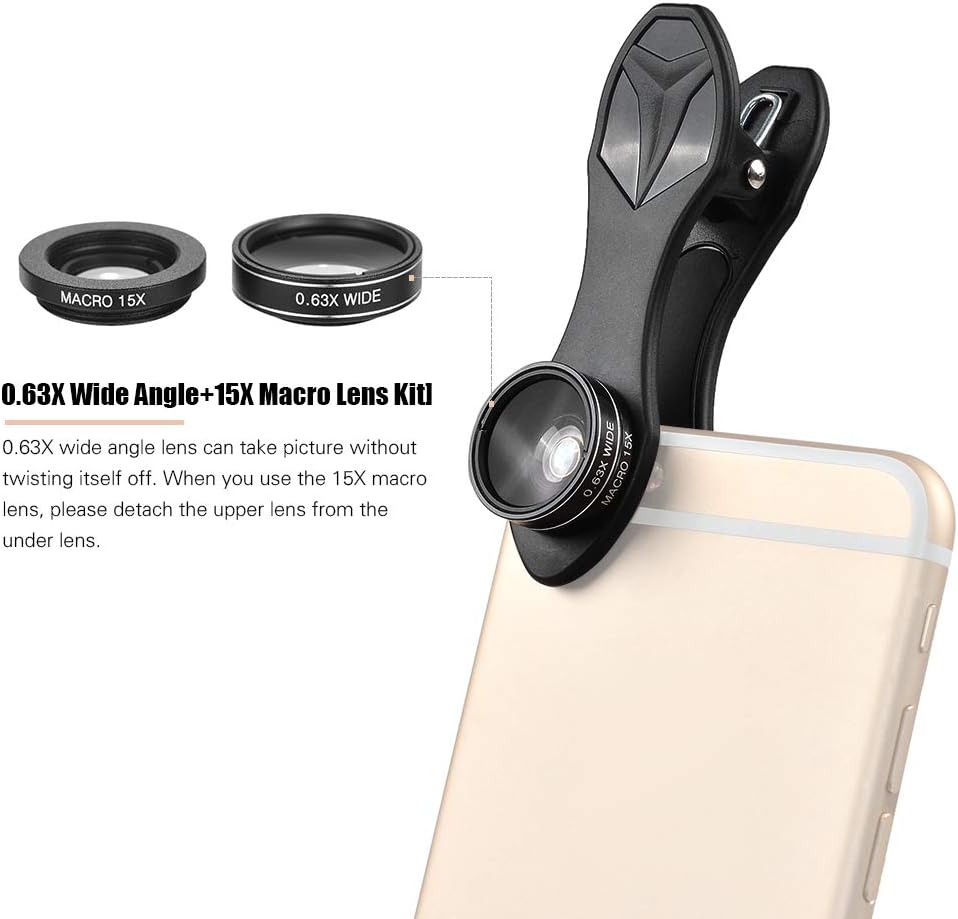
The wide-angle lens expands your phone's field of view, allowing you to capture more of the scene without stepping back. It is ideal for landscapes, group photos, and architectural shots. Note: This lens is screwed together with the 15X Macro Lens upon arrival.
2.3 15X Macro Lens
Designed for extreme close-up photography, the macro lens allows you to capture intricate details of small subjects like flowers, insects, or textures. The optimal shooting distance is between 10-23mm from the subject. Note: This lens must be detached from the 0.63X Wide Angle Lens for use.
2.4 2X Telescope Lens
This telephoto lens provides 2 times optical zoom, bringing distant subjects closer without digital degradation. It is suitable for portraits or capturing details from a distance.
2.5 CPL Lens (Circular Polarizing Lens)
The CPL lens reduces glare and reflections from non-metallic surfaces such as water or glass. It also enhances color saturation and contrast, making skies bluer and foliage greener.

3. Instruções de configuração
3.1 Attaching the Universal Clip
- Identify the camera lens on your smartphone.
- Open the universal clip by pressing the top and bottom sections.
- Carefully position the clip over your phone's camera, ensuring the threaded hole on the clip aligns perfectly with your phone's camera lens.
- Release the clip to secure it firmly to your phone. Ensure it is stable and does not obstruct the camera's view.

3.2 Mounting Lenses
- Select the desired lens from your kit.
- Carefully screw the chosen lens into the threaded hole of the universal clip until it is snug. Do not overtighten.
- For Wide Angle and Macro Lenses: The 0.63X Wide Angle Lens and 15X Macro Lens are screwed together when packaged. To use the 0.63X Wide Angle Lens, keep them combined. To use the 15X Macro Lens, gently unscrew the upper 0.63X Wide Angle Lens from the 15X Macro Lens.
4. Operating Your Lens Kit
Once a lens is securely attached to your smartphone via the universal clip, open your phone's camera application. The camera will automatically adapt to the attached lens. Adjust the clip's position slightly if you notice any vignetting (dark corners) in your preview.
4.1 Using Each Lens
Fisheye Lens (198°)
Point your camera towards your subject. The fisheye lens will capture a distorted, ultra-wide perspective, creating a unique, artistic effect. Experiment with different angles to achieve varied results.
Wide Angle Lens (0.63X)
Use this lens when you need to fit more into your frame, such as expansive landscapes, large buildings, or group photos. Ensure the lens is clean for optimal clarity.
Macro Lens (15X)
For macro photography, position the lens very close to your subject (10-23mm). The camera will focus on the tiny details, revealing textures and structures not visible to the naked eye. Ensure steady hands or use a tripod for sharp images.
Telescope Lens (2X)
Attach this lens to bring distant subjects closer. It's useful for capturing details in wildlife, sports, or architectural elements from afar. Maintain stability to avoid blur.
CPL Lens (Circular Polarizing Lens)
Rotate the outer ring of the CPL lens while looking through your phone's camera. You will observe reflections diminishing and colors becoming more vibrant. Adjust until the desired effect is achieved. This is particularly effective for outdoor shots with water, glass, or bright skies.

5. Cuidados e Manutenção
- Limpeza de lentes: Use the provided cleaning cloth or a soft, lint-free microfiber cloth to gently wipe the lens surfaces. For stubborn smudges, a small amount of lens cleaning solution can be applied to the cloth (not directly to the lens).
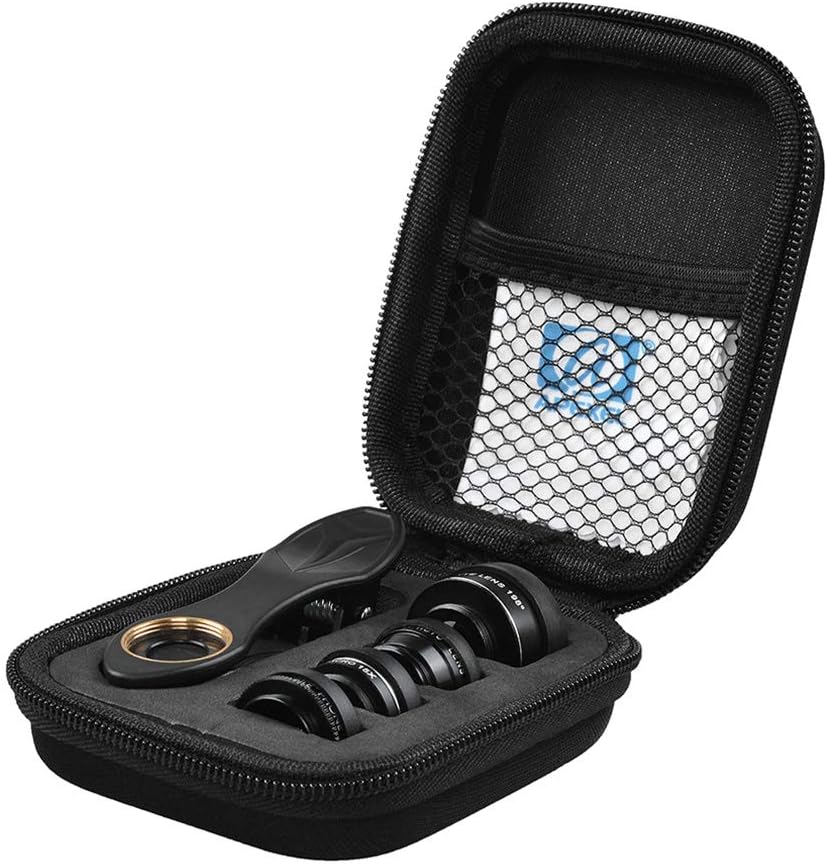
- Armazenar: Always store the lenses in the provided EVA storage bag with their caps on when not in use. This protects them from dust, scratches, and impacts.
- Manuseio: Avoid touching the lens glass directly with your fingers to prevent smudges and oils.
- Ambiente: Keep the lenses away from extreme temperatures, humidity, and direct sunlight for prolonged periods.
6. Solução De Problemas
6.1 Flash Light Blocked
When using any of the lenses with the universal clip, the smartphone's built-in flash light may be partially or completely blocked. For optimal photo quality, it is recommended to use external lighting sources or rely on natural light when the lenses are attached.
7. Especificações técnicas
| Componente | Especificação |
|---|---|
| Marca | ÁPICE |
| Modelo | APL-DG5H |
| Fisheye Lens Angle | 198 graus |
| Fisheye Lens Magnification | 0.28X |
| Wide Angle Lens Magnification | 0.63X |
| Ampliação da lente macro | 15X |
| Macro Lens Shot Distance | 10-23 mm |
| Telescope Lens Magnification | 2X |
| Dimensões da embalagem | 6.38 x 3.66 x 2.52 cm |
| Peso da embalagem | 93g (3.3oz) |


