1. Introdução
This manual provides essential instructions for the safe and efficient use of your LIFX Color Smart LED Bulb. The LIFX Color bulb offers a wide spectrum of colors and white tones, controllable via Wi-Fi without the need for a separate hub. It is designed to enhance your lighting experience with smart features and energy efficiency.

Image: The LIFX Color Smart LED Bulb alongside its product packaging, highlighting its features.
Principais características:
- Billions of Colors: Access a vast range of colors and a wide cool-to-warm white spectrum (1500K to 9000K).
- Brilho 800 Lumens: Fornece ample iluminação para várias configurações.
- E26 Edison Screw Base: Standard fitting for easy installation.
- Conectividade Wi-Fi: Connects directly to your 2.4GHz Wi-Fi network, no hub required.
- Controle de voz: Compatible with Alexa, Apple HomeKit/Siri, and Hey Google.
- Scheduling & Scenes: Customize lighting schedules and create personalized scenes.
2. Informações de segurança
Please read and follow these safety guidelines to prevent injury or damage to the product.
- Somente para uso interno: Esta lâmpada foi projetada para uso interno em locais secos.
- Instalação adequada: Certifique-se de que a energia esteja desligada antes de instalar ou remover a lâmpada.
- Volumetage Compatibilidade: Use only within the specified voltage range (AC 100-240V, 50/60 Hz).
- Evite luminárias fechadas: Do not use in fully enclosed luminaires as this may reduce bulb life.
- Interruptores de dimmer: Do not use with standard dimmer switches. Dimming is controlled via the app or voice assistants.
- Disposição: Descarte o lixo eletrônico de forma responsável, de acordo com as normas locais.
3. Conteúdo da embalagem
Your LIFX Color Smart LED Bulb package should contain the following:
- 1 x LIFX Color Smart LED Bulb (E26 Edison Screw)
4. Guia de configuração
4.1 Instalação Física
- Certifique-se de que a energia da luminária esteja desligada no interruptor.
- Carefully screw the LIFX Color Smart LED Bulb into a standard E26 Edison screw socket. Do not overtighten.
- Turn the power back on at the switch. The bulb should illuminate with a default white light.

Image: A visual guide showing the three simple steps for setting up the LIFX bulb: screwing it into a lamp, downloading the app, and enjoying the light.
4.2 Download do aplicativo e conexão Wi-Fi
- Download the official LIFX app from the Apple App Store or Google Play Store.
- Open the LIFX app and create an account or log in.
- Follow the in-app instructions to add your new LIFX bulb. This typically involves scanning a QR code on the bulb or its packaging and connecting to your home's 2.4GHz Wi-Fi network.
- Ensure your mobile device is connected to the 2.4GHz Wi-Fi network during the setup process.
4.3 Integração com Assistente de Voz
The LIFX Color bulb is compatible with popular voice assistants. Follow the instructions within your preferred voice assistant's app to link your LIFX account.
- Amazon Alexa: Enable the LIFX skill in the Alexa app and discover devices.
- Apple HomeKit/Siri: Use the Home app on your iOS device to add the accessory.
- Olá Google: Link your LIFX account in the Google Home app.

Image: A collage of logos indicating compatibility with various smart home platforms and voice assistants.
5. Instruções de operação
5.1 Controlling Color and Brightness
Use the LIFX app to adjust the bulb's color and brightness. The app features a color wheel and sliders for precise control.
- Open the LIFX app and select your bulb.
- Drag your finger across the color wheel to choose a desired color.
- Adjust the brightness slider to set the light intensity from 1% to 100%.
- For white light, select from the warm to cool white spectrum options.

Image: A smartphone displaying the LIFX app interface, featuring a color wheel for selecting light colors and adjusting brightness.
5.2 Controle de voz
Once integrated with a voice assistant, you can control your LIFX bulb using simple voice commands.
- "Alexa, acenda a luz da sala de estar."
- "Hey Google, set the kitchen light to blue."
- "Siri, dim the bedroom light to 50%."
- "Alexa, set the kitchen to 'Frozen'."

Image: A person in a kitchen interacting with a voice assistant to control the lighting, demonstrating hands-free operation.
5.3 Agendamento e Cenas
Automate your lighting to fit your daily routine or create custom ambiances.
- Horários: In the LIFX app, set specific times for your lights to turn on/off, change color, or adjust brightness. For example, schedule lights to gradually brighten in the morning for a gentle wake-up or dim in the evening for winding down.
- Cenas: Create and save custom lighting configurations (e.g., "Movie Night," "Relax," "Party"). Activate these scenes with a single tap in the app or via voice command.
- Segurança: Use scheduling to make it appear as if someone is home when you are away.

Imagem: Um exterior view of a house at dusk, illustrating how scheduled lighting can provide added security by making it appear occupied.

Image: A person waking up in bed as a smart light gradually brightens, demonstrating the use of light as an alarm clock replacement.
6. Manutenção
The LIFX Color Smart LED Bulb requires minimal maintenance.
- Limpeza: Ensure the bulb is cool and the power is off before cleaning. Wipe with a soft, dry cloth. Do not use liquid cleaners or abrasive materials.
- Armazenar: Ao guardar a lâmpada, mantenha-a na embalagem original ou em um recipiente protetor, em local fresco e seco.
7. Solução De Problemas
If you encounter issues with your LIFX Color Smart LED Bulb, refer to the following common solutions:
| Problema | Solução possível |
|---|---|
| Bulb not connecting to Wi-Fi/App |
|
| Bulb is unresponsive or offline |
|
| Comandos de voz não funcionam |
|
8. Especificações
Detailed technical specifications for the LIFX Color Smart LED Bulb (Model: L3A19LC08E26US):
| Recurso | Detalhe |
|---|---|
| Nome do modelo | LIFX Color - 800 Lumens |
| Número do modelo | L3A19LC08E26US |
| Tipo de luz | LIDERADO |
| Tamanho do formato do bulbo | A19 |
| Base de lâmpada | E26 |
| Brilho | 800 Lúmens |
| O quetage Uso | 9.0W at full brightness |
| Equivalente incandescente | 60 W |
| Volumetage Alcance | CA 100-240V 50 / 60 Hz |
| Temperatura de cor | 1500K a 9000K |
| Índice de reprodução de cor (CRI) | 80 |
| Ângulo do feixe | 235° |
| Escurecimento | Software dimming 1% - 100% |
| Wi-fi | 2.4GHz (WPA, WPA2 Security) |
| Dimensões (L x A) | 2.36 in x 4.13 in (60mm x 105mm) |
| Material | Alumínio, Plástico |
| Vida média | 206,432 Hours (approx. 22.8 years) |
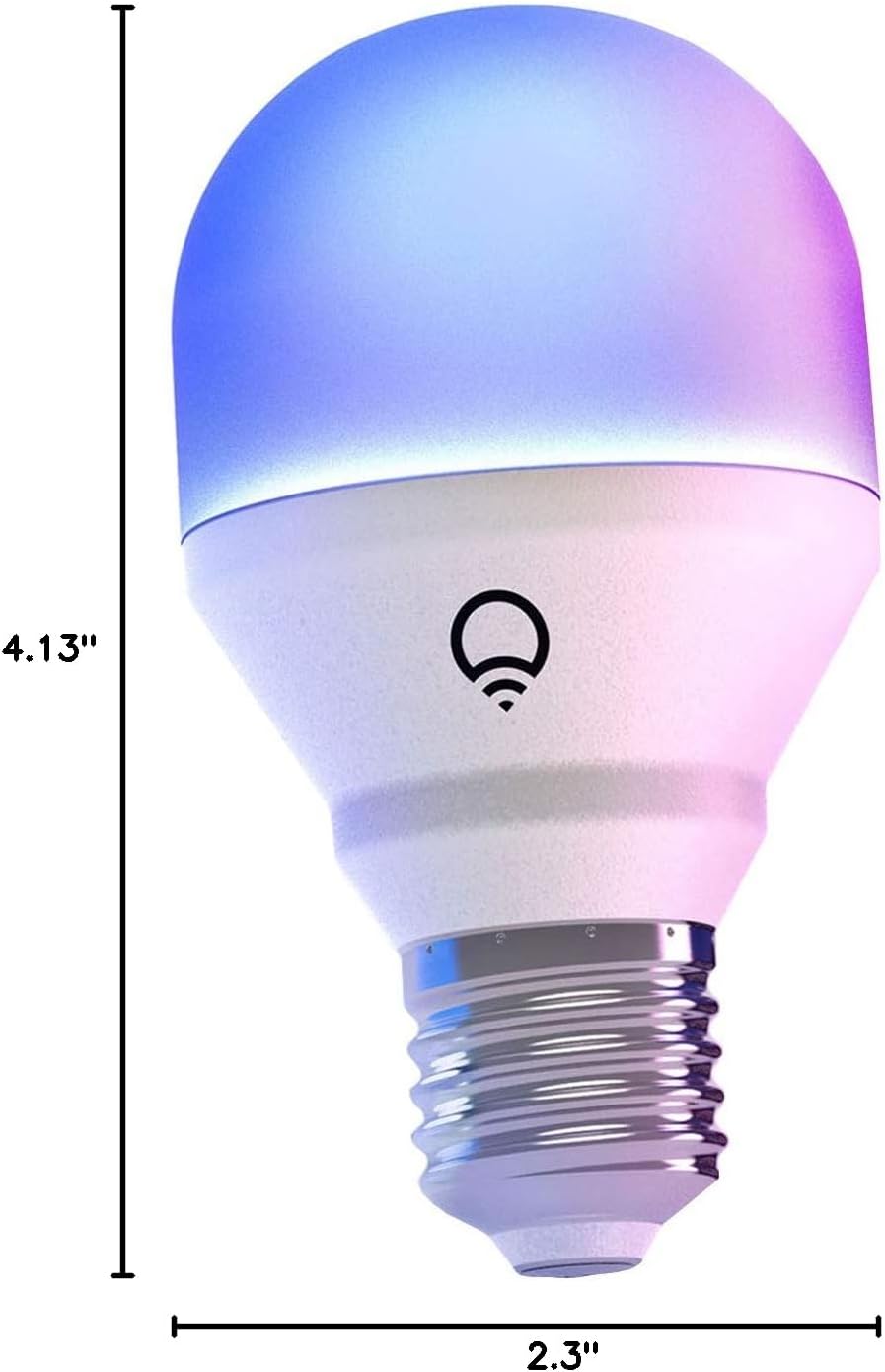
Image: A diagram illustrating the physical dimensions of the LIFX Color Smart LED Bulb.
9. Informações de garantia
The LIFX Color Smart LED Bulb comes with a Garantia de 2 ano. Please retain your proof of purchase for warranty claims. For specific terms and conditions, refer to the official LIFX website ou entre em contato com o suporte ao cliente.
10. Suporte
Para obter mais assistência, suporte técnico ou para view frequently asked questions, please visit the official LIFX support website. You can typically find contact information for customer service on their website também.
Recursos on-line:
- LIFX Official Website: www.lifx.com
- Support Section: Refer to the support or FAQ section on the official website for troubleshooting guides and contact options.


