Introdução
This manual provides instructions for the Mars Gaming MCPTKLES RGB Combo, which includes a gaming keyboard and mouse. This combo is designed for optimal desktop space utilization and is compatible with multiple platforms, including Windows, Mac, PlayStation 4, Xbox One, and Nintendo Switch. The keyboard features RGB Breathing and RGB Flow lighting, H-Mech technology, and anti-ghosting capabilities. The mouse is equipped with a 3200 DPI optical sensor, RGB Flow lighting, and durable HUANO mechanical buttons.
Conteúdo da embalagem
- Mars Gaming MCPTKLES TKL RGB Keyboard
- Mars Gaming MCPTKLES RGB Mouse
- Manual do usuário (este documento)
Configurar
Connecting the Combo
The Mars Gaming MCPTKLES combo uses a standard USB connection for both the keyboard and mouse. No additional drivers are typically required for basic functionality on supported operating systems.
- Localize uma porta USB disponível em seu computador ou console de jogos.
- Conecte o conector USB do teclado à porta USB.
- Conecte o conector USB do mouse a outra porta USB disponível.
- Seu sistema operacional deve detectar e instalar automaticamente os drivers necessários.
- The RGB lighting on both devices should illuminate upon successful connection.
Compatibilidade multiplataforma
This combo is designed to work with:
- Sistemas operacionais Windows
- Mac operating systems
- PlayStation 4
- Xbox Um
- Nintendo Interruptor
Note: Specific game or console settings may be required for full functionality on gaming consoles. Refer to your console's user manual for peripheral setup.
Instruções de operação
Keyboard Functions (TKL Design)
The TKL (Tenkeyless) design of the keyboard omits the numeric keypad, offering a more compact form factor. It features H-Mech technology for a smooth and precise typing experience.
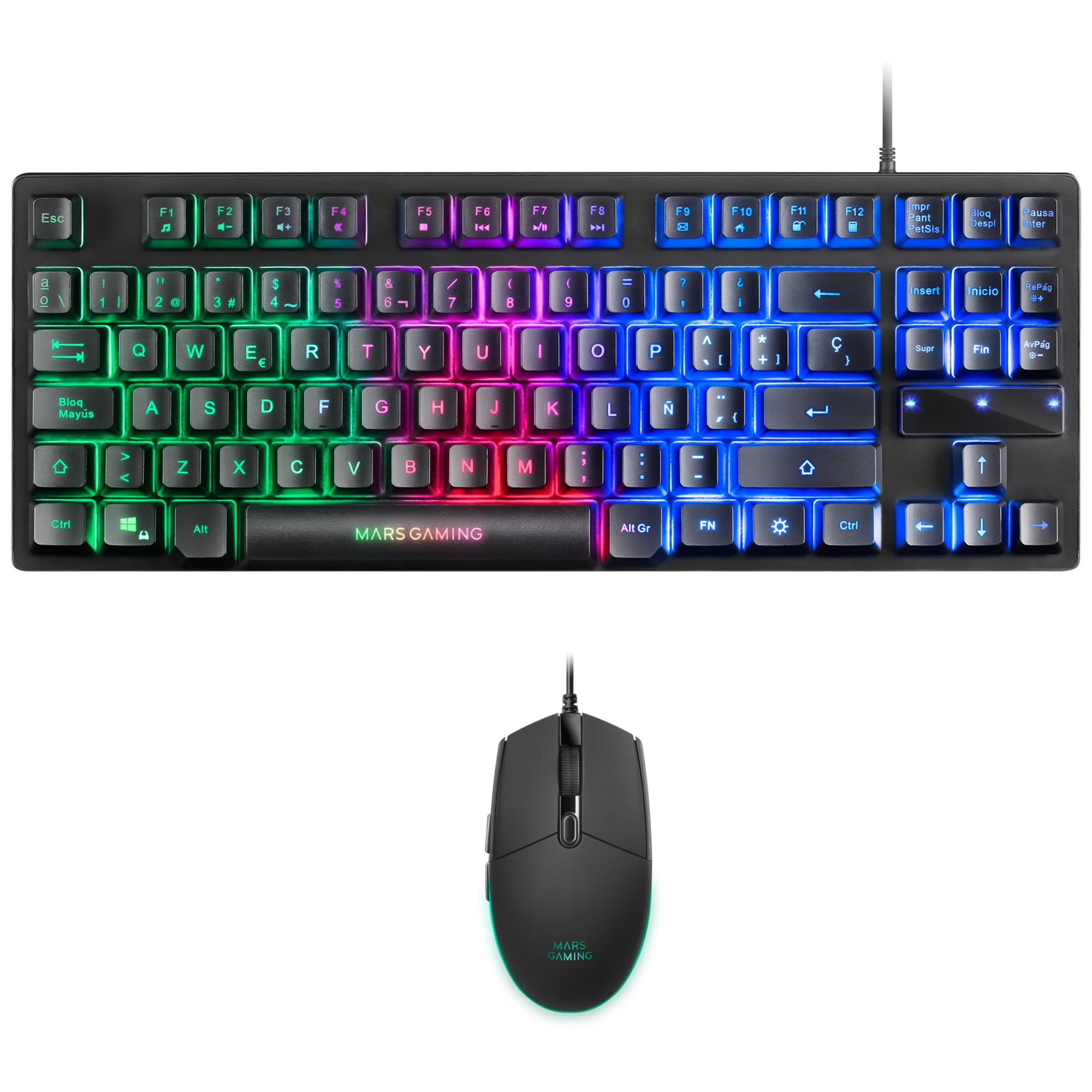
Image: Mars Gaming MCPTKLES TKL RGB Keyboard. This image shows the compact tenkeyless design of the keyboard with its RGB backlighting.
Controle de Iluminação RGB
The keyboard features RGB Control lighting. Specific key combinations allow you to cycle through different lighting modes and effects. Refer to the keyboard's function keys (Fn) combined with other keys for lighting adjustments. Common controls include:
- Fn + [Tecla]: To change lighting modes (e.g., static, breathing, wave).
- Fn + [Arrow Keys]: To adjust brightness or speed of effects.

Image: Close-up of Mars Gaming MCPTKLES Keyboard RGB Keys. This image highlights the individual keys and their vibrant RGB backlighting.
Anti-Ghosting
The keyboard is equipped with anti-ghosting technology, which ensures that multiple key presses are registered simultaneously without conflict, crucial for fast-paced gaming.
Funções do mouse
The lightweight mouse features an optical sensor with adjustable sensitivity up to 3200 DPI, RGB Flow lighting, and 6 programmable buttons with high-quality HUANO mechanical switches.

Image: Mars Gaming MCPTKLES RGB Mouse Top View. This image displays the top of the mouse, showing the scroll wheel and main buttons.
DPI Adjustment (On-the-fly)
Use the dedicated DPI button (often located near the scroll wheel) to cycle through different sensitivity levels (DPI - Dots Per Inch). This allows for quick adjustments to mouse speed without interrupting gameplay.

Image: Mars Gaming MCPTKLES RGB Mouse Side View. This image shows the ergonomic shape and side buttons of the mouse.
Botões programáveis
The mouse features 6 buttons. While basic functionality is plug-and-play, advanced customization and macro programming may require specific software from Mars Gaming, if available. Visit the official Mars Gaming website para downloads de software.

Image: Mars Gaming MCPTKLES RGB Mouse with RGB Flow Lighting. This image illustrates the dynamic RGB lighting effects on the mouse.
Manutenção
Limpeza
- Disconnect the keyboard and mouse from your computer before cleaning.
- Use um pano macio, seco e sem fiapos para limpar as superfícies.
- Para sujeira persistente, levementeampLimpe o pano com água ou uma solução de limpeza suave. Evite o excesso de umidade.
- Não utilize produtos químicos agressivos, produtos de limpeza abrasivos ou solventes.
- Para o teclado, use ar comprimido para remover poeira e detritos entre as teclas.
Armazenar
Guarde os dispositivos em local fresco e seco, longe da luz solar direta e de temperaturas extremas quando não estiverem em uso por longos períodos.
Solução de problemas
Keyboard or Mouse Not Responding
- Ensure both USB cables are securely plugged into the computer or console.
- Tente conectar os dispositivos em portas USB diferentes.
- Reinicie o computador ou o console.
- Test the devices on another computer to determine if the issue is with the combo or your system.
Iluminação RGB não funciona
- Verify the devices are properly connected and powered.
- Check if the lighting has been turned off via keyboard shortcuts (Fn + lighting control keys).
- Certifique-se de que não haja conflitos de software caso esteja utilizando aplicativos de controle de iluminação de terceiros.
Mouse Cursor Jumps or is Inaccurate
- Limpe a área do sensor do mouse na parte inferior do mouse.
- Ensure you are using the mouse on a clean, uniform surface (a mouse pad is recommended).
- Adjust the DPI settings using the mouse's DPI button.
Especificações
| Recurso | Detalhe |
|---|---|
| Marca | Jogos de Marte |
| Número do modelo | MCPTKLES |
| Tecnologia de Conectividade | USB (com fio) |
| Layout do teclado | Spanish (TKL - Tenkeyless) |
| Recursos do teclado | H-Mech Technology, RGB Control Lighting, Anti-Ghosting |
| Sensor de mouse | Óptico |
| DPI do mouse | Up to 3200 DPI (On-the-fly adjustable) |
| Botões do mouse | 6 (with HUANO mechanical switches) |
| Iluminação do mouse | Fluxo RGB |
| Dispositivos compatíveis | Linux, Mac, PS4, Windows, XBOX ONE |
| Dimensões do produto | 44 x 15.9 x 4.4 cm (Teclado) |
| Peso do item | 400 g |
| Cor | Preto |
Garantia e Suporte
For warranty information and technical support, please refer to the official Mars Gaming webou entre em contato com o serviço de atendimento ao cliente. Guarde o comprovante de compra para eventuais solicitações de garantia.
Official Mars Gaming Website: www.marsgaming.eu