1. Introdução
Welcome to the user manual for your new Taurus Homeland Laser Robot Vacuum Cleaner. This intelligent cleaning device is designed to provide efficient and thorough cleaning for your home, utilizing advanced ElegantLaser technology for precise navigation and mapping. Please read this manual carefully before using the product to ensure proper operation, maintenance, and safety.
Informações de segurança
Sempre siga as seguintes diretrizes de segurança:
- Do not allow children to operate the robot vacuum cleaner.
- Ensure the charging base is placed on a flat, stable surface against a wall, with no obstacles within 1 meter in front and 0.5 meters on either side.
- Keep the robot away from water or wet surfaces to prevent electric shock.
- Do not use the robot to clean liquids, burning objects, or large, sharp debris.
- Regularly check and clean the brushes and sensors to maintain optimal performance.
- Utilize apenas o adaptador de energia e a base de carregamento originais fornecidos com o produto.
- Se o cabo de alimentação estiver danificado, ele deverá ser substituído pelo fabricante ou por um agente de serviço qualificado.
2. Produto acabadoview
Familiarize yourself with the components of your Taurus Homeland Laser Robot Vacuum Cleaner.
Conteúdo da embalagem
- Taurus Homeland Laser Robot Vacuum Cleaner
- Base de carregamento
- Adaptador de energia
- Controle remoto
- Escovas laterais (2 pares)
- Escova principal
- Caixote de lixo
- Reservatório de água com pano de esfregão
- Ferramenta de limpeza
- Manual do usuário
Componentes do Robô


3. Configuração
Desembalagem e posicionamento inicial
- Remova cuidadosamente todos os componentes da embalagem.
- Choose a suitable location for the charging base. It should be placed against a wall on a hard, level surface. Ensure there are no obstacles within 1 meter (3.3 feet) in front of the base and 0.5 meters (1.6 feet) on either side to allow the robot to dock easily.
- Connect the power adapter to the charging base and plug it into a wall outlet. Ensure the indicator light on the charging base illuminates.
Instalação de escovas laterais
Vire o robô. Alinhe as escovas laterais com os encaixes correspondentes (L e R) na parte inferior do robô e pressione-as até ouvir um clique.
Carregamento inicial
Place the robot onto the charging base, ensuring the charging contacts on the robot align with those on the base. The robot will begin charging automatically. For first-time use, it is recommended to fully charge the robot before its initial cleaning cycle (approximately 4-5 hours).
App Setup and Wi-Fi Connection
To unlock the full potential of your robot, download the dedicated mobile application.

- Procurar the 'Taurus Homeland' app in your smartphone's app store (Google Play Store for Android or Apple App Store for iOS).
- Baixe e instale o aplicativo.
- Follow the in-app instructions to create an account and connect your robot vacuum cleaner to your home Wi-Fi network. Ensure your Wi-Fi network is 2.4GHz.
- Uma vez conectado, você pode controlar o robô, agendar limpezas e view cleaning maps from your smartphone.
4. Instruções de operação
Ligar/desligar
- Ligar: Press and hold the power button on the robot or the remote control until the indicator lights illuminate.
- Desligar: Press and hold the power button on the robot or the remote control until the indicator lights turn off.
Iniciando um ciclo de limpeza
Press the power button on the robot or the 'Clean' button on the remote control/app to start an automatic cleaning cycle. The robot will begin mapping and cleaning your home using its ElegantLaser navigation.


Modos de limpeza
The robot offers 10 different cleaning modes, accessible via the remote control or the mobile app:
- Auto: Standard cleaning mode, the robot intelligently navigates and cleans the entire area.
- Select Room: Clean specific rooms identified on the app's map.
- Perímetro: Limpa junto às paredes e às bordas dos móveis.
- Espiral: Cleans a concentrated area in a spiral pattern.
- Manual: Control the robot's movement manually using the remote control or app.
- Voltar para casa: Robot returns to the charging base.
- Potência Máxima: Aumenta o poder de sucção para uma limpeza mais profunda.
- Restricted Zone: Define areas on the app map that the robot should avoid.
- Restricted Wall: Create virtual walls on the app map to block off areas.
- Limpeza de manchas: Limpa intensivamente uma pequena área específica.
Usando o aplicativo móvel
The app provides comprehensive control and customization options:

- Mapeamento: The robot creates a real-time map of your home, which is displayed in the app.
- Zone Restriction: Draw virtual boundaries or no-go zones on the map to prevent the robot from entering certain areas.
- Agendamento: Configure horários de limpeza diários ou semanais para a limpeza automatizada.
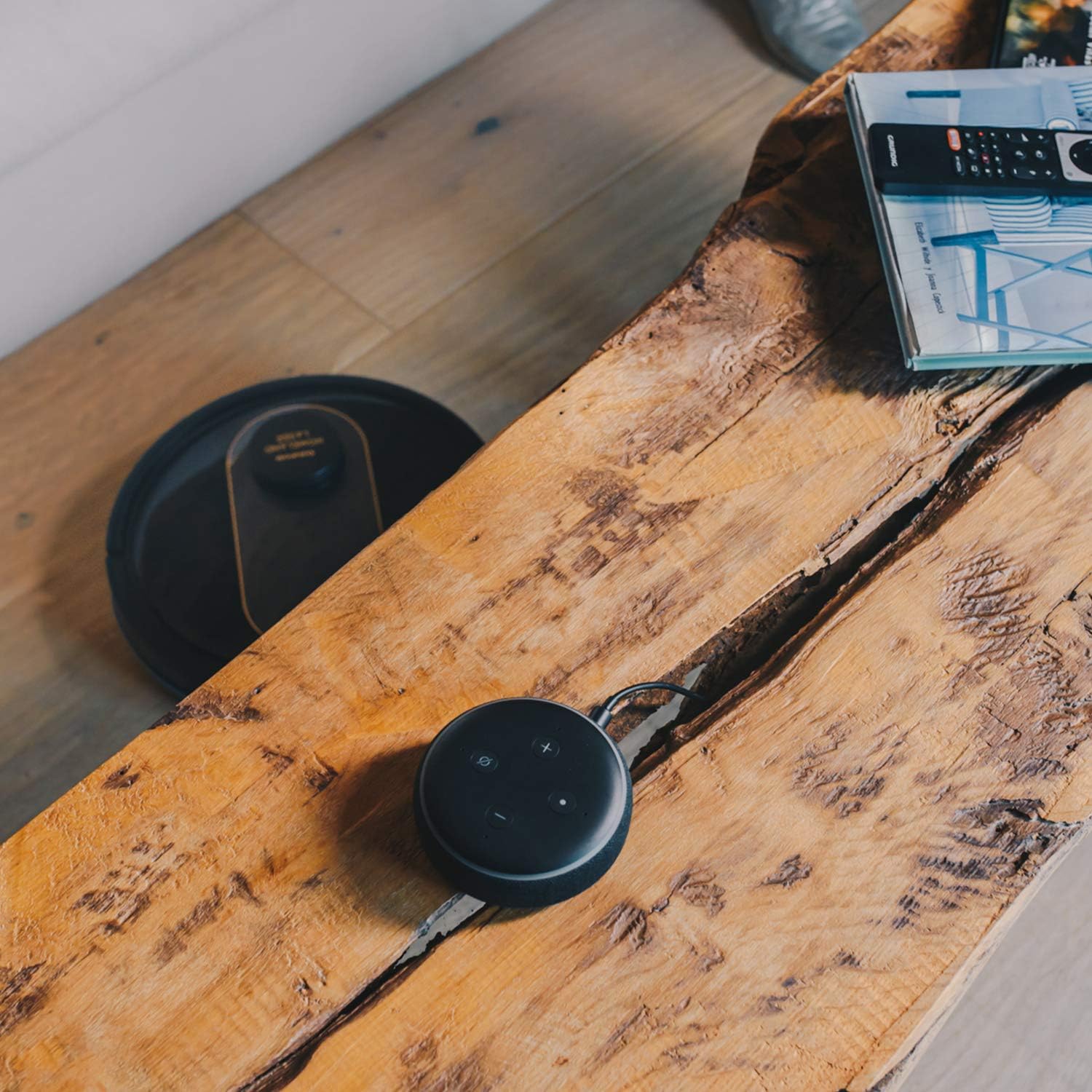
- Controle de voz: Compatible with Alexa and Google Assistant for convenient voice commands (e.g., "Alexa, start cleaning").
Função de limpeza
To use the mopping function, fill the water tank with clean water and attach the mop cloth. Insert the water tank into the robot. The robot will then vacuum and mop simultaneously. Do not use detergents or harsh chemicals in the water tank.
5. Manutenção
A manutenção regular garante o desempenho ideal e prolonga a vida útil do seu robô aspirador.
Esvaziando a lata de lixo
The dustbin should be emptied after each cleaning cycle or when the 'dustbin full' indicator (if available) illuminates. Press the dustbin release button, pull out the dustbin, open its lid, and discard the debris.
Limpeza do filtro
The HEPA filter should be cleaned weekly. Remove the filter from the dustbin and tap it gently over a trash can to remove dust. Do not wash the HEPA filter with water; if it becomes heavily soiled, replace it.
Escovas de limpeza
- Escova principal: Remove the main brush cover and lift out the main brush. Use the provided cleaning tool to remove hair and debris tangled around the brush. Clean the brush compartment.
- Escovas laterais: Periodically check the side brushes for tangled hair or debris. If necessary, remove them and clean them. Replace worn or damaged side brushes.
Limpeza de sensores e contatos de carregamento
Wipe the cliff sensors (located on the bottom of the robot), wall sensors (on the front bumper), and charging contacts (on the robot and charging base) with a clean, dry cloth. This ensures proper navigation and charging.
Limpeza do reservatório de água e do pano de esfregão
After mopping, empty any remaining water from the tank. Remove the mop cloth and wash it thoroughly. Allow both the tank and cloth to air dry completely before reassembling.
6. Solução De Problemas
Se você encontrar problemas com seu robô aspirador, consulte os problemas e soluções comuns a seguir:
| Problema | Possível causa | Solução |
|---|---|---|
| O robô não liga. | Bateria fraca; Botão liga/desliga não pressionado corretamente. | Coloque o robô na base de carregamento; pressione e segure o botão liga/desliga por alguns segundos. |
| O robô não carrega. | Os contatos de carregamento estão sujos; o adaptador de energia não está conectado. | Clean charging contacts on robot and base; Ensure power adapter is securely plugged in. |
| O robô fica preso com frequência. | Muitos obstáculos; sensores de precipício sujos. | Clear obstacles from cleaning path; Clean cliff sensors. |
| Desempenho de limpeza insatisfatório. | Lixeira cheia; escovas emaranhadas; filtro entupido. | Esvazie o recipiente de pó; Limpe as escovas principais e laterais; Limpe ou substitua o filtro. |
| Problemas de conectividade com o aplicativo. | Senha de Wi-Fi incorreta; Roteador muito distante; Rede Wi-Fi de 5 GHz. | Re-enter Wi-Fi password; Move robot closer to router; Ensure 2.4GHz Wi-Fi is used. |
| Robô emite ruído incomum. | Debris in brushes or wheels; Fan obstruction. | Inspect and clean main brush, side brushes, and wheels; Check for obstructions in the suction path. |
If the problem persists after trying these solutions, please contact Taurus customer support.
7. Especificações
Key technical specifications for the Taurus Homeland Laser Robot Vacuum Cleaner:
| Recurso | Especificação |
|---|---|
| Marca | Touro |
| Nome do modelo | Homeland Laser |
| Número do modelo | 948895000 |
| Cor | Preto/Dourado |
| Dimensões (C x L x A) | 32L x 32W x 10H cm (approx. 7.6 cm height for cleaning under furniture) |
| Peso do item | 2.7 quilos |
| Volumetage | 240 Volts |
| Material | Plástico |
| Poder de sucção | 1800 PA |
| Tipo de Bateria | Íon de lítio |
| Duração da bateria | Até 120 minutos |
| Tipo de filtro | Filtro HEPA |
| Conectividade | Wi-Fi (2.4GHz), Smartphone App, Alexa & Google Assistant compatible |
| Modos de limpeza | 10 (Auto, Select Room, Perimeter, Spiral, Manual, Return to Home, Max Power, Restricted Zone, Restricted Wall, Spot Cleaning) |
8. Garantia e Suporte
Your Taurus Homeland Laser Robot Vacuum Cleaner comes with a manufacturer's warranty. Please refer to the warranty card included in your product packaging for specific terms and conditions, including the warranty period and coverage details.
Suporte ao cliente
For technical assistance, troubleshooting beyond this manual, or warranty claims, please contact Taurus customer support. Contact information can typically be found on the official Taurus website ou na embalagem do seu produto.
We recommend registering your product on the Taurus webAcesse o site para receber atualizações e suporte.


