1. Introdução
This manual provides essential information for the installation, operation, and maintenance of your Segotep GM850 850W Power Supply. Please read this manual thoroughly before installation and retain it for future reference. The Segotep GM850 is a high-performance, fully modular power supply designed to meet the demands of modern computing systems, including those with NVIDIA RTX 20/30/40/50 Series and AMD Graphics Cards.

Image 1.1: Segotep GM850 850W Power Supply and Retail Box
2. Informações de segurança
Observe the following safety precautions to prevent injury or damage to your equipment:
- Sempre desconecte o cabo de alimentação da tomada antes de instalar, remover ou limpar a fonte de alimentação.
- Não abra a fonte de alimentação. Alto volumetagExistem componentes internos e não há peças que possam ser reparadas pelo usuário. Abrir o aparelho anulará a garantia.
- Ensure the power supply is installed in a well-ventilated area, free from excessive heat, humidity, or dust.
- Use only the modular cables provided with this power supply. Using incompatible cables may cause damage to the PSU or connected components.
- Conecte a fonte de alimentação a uma tomada elétrica aterrada.
- Avoid placing objects into the fan grille or ventilation openings of the power supply.

Image 2.1: Safety Protection Features (OVP, OCP, OPP, SPD, OTP, UVP, SCP)
3. Conteúdo da embalagem
Verify that all items are present in your Segotep GM850 850W Power Supply package:
- Segotep GM850 850W Power Supply Unit
- Cabo de alimentação CA
- Modular Cable Set (see Image 3.1 for details)
- Parafusos de montagem
- 24-Pin Bridge Tool (for testing, if included)
- Manual do usuário (este documento)

Image 3.1: Included Modular Cables and 24-Pin Bridge Tool
4. Recursos do Produto
- Compatível com ATX 3.1 e PCIe 5.1: This power supply is compliant with the latest ATX 3.1 and PCIe 5.1 standards, ensuring compatibility with next-generation hardware. It is designed to handle power excursions up to 200% of total power and 300% of GPU power, providing stable power delivery for high-performance graphics cards.
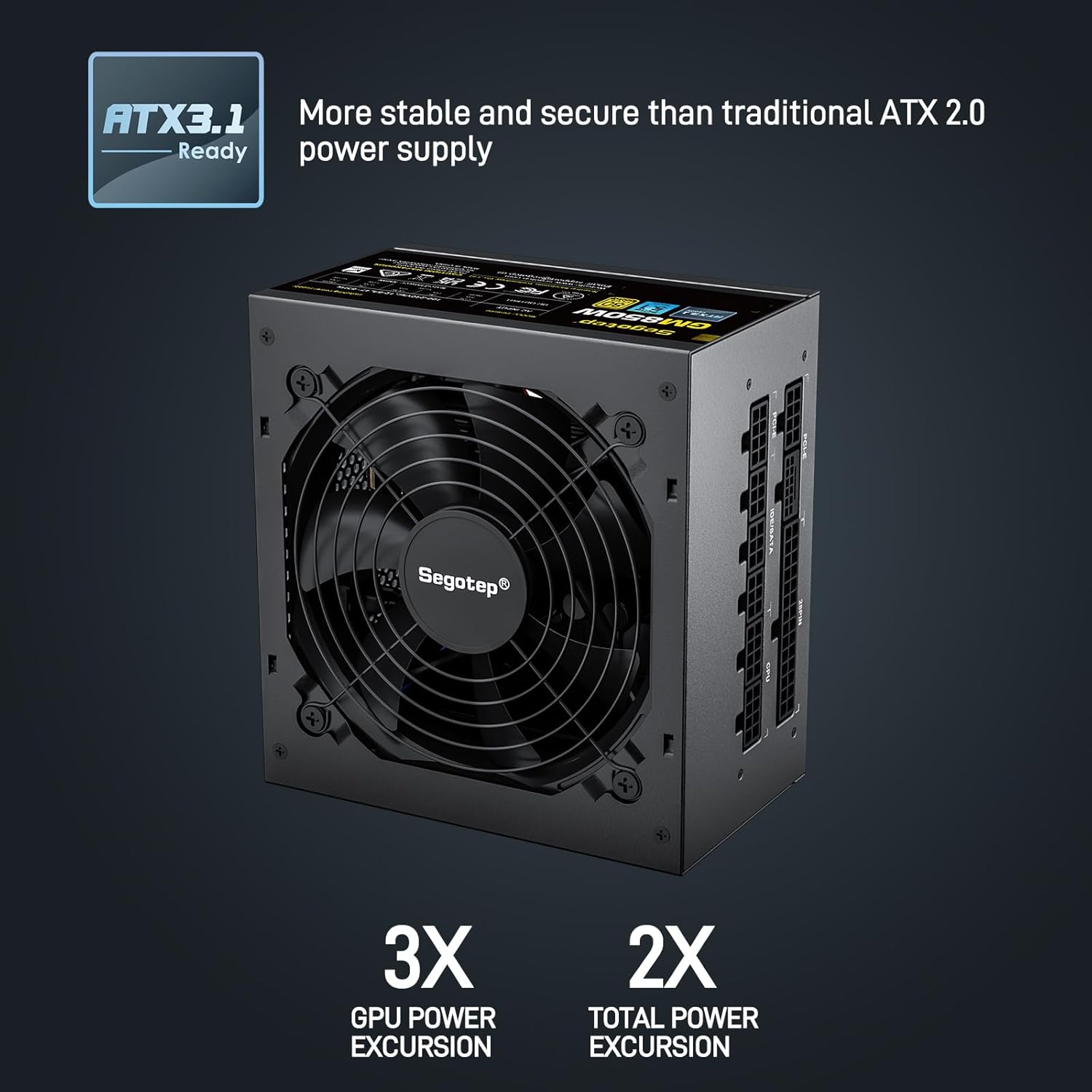
Image 4.1: ATX 3.1 Compliance and Power Excursion Handling
- Certificação 80 Plus Gold: The 80 PLUS Gold certification guarantees high power efficiency, reducing energy waste and operating costs. This results in less heat generation and a quieter system.
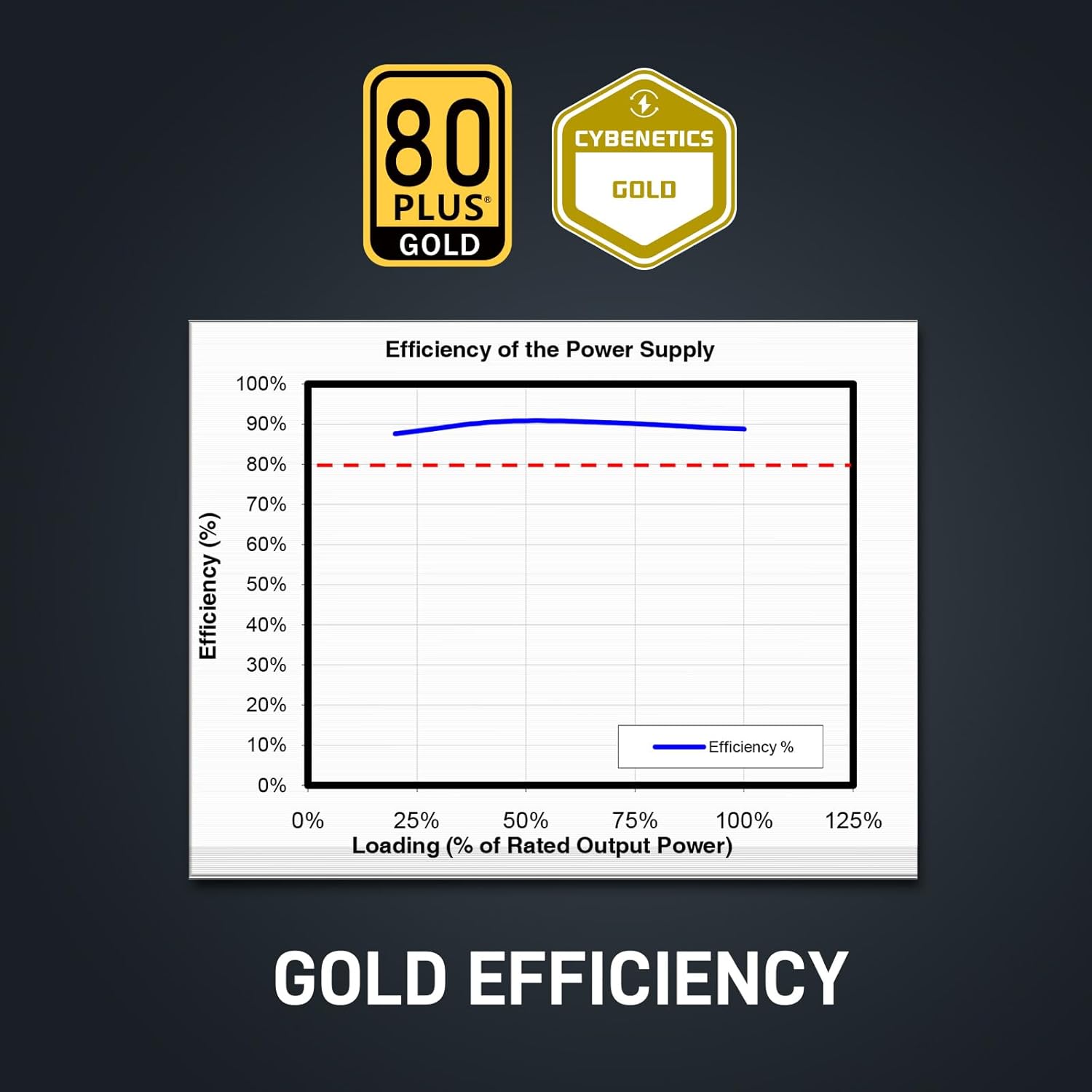
Image 4.2: 80 Plus Gold Efficiency Certification
- Design totalmente modular: The fully modular cable system allows you to connect only the cables your system requires, improving airflow within your PC case and simplifying cable management. The flat black cables enhance the aesthetic appeal of your build.
- Cabo nativo 12VHPWR: Equipped with a native 12VHPWR cable, this PSU can deliver up to 600W of power directly to PCIe 5.1 graphics cards, eliminating the need for adapters and ensuring stable power delivery.
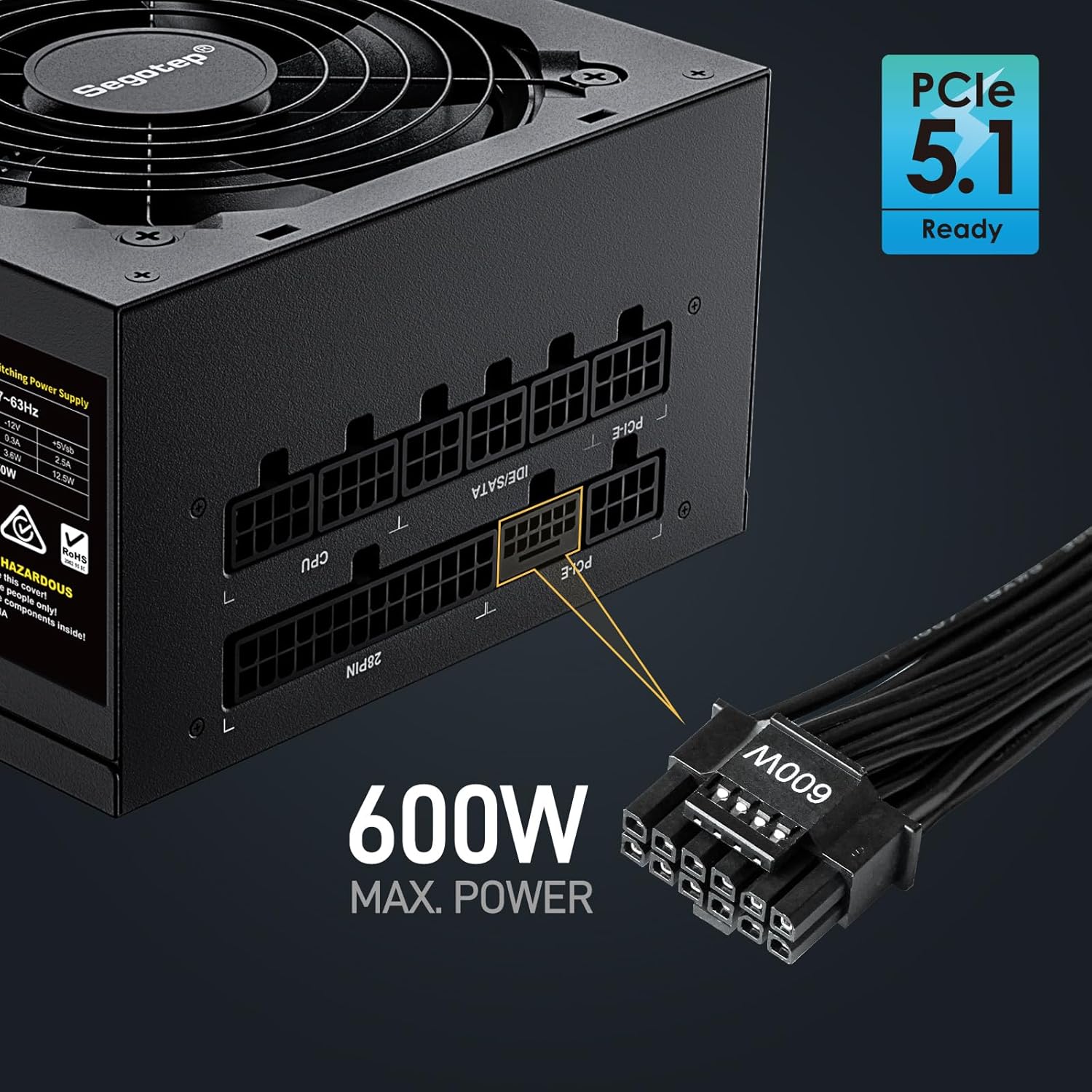
Image 4.3: Native 12VHPWR Cable for PCIe 5.1 Graphics Cards
- Saída estável de +12V: Featuring a DC-DC structure, Full Bridge LLC resonance assist, and 12V synchronous rectification, the GM850 provides a highly stable and safe +12V output, crucial for sensitive components like the CPU and GPU.
- Proteções de segurança abrangentes: The power supply incorporates multiple protection circuits to safeguard your components: OVP (Over Voltage Protection), OCP (Over Current Protection), OPP (Over Power Protection), SPD (Surge Protection Device), OTP (Over Temperature Protection), UVP (Under Voltage Protection), and SCP (Short Circuit Protection).
- 120mm FDB Fan: A 120mm Fluid Dynamic Bearing (FDB) fan provides efficient cooling with minimal noise, contributing to a quieter computing experience.

Image 4.4: Graphics Card Compatibility and Connector Types
5. Guia de instalação
Follow these steps to install your Segotep GM850 850W Power Supply:
- Preparação: Certifique-se de que o computador esteja desligado e desconectado da tomada. Abra o gabinete do computador.
- Remova a fonte de alimentação antiga (se aplicável): Desconecte todos os cabos da sua fonte de alimentação antiga. Desparafuse e remova a fonte de alimentação antiga do gabinete.
- Instale a nova fonte de alimentação: Carefully slide the Segotep GM850 into the power supply bay of your computer case. Secure it with the provided mounting screws.
- Conecte os cabos essenciais:
- 20+4 Pin ATX Motherboard Cable: Connect the main motherboard power cable to the corresponding port on your motherboard.
- 4+4 Pin CPU Cable(s): Connect the CPU power cable(s) to the CPU power port(s) on your motherboard.
- Connect Graphics Card Cables:
- For PCIe 5.1 compatible graphics cards, use the native 12VHPWR (16-pin) cable.
- For older graphics cards, use the 6+2 pin PCIe cables as required by your GPU.
- Conecte os cabos periféricos: Connect SATA power cables to your SSDs, HDDs, and optical drives. Connect IDE/Molex cables for any other peripherals that require them.
- Gerenciamento de cabos: Utilize the fully modular design and flat cables to route and manage cables neatly within your case for optimal airflow and aesthetics.
- Verificação final: Verifique novamente todas as conexões para garantir que estejam seguras. Feche o gabinete do computador.
- Ligar: Plug the AC power cord into the power supply and then into a grounded wall outlet. Flip the power switch on the PSU to the 'ON' position. Power on your computer.

Image 5.1: Segotep GM850 Power Supply Installed in a PC Case
6. Operação
Once installed, the Segotep GM850 850W Power Supply operates automatically, providing stable power to your system. The 120mm FDB fan adjusts its speed based on the power supply's temperature and load, ensuring efficient cooling while maintaining low noise levels. No user intervention is typically required during normal operation.
7. Manutenção
Para garantir o desempenho ideal e a longevidade da sua fonte de alimentação, considere as seguintes dicas de manutenção:
- Remoção de poeira: Periodically clean the exterior of the power supply and its fan grille to prevent dust buildup, which can impede airflow and cooling. Use compressed air to gently clear dust from the fan and vents. Ensure the system is powered off and unplugged before cleaning.
- Inspeção de cabos: Occasionally check all modular cable connections to ensure they are seated firmly.
- Ambiente: Maintain a clean, cool, and dry environment for your computer to prevent excessive strain on the power supply.
8. Solução De Problemas
Se você encontrar problemas com sua fonte de alimentação, consulte os problemas e soluções comuns a seguir:
| Problema | Possível causa | Solução |
|---|---|---|
| O computador não liga. | Power cord not connected, PSU switch off, faulty component, insufficient power. | Ensure power cord is secure. Check PSU switch is ON. Verify all modular cables are correctly connected. Test with minimal components. |
| O sistema trava ou reinicia aleatoriamente. | Overload, overheating, unstable power delivery. | Garantir a água total do sistematage does not exceed 850W. Check for proper ventilation. Verify all cables are securely connected. |
| Fan is excessively loud. | Dust buildup, high load, fan malfunction. | Clean dust from the fan and vents. Ensure adequate case airflow. If noise persists, contact support. |
| Cheiro de queimado ou fumaça. | Serious component failure. | Immediately disconnect power from the wall outlet. Do not attempt to power on the system. Contact Segotep support. |
If these steps do not resolve your issue, please contact Segotep customer support.
9. Especificações
| Recurso | Detalhe |
|---|---|
| Nome do modelo | GM850 |
| Potência de saídatage | 850 Watts |
| Certificação de Eficiência | 80 PLUS ouro |
| Fator de forma | ATX 3.0 (Compatible with ATX 3.1) |
| Tipo de conector | ATX 3.1, PCI Express 5.1 (Native 12VHPWR) |
| Método de resfriamento | Ar (Ventilador FDB de 120 mm) |
| Dimensões do produto (C x L x A) | 5.91 x 5.51 x 3.35 polegadas |
| Peso do item | 5.29 libras |
| Dispositivos compatíveis | Console de jogos (PC) |
| Proteções | OVP, OCP, OPP, SPD, OTP, UVP, SCP |
10. Garantia e Suporte
The Segotep GM850 850W Power Supply comes with a Garantia de 5 ano from the date of purchase, covering defects in materials and workmanship under normal use. This warranty does not cover damage caused by improper installation, accidents, abuse, misuse, natural disaster, or unauthorized modification.
For technical support, warranty claims, or further assistance, please contact Segotep customer service through their official website or the retailer where the product was purchased. Please have your proof of purchase and product model information ready when contacting support.
Segotep Inc.
Website: www.segotep.com
E-mail: support@segotep.us