1. Introdução
Thank you for choosing the Ourlife Kids Camera OU-630. This digital camera is designed for children, offering 1080p Full HD video recording, 12MP photo resolution, and a unique 60x macro magnification function for exploring the micro-world. It features a 3.5-inch large screen, various creative filters, games, and music playback. Please read this manual carefully to ensure proper use and maintenance of your camera.
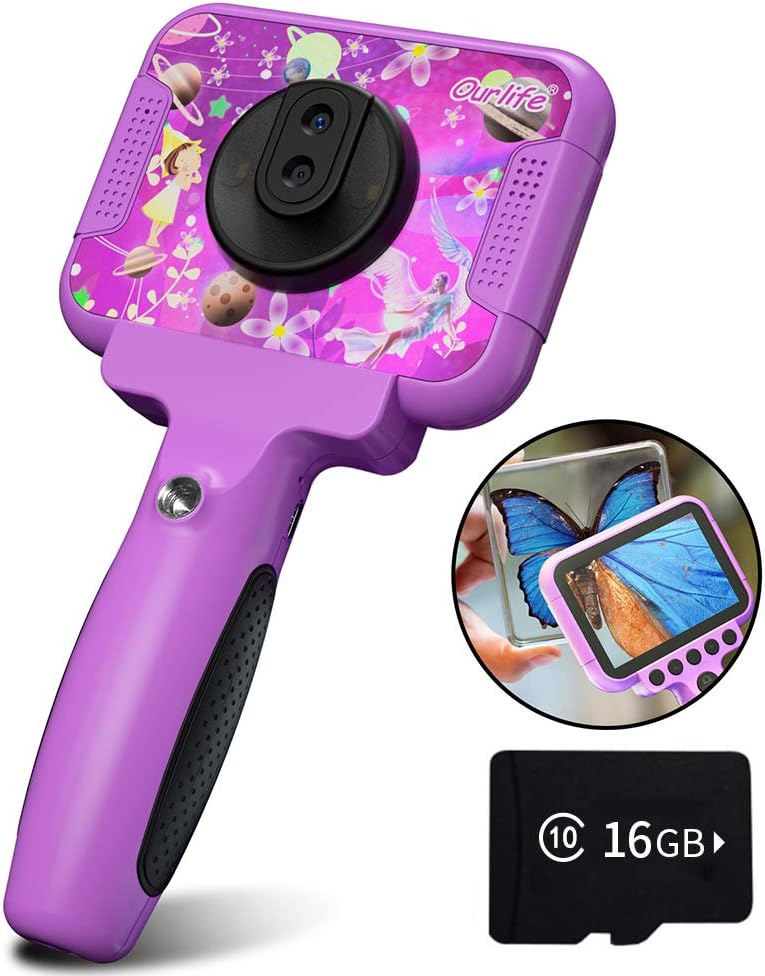
Image 1.1: The Ourlife Kids Camera OU-630, highlighting its design and macro capability.
2. Conteúdo da embalagem
Por favor, verifique a embalagem para garantir que todos os itens estejam presentes:
- Kids Camera x 1
- Cartão TF de 16 GB x 1
- Base Bracket x 1
- Cabo de carregamento USB x 1
- Manual do usuário x 1
- Neck Lanyard x 1
- Alça de mão x 1

Image 2.1: Contents of the Ourlife Kids Camera OU-630 package.
3. Produto acabadoview
Familiarize-se com os componentes e controles da câmera:
- Tela de exibição: 3.5-inch color screen for viewvisualizando fotos, vídeos e navegando pelos menus.
- Lente principal: For standard photography and video.
- Lente Macro: Dedicated lens for 60x magnification.
- Botões de controle: M (Menu), Up, OK, Down, Power, Shutter/LED.
- Lidar: Ergonomically designed for child-friendly grip.
- Porta USB: Para carregamento e transferência de dados.
- Slot para cartão TF: Para inserir o cartão de memória.

Image 3.1: Key features and specifications of the Ourlife Kids Camera OU-630.
Tabela de funções de botão
| Botão | Modo de câmera | Modo de gravação | Modo Música | Modo de jogo | Modo de reprodução |
|---|---|---|---|---|---|
| M | Voltar ao menu | ||||
| ▲ | Change filters/Frames Long press: Zoom in | Change filters/Frames | Música anterior | Mover para a esquerda | Previous photo |
| OK | Long press: Open/Close LED light | OK | Choose music/story | OK | Reproduzir / Pausar |
| ▼ | Change filters/Frames Long press: Zoom out | Change filters/Frames | Próxima música | Mover para a direita | Próxima foto |
| ⏻ | Switch to Splicing mode | Voltar ao menu | NULO | NULO | Excluir |
| ◎ | Tirar foto | Voltar ao menu | NULO | NULO | NULO |
Image 3.2: Detailed functions of each button across different modes.
4. Configuração
4.1. Carregando a câmera
Before first use, fully charge the camera. Connect the included USB charging cable to the camera's USB port and to a compatible USB power source (e.g., computer, wall adapter). The charging indicator light will show the charging status. A full charge provides approximately 3 hours of use.
4.2. Inserindo o cartão TF
The camera requires a TF (MicroSD) card to store photos and videos. A 16GB TF card is included. Locate the TF card slot on the side of the camera. Gently insert the TF card with the metal contacts facing down until it clicks into place. To remove, push the card in again until it springs out.
5. Instruções de operação
5.1. Ligar/desligar
- Para ligar, pressione e segure o Power button (⏻) até que a tela acenda.
- Para desligar, pressione e segure o Power button (⏻) até que a tela desligue.
5.2. Menu de Navegação
Use o Para cima (▲) e Para baixo (▼) botões para navegar pelas opções do menu. Pressione o Botão OK to confirm a selection. Press the Botão M (Menu) to return to the previous menu or the main menu.
5.3. Tirando fotos
- No menu principal, selecione o Ícone da câmera e pressione OK.
- Enquadre a sua foto usando a tela.
- Pressione o Shutter button (◎) para tirar uma foto.
- Use o Para cima (▲) e Para baixo (▼) buttons to change filters or frames. Long press Para cima (▲) para aumentar o zoom, pressione e segure Para baixo (▼) para diminuir o zoom.
5.4. Gravação de vídeos
- No menu principal, selecione o Ícone de vídeo e pressione OK.
- Pressione o Shutter button (◎) para começar a gravar.
- Pressione o Shutter button (◎) novamente para parar a gravação.
- Use o Para cima (▲) e Para baixo (▼) buttons to change filters or frames during recording.
5.5. Função Macro
The camera features a dedicated macro lens for 60x magnification, ideal for observing small objects. The optimal focal length for macro photography is 20-40mm.
- To switch between the main lens and macro lens, long press the Shutter button (◎).
- When in macro mode, position the camera close to the subject (20-40mm distance).
- Use the included base bracket for stability during macro shots to prevent hand shake.
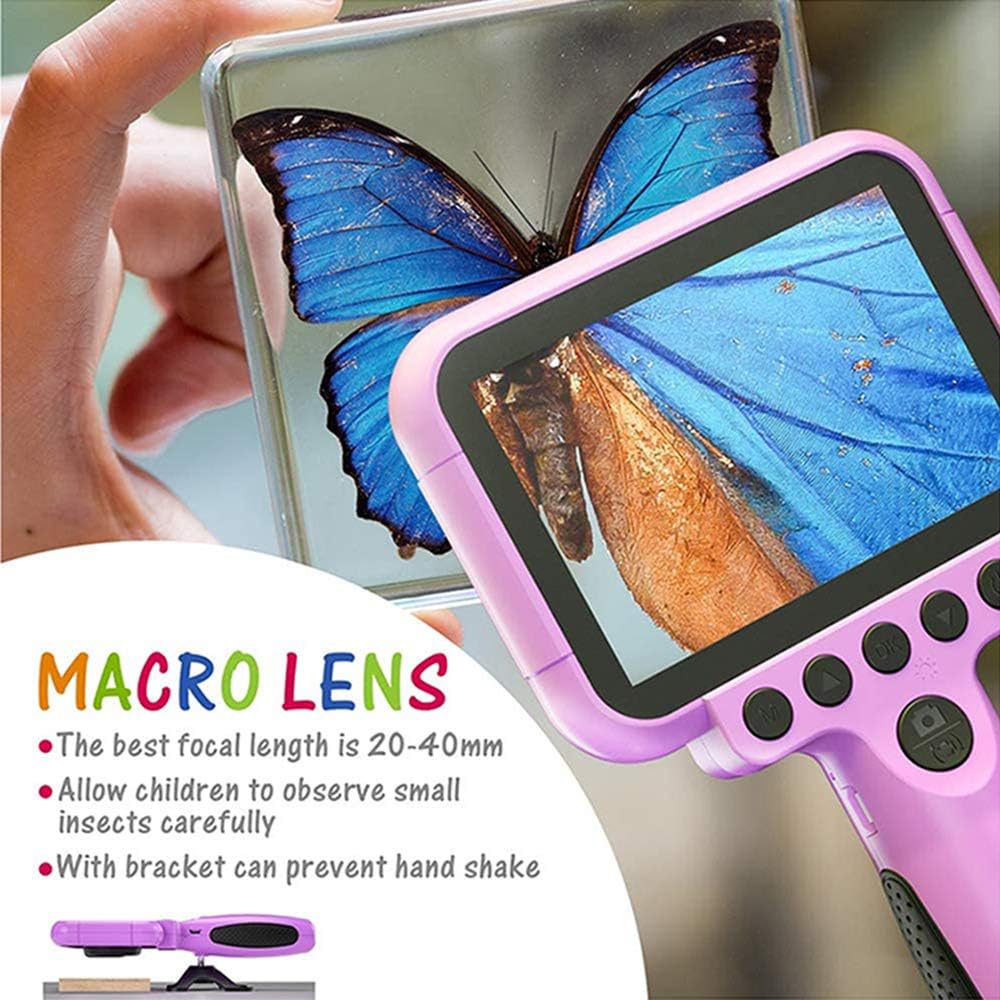
Image 5.1: Demonstrating the macro lens function for detailed observation.

Image 5.2: Switching between HD and Macro lenses.
5.6. Patchwork Mode (Splicing Mode)
This mode allows you to combine two separate photos into one. It includes various border patterns.
- In Camera Mode, press the Power button (⏻) to switch to Splicing (Patchwork) mode.
- Follow the on-screen prompts to take two photos that will be merged.
- Select from 9 available border patterns.

Image 5.3: Using the Patchwork Mode to combine images.
5.7. Modo Música
The camera supports MP3 music playback. Store your favorite music files on the TF card. From the main menu, select the Ícone da música e pressione OK. Use o Para cima (▲) e Para baixo (▼) buttons to select songs, and OK para reproduzir / pausar.
5.8. Jogos
The camera includes pre-installed games for entertainment. From the main menu, select the Game icon e pressione OK. Use the navigation buttons to play.
5.9. Modo de reprodução
Para view your captured photos and videos, select the Photos/Video Playback icon no menu principal e pressione OK. Use o Para cima (▲) e Para baixo (▼) buttons to browse, and OK to play videos or view photos. To delete a file, pressione o Power button (⏻) enquanto viewfazendo isso.
5.10. Configurações
Access camera settings by selecting the Ícone de configurações from the main menu. Here you can adjust various parameters such as date/time, language, resolution, and more.
6. Manutenção
- Mantenha a câmera limpa, passando um pano macio e seco.
- Avoid exposing the camera to extreme temperatures, direct sunlight, or moisture.
- Não tente desmontar ou reparar a câmera sozinho.
- Ensure the TF card is inserted correctly to prevent data loss.
- Carregue a câmera regularmente para manter a saúde da bateria.
7. Solução De Problemas
- Câmera não liga: Verifique se a bateria está carregada. Conecte a uma fonte de energia e tente novamente.
- Não é possível tirar fotos/vídeos: Check if a TF card is inserted and if it has sufficient storage space.
- Má qualidade de imagem: Ensure the lens is clean. Check lighting conditions. For macro shots, ensure correct focal distance (20-40mm).
- A câmera congela: Press and hold the Power button to force a restart.
- TF card error: Reinsert the TF card. If the issue persists, try formatting the card (this will erase all data) or use a different TF card.
8. Especificações
| Recurso | Detalhe |
|---|---|
| Número do modelo | OU-630 |
| Resolução Estática Efetiva | 12 MP |
| Resolução de vídeo | 1080p |
| Tamanho da tela | 3.5 polegadas |
| Estabilização de Imagem | Digital |
| Tipo de lente | Macro (60x zoom) |
| Tipo de Bateria | 1 polímero de lítio (incluído) |
| Tecnologia de Conectividade | USB |
| Tipo de Mídia Suportada | Cartão SD |
| Modos de disparo | Loop recording, Continuous shooting, Timed photo, Macro photography, Filter photos |
| Dimensões do item (P x L x A) | 3.94"P x 7.28"L x 0.79"A |
9. Garantia e suporte
Este Ourlife Kids Camera OU-630 comes with a Garantia de 12 meses from the date of purchase. This warranty covers manufacturing defects and workmanship. It does not cover damage caused by misuse, accidents, unauthorized repairs, or normal wear and tear.
For technical support, warranty claims, or any questions regarding your product, please contact Ourlife customer service. Refer to the contact information provided on the product packaging or the official Ourlvida website.


