1. Introdução e maisview
The MTM Walkie Talkies are designed for reliable two-way communication, ideal for adults and kids in various outdoor and indoor settings. This 4-pack of radios operates across 22 channels with 121 privacy codes, ensuring clear and secure conversations. Featuring hands-free VOX operation, automatic squelch, and a long communication range, these walkie talkies are perfect for family adventures, camping, hiking, or simply staying connected around the house.

Image: Four MTM XF-638 walkie talkies, highlighting their compact design and vibrant red color.
2. O que está na caixa
Your MTM Walkie Talkies package includes the following items:
- 4 x MTM Walkie Talkies (Model: XF-638)
- 4 x Belt Clips
- 1 x Manual do Usuário

Image: A family enjoying outdoor activities with MTM Walkie Talkies.
3. Principais características
- 22 Channels & 121 Privacy Codes: Operates in the 462 to 467 MHz frequency range, offering ample communication options and reducing interference. FCC Certified (FCC ID: 2AN6WXF-638).
- Comunicação de longo alcance: Supports up to 3 miles communication range in open fields, ideal for outdoor adventures.
- VOX - Hands-Free Operation: Automatically activates transmission when the user starts talking, eliminating the need to press the PTT button.
- Auto Squelch System: Filters out nuisance calls and background noise for clearer sound.
- Bloqueio do teclado: Prevents accidental channel changes or setting adjustments.
- Potência ajustável: Allows adjustment of power output to optimize range and battery life.
- Tela LCD grande com retroiluminação: Provides clear visibility of settings and status, day or night.
- Drop-Protection (ABS): Durable construction designed to withstand accidental drops.
- Alerta de bateria fraca: Avisa quando a bateria estiver fraca.
- Compatible with Most Brands: Can communicate with other walkie talkies operating on the same frequencies and codes.
- Headset Option: For private listening and hands-free convenience.
- USB Cable Compatibility: Designed for use with rechargeable batteries (batteries not included).
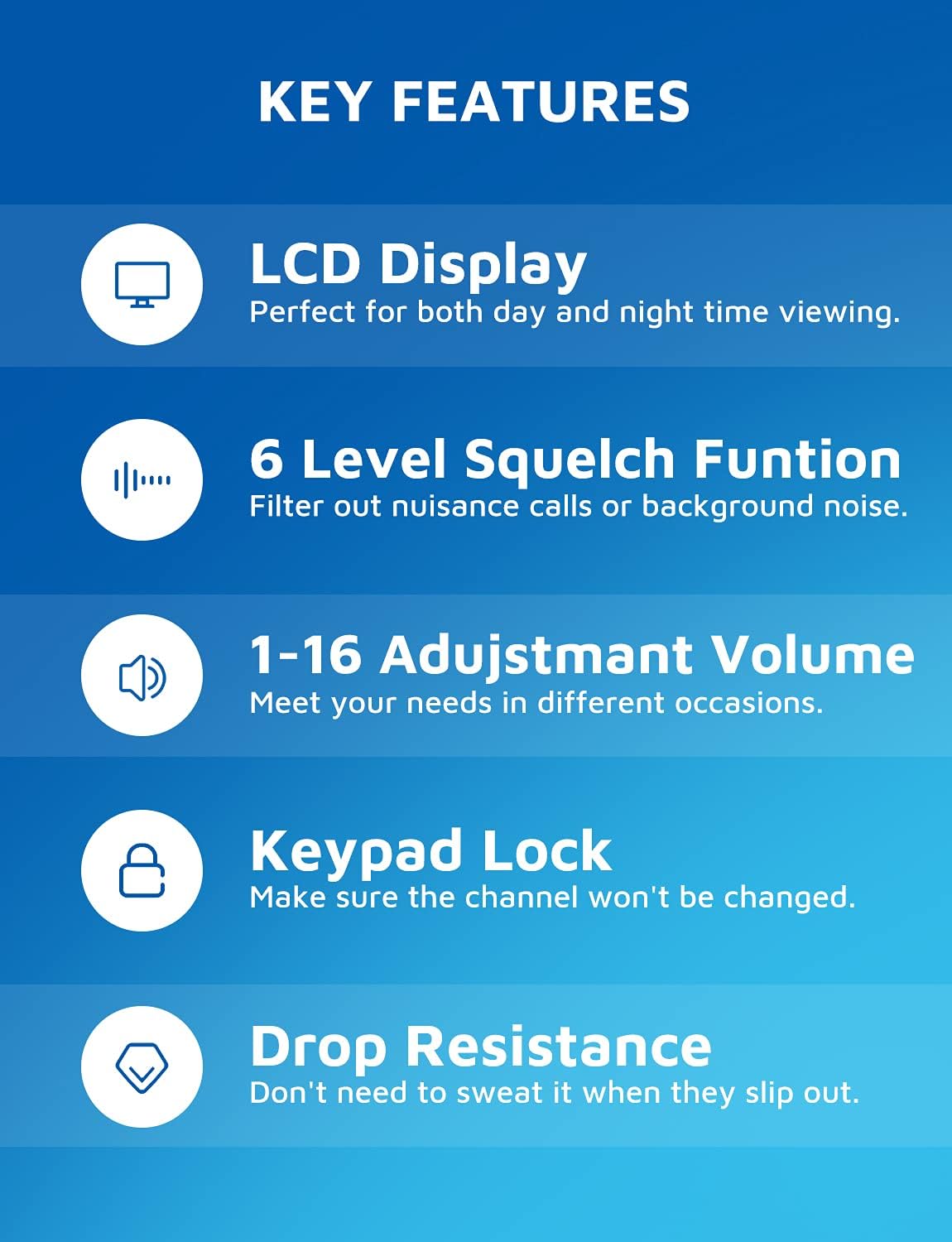
Image: Visual representation of the walkie talkie's key features, including display, squelch, volume, keypad lock, and durability.
4. Guia de configuração
4.1 Instalação da bateria
Each MTM Walkie Talkie requires three (3) AAA batteries (not included). To install:
- Localize o compartimento da bateria na parte traseira da unidade.
- Remove the belt clip by sliding it upwards if it obstructs the battery cover.
- Abra cuidadosamente a tampa do compartimento da bateria.
- Insira três pilhas AAA, certificando-se da polaridade correta (+/-) indicada dentro do compartimento.
- Feche bem a tampa do compartimento da bateria.
- Reattach the belt clip if removed.

Image: Battery compartment with space for three AAA batteries.
4.2 Prendendo o clipe de cinto
To attach the belt clip, align the clip with the grooves on the back of the walkie talkie and slide it downwards until it clicks into place. To remove, slide it upwards.
5. Instruções de operação
5.1 Ligar/Desligar
Pressione e segure o LIGADO/DESLIGADO button (usually located on the left side or front panel) for a few seconds until the LCD screen illuminates.
Para desligar, pressione e segure o LIGADO/DESLIGADO Pressione o botão novamente até que a tela desligue.
5.2 Seleção de Canal
Your walkie talkie has 22 available channels. To change the channel:
- Pressione o MENU Pressione o botão uma vez. O número do canal no LCD piscará.
- Use o UP (▲) ou ABAIXO (▼) botões para selecionar o canal desejado (1-22).
- Pressione o MENU botão novamente ou o PTT botão para confirmar sua seleção.
5.3 Códigos de Privacidade (CTCSS/DCS)
To ensure private communication and reduce interference, you can set privacy codes (121 available). All radios in your group must be on the same channel and privacy code.
- Pressione o MENU Pressione duas vezes. O número do código de privacidade piscará.
- Use o UP (▲) ou ABAIXO (▼) buttons to select your desired privacy code.
- Pressione o MENU botão novamente ou o PTT botão para confirmar.
5.4 Transmissão e Recepção
Para transmitir, pressione e segure o PTT (aperte para falar) botão localizado na lateral do rádio. Fale claramente no microfone. Solte o PTT botão para ouvir uma resposta.

Image: Demonstrating long-range communication between a woman indoors and a child outdoors.
5.5 VOX (Voice-Activated Transmission)
VOX allows for hands-free communication. When activated, the radio will transmit automatically when it detects your voice.
- Para ativar o VOX, pressione o botão MENU button multiple times until the VOX icon appears on the display.
- Use o UP (▲) ou ABAIXO (▼) buttons to select the VOX sensitivity level (e.g., 1-3, with 1 being most sensitive).
- Pressione o MENU botão ou PTT botão para confirmar.

Image: A hiker using the walkie talkie with a belt clip, highlighting the hands-free VOX feature.
5.6 Bloqueio do teclado
Para evitar alterações acidentais nas configurações, você pode bloquear o teclado.
- Pressione e segure o MENU botão até que o ícone de cadeado apareça no display.
- Para desbloquear, pressione e segure o MENU Pressione o botão novamente até que o ícone de cadeado desapareça.
5.7 Ajuste de volume
Use o UP (▲) ou ABAIXO (▼) buttons (when not in menu mode) to adjust the speaker volume (1-16 levels).

Image: Speaker area showing adjustable volume levels.
5.8 Automatic Scan Function
The auto scan function allows the radio to automatically scan through channels to find active conversations.
- Pressione o SEG button (Monitor) to initiate scanning.
- The radio will stop on an active channel.
- Pressione o SEG botão novamente para interromper a digitalização.

Image: Labeled diagram of the walkie talkie's components and buttons.
6. Manutenção
- Limpeza: Use um pano macio e macioamp Use um pano para limpar a parte externa do rádio comunicador. Não utilize produtos químicos agressivos ou abrasivos.
- Cuidados com a bateria: Remova as pilhas se o dispositivo não for usado por um longo período para evitar vazamentos e danos.
- Armazenar: Guarde os rádios comunicadores em local fresco e seco, longe da luz solar direta e de temperaturas extremas.
7. Solução De Problemas
| Problema | Possível causa | Solução |
|---|---|---|
| Sem energia | As pilhas estão descarregadas ou instaladas incorretamente. | Substitua as pilhas por pilhas AAA novas, certificando-se da polaridade correta. |
| Não consigo me comunicar com outros rádios. | Radios are on different channels or privacy codes. Out of range. | Ensure all radios are on the same channel and privacy code. Move closer to the other radio. |
| Qualidade de som ruim / Estática | Weak signal, interference, or squelch level too low. | Move to an open area. Adjust squelch level. Check battery level. |
| O teclado não responde | O bloqueio do teclado está ativado. | Pressione e mantenha pressionado o botão MENU para desbloquear o teclado. |
| Settings are confusing / Need to reset | User settings are not as desired. | To restore factory settings, long press the MENU button and then install the battery. |
8. Especificações
- Marca: MTM
- Número do modelo: XF-638
- Cor: Vermelho
- Número de canais: 22
- Faixa de frequência: 462-467 MHz
- Alcance máximo de conversação: 5 Kilometers (approx. 3 miles in open fields)
- Recurso especial: Transmissão Operada por Voz (VOX)
- Tecnologia do sintonizador: UHF
- Nível de resistência à água: Impermeável
- Peso do item: 14 onças
- Dimensões da embalagem: 6.69 x 4.69 x 3.27 polegadas
- Fonte de energia: 3 x pilhas AAA (não incluídas)
- Fabricante: MTM
- ID FCC: 2AN6WXF-638
9. Garantia e Suporte
MTM provides a Garantia de qualidade de 1 anos for your walkie talkies. In addition, lifetime email support is available for any questions or issues you may encounter.
If you are not 100% satisfied with your MTM product or require technical assistance, please contact MTM customer support. You can typically find contact information through your purchase platform (e.g., "Your Orders" section on Amazon) or the official MTM website.
Please note: No official seller videos were available for embedding in this manual.


