Introdução
The Roland WM-1 is a low-latency wireless MIDI adaptor designed to facilitate MIDI communication between musical instruments and devices without the need for physical cables. It supports connection to iOS devices and Mac computers, enabling wireless interaction with MIDI music applications. For Windows PC connectivity, a separate Roland WM-1D Wireless MIDI Dongle is required. The WM-1 offers both standard and ultra-low-latency 'Fast mode' for timing-critical applications, enhancing flexibility in music production and performance environments.
Principais características
- Wireless MIDI Communication: Connects to keyboards, drum machines, and other hardware with standard MIDI I/O to wirelessly communicate with MIDI music apps on iOS devices and Mac computers.
- Desempenho de baixa latência: Offers best-in-class low-latency in standard mode and ultra-low-latency (3 ms) in 'Fast mode' for applications where timing is extremely critical. 'Fast mode' requires a Roland WM-1D Wireless MIDI Dongle (sold separately) connected to a macOS/iOS/iPadOS device.
- Fácil configuração: Designed for straightforward setup, providing responsive and reliable performance comparable to a wired MIDI connection.
- Cable-Free Environment: Eliminates the need for MIDI cables, reducing clutter and offering greater freedom in music creation and performance.
- Comprehensive MIDI Data Support: Transmits MIDI note data, MIDI sync for tempo, effects, LFOs, loops, and more.
- Compatibilidade com vários dispositivos: Facilitates MIDI communication between other WM-series units and macOS/iOS Bluetooth MIDI devices. Standard mode supports up to four total devices; 'Fast mode' supports two total devices.
- Alimentado por bateria: Operates for approximately 60 hours on a single AAA battery.
- Windows PC Connectivity: Optional WM-1D Wireless MIDI Dongle (sold separately) is required for wireless MIDI with Windows computers and 'Fast mode' support for macOS & iOS.
Guia de configuração
1. Powering the WM-1
The WM-1 operates on a single AAA battery. Ensure a fresh battery is inserted for optimal performance. The device is designed for long battery life, providing approximately 60 hours of operation.
2. Connecting to a MIDI Device
The WM-1 connects directly to your instrument's 5-pin DIN MIDI IN/OUT ports. The WM-1 unit has two parts: one for MIDI OUT and one for MIDI IN. Connect the part labeled 'OUT' to your instrument's MIDI OUT port, and the part labeled 'IN' to your instrument's MIDI IN port.
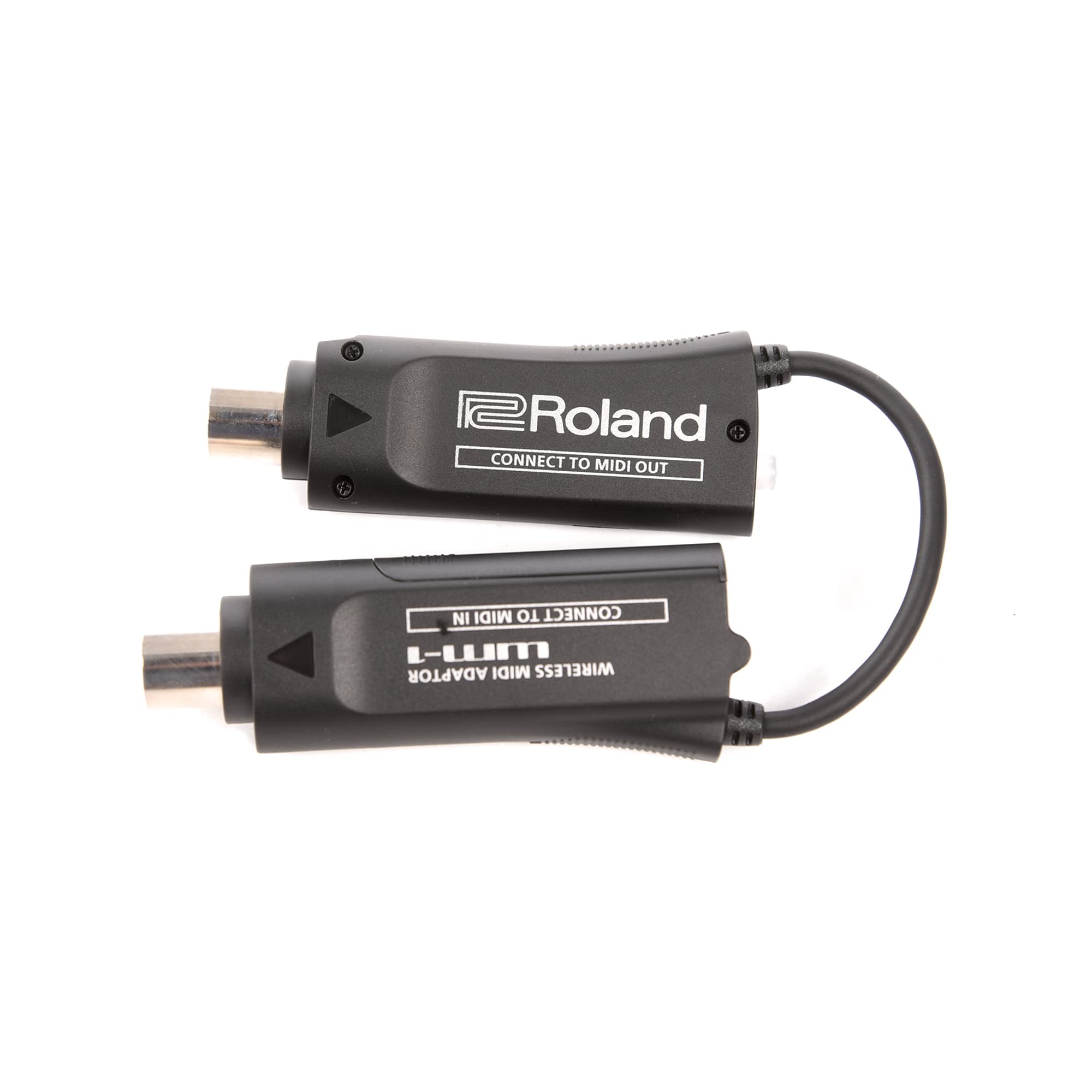
Image: Roland WM-1 Wireless MIDI Adaptor. The top unit shows 'MODE RED : STANDARD ORANGE : FAST' indicating operational modes. The bottom unit shows 'MADE IN MALAYSIA' and FCC ID. The device consists of two parts connected by a short cable, one for MIDI OUT and one for MIDI IN.
3. Pairing with iOS/macOS Devices
Once the WM-1 is connected to your MIDI instrument and powered on, it will be discoverable as a Bluetooth MIDI device. Open your music application on your iOS device or Mac computer and navigate to its MIDI settings to initiate pairing. The device will appear as 'WM-1' or similar. Select it to connect.
4. Pairing with Windows PC (WM-1D required)
For Windows PC connectivity, a separate Roland WM-1D Wireless MIDI Dongle is required. Plug the WM-1D into a USB port on your Windows PC. The WM-1D will then establish a wireless connection with your WM-1 adaptor. Refer to the WM-1D manual for specific driver installation and pairing instructions.
5. General Connection Examples (Non-Roland Official Videos)
The following videos provide general examples of connecting wireless MIDI interfaces to various devices and software. While not specific to the Roland WM-1, they illustrate common setup and usage scenarios for Bluetooth MIDI adaptors.
Instruções de operação
1. Standard Mode vs. Fast Mode
The WM-1 offers two operational modes: Standard Mode and Fast Mode. The mode is indicated by the LED color on the device.
- Standard Mode (Red LED): Provides reliable low-latency MIDI communication suitable for most applications. It supports connection with up to four total devices (WM-series units and macOS/iOS Bluetooth MIDI devices).
- Fast Mode (Orange LED): Delivers ultra-low-latency communication (3 ms) for applications where timing is extremely critical. This mode requires a Roland WM-1D Wireless MIDI Dongle (sold separately) connected to a macOS/iOS/iPadOS device and supports up to two total devices.
To switch between modes, locate the 'MODE' button on the WM-1 unit and press it. The LED color will change to indicate the active mode.
2. MIDI Data Transmission
The WM-1 transmits various types of MIDI data, including note data, control changes (CC), program changes (PC), and MIDI sync messages. This allows for comprehensive control over your musical instruments and software, including tempo synchronization, effects modulation, LFO control, and loop management.
3. Understanding Bluetooth MIDI Roles (General Information)
Bluetooth MIDI devices operate in either a 'Central' or 'Peripheral' role. A Central device scans for, finds, and connects to Peripheral devices. Peripheral devices wait to be connected by a Central device. Most devices have fixed roles, but some operating systems (like iOS/macOS) can act as either. The WM-1 typically functions as a Peripheral when connecting to a Central device like an iOS/macOS device or a WM-1D dongle.
Manutenção
Substituição da bateria
The WM-1 uses one AAA alkaline battery. When the battery is low, the device's performance may be affected. Replace the battery promptly to ensure continuous and reliable operation. To replace the battery, open the battery compartment, remove the old battery, and insert a new AAA battery, observing the correct polarity.
Limpeza
Wipe the device with a soft, dry cloth. Do not use abrasive cleaners or solvents, as these may damage the finish or internal components.
Solução de problemas
- Dispositivo não liga: Ensure the AAA battery is correctly inserted and fully charged. Replace the battery if necessary.
- Unable to pair with iOS/macOS device:
- Confirm Bluetooth is enabled on your iOS/macOS device.
- Check the WM-1's LED indicator to ensure it is in a discoverable state (e.g., blinking slowly).
- Ensure no other devices are currently paired with the WM-1. Bluetooth MIDI peripherals typically connect to only one central device at a time.
- Try restarting both the WM-1 and your iOS/macOS device.
- In your iOS/macOS Bluetooth settings, 'forget' or 'remove' any previous pairings with the WM-1 or similar MIDI devices, then attempt to pair again.
- High latency in Standard Mode: If low latency is critical, ensure you are using 'Fast Mode' (requires WM-1D for macOS/iOS/iPadOS).
- Sem sinal MIDI:
- Verify that the WM-1's 'OUT' connector is plugged into your instrument's MIDI OUT, and 'IN' into MIDI IN.
- Check the MIDI settings within your music application to ensure the WM-1 is selected as the input/output device.
- Ensure your instrument is sending/receiving MIDI data correctly.
- Windows PC connection issues: Ensure you are using the Roland WM-1D Wireless MIDI Dongle. Update your PC's Bluetooth drivers and operating system to the latest versions.
Especificações
- Número do modelo: WM-1
- Peso do item: 2 onças
- Dimensões do produto: 7.2 x 4.37 x 1.33 polegadas
- Baterias: São necessárias 1 pilhas AAA (incluídas)
- Tipo de Bateria: Alcalino
- Dispositivos compatíveis: WM-series units and macOS/iOS Bluetooth MIDI devices
- Tipo de conector: DIN de 5 pinos
- Cor: PRETO
- Usos específicos para o produto: Music Production, Performance
O que está na caixa
- 1 Wireless MIDI Adapter (Roland WM-1)
- Bateria 1 AAA
Garantia e Suporte
For warranty information, technical support, or service inquiries, please refer to the official Roland website or contact your local Roland dealer. Keep your purchase receipt for warranty validation.


