Introdução
The Feit Electric Smart Video Doorbell Camera provides enhanced home security and convenience. This manual will guide you through the installation, setup, and operation of your new doorbell camera, ensuring you can utilize all its features effectively.
With 1080p HD video, two-way audio, motion detection, and night vision, you can monitor your home's entrance from anywhere using the Feit Electric mobile app.
O que está incluído
Verifique se todos os componentes estão presentes no seu pacote:
- Feit Electric Smart Video Doorbell Camera
- Campainha sem fio
- Mounting Hardware (screws, anchors, wire extenders, wire terminal block)
- Cabo USB
- Ferramenta de redefinição

Image: All components included with the Feit Electric Smart Video Doorbell Camera.
Configurar
1. Considerações de pré-instalação
- Fonte de energia: The doorbell camera is hardwired and requires a 12-24V AC power source. Ensure power is turned off at the circuit breaker before beginning installation.
- Rede Wi-Fi: The camera connects directly to your 2.4 GHz Wi-Fi network. Ensure you have your Wi-Fi network name and password ready.
- Micro SD Card (Optional): For local storage and playback of video, a Micro SD card (up to 128GB, not included) can be inserted into the slot on the camera before mounting.
2. Instalação Física
- Desligar a energia: Before any wiring, shut off the power to your existing doorbell at the circuit breaker or fuse box. This is crucial for safety.
- Placa de montagem: Feed your existing doorbell wires through the center of the mounting plate. Align the mounting plate with the wall and mark the screw positions with a pencil. If installing into drywall, insert the provided mounting anchors.
- Placa de montagem segura: Use the mounting screws to firmly attach the mounting plate to the wall.
- Conexão do fio: Attach your doorbell wires to the external power port on the back of your smart video doorbell. Use the provided wire extenders and wire terminal block if your existing doorbell wires are too short. Tighten the terminal screws with a screwdriver.
- Campainha de parede: Secure the doorbell camera onto the mounted plate.

Image: Step-by-step illustration of replacing a wired doorbell with the Feit Electric Smart Video Doorbell Camera.
3. Configuração e emparelhamento do aplicativo
Follow these steps to connect your doorbell camera to the Feit Electric app:
- Baixe o aplicativo: Download the free Feit Electric app from the App Store (iOS) or Google Play Store (Android).

Image: Instructions to download the Feit Electric app for smartphone control.
- Cadastre-se/Faça login: Abra o aplicativo e registre-se para uma nova conta ou faça login se você já tiver uma.
- Adicionar dispositivo: In the app, select your location and tap 'Add Device' or the '+' icon in the upper right corner. Choose 'Security & Cameras' then 'Doorbell'.
- Reset Device (if needed): If the LED indicator on your doorbell is not blinking red, use the included reset tool to press and hold the reset button for at least 5 seconds until you hear an audible tone. The LED should then blink red, indicating it's ready for connection.
- Conectar ao Wi-Fi: Confirm your device is blinking red in the app. Ensure your phone is connected to a 2.4 GHz Wi-Fi network.
- Emparelhamento de código QR: The app will generate a QR code. Hold your phone approximately 6-12 inches away from the doorbell camera with the QR code clearly visible on the screen. Wait for the connection tone from the doorbell.
- Confirmar conexão: Once you hear the beep, press 'I heard the beep' in the app. The app will begin pairing the camera. Upon successful connection, you will receive a confirmation screen. Press 'Done'.
Video: Official Feit Electric guide on setting up the Smart Doorbell Camera, including SD card insertion, mounting, wiring, and app pairing via QR code.
Instruções de operação
Once your Feit Electric Smart Video Doorbell Camera is set up, you can access and control its features through the Feit Electric app:
- Live Video and Motion Alert: Get instant alerts on your smartphone when motion is detected. Use the app for a live view of your doorstep anytime.

Image: Illustrates the 30-foot motion detection and night vision range of the doorbell camera.
- Áudio bidirecional: Converse in real-time with visitors using the built-in microphone and speaker.

Image: Demonstrates the two-way audio communication feature through the Feit Electric app.
- 1080p HD Video & Night Vision: Enjoy clear, high-definition video. The integrated IR sensor provides visibility even in low-light conditions or complete darkness.
- Armazenamento local: Recorded events can be stored on an onboard Micro SD card (up to 128GB, sold separately). You can download videos wirelessly through the Feit app. No monthly fees or subscriptions are required for storage.
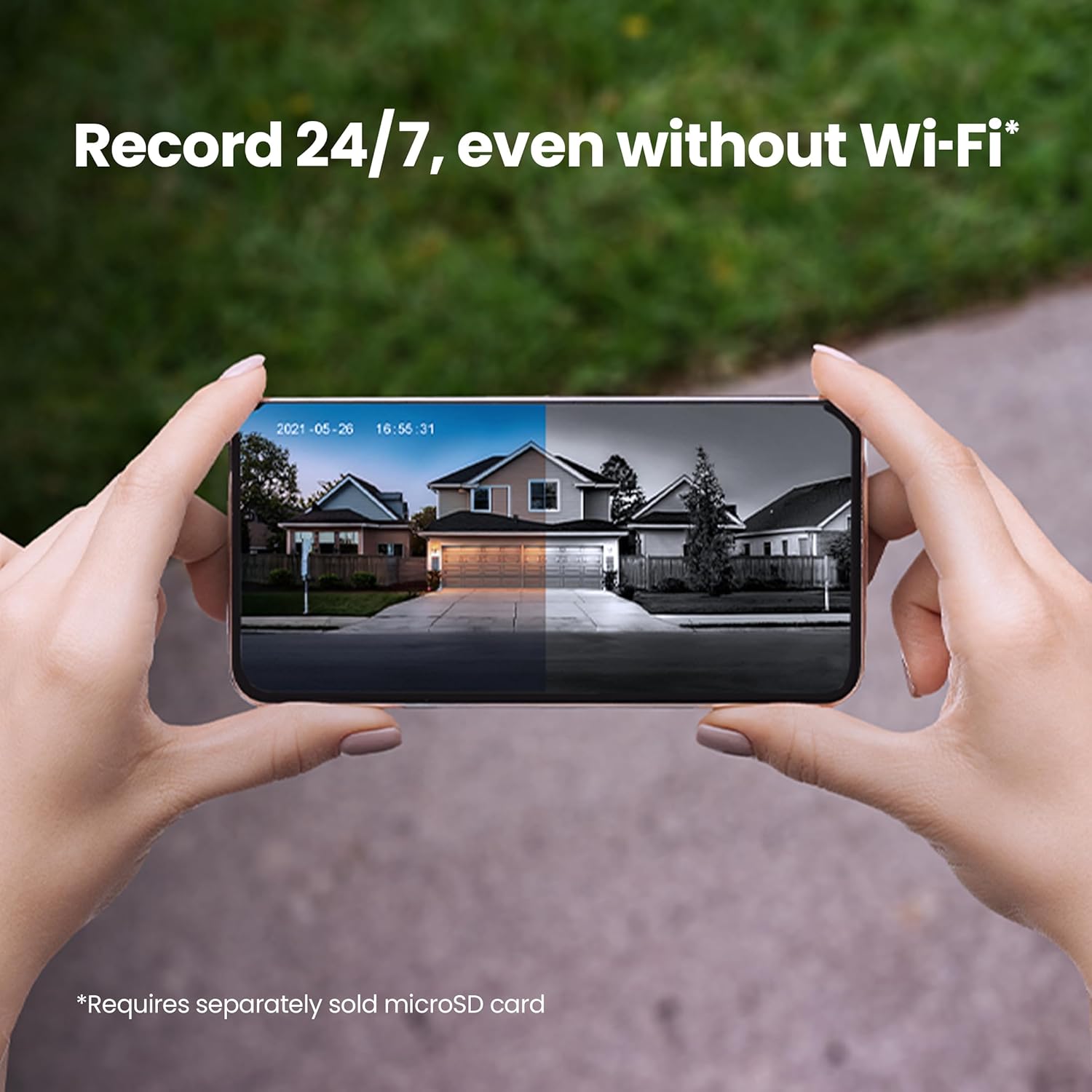
Image: Shows the 24/7 recording capability of the doorbell camera with a microSD card.
- Características inteligentes: The Feit Electric app allows for remote access, grouping of devices, scheduling, and device sharing.

Imagem: Acimaview of key smart camera features like 1080p HD video, two-way audio, and motion detection.
- Controle de voz: Works with Alexa or Hey Google when connected through your Feit app.

Image: Demonstrates compatibility with voice assistants like Alexa and Google Home.
Video: Official Feit Electric overview of the 1080p HD Doorbell WiFi Smart Security Camera's features, including two-way audio, night vision, and app integration.
Manutenção
To ensure optimal performance and longevity of your Feit Electric Smart Video Doorbell Camera, consider the following maintenance tips:
- Limpeza regular: Limpe periodicamente a lente da câmera e a parte externa da campainha com um pano macio e seco.amp cloth to remove dust, dirt, or smudges. Avoid abrasive cleaners.
- Atualizações de software: Keep your Feit Electric app and doorbell firmware updated to the latest versions. Updates often include performance improvements, new features, and security enhancements. Check the app regularly for update notifications.
- Verifique a fiação: Occasionally inspect the wiring connections to ensure they remain secure and free from corrosion or damage.
- Proteção contra intempéries: While the doorbell is weather-resistant (IP65 rated), extreme weather conditions can impact performance. Ensure it is installed in a location that offers some protection from direct, prolonged exposure to heavy rain or snow if possible.
Solução de problemas
If you encounter issues with your Feit Electric Smart Video Doorbell Camera, try the following troubleshooting steps:
- Sem energia/Não responde:
- Ensure the power at the circuit breaker is ON.
- Verify that the doorbell wires are securely connected to the external power port.
- Confirm your power source is within the 12-24V AC range.
- Cannot Connect to Wi-Fi/Offline:
- Certifique-se de que sua rede Wi-Fi seja de 2.4 GHz. A campainha não é compatível com redes de 5 GHz.
- Check your Wi-Fi signal strength at the doorbell's location. Move your router closer or consider a Wi-Fi extender if the signal is weak.
- Perform a factory reset on the doorbell (press and hold the reset button for 5 seconds until an audible tone is heard and the LED blinks red), then attempt the app pairing process again.
- Reinicie o seu roteador Wi-Fi.
- Problemas de detecção de movimento:
- Adjust the motion sensitivity settings within the Feit Electric app.
- Certifique-se de que não haja obstruções bloqueando a visão da câmera. view.
- Consider the placement of the doorbell to avoid false alerts from passing cars or swaying trees.
- Problemas de áudio bidirecional:
- Check your phone's volume settings and ensure the microphone is enabled for the Feit Electric app.
- Ensure a stable internet connection for both your phone and the doorbell.
- Doorbell Chimes Constantly/Doesn't Chime:
- Verify the chime type setting in the Feit Electric app (mechanical or electronic).
- Ensure proper wiring to your existing chime unit.
Especificações
| Recurso | Especificação |
|---|---|
| Número do modelo | CAM / PORTA / WIFI |
| Resolução de vídeo | 1080p HD |
| Conectividade | Wi-Fi de 2.4 GHz |
| Fonte de energia | Hardwired (12-24V AC) |
| Áudio | Áudio bidirecional |
| Alcance de visão noturna | 30 pés |
| Detecção de movimento | Sim |
| Armazenar | Cartão Micro SD (até 128 GB, não incluído) |
| Resistência às intempéries | IP65 |
| Dimensões (C x L x A) | 4.5 x 1.8 x 1 polegadas |
| Peso do item | 7.8 onças |
| UPC | 017801722239 |
Garantia e Suporte
Your Feit Electric Smart Video Doorbell Camera comes with a garantia de um ano a partir da data da compra. Esta garantia cobre defeitos em materiais e mão de obra sob uso normal.
For 24/7 customer support, technical assistance, or warranty claims, please contact Feit Electric directly:
- Website: help.feit.com
- E-mail: info@feit.com
- Telefone gratuito: 1-866-326-LÂMPADA

Image: Feit Electric customer support contact information and QR code for quick access to help.


