1. Introdução
Thank you for choosing the KLARSTEIN VapoAir Opal Smart Humidifier. This device is designed to improve air quality and comfort in your home by adding moisture to dry air. It features smart control via an app, an ionizer, a large 5-liter water tank, and multiple mist levels. Please read this manual carefully before use to ensure proper operation and maintenance.
2. Instruções de segurança
- Always place the humidifier on a firm, flat, waterproof surface away from direct sunlight and heat sources.
- Do not place the humidifier near furniture or appliances that are sensitive to moisture.
- Mantenha o aparelho fora do alcance de crianças e animais de estimação.
- Não mergulhe a unidade em água ou outros líquidos.
- Desligue o humidificador da tomada antes de enchê-lo, limpá-lo ou movê-lo.
- Use somente água limpa e fria da torneira. Recomenda-se o uso de água destilada ou desmineralizada para evitar o acúmulo de minerais.
- Do not add essential oils directly into the water tank; use the designated aroma diffuser tray.
- Se o cabo de alimentação estiver danificado, ele deve ser substituído pelo fabricante, seu agente de serviço ou pessoas qualificadas para evitar riscos.
- Não bloqueie a saída de névoa.
3. Conteúdo da embalagem
Por favor, verifique se a embalagem contém os seguintes itens:
- KLARSTEIN VapoAir Opal Smart Humidifier
- Controle remoto
- Manual de instruções
- Escova de limpeza (pode estar incluída)
4. Produto acabadoview e Componentes
Familiarize-se com as principais partes do seu umidificador:

Imagem: Frente view of the KLARSTEIN VapoAir Opal Smart Humidifier, showcasinSeu design elegante e tela de LED.
- Saída de névoa: Where the mist is released into the air.
- Tanque de água: Removable tank for water storage.
- Unidade base: Contains the ultrasonic transducer and heating element.
- Control Panel/LED Display: Touch-sensitive buttons and digital display for settings.
- Aroma Diffuser Tray: Small tray for essential oils (located at the bottom/side).
- Cabo de alimentação: Para conectar a uma tomada elétrica.

Image: The KLARSTEIN VapoAir Opal Smart Humidifier with its dimensions labeled: 23cm (depth), 18cm (width), 37cm (height).
5. Configuração
5.1 Desembalagem
Carefully remove all packaging materials. Retain the packaging for future storage or transport.
5.2 Posicionamento
Place the humidifier on a flat, stable surface at least 15 cm away from walls and furniture. Ensure the mist outlet is not directed towards any objects or walls.
5.3 Enchendo o Tanque de Água
- Certifique-se de que o umidificador esteja desligado da tomada.
- Carefully lift the water tank from the base unit.
- Invert the water tank and unscrew the cap at the bottom.
- Fill the tank with clean, cool tap water. Distilled or demineralized water is recommended to minimize mineral residue. Do not fill past the MAX line.
- Aperte bem a tampa.
- Place the filled water tank back onto the base unit, ensuring it is seated correctly. The auto-stop function will prevent operation if the tank is not properly placed or if water is absent.
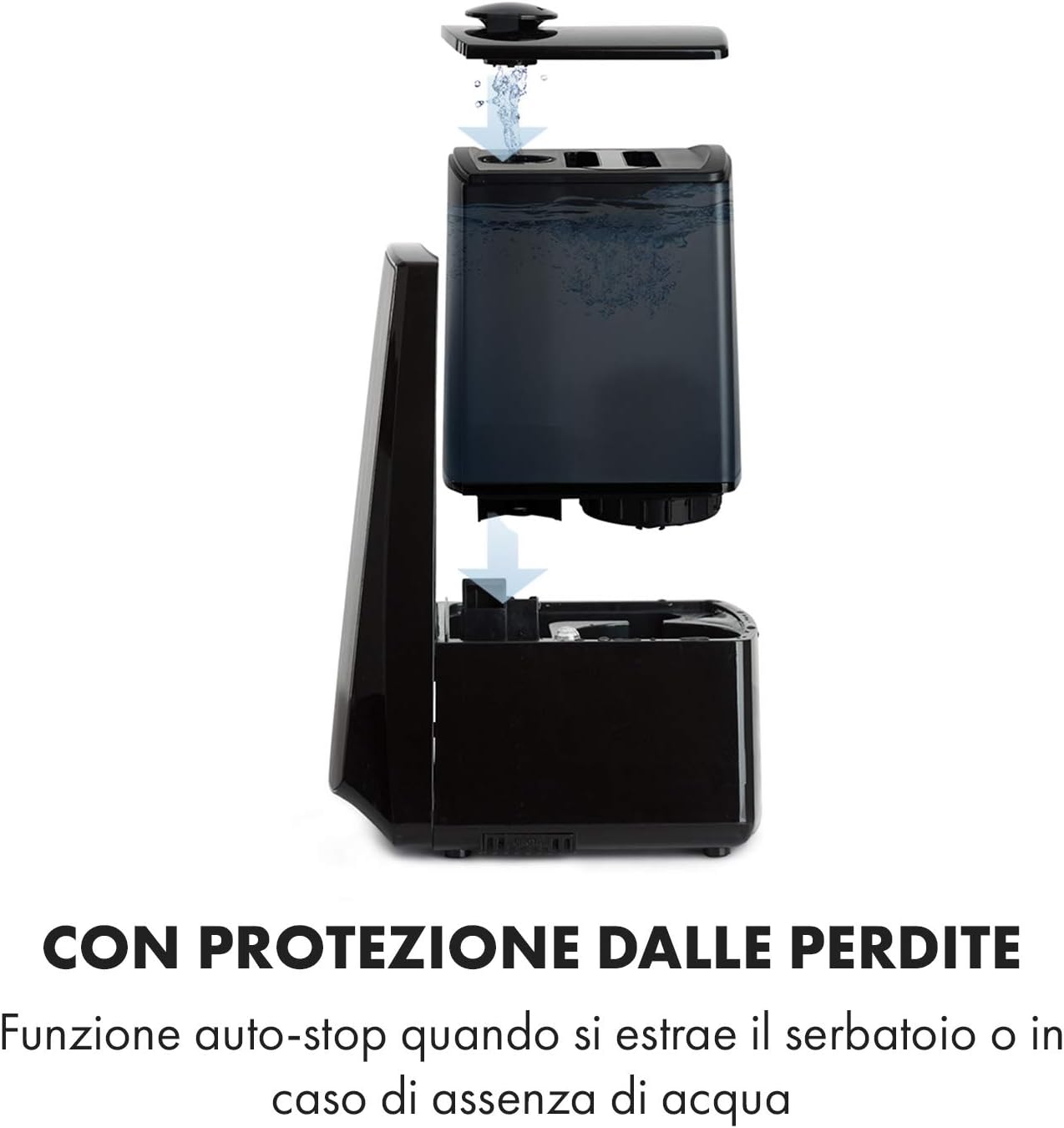
Image: Diagram illustrating the removal and refilling process of the water tank, highlighting the auto-stop feature when the tank is removed or empty.
5.4 Conexão de Energia
Ligue o cabo de alimentação a uma tomada elétrica adequada (230V).
6. Instruções de operação
6.1 Painel de controle sobreview

Imagem: Um close-up view of the humidifier's LED display and touch controls, showing a hand interacting with the buttons.
The LED display shows current humidity, temperature, and selected settings. The touch buttons allow control over various functions.
6.2 Ligar/Desligar
Pressione o LIGADO/DESLIGADO Botão no painel de controle ou no controle remoto para ligar ou desligar a unidade.
6.3 Ajuste do Nível de Névoa
The humidifier offers 7 levels of mist output. Press the NÉVOA button repeatedly to cycle through the mist intensity levels. The current level will be displayed on the screen.
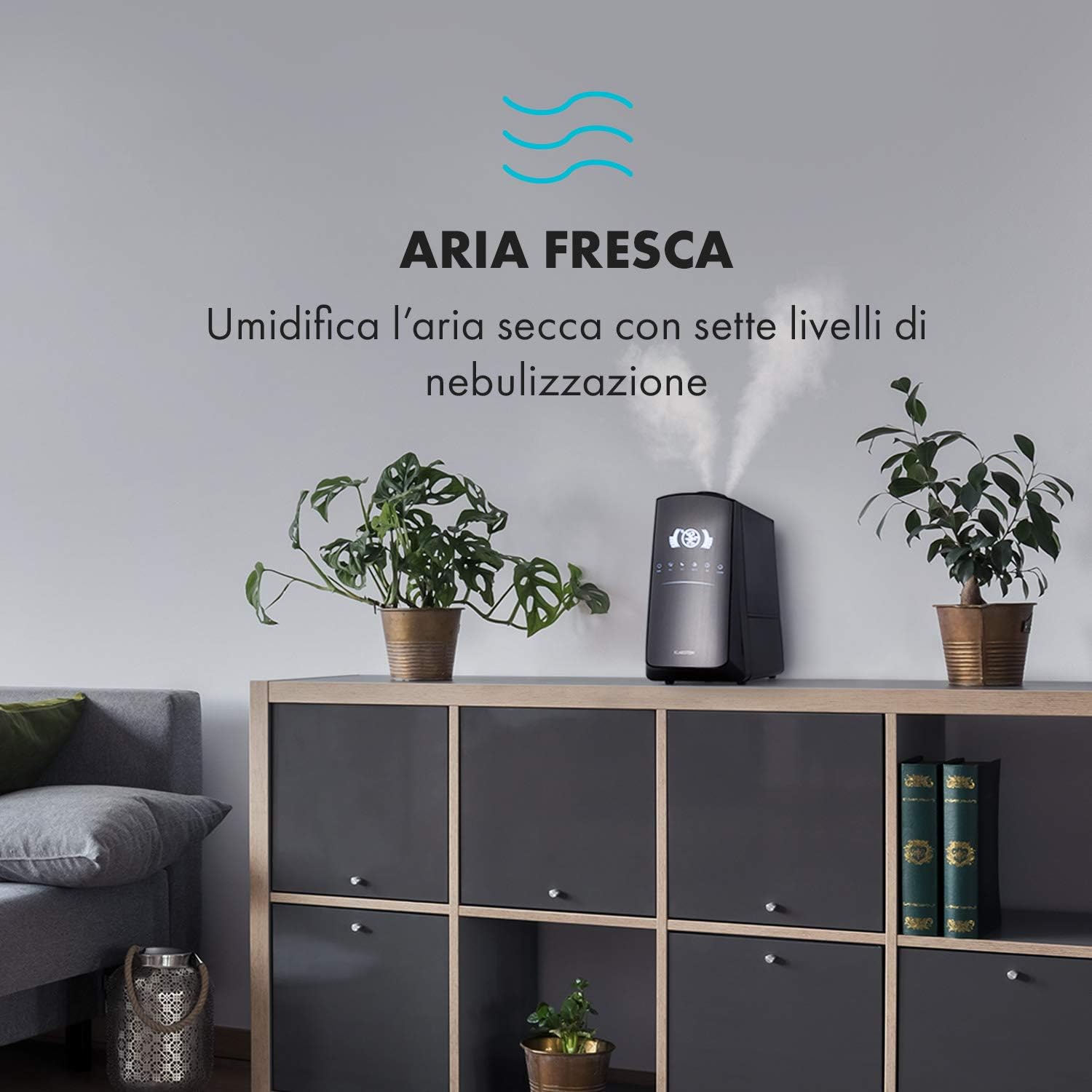
Image: The humidifier operating in a room, releasing mist to humidify the air.
6.4 Humidity Setting (Humidistat)
Pressione o UMIDADE button to set your desired humidity level (e.g., 40% to 80% RH). The unit will automatically maintain this level, turning on and off as needed.
6.5 Warm/Cool Mist
Pressione o AQUECER button to activate the warm mist function. Press again to switch back to cool mist. Warm mist can help raise room temperature slightly and is often preferred in colder climates.

Image: A close-up shot of the mist output, illustrating the option for either cool or warm mist.
6.6 Função do temporizador
Pressione o CRONÔMETRO button to set an operating duration from 1 to 12 hours. The unit will automatically turn off after the set time.
6.7 Função Ionizadora
Pressione o ION button to activate the ionizer. This function releases negative ions to help purify the air by attracting dust and other particles.
6.8 Difusor de Aroma
Pull out the aroma diffuser tray located at the bottom of the unit. Add a few drops of essential oil onto the sponge pad. Slide the tray back in. The mist will carry the aroma into the air.

Image: The integrated aroma diffuser tray, shown pulled out with an essential oil bottle and lemon slices nearby, indicating its use for adding scents.
6.9 Modo noturno
Pressione o NOITE button to dim the LED display and reduce operational noise for undisturbed sleep.

Image: The humidifier in a modern living space, illustrating its versatile functions like auto mode, heating, health, baby, night mode, and timer.
7. Controle de aplicativos
The KLARSTEIN VapoAir Opal Smart Humidifier can be controlled via a dedicated smartphone application.

Image: A person using a smartphone with the Klarstein app open, showing controls for the humidifier's settings and current humidity levels.
7.1 Baixando o Aplicativo
Procurar the 'Klarstein App Experience' in your smartphone's app store (available for Android and iOS).
7.2 Conectando-se ao Wi-Fi
- Ensure your humidifier is plugged in and turned on.
- Open the Klarstein App and follow the on-screen instructions to add a new device.
- The humidifier requires a Rede Wi-Fi de 2.4 GHz for connection. It is not compatible with 5 GHz networks. Ensure your router is configured to support 2.4 GHz or that your phone is connected to the 2.4 GHz band during setup.
- Once connected, you can control all humidifier functions remotely via the app.

Image: A smartphone displaying the Klarstein app interface, indicating smart home control via WiFi for Android and iOS devices.
8. Manutenção e Limpeza
A limpeza regular é essencial para um desempenho e higiene ideais.
8.1 Manutenção diária
- Esvazie e enxágue o reservatório de água diariamente.
- Limpe o interior do reservatório de água com um pano limpo.
8.2 Limpeza Semanal
- Desligue a unidade antes da limpeza.
- Remova o reservatório de água e esvazie toda a água restante, tanto do reservatório quanto da unidade base.
- Limpeza do depósito de água: Fill the tank with a mixture of water and white vinegar (1:1 ratio). Let it sit for 30 minutes, then rinse thoroughly.
- Limpeza da unidade base: Gently wipe the ultrasonic transducer (the small disc in the center of the base) with a soft brush or cloth to remove mineral deposits. Do not scrape or use abrasive cleaners. You can use a cotton swab dipped in vinegar for hard-to-reach areas.
- Aroma Diffuser Tray: Remove and clean the sponge pad with mild soap and water. Allow it to dry completely before reinserting.
- Wipe all external surfaces with a soft, damp pano.
8.3 Armazenamento
Se o humidificador não for utilizado por um longo período, limpe-o completamente, certifique-se de que todas as peças estejam secas e guarde-o na embalagem original em local fresco e seco.
9. Solução De Problemas
| Problema | Possível causa | Solução |
|---|---|---|
| Sem névoa ou com baixa emissão de névoa. |
|
|
| A unidade não liga |
|
|
| Odor desagradável |
|
|
| Pó branco ao redor da unidade | Hard water with high mineral content | Use água destilada ou desmineralizada. Limpe o aparelho regularmente. |
| Problemas de conexão Wi-Fi |
|
|
10. Especificações
| Recurso | Especificação |
|---|---|
| Marca | KLARSTEIN |
| Número do modelo | XJ3-VapoAirOpalSmart |
| Cor | Preto |
| Dimensões (C x L x A) | 23 x 18 x 37 cm |
| Peso | 2.5 kg |
| Poder | 110 Watts |
| Volumetage | 230 Volts |
| Capacidade do tanque de água | 5 litros |
| Tempo de operação | Up to 2 hours (continuous, depending on mist level) |
| Características especiais | Remote Control, Timer, App Control, Ionizer, LED Display, 7 Mist Levels, Warm/Cool Mist, Aroma Diffuser |
| Tipo de quarto | Sala de estar |
11. Garantia e Suporte
KLARSTEIN products are covered by a manufacturer's warranty. For detailed warranty information, please refer to the warranty card included with your product or visit the official KLARSTEIN website. For technical support, spare parts, or service inquiries, please contact KLARSTEIN customer service through their official channels.
Guarde o comprovante de compra para reclamações de garantia.


