1. Introdução
This manual provides detailed instructions for the OONO RS232 DB9M/F LED Link Tester with Surge Protection, Model F-1032. This device is designed to monitor RS232 serial communication signals and protect connected equipment from electrical surges. It is a passive device, requiring no external power, and offers a visual indication of data line states.
2. Recursos do Produto
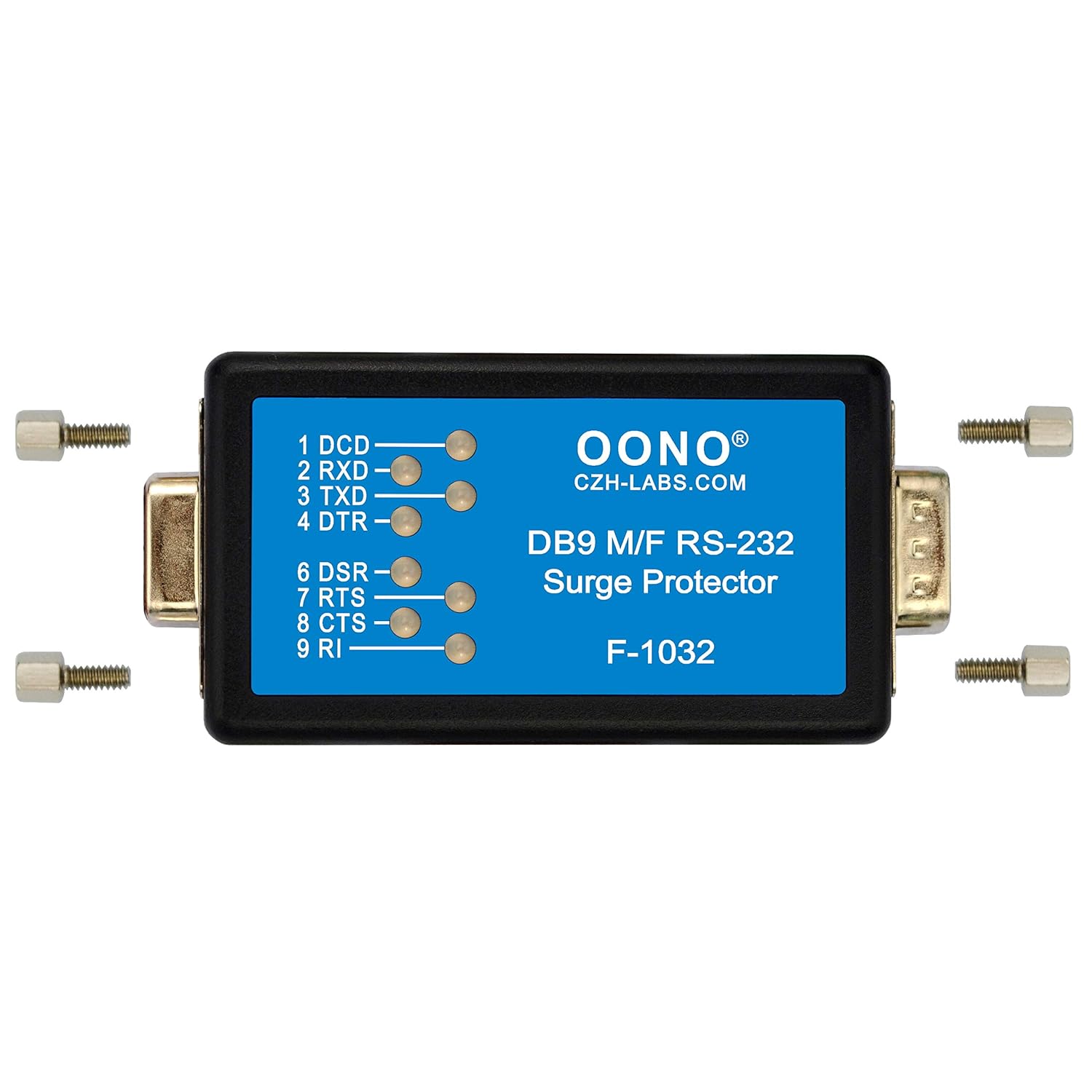
- Bi-color LED Indicators: Equipped with 8 bi-color (red and green) LEDs to indicate the logic states for respective data lines: DCD, RXD, TXD, DTR, DSR, RTS, CTS, and RI. Green indicates a logic HIGH state, and red indicates a logic LOW state.
- Proteção integrada contra surtos: Protects the DB9 RS232 serial port from static discharge and power surges. All 8 signal lines (DCD, RXD, TXD, DTR, DSR, RTS, CTS, RI) are protected to pin-5 (Ground) via Transient Voltage Suppressors (TVS). Pin-5 (Ground) is also connected to the DB9 metal housing via TVS for enhanced protection.
- High Surge Dissipation: Features a peak pulse power dissipation of 600W (10/1000µS) and a breakdown voltage of +/-30V.
- Operação passiva: Requires no external power supply or software drivers, ensuring plug-and-play functionality.
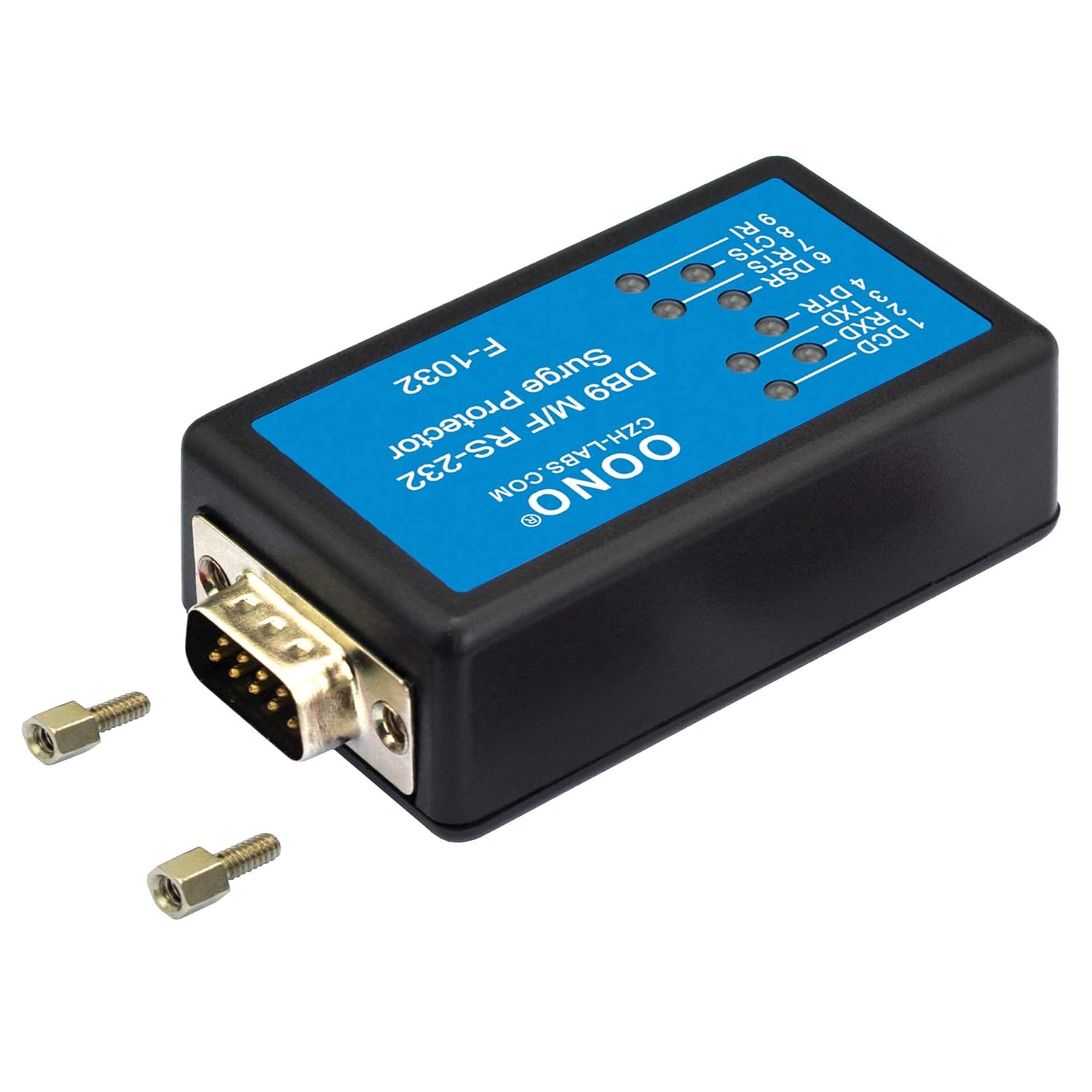
- Adaptable Connectors: The jack sockets (nuts) on the tester can be easily unscrewed, allowing for compatibility with various serial connectors that may have different mating requirements.
- Ampla compatibilidade de sistema operacional: Compatible with Windows 98, Me, XP, 2000, 2003, CE, Vista, Windows 7, Windows 8, Linux, and Mac OS 10.X.
3. Configuração
The OONO RS232 DB9M/F LED Link Tester is designed for straightforward setup. Follow these steps to integrate it into your serial communication link:
- Identificar conectores: The tester features both a male (DB9M) and a female (DB9F) DB9 connector. Determine which end of your serial cable or device requires a male or female connection.
- Connect to Device/Cable: Plug the appropriate end of the tester into your RS232 serial port or cable. For example, if your device has a female DB9 port, connect the male end of the tester to it.
- Connect to Other End: Connect the remaining end of the tester to your other serial device or cable. Ensure all connections are secure.
- Optional: Remove Jack Sockets: If the nuts on the tester's connectors interfere with mating to another connector, they can be unscrewed and removed.
4. Instruções de operação
The OONO LED Link Tester operates passively, drawing power directly from the RS232 data lines. Its primary function is to provide visual feedback on the status of the serial communication signals.
4.1. LED Indicator Interpretation
The tester features 8 bi-color LEDs, each corresponding to a specific RS232 signal line. The color of the LED indicates the logic state of that line:
- LED verde: Indicates a logic HIGH state (typically a negative voltage, e.g., -3V to -15V, for RS232).
- LED vermelho: Indicates a logic LOW state (typically a positive voltage, e.g., +3V to +15V, for RS232).
- No LED Lit: May indicate an inactive line, a line at 0V, or a problem with the connection.
The LEDs correspond to the following signal lines:
- 1 DCD: Detecção de portadora de dados
- 2 RXD: Receber dados
- 3 TXD: Transmitir dados
- 4 DTR: Terminal de dados pronto
- 6 DSR: Conjunto de dados pronto
- 7 RTS: Solicitação para enviar
- 8 CTS: Limpar para enviar
- 9 RI: Indicador de toque

4.2. Monitoring Communication
Once connected, observe the LEDs to monitor the data flow and control signals. For exampem:
- When data is being transmitted, the TXD O LED piscará.
- When data is being received, the RXD O LED piscará.
- O RTS e STC LEDs indicate the handshake status between devices.
Consistent illumination (green or red) on control lines (DCD, DTR, DSR, RTS, CTS, RI) indicates a stable state, while flashing indicates activity or changes in state.
5. Manutenção
The OONO RS232 DB9M/F LED Link Tester is a robust device designed for minimal maintenance.
- Limpeza: Use a soft, dry cloth to clean the exterior of the device. Avoid using liquid cleaners or solvents, as these can damage the casing ou componentes internos.
- Armazenar: Store the tester in a cool, dry place away from direct sunlight and extreme temperatures when not in use.
- Cuidados com o conector: Keep the DB9 connectors free from dust and debris. If necessary, use compressed air to clean the pins/sockets.
6. Solução De Problemas
If you encounter issues while using the OONO RS232 DB9M/F LED Link Tester, consider the following troubleshooting steps:
- Nenhum LED acende:
- Ensure the tester is securely connected to both serial ports/cables.
- Verify that the connected devices are powered on and actively communicating or asserting signals. The tester draws power from the serial lines.
- Check the serial cable for damage or incorrect wiring.
- Indicação LED incorreta:
- Confirm the pinout of your RS232 connection matches standard DB9 configurations.
- Ensure the connected devices are configured for the correct serial communication parameters (baud rate, data bits, parity, stop bits).
- Communication Issues Persist with Tester Connected:
- While the tester is passive, in rare cases, it might introduce slight impedance. Try removing the tester to see if communication is restored. If so, the issue might be related to signal strength or specific device sensitivity.
- Verify that the removable jack sockets are not causing a poor connection if they were adjusted.
- Dano Físico: If the device appears physically damaged, discontinue use and contact customer support.
7. Especificações
| Número do modelo | F-1032 |
| Marca | OONO |
| Tipo de conector | DB9 Macho para DB9 Fêmea |
| Indicadores LED | 8 Bi-color LEDs (DCD, RXD, TXD, DTR, DSR, RTS, CTS, RI) |
| Proteção contra surtos | Yes, via TVS diodes on all 8 signal lines to GND and GND to housing |
| Peak Pulse Power Dissipation | 600W (10/1000µS) |
| Volume de avariatage | +/- 30V |
| Fonte de energia | No external power required (passive, draws power from serial lines) |
| Cor | Preto |
| Peso do item | 0.06 quilogramas (aproximadamente 2.08 onças) |
| Fabricante | CZH-LABS |

8. Garantia e Suporte
For information regarding warranty coverage, technical support, or service for your OONO RS232 DB9M/F LED Link Tester, please refer to the product packaging or contact the manufacturer directly. Contact details can typically be found on the official OONO website ou através do seu ponto de venda.


