Produto acimaview
The Sharp HP-TW30 True Wireless Noise Cancelling Earphones are designed for an immersive audio experience with enhanced comfort and durability. Featuring active noise cancellation, these earphones reduce background noise, making them ideal for various environments. They offer wireless charging, Bluetooth 5.0 connectivity, and are splashproof for active lifestyles.
Principais características:
- Cancelamento de ruído ativo: Reduces ambient noise by 22dB for improved focus and enjoyment.
- Carregamento sem fio: Convenient charging with the included case, providing up to 4 full charges.
- Bluetooth 5.0: Ensures stable and efficient wireless connectivity with a range of up to 33 feet.
- IPX4 Splashproof: Resistant to splashes, sweat, and light rain, suitable for workouts and outdoor activities.
- Controles de toque: Intuitive controls for managing playback, calls, and voice assistants.
- Controle de voz: Full integration with Apple Siri and Google Assistant for hands-free operation.
- Tempo de reprodução longo: Até 6 horas de reprodução de áudio com uma única carga.

Figure 1: Sharp HP-TW30 True Wireless Earphones (Black)
Conteúdo da embalagem
Antes de começar, verifique se todos os itens estão presentes na embalagem:
- Sharp HP-TW30 True Wireless Earphones (Left and Right)
- Estojo de carregamento
- USB Type-C Charging Cable (not explicitly listed in 'whats_in_the_box' but implied by 'Charging Port: USB Type C')
- Small, Medium, and Large Ultra-comfortable Ear Tips (3 sizes)
- Manual de Instruções (este documento)
Configurar
1. Carregando os fones de ouvido e o estojo
For first-time use, fully charge the earphones and the charging case. The charging case provides approximately 4 full charges for the earphones.
- Place both earphones into their respective slots in the charging case. Ensure they are seated correctly.
- Conecte o cabo de carregamento USB Type-C à porta de carregamento do estojo e a outra extremidade a uma fonte de alimentação USB (por exemplo, adaptador de parede, porta USB do computador).
- The LED indicators on the case will show charging status. Charging time for the case and earphones is approximately 2 hours.
- Depois de totalmente carregado, desconecte o cabo de carregamento.
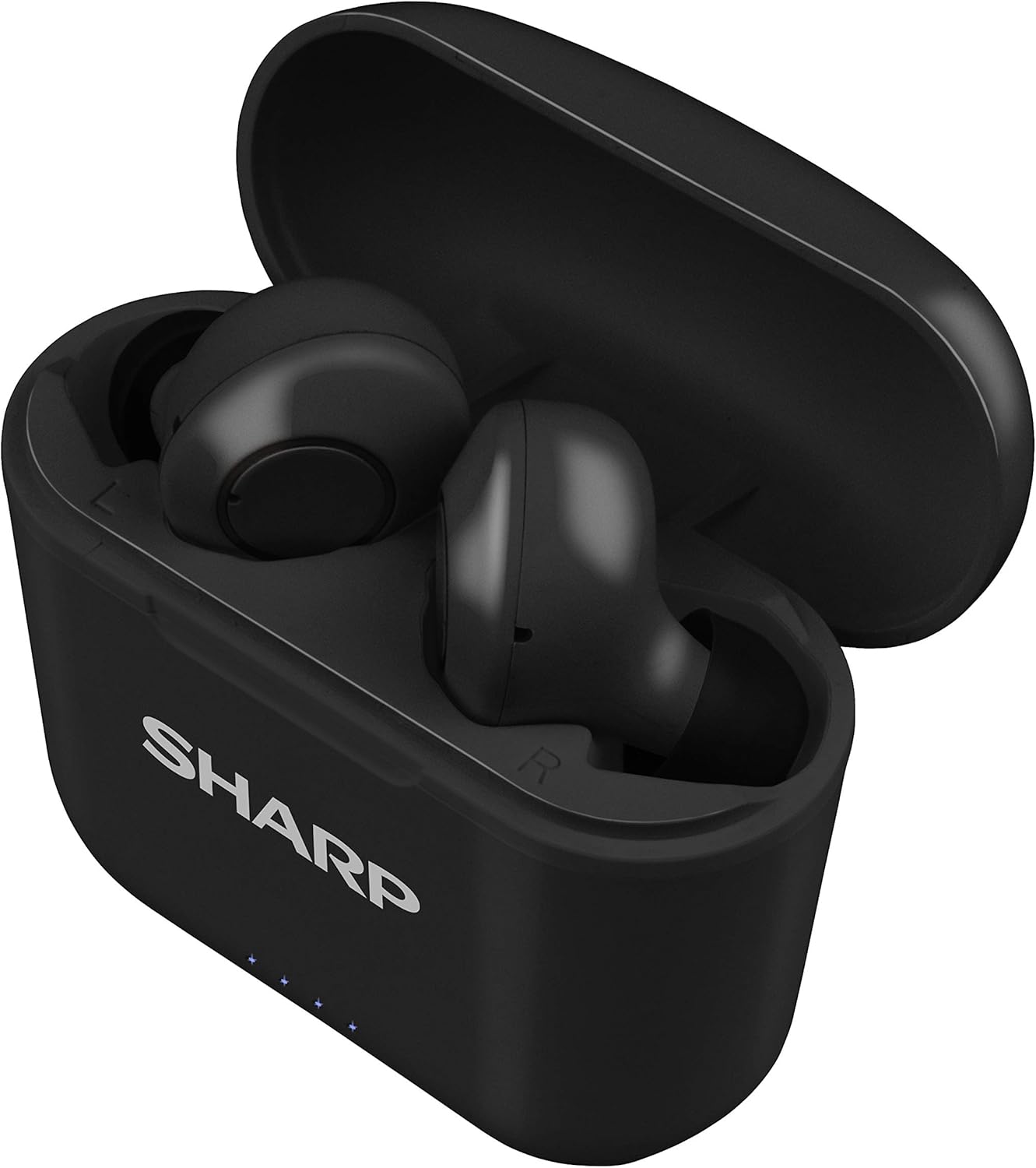
Figure 2: Earphones in Charging Case
2. Emparelhamento com seu dispositivo
The HP-TW30 earphones feature auto-pairing for effortless setup.
- Abra o estojo de carregamento. Os fones de ouvido ligarão automaticamente e entrarão no modo de emparelhamento.
- No seu smartphone, tablet ou outro dispositivo com Bluetooth, acesse as configurações de Bluetooth.
- Procurar available devices and select "HP-TW30" from the list.
- Após a conexão, um comando de voz confirmará o emparelhamento bem-sucedido.
- Os fones de ouvido se reconectarão automaticamente ao último dispositivo emparelhado ao serem retirados do estojo, caso o Bluetooth esteja ativado no dispositivo.
Instruções de operação
Controles de toque
The HP-TW30 earphones utilize touch-sensitive controls on each earbud for various functions:
- Reproduzir/Pausar: Toque uma vez em qualquer um dos fones de ouvido.
- Próxima faixa: Toque duas vezes no fone de ouvido direito.
- Faixa anterior: Toque duas vezes no fone de ouvido esquerdo.
- Atender/encerrar chamada: Um único toque em qualquer um dos fones de ouvido durante uma chamada recebida.
- Rejeitar chamada: Durante uma chamada recebida, mantenha pressionado qualquer um dos fones de ouvido por 2 segundos.
- Activate Voice Assistant (Siri/Google Assist): Toque três vezes em qualquer um dos fones de ouvido.
- Active Noise Cancellation (ANC) On/Off: Pressione e segure o fone de ouvido direito por 2 segundos.
Cancelamento de ruído ativo (ANC)
The ANC feature reduces ambient background noise, providing a more focused listening experience. Activate or deactivate ANC using the touch control as described above.
Resistência à água (IPX4)
The earphones are rated IPX4 splashproof, meaning they are resistant to water splashes from any direction. This makes them suitable for light rain, sweat, and gym use. Do not submerge the earphones in water.
Manutenção
A manutenção adequada garante a longevidade e o desempenho ideal dos seus fones de ouvido.
- Limpeza: Limpe regularmente os fones de ouvido e o estojo de carregamento com um pano macio, seco e sem fiapos. Não use produtos de limpeza abrasivos ou solventes.
- Dicas de ouvido: Remova e limpe as pontas auriculares periodicamente com um produto de limpeza.amp Umedeça um pano com sabão neutro e seque bem antes de recolocar.
- Armazenar: Quando não estiverem em uso, guarde os fones de ouvido no estojo de carregamento para protegê-los contra poeira e danos.
- Temperatura: Evite expor os fones de ouvido a temperaturas extremas (quentes ou frias) ou alta umidade.
- Contatos de carregamento: Ensure the charging contacts on both the earphones and inside the case are clean and free of debris to maintain proper charging.
Solução de problemas
If you encounter issues with your Sharp HP-TW30 earphones, try the following solutions:
- Earphones not pairing/connecting:
- Certifique-se de que ambos os fones de ouvido estejam totalmente carregados.
- Desative o Bluetooth no seu dispositivo e, em seguida, ative-o novamente.
- Forget/delete "HP-TW30" from your device's Bluetooth list and attempt to re-pair.
- Place both earphones back into the charging case, close the lid for 5 seconds, then open it again to reset.
- Only one earbud playing sound:
- Certifique-se de que ambos os fones de ouvido estejam carregados.
- Coloque os dois fones de ouvido de volta no estojo de carregamento, feche a tampa e abra-a novamente. Isso geralmente os sincroniza novamente.
- Limpe os contatos de carregamento em ambos os fones de ouvido e dentro do estojo.
- Try resetting and re-pairing the earphones as described above.
- Volume baixo ou má qualidade de som:
- Ajuste o volume tanto no seu dispositivo quanto nos fones de ouvido.
- Ensure the ear tips are the correct size for a snug fit and are clean.
- Check for any obstructions in the earbud nozzles.
- Earphones not charging:
- Certifique-se de que o cabo de carregamento esteja conectado firmemente ao estojo e à fonte de alimentação.
- Experimente com um cabo USB Type-C e um adaptador de energia diferentes.
- Limpe os contatos de carregamento dos fones de ouvido e dentro do estojo.
Especificações
| Nome do modelo | HP-TW30(BK) |
| Tecnologia de Conectividade | Wireless (Bluetooth) |
| Versão Bluetooth | 5.0 |
| Alcance Bluetooth | Até 33 pés (10 metros) |
| Controle de Ruído | Active Noise Cancellation (22dB reduction) |
| Hora de brincar | Aproximadamente 6 horas |
| Tempo de espera | Aproximadamente 90 horas |
| Tempo de carregamento | Approx. 2 hours (earphones and case) |
| Porta de carregamento | USB Tipo C |
| Resistência à água | IPX4 à prova de respingos |
| Tipo de controle | Controle de toque |
| Controle de voz | Apple Siri, Google Assistant |
| Componentes incluídos | Ponteiras auriculares ultraconfortáveis nos tamanhos pequeno, médio e grande. |
| Material | Silicone (pontas auriculares) |
| Peso do item | 7.9 onças |
Garantia e Suporte
Sharp products are manufactured to the highest quality standards. For warranty information, technical support, or service inquiries, please refer to the warranty card included with your purchase or visit the official Sharp support website. Please have your model number (HP-TW30(BK)) and proof of purchase ready when contacting support.
For further assistance, you may visit the Sharp Store on Amazon: Loja Oficial Sharp


