1. Introdução
Thank you for choosing the Hoco HC2 Wireless Speaker. This manual provides essential information for setting up, operating, and maintaining your device. Please read it carefully before use to ensure optimal performance and longevity of your speaker.
2. Características
- Bluetooth 5.0 para conectividade sem fio estável e eficiente.
- Dual 52mm speaker units with 5W x 2 power output for rich, clear audio.
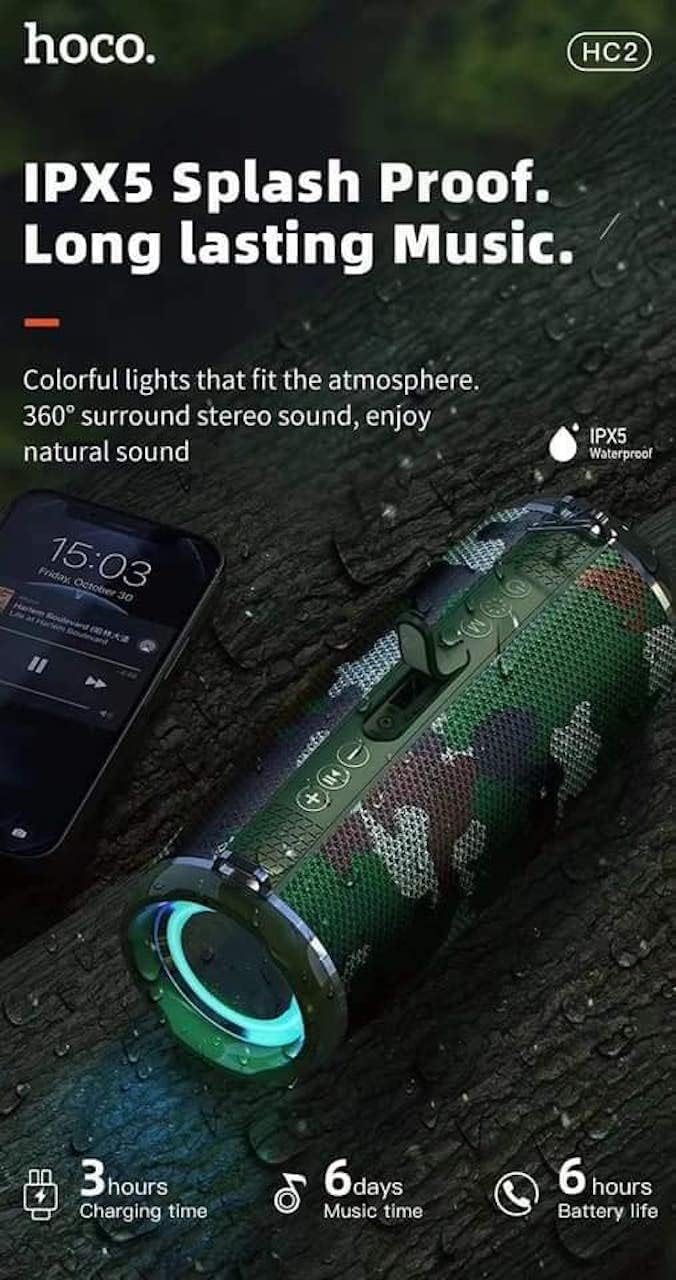
- Built-in 2400 mAh battery providing approximately 6 hours of talk/music playback time.
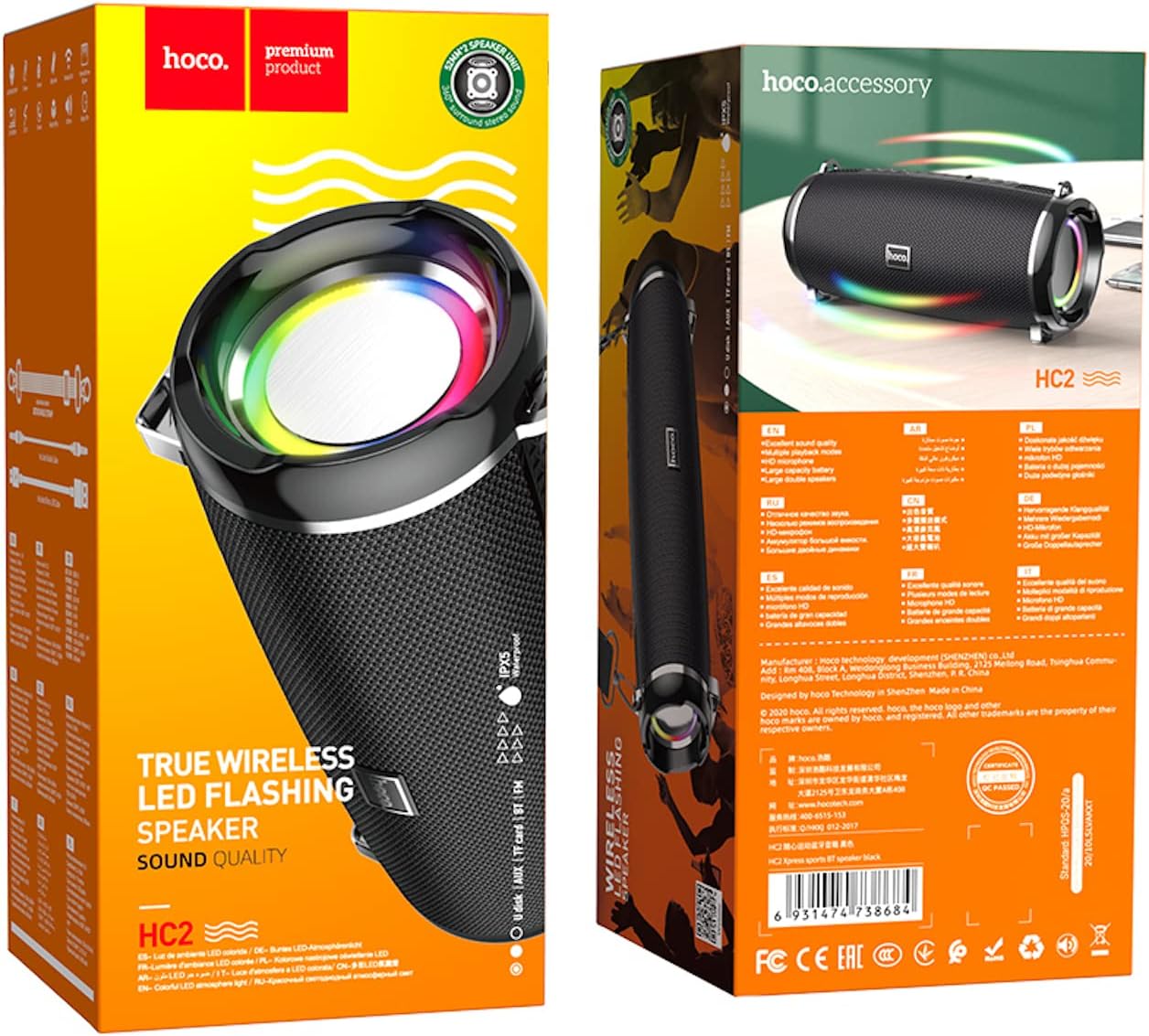
- Versatile playback options: Supports Bluetooth, TF card, USB, AUX, and FM radio modes.
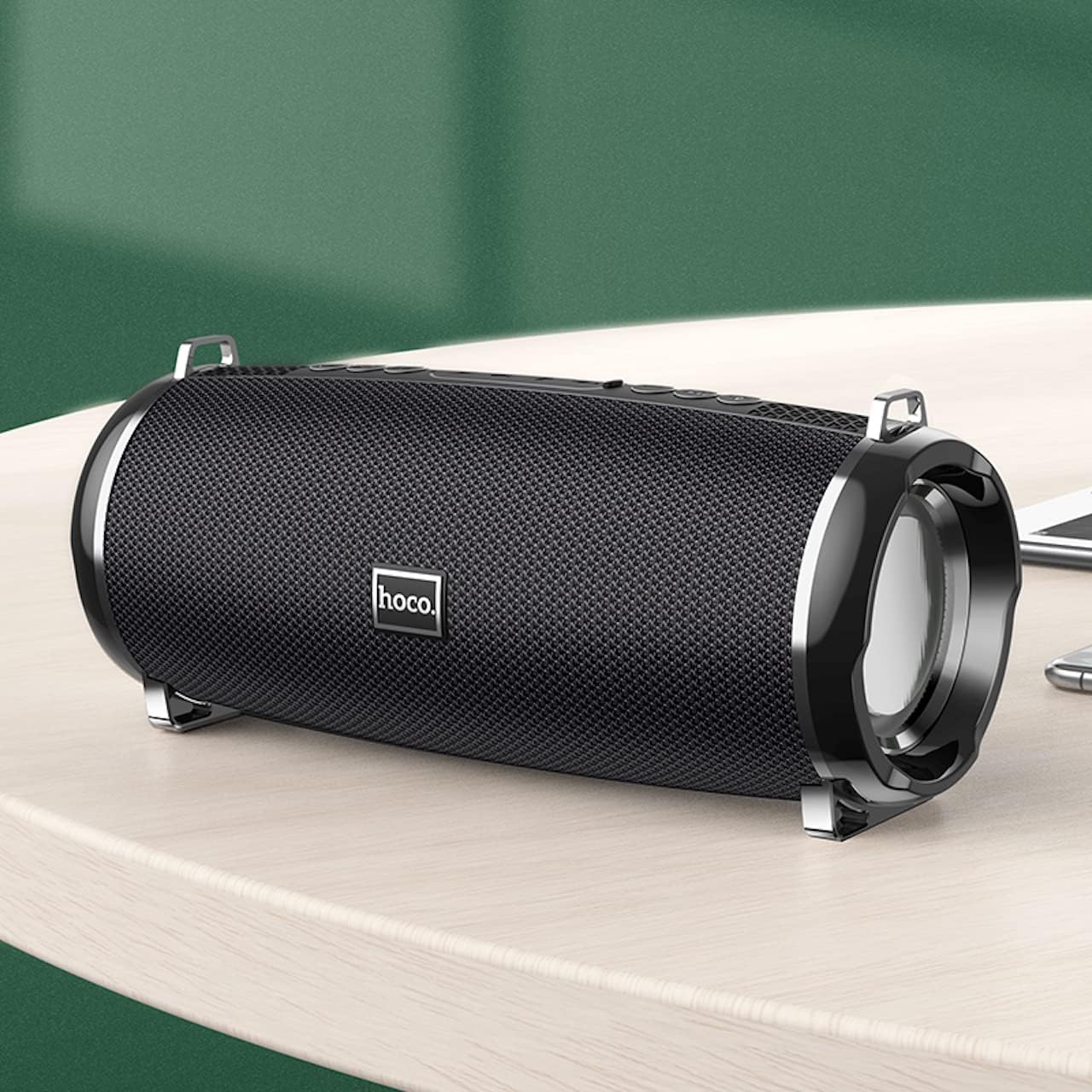
- Compact and portable design with dimensions of 194.4 x 81 x 82 mm and a weight of 598 grams.
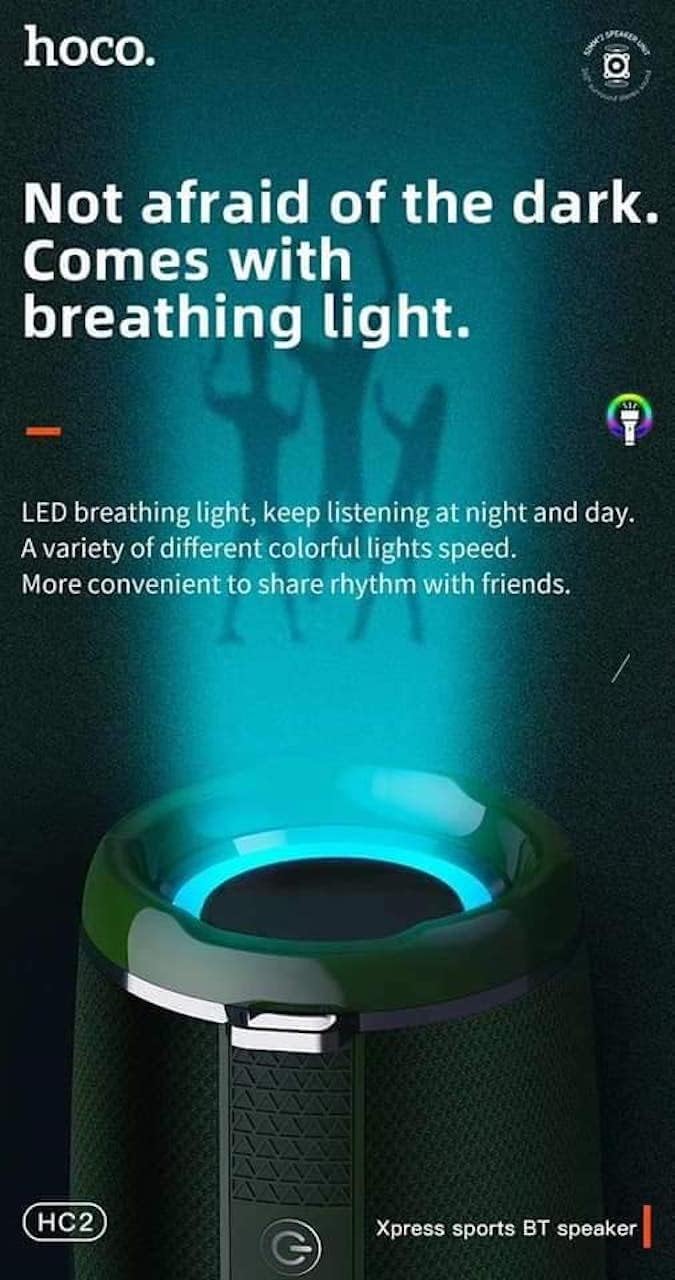
- Features LED breathing light for enhanced visual experience.
- IPX5 splash-proof rating for outdoor use.
3. Conteúdo da embalagem
Por favor, verifique se a embalagem contém os seguintes itens:
- Hoco HC2 Wireless Speaker
- Cabo de carregamento USB
- Manual do usuário
- Shoulder Strap (may vary by package)
4. Configuração
4.1 Carregando o alto-falante
Before first use, fully charge the speaker. Connect the provided USB charging cable to the speaker's charging port and the other end to a USB power adapter (not included) or a computer's USB port. The charging indicator light will illuminate during charging and turn off when fully charged. Charging takes approximately 3 hours.
4.2 Ligar/Desligar
Press and hold the power button for a few seconds to turn the speaker on or off. A voice prompt will indicate the power status.
4.3 Emparelhamento Bluetooth
- Ligue a caixa de som. Ela entrará automaticamente no modo de emparelhamento Bluetooth, indicado por uma luz LED piscando.
- Ative o Bluetooth no seu smartphone, tablet ou outro dispositivo.
- Procurar "HC2" in the list of available Bluetooth devices.
- Select "HC2" to connect. Once connected, a voice prompt will confirm the successful pairing, and the LED light will stop flashing.
- Caso seja solicitada uma senha, digite "0000".
O alto-falante se reconectará automaticamente ao último dispositivo emparelhado ao ser ligado, desde que o Bluetooth do dispositivo esteja ativo e dentro do alcance.
5. Instruções de operação
5.1 Troca de modo
Press the 'M' (Mode) button to cycle through available modes: Bluetooth, TF Card, USB, AUX, and FM Radio.
5.2 Music Playback (Bluetooth/TF Card/USB)
- Reproduzir/Pausar: Pressione o botão Reproduzir/Pausar.
- Próxima faixa: Short press the 'Next' button.
- Faixa anterior: Short press the 'Previous' button.
- Aumentar o volume: Long press the 'Volume Up' button.
- Volume baixo: Long press the 'Volume Down' button.
5.3 Operação de rádio FM
- Alterne para o modo de rádio FM usando o botão 'M'.
- Press the Play/Pause button to automatically scan and save available radio stations.
- Use the 'Next' and 'Previous' buttons to switch between saved stations.
5.4 Modo AUX
Connect an external audio device (e.g., MP3 player, computer) to the speaker's AUX port using a 3.5mm audio cable. The speaker will automatically switch to AUX mode. Control playback from your connected device.
5.5 Controle de luz LED
The speaker features an LED breathing light. Refer to the specific button on your speaker (often a dedicated light button or a long press on a volume button) to cycle through light modes or turn the light on/off.
6. Manutenção
- Limpeza: Use um pano macio e seco para limpar o alto-falante. Não use produtos de limpeza abrasivos ou solventes.
- Armazenar: Guarde a caixa de som em local fresco e seco, longe da luz solar direta e de temperaturas extremas.
- Cuidados com a bateria: To prolong battery life, charge the speaker regularly, even if not in use. Avoid fully discharging the battery frequently.
- Resistência à água: The speaker is IPX5 splash-proof, meaning it can resist light splashes of water. Do not submerge it in water or expose it to heavy rain. Ensure all ports are securely covered when exposed to moisture.
7. Solução De Problemas
| Problema | Possível causa | Solução |
|---|---|---|
| Alto-falante não liga. | Bateria fraca. | Carregue totalmente a caixa de som. |
| Nenhum som. | Volume muito baixo; modo incorreto; dispositivo não conectado. | Increase volume; switch to correct mode; ensure device is paired/connected. |
| O emparelhamento Bluetooth falha. | Alto-falante não está em modo de emparelhamento; dispositivo muito distante; interferência. | Ensure speaker is in pairing mode; move devices closer; restart both devices. |
| Recepção de rádio FM ruim. | Sinal fraco. | Mude a caixa de som para uma área com melhor sinal. |
8. Especificações
| Especificação | Detalhe |
|---|---|
| Nome do modelo | HC2 |
| Dimensões do produto | 19.44 x 8.2 x 8.1 cm |
| Peso | 598 gramas |
| Tecnologia de Conectividade | Bluetooth, FM, TF Card, USB Disk, AUX, TWS |
| Versão Bluetooth | 5.0 |
| Chipset | JLAC6928B |
| Capacidade da bateria | 2400 mAh |
| Tempo de carregamento | Aproximadamente 3 horas |
| Tempo de reprodução de conversação/música | Aproximadamente 6 horas |
| Unidade de alto-falante | 52 mm × 2 |
| Potência máxima de saída do alto-falante | 5 W × 2 |
| Modo de saída de áudio | Cercar |
| Recurso especial | Bluetooth, TF Card, USB, AUX, FM Radio support |
| Usos recomendados | Smartphones, Tablets, Music Players, Surround Sound Systems |
| Dispositivos compatíveis | Smartphone, Laptop, MP3 Player, Tablet, Desktop Computer |
| Tipo de montagem | Mesa |
9. Imagens do produto




10. Garantia e Suporte
Hoco products are manufactured to the highest quality standards. This product is covered by a standard manufacturer's warranty against defects in materials and workmanship. Please refer to the warranty card included in your package for specific terms and conditions, including the warranty period.
For technical support, troubleshooting assistance, or warranty claims, please contact Hoco customer service through their official website ou o revendedor onde você comprou o produto. Guarde o comprovante de compra como prova de aquisição para fins de garantia.
Extended protection plans may be available from your retailer. These plans offer additional coverage beyond the standard manufacturer's warranty.


