Introdução
The SIMO Solis Lite is a portable 4G LTE mobile hotspot designed to provide reliable internet connectivity in over 140 countries. It eliminates the need for physical SIM cards and contracts by utilizing a virtual multi-carrier network. This device also functions as a power bank, allowing you to charge other devices on the go, making it an ideal companion for travel, RV life, or remote work.
Principais características
- Connects to Multiple Carriers: Provides up to 16 hours of reliable and safe WiFi coverage worldwide via a virtual multi-carrier network.
- Cobertura global: Connects 10 devices and covers 140+ countries with a network of over 300 carriers, offering a reliable signal with high-speed data.
- Data Included: Includes 1GB of high-speed data per month for the life of the unit, with additional data available for users who need more.
- Mobile Hotspot Charger: Connects up to 10 devices simultaneously with 16 hours of battery life; also functions as a power bank.
- Fácil de usar: Simply download the Solis app and register your device; start using your Lifetime Data plan or add an additional WiFi option.
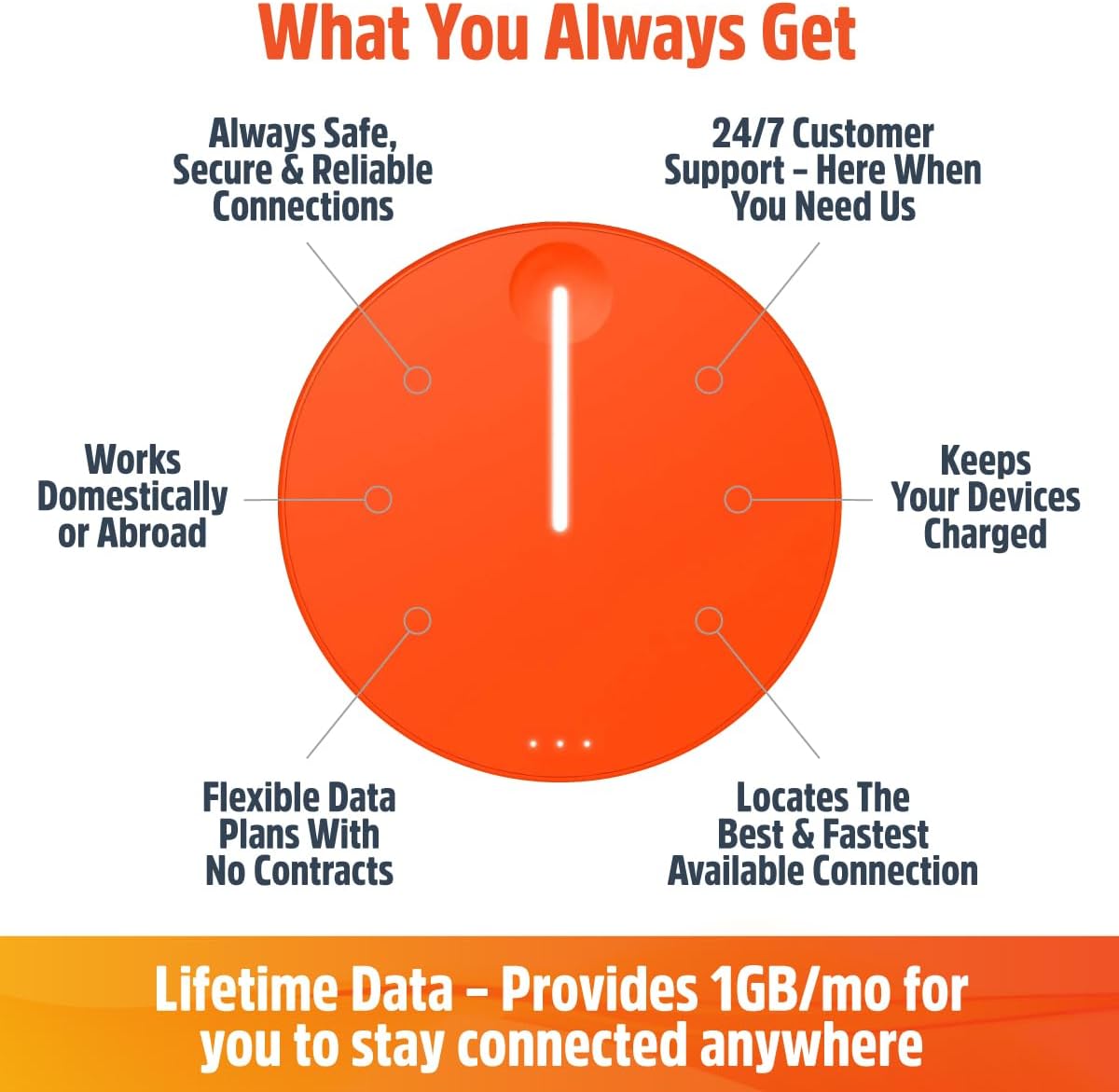
This diagram highlights the core benefits of the Solis Lite, including safe and reliable connections, 24/7 customer support, domestic and international usability, power bank functionality, flexible data plans, and its ability to locate the best and fastest available connection.
O que está na caixa
- SIMO Solis Lite Mobile Hotspot (Model S018)
- Cabo de carregamento USB-C
- Adaptador USB-A para USB-C
- Guia de início rápido
- Lifetime Data (1GB/month)

The SIMO Solis Lite Mobile Hotspot comes in compact packaging, ensuring all components are securely stored.

The Solis Lite device is compact and designed for portability, serving as both a mobile WiFi hotspot and a power bank to keep your gadgets charged.
Configurar
Follow these steps to set up your SIMO Solis Lite Mobile Hotspot:
- Download the Solis WiFi App: The app is available on both the App Store (for iOS devices) and Google Play Store (for Android devices).
- Register Your Hotspot: Open the Solis WiFi App and follow the on-screen instructions to create your account and connect to your Solis Lite device.
- Manage Data: Within the app, you can activate your included Lifetime Data plan (1GB/month) and purchase additional data as needed.

The setup process involves acquiring the Solis Lite, registering it through the dedicated Solis WiFi App, and selecting a data plan that suits your needs.
Operando o dispositivo
Ligar/desligar
To power on the Solis Lite, press and hold the main button until the indicator light illuminates. To power off, press and hold the main button again until the light turns off.
Conectando dispositivos
Once powered on, the Solis Lite will broadcast a WiFi network. Use your smartphone, tablet, or laptop to search for available WiFi networks and select the Solis Lite network. Enter the password provided on the device or in the app to connect. The device supports up to 10 simultaneous connections.
Data Plans and Management
The Solis Lite includes 1GB of high-speed data per month for the lifetime of the unit. Additional data can be purchased as needed through the Solis WiFi App. The app allows you to monitor data usage, purchase new plans (monthly, per GB, or day passes), and manage your connectivity options.

The Solis Lite offers flexible data plans, including global or local options, subscription or pay-as-you-go, and unlimited data choices, all managed through the Solis app.

The device comes with a lifetime data plan providing 1GB of free data monthly, which can lead to significant savings over time compared to other data solutions.
Seleção de rede
The Solis Lite automatically switches to the strongest available 4G LTE carrier in your location, ensuring optimal connectivity without manual intervention. This feature is particularly beneficial for travel across different regions or countries.

The Solis Lite provides extensive global coverage, connecting to over 300 carriers in more than 140 countries, offering seamless internet access without SIM cards or contracts.
Manutenção
Limpeza
Use a soft, dry cloth to clean the exterior of the device. Do not use liquid cleaners or abrasive materials, as these may damage the device's finish or internal components.
Armazenar
Store the device in a cool, dry place away from direct sunlight and extreme temperatures when not in use. Prolonged exposure to heat or cold can affect battery performance and device longevity.
Cuidados com a bateria
To prolong battery life, avoid fully discharging the device frequently. Charge the device regularly, even if not in active use, to maintain optimal battery health. The device has a 4700 mAh battery, providing up to 16 hours of usage.
Solução de problemas
Sem conexão com a Internet
- Check the device's indicator lights to ensure it is powered on and has a signal.
- Verify your data plan status and remaining data in the Solis WiFi App.
- Mude-se para uma área com melhor cobertura de celular.
- Restart the Solis Lite device.

Ensure you are connected to the correct Solis network and that your device's WiFi is enabled. The Solis Lite provides a private, encrypted network for secure data transmission.
Velocidade de conexão lenta
- Ensure you are in an area with strong 4G LTE signal.
- Reduce the number of connected devices. The device supports up to 10 devices.
- Encerre aplicações que consomem muita largura de banda em dispositivos conectados.
- Check for any data throttling if you are on a limited plan and have exceeded high-speed data limits.
Dispositivo não está carregando
- Use the provided USB-C charging cable and adapter.
- Ensure the charging cable is securely connected to both the device and a power source.
- Tente outra tomada ou porta USB.
Especificações
| Recurso | Detalhe |
|---|---|
| Dimensões do produto | 5.6 x 4.7 x 1.7 polegadas |
| Peso do item | 9.9 onças |
| Número do modelo | S018 |
| Bateria | 4700 mAh (2 baterias de íon de lítio incluídas) |
| Duração da bateria | Até 16 horas |
| Tecnologia de Conectividade | 4G LTE |
| Padrão de comunicação sem fio | 802.11a (Wi-Fi) |
| Classe de Banda de Frequência | Banda dupla (5 GHz) |
| Máximo de dispositivos conectados | 10 |
| Cobertura global | 140+ countries, 300+ carriers |
| Recurso especial | Access Point Mode, Power Bank Functionality |
| Fabricante | SIMO |
| Cor | Laranja |
Garantia e Suporte
For detailed warranty information, please refer to the official SIMO website ou a documentação incluída com o seu produto.
Para obter suporte técnico ou assistência adicional, visite o SIMO Store on Amazon ou consulte o Guia do usuário (PDF).


