Introdução
This user manual provides essential information for the Lenovo ThinkPad X1 Carbon Gen 9 laptop. It covers initial setup, basic operation, maintenance guidelines, troubleshooting tips, and detailed product specifications. Please read this manual thoroughly to ensure proper use and care of your device.
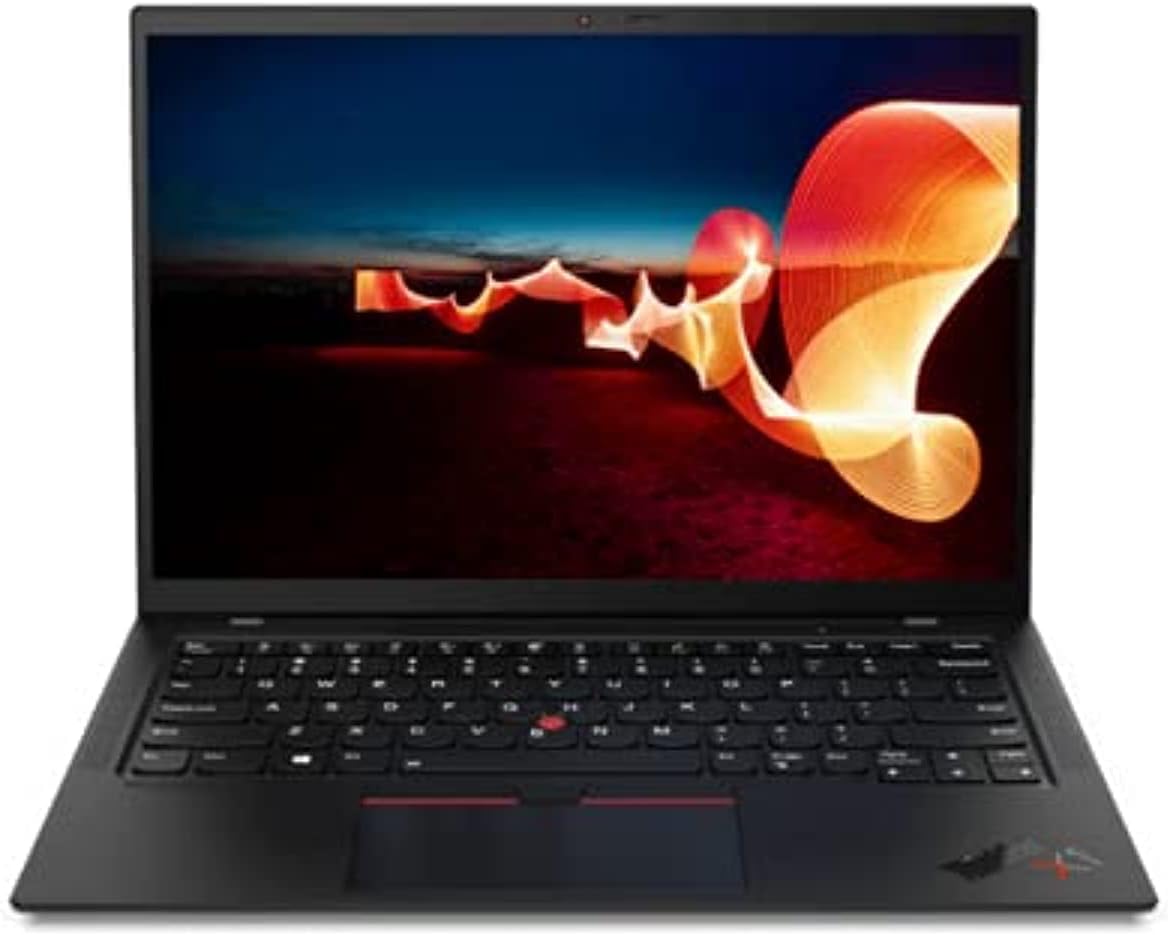
Image: The Lenovo ThinkPad X1 Carbon Gen 9 laptop in a closed position, showcasinseu design elegante.
Configurar
1. Desembalagem e inspeção inicial
Carefully remove the laptop and all accessories from the packaging. Verify that all components are present, including the laptop and the power adapter. Inspect the device for any visible damage.
2. Conectando o adaptador de energia
Connect the power adapter to the laptop's USB-C port (Thunderbolt 4 compatible) and then plug it into a power outlet. It is recommended to fully charge the battery before initial use.

Image: Left side of the laptop, illustrating the USB-C (Thunderbolt 4) and USB 3.1 ports for power and data connections.
3. Inicialização do sistema e configuração do Windows
Press the power button to turn on the laptop. Follow the on-screen instructions to complete the Windows 11 Pro operating system setup. This includes selecting your region, connecting to a Wi-Fi network, and creating a user account.
Instruções de operação
Ligar/desligar e modo de suspensão
- Ligar: Press the power button located on the side of the laptop.
- Desligar: Clique no botão Iniciar, depois em Ligar/Desligar e selecione "Desligar".
- Modo dormir: Close the laptop lid or click the Start button, then Power, and select "Sleep."
Teclado e dispositivos de entrada
The ThinkPad X1 Carbon Gen 9 features a backlit keyboard for improved visibility in low-light conditions. Utilize the integrated touchpad or the TrackPoint pointing device for navigation.
Conectando dispositivos externos
O laptop está equipado com diversas portas para conectar dispositivos externos:
- USB-C (Thunderbolt 4): Para transferência de dados em alta velocidade, saída de vídeo e carregamento.
- USB 3.1: Para conectar dispositivos USB padrão.
- HDMI: Para conexão a monitores ou projetores externos.
- Jack de áudio: Para fones de ouvido ou alto-falantes externos.

Image: Right side of the laptop, displaying the audio jack, USB 3.1 port, and a security lock slot.
Conectividade sem fio
The laptop supports Wi-Fi 6 (Intel AX201 11ax) for fast wireless internet access and Bluetooth 5.1 for connecting wireless peripherals such as mice, keyboards, or headphones.
Leitor de impressão digital
Utilize the integrated fingerprint reader for secure and convenient login to your Windows operating system.
Manutenção
Limpando o laptop
- Use um pano macio e sem fiapos levementeampFinalize com água ou um produto de limpeza para telas para limpar o visor.
- Para o teclado e o chassi, use um pano macio. Evite produtos químicos agressivos ou materiais abrasivos.
- Certifique-se de que o laptop esteja desligado e desconectado da tomada antes de limpá-lo.
Cuidados com a bateria
- Evite expor a bateria a temperaturas extremas.
- For optimal battery longevity, avoid consistently discharging the battery to 0% or keeping it at 100% for extended periods.
Atualizações de software
Verifique e instale regularmente as atualizações do sistema operacional (Windows Update) e as atualizações de drivers (Lenovo Van).tage software ou suporte da Lenovo website) para garantir desempenho e segurança ideais.
Solução de problemas
If you encounter issues with your Lenovo ThinkPad X1 Carbon Gen 9, consider the following common troubleshooting steps:
- Sem energia: Verifique se o adaptador de energia está conectado firmemente e se a tomada está funcionando. Tente usar outra tomada.
- Problemas de exibição: If the screen is blank, try connecting an external monitor to verify if the issue is with the laptop's display or graphics output. Ensure display drivers are updated.
- Problemas de conectividade (Wi-Fi/Bluetooth): Check if Wi-Fi and Bluetooth are enabled in Windows settings. Restart your router for Wi-Fi issues. Ensure drivers are up to date.
- Desempenho lento: Feche aplicativos desnecessários, verifique se há malware e certifique-se de ter espaço de armazenamento livre suficiente.
- Sistema não responde: Press and hold the power button for 10-15 seconds to force a shutdown, then restart the laptop.
For more complex issues or hardware failures, refer to the official Lenovo support website ou entre em contato com o atendimento ao cliente.
Especificações
Below are the key technical specifications for the Lenovo ThinkPad X1 Carbon Gen 9 laptop:
| Recurso | Detalhe |
|---|---|
| Processador | Intel Core i7-1165G7 (4C / 8T, 2.8 / 4.7GHz, 12MB) |
| Gráficos | Gráficos Intel Iris Xe integrados |
| Mostrar | 14" FHD IPS 400nits Anti-glare (1920 x 1080 pixels) |
| Memória (RAM) | 16GB LPDDR4 (soldered) |
| Armazenar | 512GB SSD M.2 2280 PCIe x4 NVMe Opal2 |
| Sistema operacional | Windows 11 Pro |
| Conectividade sem fio | Wi-Fi 6 (Intel AX201 11ax), Bluetooth 5.1 |
| Portos | USB-C (Thunderbolt 4), HDMI, USB 3.1, Audio Jack |
| Webcâmera | Integrado Webcâmera com microfone |
| Recursos de segurança | Leitor de impressão digital |
| Dimensões (LxPxA) | 315 x 221.6 x 14.9 mm (12.4 x 8.72 x 0.59 polegadas) |
| Peso | Aproximadamente 2.48 libras |
Garantia e Suporte
Garantia Amazon Renewed
This product is covered by the Amazon Renewed Guarantee. If you are not satisfied with your purchase, renewed products are eligible for replacement or refund within 90 days of receipt under this guarantee. For details, please refer to the Amazon Renewed program terms.
Suporte do fabricante
For technical assistance, driver downloads, or further product information, please visit the official Lenovo support website. You may need your product's serial number for specific support inquiries.
Optional protection plans may be available for extended coverage beyond the Amazon Renewed Guarantee. Please check your purchase details for information on any additional plans.