1. Introdução
This manual provides essential information for the setup, operation, and maintenance of your Anderic OEM ONN Roku TV Remote Control. Designed as a direct replacement, this remote offers seamless control for compatible ONN Roku TV models without requiring complex programming.

Imagem 1.1: Vista frontal e lateral view of the Anderic OEM ONN Roku TV Remote Control, highlighting its ergonomic design and button layout.
The Anderic RCAFIR remote is engineered to provide convenient access to all essential functions of your ONN Roku TV, including dedicated buttons for popular streaming services like Netflix, Disney, Hulu, and Vudu.

Image 1.2: The Anderic remote control pointing towards an ONN Roku TV, illustrating its capability to control the TV with a single device.
2. Configuração
2.1 Instalação da bateria
The remote control requires two (2) AAA batteries for operation. Batteries are not included.
- Localize a tampa do compartimento da bateria na parte traseira do controle remoto.
- Deslize a tampa para baixo ou pressione a trava (se houver) e levante para abrir.
- Insira duas pilhas AAA, certificando-se de que os terminais positivo (+) e negativo (-) estejam alinhados corretamente com as marcações dentro do compartimento.
- Recoloque a tampa do compartimento da bateria deslizando-a de volta para o lugar até ouvir um clique.

Image 2.1: Diagram illustrating the remote control's dimensions and the required AAA batteries for operation.
2.2 Initial Use (No Programming Required)
This Anderic remote control is pre-programmed for ONN Roku TVs. No manual programming or setup is required. Once batteries are installed, the remote is ready for immediate use with compatible ONN Roku TV models.

Image 2.2: A couple comfortably using the remote control, emphasizing the 'No Programming Needed' feature for immediate enjoyment.
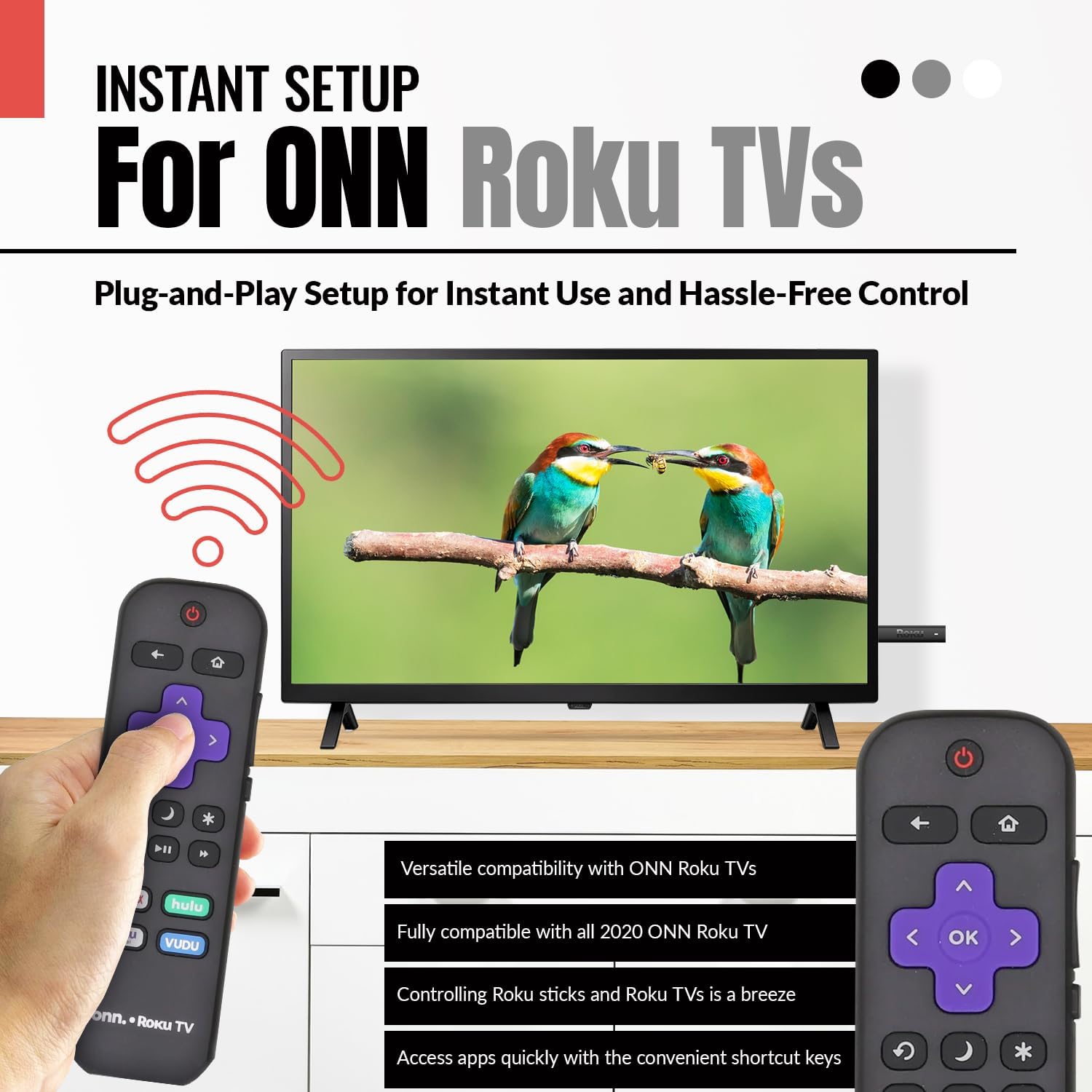
Image 2.3: A hand holding the remote control with a TV displaying content, illustrating the instant plug-and-play setup for ONN Roku TVs.
3. Instruções de operação
3.1 Layout e funções dos botões
The Anderic ONN Roku TV remote control features a user-friendly layout with dedicated buttons for various functions. Ensure a clear line of sight between the remote and your TV's infrared sensor for optimal performance.

Imagem 3.1: Um close-up view of the remote control, emphasizing dedicated TV power, volume buttons, and pre-programmed streaming shortcut buttons for accessibility.
- Botão de energia (Red Circle with Line): Liga ou desliga a TV.
- Botão "voltar (Seta para a esquerda): Volta para a tela ou menu anterior.
- Botão Home (Ícone da casa): Navigates to the Roku Home screen.
- Directional Pad (Purple Arrows): Used to navigate through menus and content.
- OK Button (Purple 'OK'): Seleciona um item ou confirma uma ação.
- Botões de aumentar / diminuir o volume: Adjusts the TV's volume.
- Botão Mudo: Silencia ou ativa o som da TV.
- Instant Replay Button (Curved Arrow): Jumps back a few seconds during video playback.
- Sleep Button (Ícone da Lua): Define um temporizador para a TV.
- Star Button (Asterisco): Accesses options or settings within certain apps.
- Botão Reproduzir/Pausar (Triangle/Two Bars): Plays or pauses media content.
- Botões de Avanço/Retrocesso Rápido: Skips forward or backward in media content.
- Streaming Service Shortcut Buttons (Netflix, Hulu, Vudu, Roku Channel): Fornece acesso direto a esses aplicativos de streaming.

Image 3.2: A user operating the remote control, highlighting its comprehensive functionality beyond just streaming.
4. Compatibilidade
The Anderic RCAFIR remote control is designed for broad compatibility with ONN Roku TV models. It functions as a direct replacement for several original ONN Roku remotes.
4.1 Compatible ONN Roku TV Models
This remote is fully compatible with all 2020 ONN Roku TV models and is supplied with the following specific ONN Roku TV models:
- 100005397
- 100012584
- 100012585
- 100012586
- 100012587
- 100012589
- 100012590
- 100018971
- 100021258
- 100021261
- 100024699
4.2 Replacement for Original Remotes
The RCAFIR remote serves as a direct replacement for the original ONN RCALIR Roku remote with Netflix, Disney, Hulu, and Vudu buttons, as well as other compatible models including:
- 276168
- 3226000855
- 3226000887

Image 4.1: A graphic illustrating the replacement compatibility for the ONN Roku TV RCALIR remote, highlighting preset compatibility and easy setup.

Image 4.2: A woman holding the remote control, signifying its role as a reliable replacement for entertainment mastery.
5. Solução De Problemas
5.1 Controle remoto não responde
- Verifique as baterias: Ensure batteries are inserted correctly with the correct polarity (+/-). Replace old or depleted batteries with fresh AAA batteries.
- Linha de visão: Verify there are no obstructions between the remote control and the TV's infrared sensor. The remote operates using infrared technology, requiring a direct line of sight.
- Potência da TV: Confirm that your ONN Roku TV is powered on and not in standby mode.
- Reinicialização Remota: Remove the batteries from the remote, press each button a few times to discharge any residual power, then reinsert the batteries.
5.2 Specific Button Issues
- If a specific button is not working, gently clean around the button with a soft, dry cloth to remove any dust or debris that might be interfering with its function.
- Ensure the remote is pointed directly at the TV's IR sensor when pressing the button.
6. Especificações do produto
| Recurso | Detalhe |
|---|---|
| Número do modelo | ONN-RCAFIR |
| Dimensões do produto | 5.75 x 1.75 x 1 polegadas |
| Peso do item | 1.76 onças |
| Pilhas necessárias | 2 pilhas AAA (não incluídas) |
| Tecnologia de Conectividade | Infravermelho (IV) |
| Dispositivos compatíveis | Television (ONN Roku TV models) |
| Recurso especial | Ergonomic design, Pre-programmed |
7. Informações importantes
7.1 Aviso Legal
Anderic is a registered trademark of Dan's Electronics Etc., Inc. All Rights Reserved. We are not affiliated with Roku. Roku is a registered trademark of Roku Inc.
7.2 Informações do fabricante
Anderic, a brand of Dan's Electronics Etc., Inc., has been manufacturing replacement remote controls since 1999. The company is based in NC, USA, and focuses on providing high-quality replacement remote controls and accessories to extend the life of your equipment.


