Introdução
Thank you for choosing the JBL Cinema SB190 Soundbar. This manual provides essential information for setting up, operating, and maintaining your soundbar system. Please read it thoroughly to ensure proper use and optimal performance.
Informações importantes de segurança
Siga sempre estas precauções básicas de segurança ao usar seu sistema de barra de som:
- Leia estas instruções cuidadosamente.
- Guarde estas instruções para referência futura.
- Preste atenção a todos os avisos.
- Siga todas as instruções.
- Não utilize este aparelho perto de água.
- Limpe apenas com um pano seco.
- Não obstrua as aberturas de ventilação. Instale de acordo com as instruções do fabricante.
- Não instale perto de fontes de calor, como radiadores, registros de calor, fogões ou outros aparelhos (incluindo amplificadores) que produzem calor.
- Proteja o cabo de alimentação para que não seja pisado ou comprimido, principalmente nos plugues, nas tomadas de conveniência e no ponto de saída do aparelho.
- Utilize somente acessórios/anexos especificados pelo fabricante.
- Desligue este aparelho durante tempestades com raios ou quando não for utilizado por longos períodos de tempo.
- Entregue todos os serviços de manutenção a pessoal de serviço qualificado. O serviço é necessário quando o aparelho foi danificado de alguma forma, como cabo de alimentação ou plugue danificado, líquido foi derramado ou objetos caíram no aparelho, o aparelho foi exposto à chuva ou umidade, não opera normalmente ou foi derrubado.
O que está na caixa
Your JBL Cinema SB190 package includes the following components:
- Barra de som
- Subwoofer sem fio
- Controle remoto com pilhas
- Power cords (region specific)
- Cabo HDMI
- Kit de suporte de parede com parafusos
- Guia de início rápido
- Cartão de garantia
- Ficha de segurança

Image: Included accessories for the JBL Cinema SB190, featuring the remote control, HDMI cable, power cords, and wall-mount hardware.
Produto acimaview
Soundbar Front and Top Panel

Imagem: Frente view of the JBL Cinema SB190 Soundbar, showcasinseu design elegante.
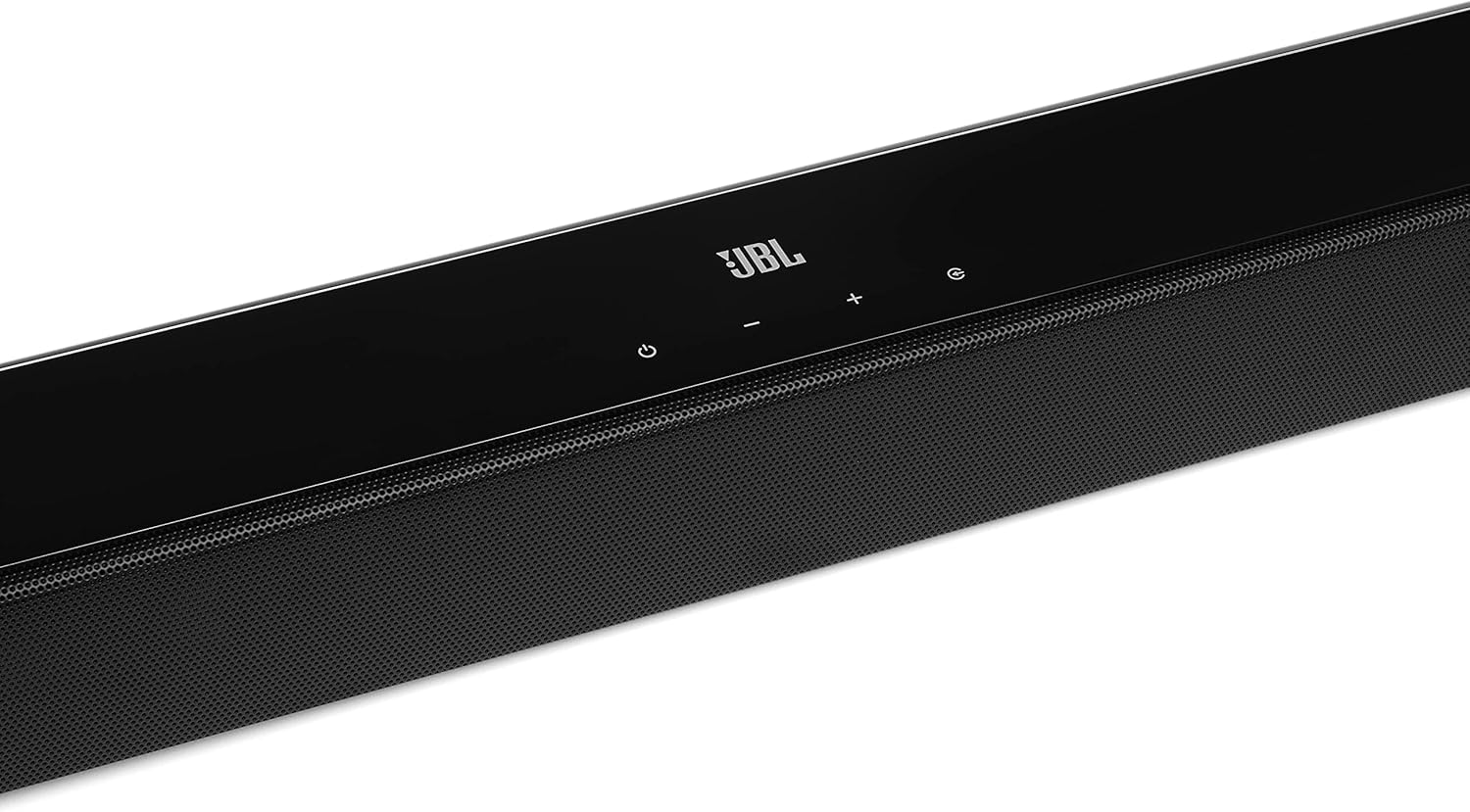
Image: Close-up of the top panel controls on the JBL Cinema SB190 Soundbar, including power, volume, and source selection buttons.
The soundbar features a minimalist design with essential controls located on the top panel for easy access. These include power, volume up/down, and input selection.
Soundbar Rear Panel Connections

Image: Rear panel of the JBL Cinema SB190 Soundbar, showing the power input, HDMI eARC, HDMI In, and Optical In ports.
The rear panel provides various connection options for your audio sources and TV, including HDMI eARC, HDMI In, and Optical In. A power input is also located here.
Subwoofer sem fio

Imagem: Frente view of the JBL Cinema SB190 Wireless Subwoofer, featuring the JBL logo at the bottom.

Imagem: Traseira view of the JBL Cinema SB190 Wireless Subwoofer, showing the power input and pairing button.
The wireless subwoofer provides deep bass and connects automatically to the soundbar. Its rear panel includes the power input and a pairing button if manual pairing is required.
Controle remoto
The included remote control allows full command over your soundbar system, including power, volume, input selection, sound modes (Music, Movie, News), Voice enhancement, and Bass level adjustment.
Configurar
1. Localização
Barra de som: Place the soundbar on a flat surface directly in front of your TV, centered. Ensure no objects obstruct the front of the soundbar. Alternatively, you can wall-mount the soundbar using the provided bracket kit.
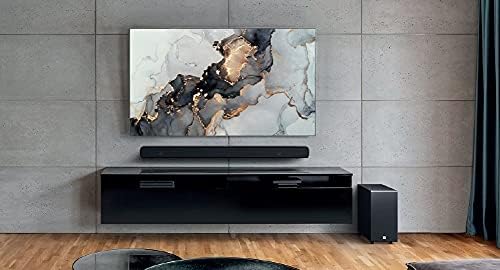
Image: The JBL Cinema SB190 Soundbar positioned below a television, with the wireless subwoofer to the side.
Subwoofer: The wireless subwoofer can be placed anywhere in the room, ideally within 50 feet (15 meters) of the soundbar, for optimal bass distribution. Avoid placing it in a corner directly, as this can sometimes lead to boomy bass.
2. Conexões
Choose one of the following connection methods to connect your soundbar to your TV:
- HDMI eARC (Recomendado): For the highest quality audio, connect an HDMI cable (included) from the HDMI eARC port on your soundbar to the HDMI eARC port on your TV. This connection supports Virtual Dolby Atmos and allows for TV remote control of the soundbar volume.

Image: HDMI icon, representing the HDMI eARC connection.
- Entrada óptica: If your TV does not have an HDMI eARC port, connect an optical cable (not included) from the OPTICAL IN port on your soundbar to the optical output on your TV.

Image: TV icon, indicating connection to a television.
- Entrada HDMI: You can also connect an external device (e.g., Blu-ray player, game console) directly to the HDMI IN port on the soundbar. The video signal will pass through to your TV via the HDMI eARC/ARC connection.
3. Conexão de energia
- Connect the power cords to the soundbar and subwoofer.
- Plug the power cords into an AC outlet.
- The soundbar and subwoofer will automatically power on and attempt to pair. The subwoofer's LED indicator will turn solid white once successfully paired.
Operando sua barra de som
Ligar/Desligar
Pressione o Poder Botão na barra de som ou no controle remoto para ligar ou desligar o sistema.
Controle de volume
Use o Es eseseses eseses eseseses or volume - Botões na barra de som ou no controle remoto para ajustar o nível de volume.
Seleção de entrada
Pressione o Fonte button on the soundbar or the dedicated input buttons (HDMI IN, HDMI ARC, OPT, BT) on the remote control to switch between audio sources.
Modos de som
The remote control features dedicated buttons for optimizing audio for different content types:
- MÚSICA: Melhora o áudio para reprodução de música.
- FILME: Optimizes sound for cinematic experiences, including Virtual Dolby Atmos effects.
- NOTÍCIAS: Enhances vocal clarity for news and dialogue-heavy content.
Voice and Bass Adjustment
The remote control allows for fine-tuning of voice clarity and bass levels:
- VOZ: Press the VOICE button repeatedly to cycle through different levels of voice enhancement. This helps make dialogue clearer.
- GRAVES: Press the BASS button repeatedly to adjust the subwoofer's bass output level.
Emparelhamento Bluetooth
To stream audio wirelessly from your mobile device:
- Pressione o BT button on the remote control or soundbar. The soundbar's indicator will flash, indicating pairing mode.
- No seu dispositivo móvel, ative o Bluetooth e selecione "JBL Cinema SB190" na lista de dispositivos disponíveis.
- Once connected, the indicator on the soundbar will turn solid. You can now stream audio from your device.

Image: Bluetooth icon, representing wireless audio streaming.
Manutenção
To ensure the longevity and optimal performance of your JBL Cinema SB190 Soundbar:
- Limpeza: Use um pano macio e seco para limpar as superfícies da barra de som e do subwoofer. Não use produtos de limpeza líquidos ou materiais abrasivos, pois podem danificar o acabamento.
- Ventilação: Ensure that the ventilation openings on the soundbar and subwoofer are not blocked to prevent overheating.
- Armazenar: Se for armazenar o aparelho por um período prolongado, desconecte-o da tomada e guarde-o em local fresco e seco.
Solução de problemas
Se você encontrar problemas com sua barra de som, consulte os problemas e soluções comuns a seguir:
No Sound from Soundbar
- Ensure the soundbar is powered on and the volume is not muted or set too low.
- Verify that the correct input source is selected on the soundbar (e.g., HDMI ARC, Optical, Bluetooth).
- Check all cable connections (HDMI, Optical) between the soundbar and your TV/source device. Ensure they are securely plugged in.
- If using HDMI ARC/eARC, ensure your TV's HDMI ARC/eARC feature is enabled in its settings.
- Try restarting both the soundbar and your TV.
Nenhum som vindo do subwoofer
- Ensure the subwoofer is plugged into a power outlet and powered on.
- Check the LED indicator on the subwoofer. If it's not solid white, it may not be paired with the soundbar.
- Para emparelhar o subwoofer manualmente:
- Press and hold the pairing button on the back of the subwoofer until the LED flashes rapidly.
- On the soundbar, press and hold the Poder button for 5 seconds. The soundbar will enter pairing mode.
- Once paired, the LED on the subwoofer will turn solid white.
Audio/Video Sync Issues
- If using HDMI eARC, this feature is designed to minimize sync issues. Ensure your TV's firmware is up to date.
- Some TVs have an audio delay setting (lip-sync) that can be adjusted. Consult your TV's manual.
- If connecting via Optical, audio lag can sometimes occur. Try connecting via HDMI eARC if available.
Problemas de conexão Bluetooth
- Ensure Bluetooth is enabled on your mobile device and the soundbar is in pairing mode.
- Aproxime seu dispositivo da barra de som.
- Limpe a lista de dispositivos Bluetooth emparelhados no seu aparelho e tente emparelhar novamente.
- Certifique-se de que nenhum outro dispositivo Bluetooth esteja interferindo.
Especificações
| Recurso | Detalhe |
|---|---|
| Nome do modelo | Cinema SB190 |
| Tipo de alto-falante | Barra de som |
| Configuração do canal de som surround | 2.1 |
| Total Speaker Power Output | 380 Watts |
| Diâmetro do subwoofer | 6.5 polegadas |
| Características especiais | Bluetooth 5.1 streaming, Dedicated sound mode to enhance voice clarity, HDMI In and Optical In connection, HDMI eARC capable, Virtual Dolby Atmos technology |
| Tecnologia de Conectividade | Bluetooth, Wired (HDMI, Optical) |
| Método de controle | Remoto |
| Dimensões do produto (barra de som) | 89.9 cm de largura x 6.2 cm de profundidade x 6.6 cm de altura |
| Peso do item | 7.5 quilogramas (Sistema total) |
| Material | Plástico |
| Cor | Preto |
| Componentes incluídos | Soundbar, Wireless subwoofer, Remote control with batteries, Power cords, HDMI cable, Wall-mount bracket kit with screws, Quick start guide, Warranty card, Safety sheet |
Garantia e Suporte
For detailed warranty information, please refer to the warranty card included in your product package. For technical support, product registration, or further assistance, please visit the official JBL support website ou entre em contato com o atendimento ao cliente.
Você pode encontrar mais informações e recursos de suporte em Loja JBL na Amazon.


