Introdução
The Amazon Fire HD 8 tablet is designed for portable entertainment and productivity. Featuring an 8-inch HD display and a faster hexa-core processor, it offers an enhanced experience for reading, browsing, watching videos, and listening to music. This manual provides essential information for setting up, operating, maintaining, and troubleshooting your device.

Image: The Amazon Fire HD 8 tablet, highlighting its compact and portable design.
Configurar
O que está na caixa
- Tablet Fire HD 8
- Cabo USB-C (2.0)
- Adaptador de energia de 5 W
- Guia de início rápido
Carga Inicial
Before first use, fully charge your Fire HD 8 tablet. Connect the USB-C cable to the tablet's USB-C port and the 5W power adapter to a wall outlet. A full charge takes approximately 5 hours with the included adapter. For faster charging, a 9W adapter (under 3 hours) or a 15W adapter with a USB-C to C cable (under 2.5 hours) can be purchased separately.
Ligação e configuração inicial
Press and hold the power button until the Amazon logo appears. Follow the on-screen prompts to select your language, connect to a Wi-Fi network, and register your device with your Amazon account. This process will guide you through setting up your device preferences.
Operating Your Fire HD 8 Tablet
Navegação e Interface
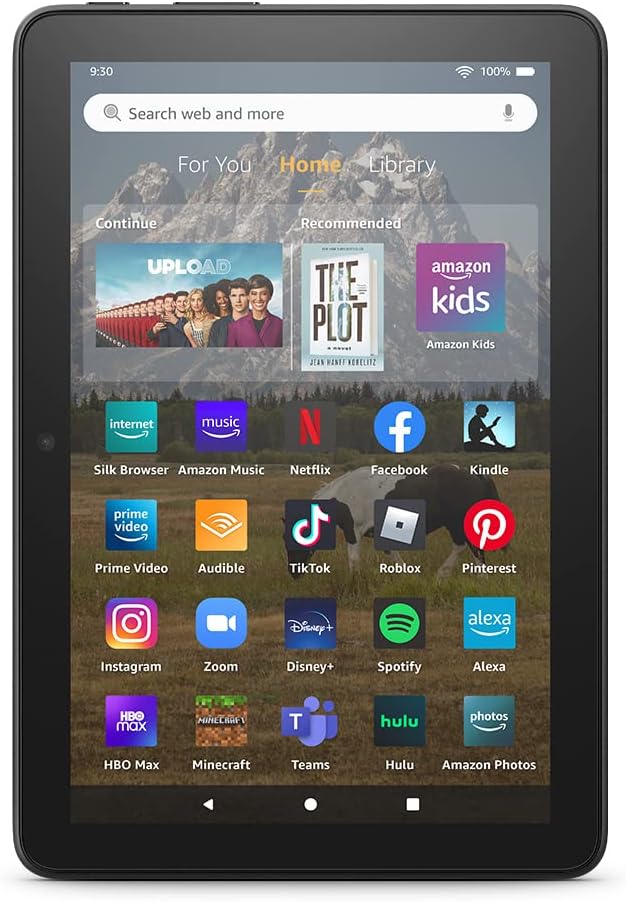
Image: The Fire HD 8 home screen, showing the intuitive Fire OS interface with quick access to apps and content.
The Fire HD 8 runs on Fire OS, providing a user-friendly interface. Swipe down from the top of the screen to access quick settings and notifications. The home screen features a "For You" section with personalized content, a "Home" tab for your apps, and a "Library" tab for quick access to recently viewed content like Kindle books or websites.
Entretenimento e Aplicativos
Stream or download your favorite shows and movies from services like Prime Video, Netflix, Disney+, and HBO. Access a wide range of apps through Amazon's Appstore, including Facebook, Hulu, Instagram, and TikTok. Note that Google Play is not supported, and some apps may require a subscription.
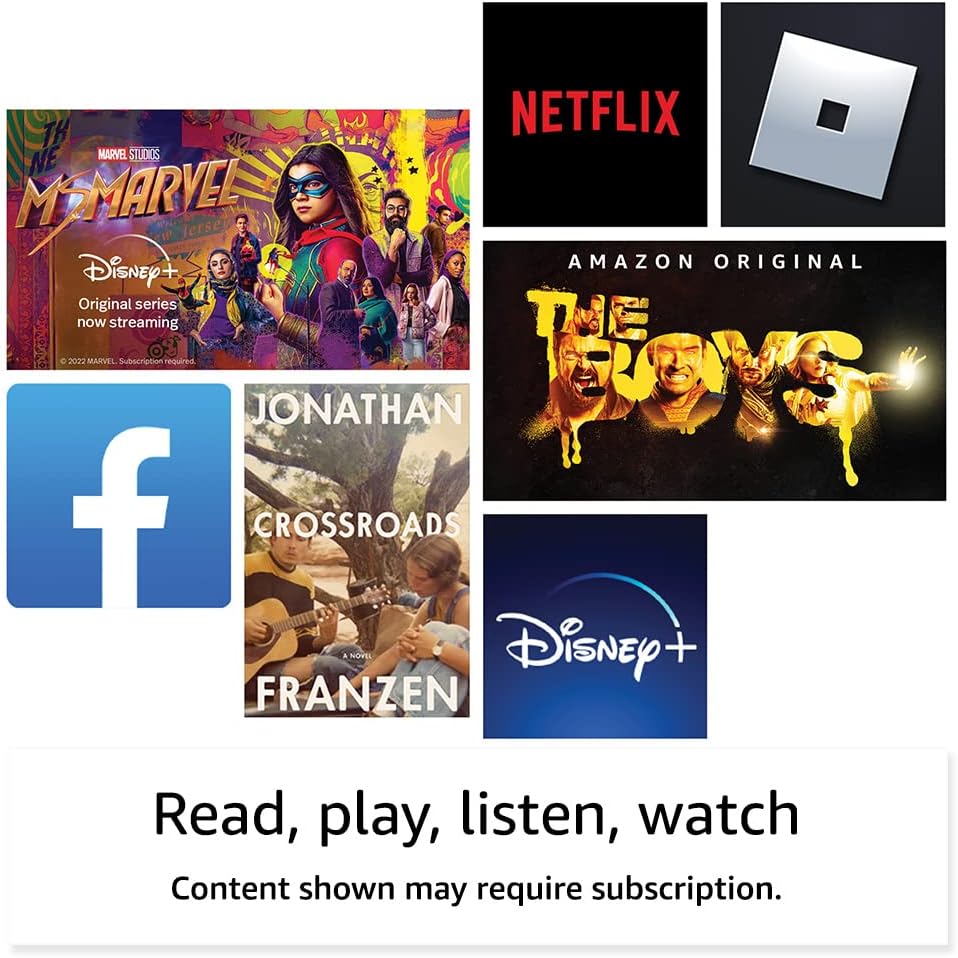
Imagem: Examples of popular streaming services and content accessible on the Fire HD 8 tablet.
Reading and Audio
Enjoy reading e-books with the vibrant 8-inch HD display. The tablet also features integrated speakers and a 3.5 mm stereo jack for audio. You can listen to music, podcasts, and Audible books.

Image: The Fire HD 8 tablet is ideal for reading e-books anywhere.

Image: Using Alexa to control audio playback on the Fire HD 8 tablet.
Integração Alexa
Your Fire HD 8 tablet comes with Alexa built-in. Ask Alexa to play music, get news and weather updates, manage shopping lists, set reminders, and control smart home devices. You can also make video calls to friends and family using apps like Zoom.
Parental Controls with Amazon Kids
Amazon Kids offers easy-to-use parental controls, allowing you to manage content access and screen time. Subscribe to Amazon Kids+ for access to thousands of curated books, apps, games, videos, and Audible books suitable for children.

Image: The Fire HD 8 tablet is suitable for family use, especially with Amazon Kids features.
Manutenção
Limpando seu tablet
To clean your Fire HD 8 tablet, use a soft, lint-free cloth. For stubborn smudges, slightly dampUmedeça o pano com água. Evite usar produtos de limpeza abrasivos, solventes ou sprays aerossóis diretamente no dispositivo.
Cuidados com a bateria
The tablet offers up to 13 hours of battery life for mixed use. To prolong battery lifespan, avoid extreme temperatures and fully discharging the battery frequently. Charge the device using the provided adapter or a compatible USB-C charger.
Gerenciamento de Armazenamento
Your Fire HD 8 comes with either 32 GB or 64 GB of internal storage. You can expand storage up to 1 TB using a microSD card. Regularly review e exclua o que não for necessário. files or apps to optimize performance. Some apps may require installation on internal storage.
Solução de problemas
Problemas e soluções comuns
| Emitir | Solução |
|---|---|
| Dispositivo não liga | Ensure the tablet is fully charged. Press and hold the power button for 20-30 seconds to perform a hard reset. |
| Problemas de conexão Wi-Fi | Verifique se o Wi-Fi está ativado nas configurações. Reinicie o roteador e o tablet. Esqueça a rede e conecte-se novamente. |
| Aplicativos travando ou congelando | Close and reopen the app. Clear the app's cache in settings. Restart the tablet. Ensure sufficient storage space. |
| Desempenho lento | Close unused apps. Clear cache and data for frequently used apps. Free up internal storage. Restart the device regularly. |
For more detailed troubleshooting or persistent issues, visit the Amazon Device Support webou entre em contato com o serviço de atendimento ao cliente da Amazon.
Especificações

Image: Size comparison of various Amazon Fire tablet models, including the Fire HD 8.
| Recurso | Detalhe |
|---|---|
| Mostrar | 8” high-definition touchscreen; 1280 x 800 resolution at 189 ppi, HD video playback, with IPS technology |
| Tamanho | 7.94” x 5.40” x 0.37” (201.90mm x 137.34 mm x 9.60 mm) |
| Peso | 11.88 onças (337 gramas) |
| CPU e RAM | Hexa-core 2.0 GHz with 2 GB of RAM |
| Armazenar | 32 GB or 64 GB internal storage; microSD slot for up to 1 TB additional storage |
| Duração da bateria | Up to 13 hours of mixed use |
| Tempo de carga | Under 5 hours (5W adapter); Under 3 hours (9W adapter); Under 2.5 hours (15W adapter) |
| Conectividade Wi-Fi | Dual-band 802.11a/b/g/n/ac (Wi-Fi 6 not supported) |
| Portos | USB-C (2.0) connector, microSD slot |
| Áudio | 3.5 mm stereo jack, integrated speakers |
| Câmeras | 2 MP front-facing, 2 MP rear-facing with 720p HD video recording |
| Bluetooth | Bluetooth 5.2 integrado |
| Geração | 12ª geração - lançamento em 2022 |
Recursos de acessibilidade
The Fire HD 8 tablet includes various accessibility features to personalize the device for different needs. These can be found under Configurações → Acessibilidade.
- VozView leitor de tela: Permite o acesso a usuários cegos ou com deficiência visual.
- Ampliador de tela: Permite aos usuários ampliar/reduzir o zoom e navegar pela tela.
- Toque para Alexa: Provides access to Alexa via touch through on-screen tiles or a keyboard, including saving favorite actions.
- Acesso do interruptor: Enables access for users with motor impairments via compatible Bluetooth devices.
- Leitura em voz alta no Kindle: Alexa pode ler seus livros do Kindle em voz alta.
- Additional features include settings for Closed Captioning, Font Size, Display Size, High Contrast Text, Color Inversion, Color Correction, and Convert Stereo to Mono audio.
Garantia e Suporte
Informações de garantia
Your Fire HD 8 tablet comes with a 90-day limited warranty and service. Optional 1-year, 2-year, and 3-year extended warranties are available for U.S. customers and are sold separately. Use of the Fire HD 8 tablet is subject to Amazon's Conditions of Use and related terms.
Atualizações de segurança de software
Este dispositivo recebe atualizações de segurança de software garantidas por pelo menos quatro anos após a última vez em que estiver disponível para compra como uma unidade nova na Amazon. websites. Para obter informações específicas sobre o seu dispositivo, visite Gerencie seu conteúdo e dispositivos.
Suporte ao cliente
For further assistance, visit the Amazon support website or contact Amazon customer service directly. You can find more information and support resources at amazon.com/devicesupport.


