1. Introdução
Obrigado pela compra.asing the BYTECH BYMCLB116BK Projector Decor Light-Rainbow. This device is designed to project vibrant rainbow light effects, enhancing room ambiance and providing unique lighting for creative photography. Please read this manual thoroughly before use to ensure proper operation and maintenance.

Image 1.1: The BYTECH BYMCLB116BK Projector Decor Light-Rainbow packaging, highlighting its key features including rainbow glow, secure stabilization, 360-degree rotation and tilt, and USB connectivity.
2. Informações de segurança
- Mantenha o dispositivo longe de água e umidade.
- Não exponha o dispositivo a temperaturas extremas ou à luz solar direta.
- Evite deixar cair ou submeter o dispositivo a impactos fortes.
- Não tente desmontar ou reparar o dispositivo por conta própria. Encaminhe todos os serviços de manutenção a pessoal qualificado.
- Use only the provided USB cable or a certified equivalent for power.
- Certifique-se de que o dispositivo esteja colocado em uma superfície estável e plana para evitar que tombe.
- Mantenha fora do alcance de crianças e animais de estimação.
3. Conteúdo da embalagem
Verifique cuidadosamente o conteúdo da embalagem. Se algum item estiver faltando ou danificado, entre em contato com o vendedor.
- 1 x BYTECH BYMCLB116BK Projector Decor Light-Rainbow
- 1 x USB Power Cable (with wired remote control)
- 1 x Manual do Usuário
4. Configuração
- Descompacte: Carefully remove the Projector Decor Light from its packaging.
- Colocação: Place the projector on a stable, flat surface. Consider the desired projection area and distance from the wall or ceiling for optimal effect. The device features 360-degree rotation and tilt for flexible positioning.
- Conecte a energia: Insert the small end of the USB power cable into the USB port on the projector. Connect the larger end of the USB cable to a standard USB power adapter (not included) or a powered USB port (e.g., on a computer or power bank).
- Secure Stabilization: Ensure the base is firmly placed to prevent accidental movement, utilizing its secure stabilization feature.
5. Instruções de operação
The BYTECH Projector Decor Light is designed for simple operation.
- Ligar/desligar: Once connected to a power source, locate the wired remote control on the USB cable. Press the power button on the remote to turn the light on or off.
- Adjust Brightness/Mode: Use the other buttons on the wired remote control to cycle through different brightness levels or projection modes, if available. Refer to the remote's markings for specific functions.
- Ajustar ângulo de projeção: Ajuste manualmente o lamp head to rotate and tilt 360 degrees to direct the rainbow light projection to your desired area.
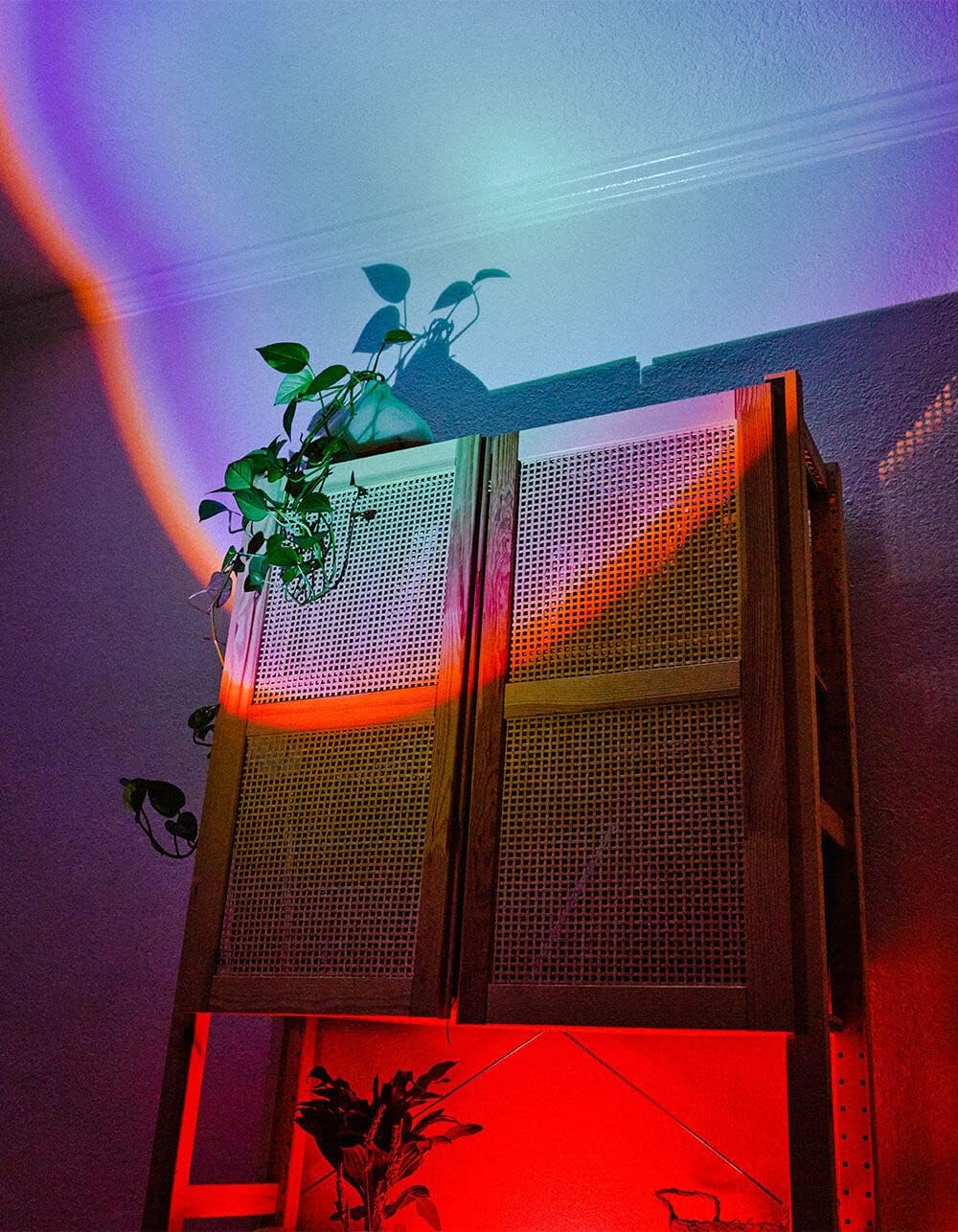
Image 5.1: The BYTECH Projector Decor Light-Rainbow in operation, casting vibrant rainbow light patterns onto a room's wall and furniture, demonstrating its ambient effect.
6. Manutenção
- Limpeza: Disconnect the power before cleaning. Use a soft, dry cloth to wipe the surface of the projector. Do not use abrasive cleaners or solvents.
- Armazenar: Quando não estiver em uso por longos períodos, guarde o dispositivo em local fresco e seco, longe da luz solar direta e da umidade.
- Manuseio: Handle the device with care to avoid damage to the lens or internal components.
7. Solução De Problemas
| Problema | Possível causa | Solução |
|---|---|---|
| O dispositivo não liga. | Sem ligação à energia ou cabo defeituoso. | Ensure the USB cable is securely connected to both the projector and a powered USB port/adapter. Try a different USB port or adapter. |
| A luz está fraca ou piscando. | Insufficient power supply or dirty lens. | Ensure the power source provides adequate power. Clean the projector lens gently with a soft, dry cloth. |
| A projeção está desfocada. | A lente está suja. | Gently clean the projector lens with a soft, dry cloth. |
8. Especificações
- Modelo: BYMCLB116BK
- Marca: Bytech
- Entrada de energia: USB Powered (5V DC, current not specified, typical for USB)
- Fonte de luz: LIDERADO
- Tipo de projeção: Rainbow Glow
- Ajustabilidade: 360° Rotation & Tilt
- Dimensões da embalagem: 5 x 5 x 5 polegadas
- Peso do item: 1 libras
- Fabricante: BYTECH
9. Garantia e Suporte
This product is covered by a limited warranty provided by BYTECH. For specific warranty terms and conditions, please refer to the warranty card included with your purchase or visit the official BYTECH website. For technical support, troubleshooting assistance, or to inquire about replacement parts, please contact BYTECH customer service through their official channels.
Guarde o comprovante de compra para reclamações de garantia.


