Introdução
The Anova Precision Smart Oven is a versatile countertop appliance designed to bring professional-grade cooking capabilities to your home kitchen. It combines convection, steam, bake, broil, roast, and dehydrate functions, offering precise temperature control for a wide range of culinary tasks. This manual provides essential information for the safe and effective operation and maintenance of your Anova Precision Smart Oven.
For optimal performance and longevity, please read this manual thoroughly before first use and retain it for future reference.
Informações de segurança
Sempre siga as precauções básicas de segurança ao usar aparelhos elétricos para reduzir o risco de incêndio, choque elétrico e ferimentos.
- Não toque em superfícies quentes. Use alças ou botões.
- Para evitar choques elétricos, não mergulhe o cabo, os plugues ou o aparelho em água ou qualquer outro líquido.
- É necessária supervisão rigorosa quando qualquer aparelho for usado por crianças ou perto delas.
- Desligue da tomada quando não estiver em uso e antes de limpar. Deixe esfriar antes de colocar ou retirar peças.
- Não opere nenhum aparelho com o cabo ou plugue danificado, ou após o aparelho apresentar mau funcionamento ou ter sido danificado de qualquer forma.
- O uso de acessórios não recomendados pelo fabricante do aparelho pode causar ferimentos.
- Não utilize ao ar livre.
- Não deixe o cabo pendurado na borda da mesa ou do balcão, nem toque em superfícies quentes.
- Não coloque sobre ou perto de um queimador a gás ou elétrico quente, nem em um forno aquecido.
- Deve-se ter extremo cuidado ao mover um aparelho que contenha óleo quente ou outros líquidos quentes.
- Não utilize o aparelho para outro fim que não o pretendido.
Componentes acabadosview
Familiarize yourself with the main components of your Anova Precision Smart Oven:
- Cavidade do forno: A câmara de cozimento principal.
- Tanque de água: Removable tank for steam generation. Located on the side.
- Painel de controle: Digital display and knobs for setting temperature, time, and cooking modes.
- Sonda Alimentar: Detachable probe for precise internal temperature monitoring.
- Removable Racks: Multiple racks for various cooking needs.
- Forma para assar: Included pan for general baking and roasting.

Figura 1: Frente view of the Anova Precision Smart Oven, showing the main oven cavity, control panel, and side-mounted water tank.

Figura 2: Interior view of the Anova Precision Smart Oven, illustrating the two removable racks and the included baking pan.

Figure 3: A user demonstrating the removal of the clear water tank from the side of the Anova Precision Smart Oven for refilling or cleaning.
Configurar
Desembalagem e colocação
- Retire cuidadosamente o forno e todos os acessórios da embalagem.
- Remova qualquer película protetora ou material de embalagem do forno.
- Place the oven on a stable, level, heat-resistant surface with adequate clearance from walls and other appliances for ventilation. Ensure at least 4 inches of space on all sides and above the oven.
- Certifique-se de que a tomada elétrica seja de fácil acesso.
Limpeza Inicial
- Antes da primeira utilização, limpe o interior e o exterior do forno com um pano.amp pano.
- Wash the removable racks, baking pan, and water tank with warm, soapy water. Rinse thoroughly and dry completely.
Preparação do tanque de água
- Remove the water tank from its housing on the side of the oven.
- Fill the water tank with distilled water. Do not use tap water as it can lead to mineral buildup.
- Securely reinsert the water tank into its housing until it clicks into place.
Conexão de energia
Plug the oven into a grounded electrical outlet. The display will illuminate, indicating the oven is ready for use.
Instruções de operação
Painel de controle encerradoview
The Anova Precision Smart Oven features an intuitive control panel with a digital display and rotary knobs for setting cooking parameters. The display shows temperature, time, and current cooking mode.
Connecting to the Anova App
For enhanced control and access to a recipe library, download the Anova Oven app on your smartphone. Follow the in-app instructions to connect your oven via Wi-Fi.
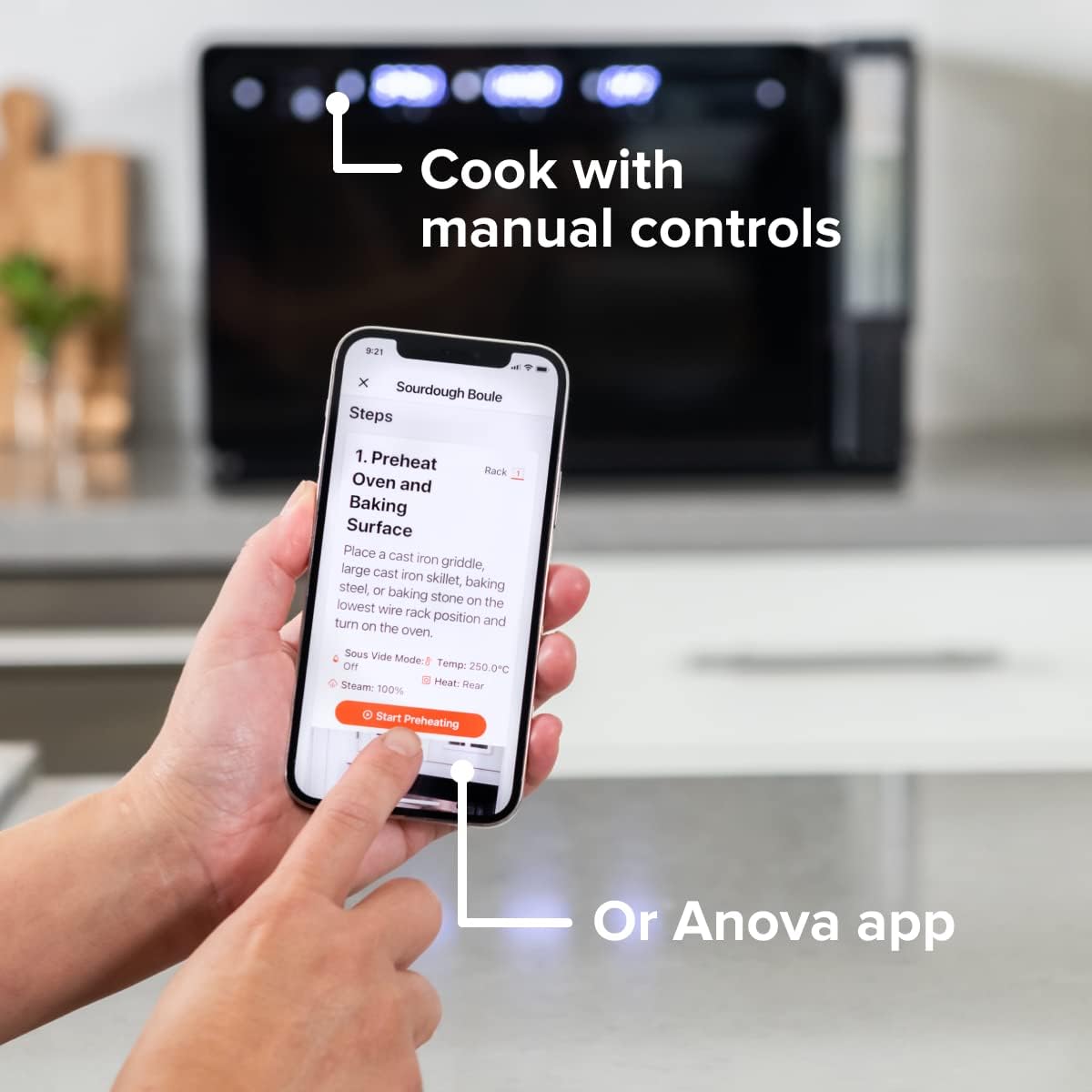
Figure 4: A user interacting with the Anova app on a smartphone, demonstrating remote control capabilities for the oven.
Modos básicos de cozimento
The oven offers several cooking modes:
- Convecção: Uses a fan to circulate hot air for even cooking and browning.
- Vapor: Injects steam into the oven cavity, ideal for baking bread, steaming vegetables, or sous vide style cooking.
- Combi (Convection + Steam): Combines hot air and steam for moist interiors and crispy exteriors.
- Assar/Assar: Standard oven functions for baking and roasting.
- Assar: High heat from the top element for searing and browning.
- Desidratar: Low heat and fan circulation for drying foods.
Setting a Program (Manual Control)
- Turn the mode knob to select your desired cooking mode.
- Adjust the temperature using the temperature knob.
- Defina o tempo de cozimento usando o botão de tempo.
- Pressione o botão Iniciar/Pausa para começar a cozinhar.
- To use the food probe, insert it into the thickest part of your food before starting. The oven will cook until the target internal temperature is reached.
Modo Sous-Vide
The Anova Precision Oven can achieve sous vide style results without a water bath. Use the steam function and the food probe to cook food to a precise internal temperature, ensuring tenderness and juiciness.
Steam Injection for Baking
For perfect breads with crispy crusts and soft interiors, utilize the steam injection feature. Ensure the water tank is filled before starting a steam-assisted baking program.

Figure 5: Two loaves of freshly baked bread, showcasing the results of steam injection for a perfect crust and crumb. The Anova Precision Smart Oven is visible in the background.
Manutenção e Limpeza
Regular cleaning and maintenance will ensure the longevity and optimal performance of your Anova Precision Smart Oven.
Limpeza diária
- After each use, allow the oven to cool completely.
- Limpe as superfícies internas e externas com anúncioamp Pano e detergente neutro. Evite produtos de limpeza abrasivos ou esponjas de aço.
- Remove and clean the racks and baking pan with warm, soapy water.
- Empty and rinse the water tank after each use, especially if using steam functions. Allow it to air dry before reinserting.
Descaling (Steam Function Users)
If you frequently use the steam function, mineral buildup may occur. The oven may indicate when descaling is needed. Refer to the Anova app or online resources for detailed descaling instructions using a descaling solution.
Armazenar
When not in use for extended periods, ensure the oven is clean and dry. Store it in a cool, dry place.
Solução de problemas
This section addresses common issues you might encounter with your Anova Precision Smart Oven.
| Problema | Possível causa | Solução |
|---|---|---|
| Oven not turning on. | Não está conectado; energia outage; disjuntor desarmado. | Certifique-se de que o forno esteja firmemente conectado a uma tomada em funcionamento. Verifique o disjuntor da residência. |
| Não houve produção de vapor. | Water tank empty or not properly seated; mineral buildup. | Fill water tank with distilled water and ensure it is correctly inserted. Perform descaling if necessary. |
| A comida não está cozinhando uniformemente. | Improper rack placement; overcrowding; fan obstruction. | Refer to recipe for recommended rack position. Avoid overcrowding the oven. Ensure nothing obstructs the convection fan. |
| Problemas de conexão Wi-Fi. | Senha de Wi-Fi incorreta; roteador muito distante; interferência na rede. | Double-check Wi-Fi password. Move oven closer to router or use a Wi-Fi extender. Restart oven and router. |
If the problem persists after attempting these solutions, please contact Anova Customer Support.
Especificações
- Marca: Anova Culinária
- Nome do modelo: Forno de Precisão
- Número do modelo do item: AN900-10
- Dimensões do produto: 18"P x 22"L x 14"A
- Peso do item: 59 libras
- Cor: Preto
- Tipo de controle: Botão
- Fonte de energia: Elétrico
- Componentes incluídos: Water tank, pan, temp probe
- Recurso especial: Programável
Garantia e Suporte
The Anova Precision Smart Oven comes with a manufacturer's warranty. Please refer to the warranty card included with your product or visit the official Anova Culinary website para obter termos e condições detalhados da garantia.
For technical support, troubleshooting assistance, or to inquire about replacement parts, please contact Anova Customer Support:
- Suporte online: Visite o Anova Culinary Store on Amazon ou seu oficial website.
- Guia do usuário (PDF): Um guia completo do usuário está disponível para download em este link.

Figure 6: The Anova Precision Smart Oven integrated with a smart home assistant (Alexa), demonstrating its connectivity features.