Crosscall CORE-M5 User Manual
Modelo: 1001011101114
Introdução
This manual provides comprehensive instructions for the setup, operation, maintenance, and troubleshooting of your Crosscall CORE-M5 rugged smartphone. Designed for durability and performance in challenging environments, the CORE-M5 is built to withstand various conditions while providing essential communication and smart device functionalities.
Please read this manual thoroughly before using your device to ensure proper operation and to maximize its lifespan.
Conteúdo da embalagem
Ao abrir a embalagem, verifique se todos os itens estão presentes:
- Crosscall CORE-M5 Device
- Cabo de carregamento USB
- Guia de início rápido
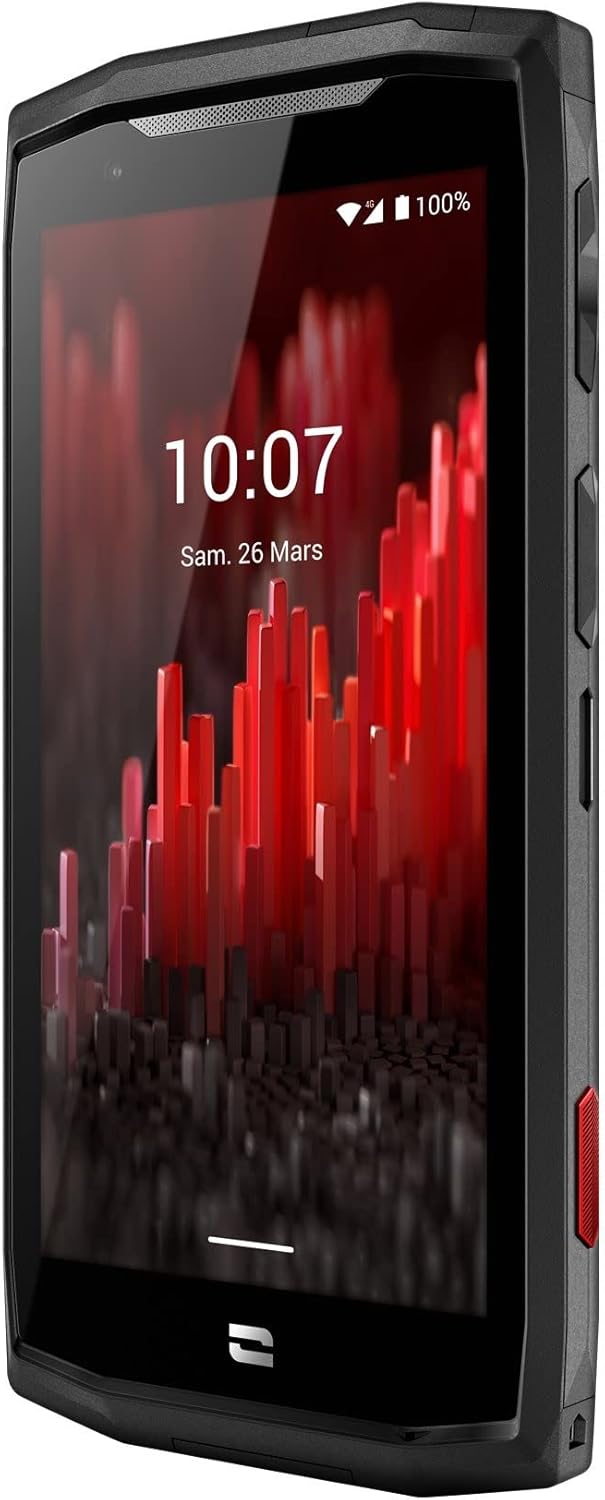
Imagem: Frontal em ângulo view of the Crosscall CORE-M5 device, highlighting its robust design and display.
Configurar
1. Inserting the SIM Card and Memory Card
The CORE-M5 supports SIM cards for cellular connectivity and an optional memory card for expanded storage. Locate the SIM/memory card tray on the side of the device.
- Desligue completamente o dispositivo.
- Use the provided SIM ejector tool (or a small paperclip) to open the SIM/memory card tray.
- Carefully place your SIM card(s) and/or memory card into the designated slots on the tray, ensuring correct orientation as indicated on the tray.
- Empurre suavemente a bandeja de volta para dentro do dispositivo até que ela se encaixe no lugar.

Image: A user demonstrating the insertion of a SIM card into the device's slot.
2. Carregamento inicial
Before first use, it is recommended to fully charge your CORE-M5.
- Connect the USB charging cable to the device's charging port.
- Conecte a outra extremidade do cabo a um adaptador de energia USB compatível ou à porta USB de um computador.
- The charging indicator on the screen will show the charging status. Allow the device to charge until the battery icon indicates a full charge.
3. Ligando e configuração inicial
- Press and hold the Power button (usually located on the side) until the Crosscall logo appears.
- Siga as instruções na tela para concluir a configuração inicial, incluindo a seleção do idioma, a conexão Wi-Fi, a configuração da conta do Google e as configurações de segurança.
Operating the CORE-M5
Navegação básica
- Tela sensível ao toque: Navigate the device using taps, swipes, and pinch gestures on the 4.95-inch touchscreen display.
- Botão de energia: Press to turn the screen on/off, or press and hold to power off/restart the device.
- Botões de volume: Ajuste o volume da mídia, o volume da chamada ou o volume do toque.
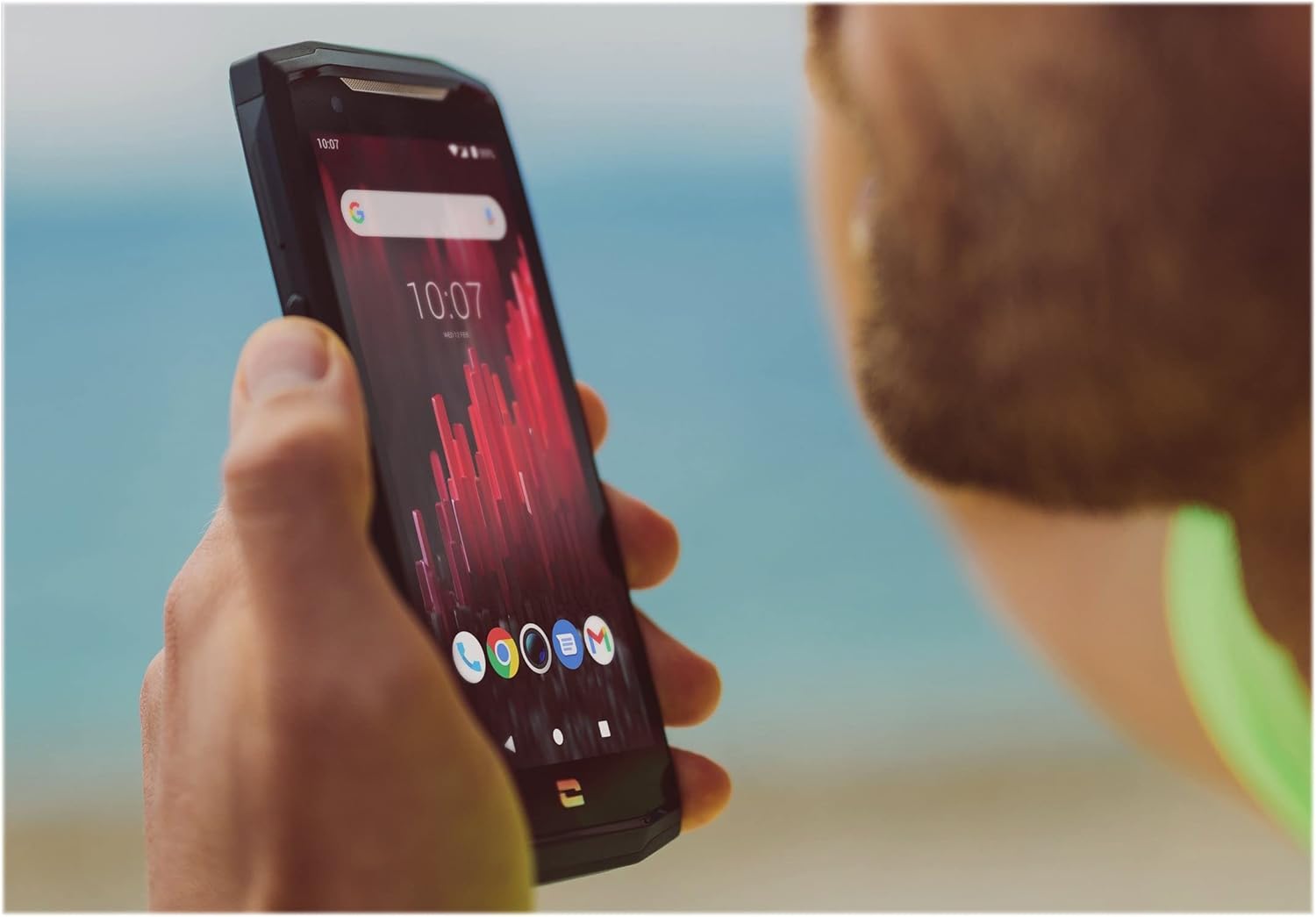
Image: The CORE-M5 in use, demonstrating its compact size and clear display for outdoor visibility.
Conectividade
- Wi-fi: Acesse as configurações de Wi-Fi no painel Configurações rápidas ou no aplicativo Configurações para se conectar a redes sem fio.
- Bluetooth: Pair with Bluetooth devices such as headphones, speakers, or other smartphones via the Bluetooth settings.
- USB: Connect the device to a computer using the USB cable for data transfer or charging.
- Dados celulares: Enable or disable mobile data from the Quick Settings or Network & Internet settings. Supports 2G and 3G cellular technologies.
Funcionalidade da câmera
The CORE-M5 features both front and rear cameras for capturing photos and videos.
- Abra o aplicativo Câmera na tela inicial ou na gaveta de aplicativos.
- Tap the shutter button to take a photo or switch to video mode to record.
- Utilize os controles na tela para alternar entre as câmeras frontal e traseira, ajustar o zoom ou aplicar filtros.
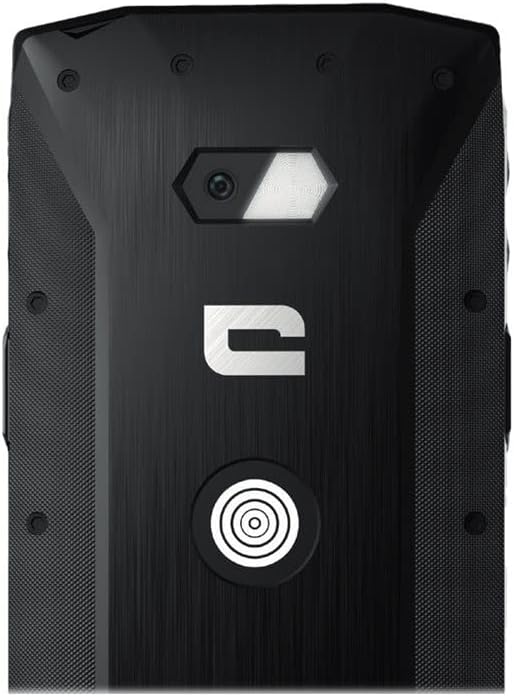
Imagem: Detalhada view of the CORE-M5's rear, highlighting the camera module and the X-Link magnetic connection system.
X-Link System
The CORE-M5 is equipped with Crosscall's X-Link magnetic connection system on the back, allowing for easy attachment of compatible accessories such as chargers, mounts, and external batteries.
- Align the X-Link accessory with the magnetic connector on the back of your CORE-M5.
- The magnets will guide the accessory into place, ensuring a secure connection.

Image: The CORE-M5 securely mounted in a vehicle, demonstrating the utility of the X-Link system for hands-free use.
Manutenção
- Limpeza: Use um pano macio e macioamp cloth to clean the device. Avoid harsh chemicals or abrasive materials. Ensure all ports are closed before cleaning if exposed to water.
- Resistência à água e poeira: The CORE-M5 is designed to be rugged. However, ensure all port covers are securely closed to maintain water and dust resistance. Avoid prolonged submersion beyond specified limits.
- Cuidados com a bateria: To prolong battery life, avoid extreme temperatures. Do not allow the battery to fully discharge frequently.
- Atualizações de software: Verifique e instale regularmente as atualizações do sistema para garantir o desempenho e a segurança ideais.
Solução de problemas
| Problema | Possível causa | Solução |
|---|---|---|
| O dispositivo não liga | Bateria fraca; falha de software | Carregue o dispositivo por pelo menos 30 minutos. Execute uma reinicialização forçada pressionando o botão Liga/Desliga por 10 a 15 segundos. |
| A tela não responde | Falha temporária de software | Reinicie o dispositivo. Se ele não responder, force a reinicialização. |
| Qualidade de chamada ruim / Sem rede | Weak signal; incorrect SIM insertion; network issue | Vá para uma área com melhor sinal. Reinsira o cartão SIM. Entre em contato com sua operadora. |
| Aplicativos travando ou congelando | Insufficient memory; app conflict; outdated software | Close background apps. Clear app cache/data. Update apps and system software. Free up storage space. |
Especificações
| Recurso | Detalhe |
|---|---|
| Nome do modelo | 1001011101114 |
| Marca | Chamada cruzada |
| Sistema operacional | Andróide |
| Modelo de CPU | Córtex |
| Tamanho da tela | 4.95 polegadas |
| Resolução | 1026 x 513 |
| BATER | 3 GB |
| Capacidade de armazenamento de memória | 32 GB |
| Capacidade da bateria | 4000 mAh |
| Tempo de conversação telefônica | 24 horas |
| Conectividade | Bluetooth, Wi-Fi, USB |
| Tecnologia Celular | 2G, 3G |
| Operadora de telefonia móvel | Desbloqueado |
| Câmeras | Traseira, Frente |
| Cor | Preto |
| Dimensões do produto | 4.25 x 0.79 x 4.25 polegadas |
| Peso do item | 8 onças (226.6 gramas) |
| Primeira disponibilidade | 21 de setembro de 2021 |
Garantia e Suporte
Crosscall products are known for their durability and come with a manufacturer's warranty. For specific warranty terms and conditions, please refer to the warranty card included with your product or visit the official Crosscall website.
For technical support, troubleshooting assistance, or service requests, please contact Crosscall Customer Service through their official channels. Have your product model number (1001011101114) and purchase information ready when contacting support.
Official Crosscall Website: www.crosscall.com


