1. Introdução
The Epson EcoTank L8160 is a high-performance, low-cost A4 photo printer designed for both photos and documents. This multifunction inkjet printer features a 6-color Epson Claria ET Premium ink system, allowing for borderless A4 color photos and stunning black and white prints. With its integrated ink tank system, it offers ultra-low-cost printing, capable of producing up to 2300 high-quality photos with replacement ink bottles.
The L8160 provides modern connectivity options including Wi-Fi, Wi-Fi Direct, Ethernet, and Apple AirPrint, ensuring seamless integration into your home or office network. It supports versatile paper handling with dedicated A4 and photo paper trays, plus two rear feeds for thicker media. Additionally, it offers convenient duplex printing for clear text on A4 documents using pigment black ink.

Imagem 1.1: Epson EcoTank L8160 printer with key features labeled, including the 10.9cm touchscreen, 6-color ink system, and wireless connectivity.
2. Informações de segurança
Leia todas as instruções de segurança antes de usar a impressora para evitar ferimentos ou danos ao equipamento. Guarde este manual para futuras consultas.
- Fonte de energia: Use only the power cable supplied with the printer. Connect to a grounded outlet.
- Colocação: Place the printer on a stable, level surface. Avoid locations with excessive dust, humidity, or direct sunlight. Ensure adequate ventilation around the printer.
- Manuseio de tinta: Handle ink bottles carefully to avoid spills. If ink comes into contact with skin, wash thoroughly with soap and water. Keep ink out of reach of children.
- Mover a impressora: Before moving the printer, ensure all ink tank caps are securely closed and the printer is powered off and unplugged.
- Não desmonte: Do not attempt to disassemble or repair the printer yourself. Refer to qualified service personnel for repairs.
3. Conteúdo da embalagem
Verifique se todos os itens estão incluídos na embalagem:
- Impressora Epson EcoTank L8160
- Full set of ink bottles (6 colors)
- Cabo de energia
- User Guide / Setup Guide
- Bandeja de CD / DVD
4. Configuração
4.1 Desembalagem e Montagem
- Retire a impressora da embalagem e remova todas as fitas e materiais de proteção.
- Place the printer on a flat, stable surface near a power outlet.
4.2 Abastecendo os tanques de tinta
The EcoTank L8160 uses an integrated ink tank system. Follow these steps to fill the tanks:
- Abra a tampa do compartimento do tanque de tinta na lateral da impressora.
- Uncap the ink bottle for the corresponding color. The bottles are designed to fit only the correct tank to prevent accidental filling errors.
- Insert the ink bottle into the tank's filling port. The ink will automatically start to fill the tank. Do not squeeze the bottle.
- Once the tank is full, the ink flow will stop automatically. Remove the bottle and recap it.
- Repita o processo para todas as cores. Feche a tampa do tanque de tinta.
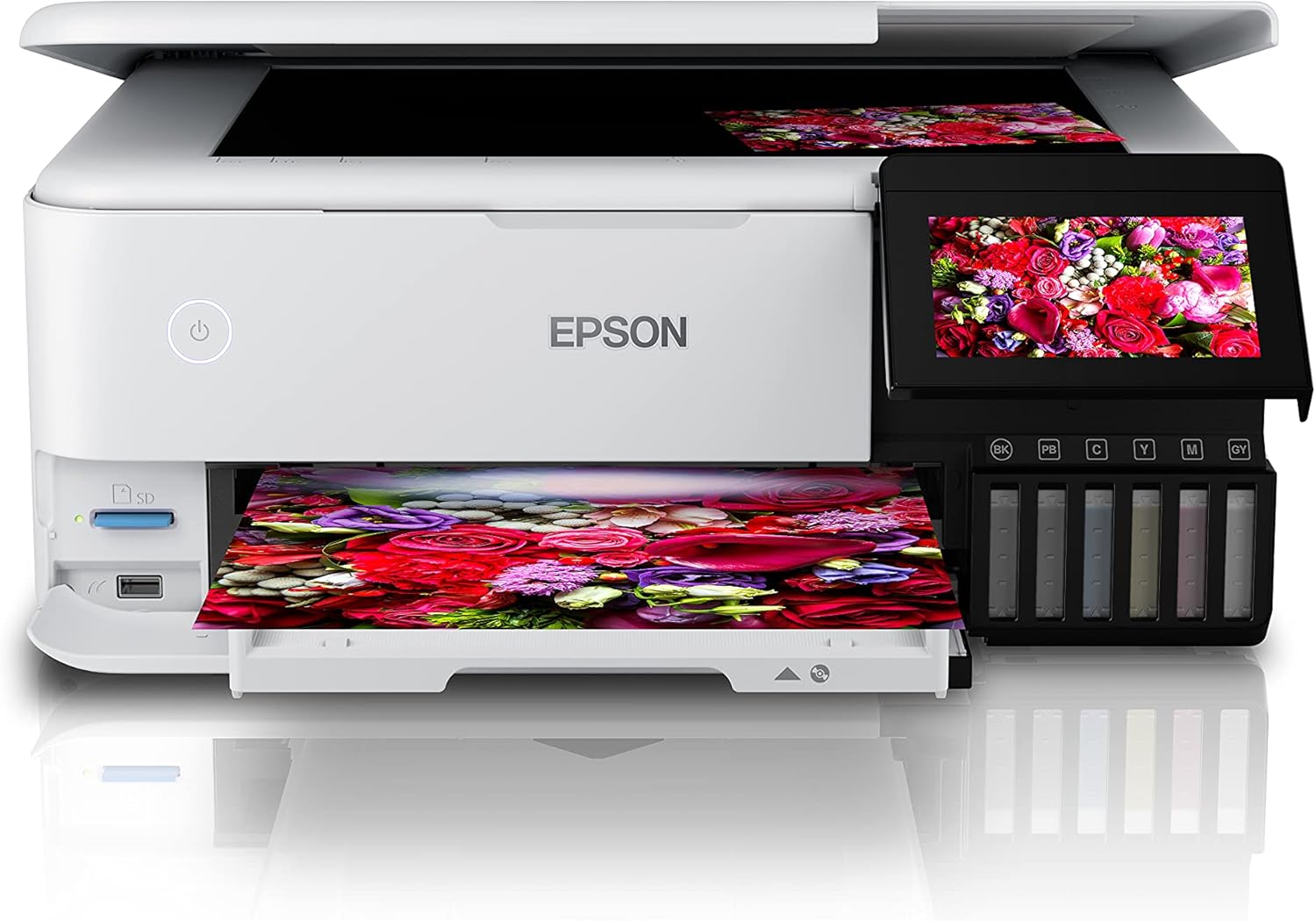
Imagem 4.1: Filling the ink tanks on the Epson EcoTank L8160.
4.3 Conexão de energia e configuração inicial
- Connect the power cable to the printer and a wall outlet.
- Pressione o botão liga/desliga para ligar a impressora.
- Follow the on-screen instructions on the 10.9 cm touchscreen display to select your language, date, and time.
- The printer will then initiate the ink charging process, which may take several minutes. Do not turn off the printer during this process.
4.4 Software Installation and Network Connection
To use all printer features, install the necessary software and drivers on your computer or connect via a smart device.
- Para computador: Visit the Epson support website for the L8160 model to download the latest drivers and software. Follow the on-screen instructions for installation.
- Conexão Wi-Fi: On the printer's touchscreen, navigate to the Wi-Fi setup menu. Select your network from the list and enter the password.
- Wi-Fi Direct: This allows direct connection from a device without a router. Refer to the printer's display for Wi-Fi Direct setup instructions and credentials.
- Conexão Ethernet: Connect an Ethernet cable from your router to the printer's Ethernet port. The printer should automatically connect to the network.
- Apple AirPrint: For Apple devices, ensure your device and printer are on the same Wi-Fi network. AirPrint functionality is typically automatic.
5. Instruções de operação
5.1 Carregando papel
The L8160 features multiple paper input options:
- Front Paper Cassette (A4): Pull out the front paper cassette. Load A4 plain paper print-side down. Adjust the side guides to fit the paper size.
- Photo Paper Tray: A dedicated tray for photo paper is available. Load photo paper print-side down.
- Rear Feed Slots: Two rear feed slots are available for thicker media or specialty papers. Open the rear paper support and load paper one sheet at a time, print-side up.

Imagem 5.1: Loading paper into the Epson EcoTank L8160.
5.2 Impressão de documentos e fotos
- Certifique-se de que a impressora esteja ligada e conectada ao seu dispositivo.
- Open the document or photo you wish to print on your computer or smart device.
- Selecione a opção de impressão no seu aplicativo.
- Choose the Epson EcoTank L8160 as your printer.
- Adjust print settings such as paper size, media type, print quality, and color options. For duplex printing, select the two-sided printing option.
- Clique Imprimir.
5.3 Printing from Smart Devices
The Epson Smart Panel app allows you to print, scan, and copy directly from your smartphone or tablet.
- Download and install the Epson Smart Panel app from your device's app store.
- Ensure your smart device and printer are connected to the same Wi-Fi network.
- Open the app and follow the on-screen instructions to connect to your L8160 printer.
- You can now select photos or documents from your device to print directly.

Imagem 5.2: Printing from a smart device using the Epson Smart Panel app.
5.4 Impressão de CD/DVD
The printer supports direct printing onto compatible inkjet-printable CDs/DVDs.
- Design your CD/DVD label using compatible software.
- Place the printable CD/DVD onto the included CD/DVD tray.
- Insert the CD/DVD tray into the designated slot on the printer.
- Follow the software prompts to print your design.
6. Manutenção
6.1 Verificação dos níveis de tinta e recarga
Regularly check the ink levels through the transparent ink tanks or on the printer's display. When a tank is low, refill it using genuine Epson replacement ink bottles as described in Section 4.2.
6.2 Limpeza da cabeça de impressão
If print quality declines (e.g., missing lines, streaking), perform a print head cleaning. This can be done from the printer's control panel or through the printer utility software on your computer.
- Na tela sensível ao toque da impressora, navegue até Manutenção or Configurar.
- Selecione Limpeza do cabeçote de impressão.
- Follow the on-screen instructions. A nozzle check pattern will be printed to verify improvement.
6.3 Limpeza Geral
Limpe a parte externa da impressora com um pano macio e seco.amp, lint-free cloth. Do not use abrasive cleaners or solvents. Regularly remove dust from paper trays and vents.
7. Solução De Problemas
Esta seção aborda problemas comuns que você pode encontrar.
| Problema | Possível causa | Solução |
|---|---|---|
| A impressora não liga | Cabo de alimentação desconectado; tomada com defeito. | Ensure power cable is securely connected to printer and a working outlet. Try a different outlet. |
| Poor print quality (streaks, faded colors) | Low ink levels; clogged print nozzles; incorrect paper type settings | Check ink levels and refill if necessary. Perform a print head cleaning and nozzle check. Ensure paper type settings match the loaded paper. |
| Atolamento de papel | Incorrectly loaded paper; too much paper loaded; foreign object in paper path | Remove all paper from trays. Carefully open covers and remove any jammed paper. Ensure paper is loaded correctly and not over the maximum capacity. |
| Não é possível conectar ao Wi-Fi | Incorrect password; printer too far from router; network issues | Verify Wi-Fi password. Move printer closer to the router. Restart your router and printer. Reconfigure Wi-Fi settings on the printer. |
8. Especificações
Detailed technical specifications for the Epson EcoTank L8160 printer.
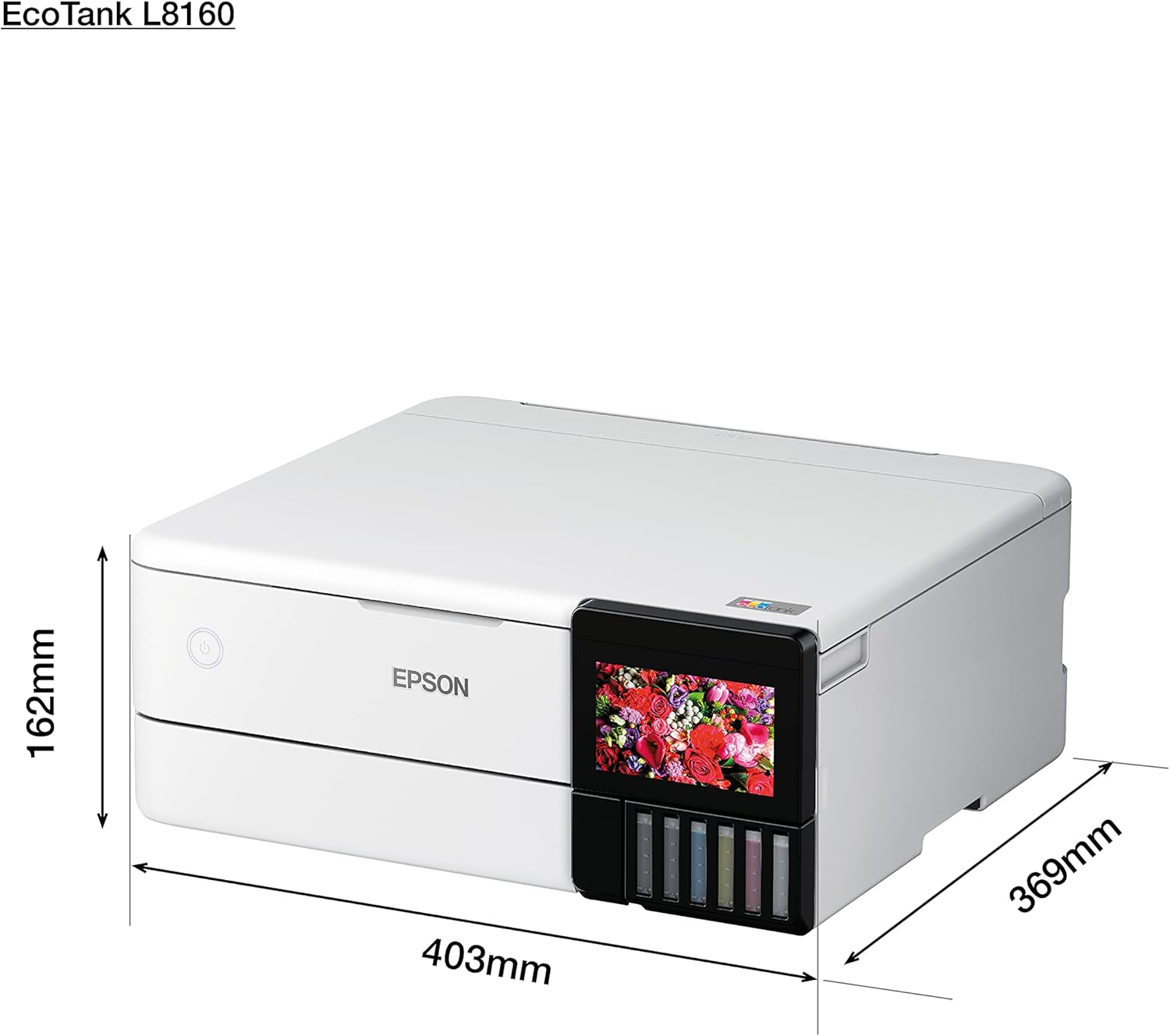
Imagem 8.1: Physical dimensions of the Epson EcoTank L8160.
| Recurso | Detalhe |
|---|---|
| Marca | Epson |
| Nome do modelo | L8160 |
| Número do modelo do item | L8160 |
| Tecnologia de impressora | Jato de tinta |
| Saída da impressora | Multifuncional |
| Tecnologia de Conectividade | Wi-fi |
| Características especiais | Pronto para rede |
| Cor | Branco |
| Dimensões do produto (Profundidade x Largura x Altura) | 36.9 cm de profundidade x 40.3 cm de largura x 16.2 cm de altura |
| Tamanho máximo da mídia | 8.5 x 11 polegadas |
| Componentes incluídos | Paper trays, power cable, user guide |
| Mídia impressa | Envelopes, Paper (plain), Glossy photo paper |
| Tipo de scanner | Foto |
| Capacidade máxima de papel | 100 folhas |
| Maximum Black & White Print Speed | 32 páginas por minuto |
| Dispositivos compatíveis | Smartphones |
| Resolução máxima de impressão a cores | 600 x 600 dpi |
| Tamanho do papel | A4 |
| Resolução máxima de impressão em preto e branco | 600 x 600 dpi |
| Impressão Duplex | Sim |
| Fabricante | Epson |
| Fator de forma | Tudo em um |
| Tamanho da tela de exibição | 10.9 centímetros |
| Peso do item | 11.3 Kilograms (11.27 Kilograms) |
| ASIN | B09G35WQDW |
| Cliente Reviews | 4.0 de 5 estrelas (125 avaliações) |
| Classificação dos mais vendidos | #18,311 in Electronics, #14 in Ink Tank Printers |
| Data da primeira disponibilidade | 11 de janeiro de 2022 |
| Maximum Color Print Speed (Color) | 32 páginas por minuto |
| Maximum Black & White Print Speed (B&W) | 32 páginas por minuto |
9. Garantia e Suporte
9.1 Informações de garantia
The Epson EcoTank L8160 comes with a 3-year promotional warranty. Please refer to the warranty card included in your package or visit the official Epson website for detailed terms and conditions regarding warranty coverage and registration.
9.2 Suporte ao cliente
For further assistance, technical support, or service inquiries, please contact Epson customer support through their official website or the contact information provided in your product documentation. Have your printer model number (L8160) and serial number ready when contacting support.


