Manual do usuário
Strong SRT 8119 Digital Terrestrial DVB-T2 HDMI Decoder with Display
Modelo: SRT8119
1. Introdução
This manual provides comprehensive instructions for the installation, operation, and maintenance of your Strong SRT 8119 Digital Terrestrial DVB-T2 HDMI Decoder. Please read this manual carefully before using the device to ensure proper functionality and to prevent damage.
The Strong SRT 8119 is designed to receive free-to-air TV programs in high definition, supporting the H.265 standard. It offers features such as recording capabilities, a 700-channel memory capacity, Electronic Program Guide (EPG), parental controls, and various channel editing options for an enhanced viewexperiência.
2. Informações de segurança
Always observe the following safety precautions to avoid electric shock, fire, or damage to the device:
- Não exponha o aparelho à chuva ou umidade.
- Não abra o casing. Encaminhe todos os serviços de manutenção para pessoal qualificado.
- Ensure proper ventilation around the device. Do not block ventilation openings.
- Use apenas o adaptador de energia fornecido com o dispositivo.
- Disconnect the device from the power outlet during lightning storms or when unused for long periods.
- Mantenha o dispositivo longe da luz solar direta, fontes de calor e campos magnéticos fortes.
3. Conteúdo da embalagem
Verifique se todos os itens estão presentes na embalagem:
- Strong SRT 8119 Digital Terrestrial DVB-T2 HDMI Decoder
- Controle remoto (com 2 pilhas AAA incluídas)
- Manual do usuário (este documento)
- Adaptador de energia

Figure 3.1: Packaging of the Strong SRT 8119 decoder, showing the product box with branding and key features listed.
4. Produto acabadoview
4.1. Painel frontal

Figura 4.1: Frente view of the Strong SRT 8119 decoder, featuring the display, Strong logo, Dolby Audio branding, and a USB port on the right.
- Mostrar: Mostra o número do canal ou a hora.
- Porta USB: For connecting USB storage devices for media playback and software updates.
- Indicador de energia: Indica o estado de energia do dispositivo.
4.2. Painel Traseiro

Figura 4.2: Traseira view of the Strong SRT 8119 decoder, clearly showing the input and output ports labeled for connection to a terrestrial antenna, HDMI TV, SCART TV, and S/PDIF coaxial audio output.
- ANTIGA EM: Conecta-se à sua antena terrestre.
- HDMI: High-Definition Multimedia Interface output for connecting to an HD TV.
- TV SCART: SCART output for connecting to older TVs.
- S/PDIF coaxial: Saída de áudio digital.
- DC IN: Power input for the external power adapter.
4.3. Controle remoto

Figure 4.3: The remote control for the Strong SRT 8119 decoder, showing various buttons for power, channel navigation, volume, menu access, EPG, media playback, and numeric input.
The remote control allows full operation of the decoder. Familiarize yourself with the button layout for easy navigation.
5. Configuração
5.1. Connecting the Decoder
- Conectar antena: Conecte o cabo da sua antena terrestre ao FORMIGA DENTRO port on the rear panel of the decoder.
- Conectar à TV:
- For HD TVs: Connect an HDMI cable from the HDMI port on the decoder to an available HDMI input on your TV.
- For older TVs: Connect a SCART cable from the TV SCART port on the decoder to the SCART input on your TV.
- Conecte a energia: Insert the power adapter cable into the Entrada CC port on the decoder, then plug the adapter into a wall outlet.
- Insira as baterias: Abra o compartimento das pilhas no controle remoto e insira as duas pilhas AAA, observando a polaridade.
5.2. Instalação pela primeira vez
Upon first power-on, the decoder will guide you through the initial setup process:
- Selecione a sua preferida Linguagem.
- Escolha o seu País.
- The decoder will then perform an automatic channel scan. This may take several minutes. Do not interrupt this process.
- Once the scan is complete, the decoder will display the first available channel.
6. Instruções de operação
6.1. Operação básica
- Ligar/desligar: Pressione o PODER botão no controle remoto.
- Mudança de canal: Use o CH +/- botões ou insira o número do canal diretamente usando o teclado numérico.
- Controle de volume: Use o VOL +/- botões.
- Menu Acesso: Pressione o MENU button to access system settings and features. Use arrow keys to navigate and OK para confirmar.
6.2. Guia Eletrônico de Programação (EPG)
The EPG provides a schedule of current and upcoming programs.
- Pressione o EPG botão no controle remoto.
- Navigate through channels and program times using the arrow keys.
- Imprensa OK para view details about a selected program.
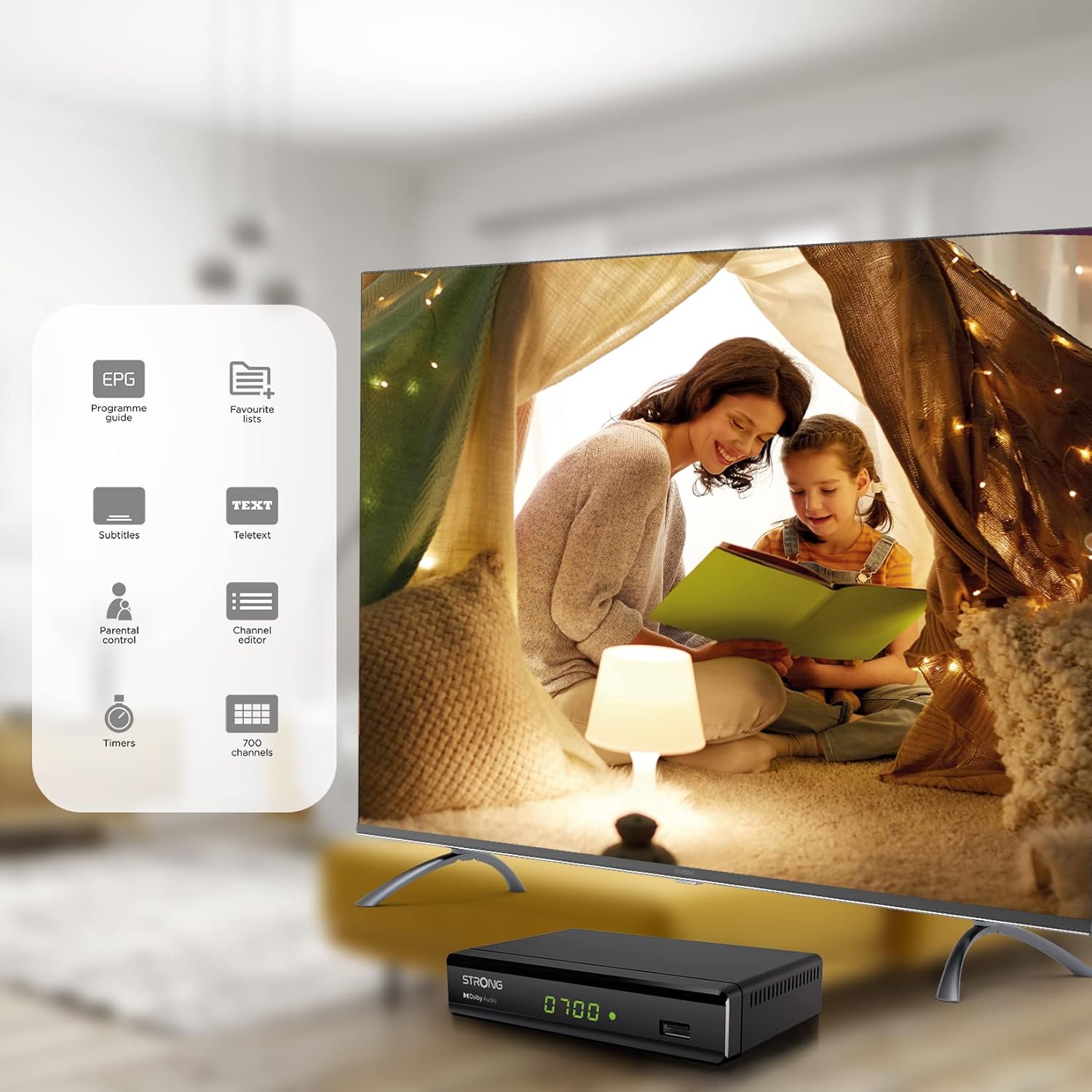
Figure 6.1: Visual representation of the Strong SRT 8119's features, including Electronic Program Guide (EPG), favorite lists, subtitles, teletext, parental control, channel editor, timers, and 700 channel capacity.
6.3. Media Playback and Recording (USB)
The decoder supports media playback from a USB storage device connected to the front USB port. Note: Recording function may not be active in all regions (e.g., Italy).
- Insert a USB flash drive or external hard drive into the front USB port.
- Pressione o MÍDIA button on the remote control to access the media player.
- Navegue até o desejado file (video, audio, image) and press OK para jogar.
- To record a program, press the REC button during live TV. Ensure a USB device with sufficient free space is connected.
- To schedule a recording, use the EPG and select the program, then follow the on-screen prompts to set a timer.

Figure 6.2: The Strong SRT 8119 decoder shown in a living room setting, highlighting its USB playback and recording capabilities. A note indicates that recording is not implemented for Italy.
6.4. Gestão de Canais
- Channel Editor: Access the channel editor via the MENU to move, delete, or lock channels.
- Listas de favoritos: Create up to 4 favorite lists for TV and radio programs for quick access to your preferred channels.
- Controle dos pais: Set a password to restrict access to certain channels or programs.
7. Manutenção
- Limpeza: Use a soft, dry cloth to clean the exterior of the decoder. Do not use liquid or aerosol cleaners.
- Atualização de software: Periodically check the Strong website for available software updates. Updates can typically be installed via the USB port.
- Armazenar: Se for guardar o dispositivo por um período prolongado, desligue-o da corrente elétrica e guarde-o em local fresco e seco.
8. Solução De Problemas
| Problema | Possível causa | Solução |
|---|---|---|
| Sem energia | Cabo de alimentação desconectado; tomada com defeito. | Verifique as conexões elétricas; tente outra tomada. |
| Sem sinal / Mensagem "Sem sinal" | Antenna not connected; Antenna faulty; Incorrect input selected on TV. | Check antenna connection; Ensure antenna is working; Select correct HDMI/SCART input on your TV. |
| Sem imagem, mas com som. | Video cable (HDMI/SCART) loose or faulty. | Check video cable connections; Try a different cable. |
| Controle remoto não funciona | Batteries depleted or inserted incorrectly; Obstruction between remote and decoder. | Replace batteries; Ensure correct polarity; Remove obstructions; Point remote directly at the decoder. |
| Não é possível gravar programas | USB device not connected or full; Recording function not available in your region. | Connect a USB device with sufficient space; Check regional limitations for recording. |
9. Especificações
| Número do modelo | SRT8119 |
| Dimensões do produto | 4.41 x 5.98 x 1.5 polegadas |
| Peso do item | 9.5 onças |
| Tecnologia de Conectividade | Antenna (DVB-T2), HDMI, SCART, USB, Coaxial S/PDIF |
| Codificação de vídeo | H.265 |
| Capacidade do canal | 700 canais |
| Baterias | 2 pilhas AAA (incluídas para o controle remoto) |
| Modo de saída de áudio | Cercar |
| Configuração do canal de som surround | 5.1 |
10. Suporte
For further assistance, technical support, or to find useful resources, please visit the official Strong website. You can also find information and support on their Facebook profile and LinkedIn page.
Note: Specific contact numbers or direct links are not provided in this manual. Please refer to the official Strong webAcesse o site para obter as informações de suporte mais atualizadas.


