Introdução
This manual provides essential information for setting up, operating, maintaining, and troubleshooting your TomTom GO Expert Truck Sat Nav. Please read it carefully to ensure optimal performance and safe use of your device.
The TomTom GO Expert is designed for professional large vehicle navigation, offering custom routing and POIs for buses, trucks, and coaches, along with live alerts for various road restrictions.
O que está na caixa
Ao abrir a embalagem, verifique se todos os componentes estão presentes:
- TomTom GO Expert Device
- Carregador de carro
- Suporte Click-and-Drive
- Guia de início rápido

Imagem: Frente view of the TomTom GO Expert Sat Nav device, showing its 5-inch capacitive screen and the TomTom logo at the bottom.
Configurar
1. Montagem do dispositivo
- Limpe o para-brisa: Ensure the area where you intend to mount the device is clean and dry.
- Fixe o suporte: Securely attach the Click-and-Drive mount to your windshield or dashboard. Press the suction cup firmly against the surface and flip the lever to lock it in place.
- Conecte o dispositivo: Slide the TomTom GO Expert device onto the mount until it clicks securely.
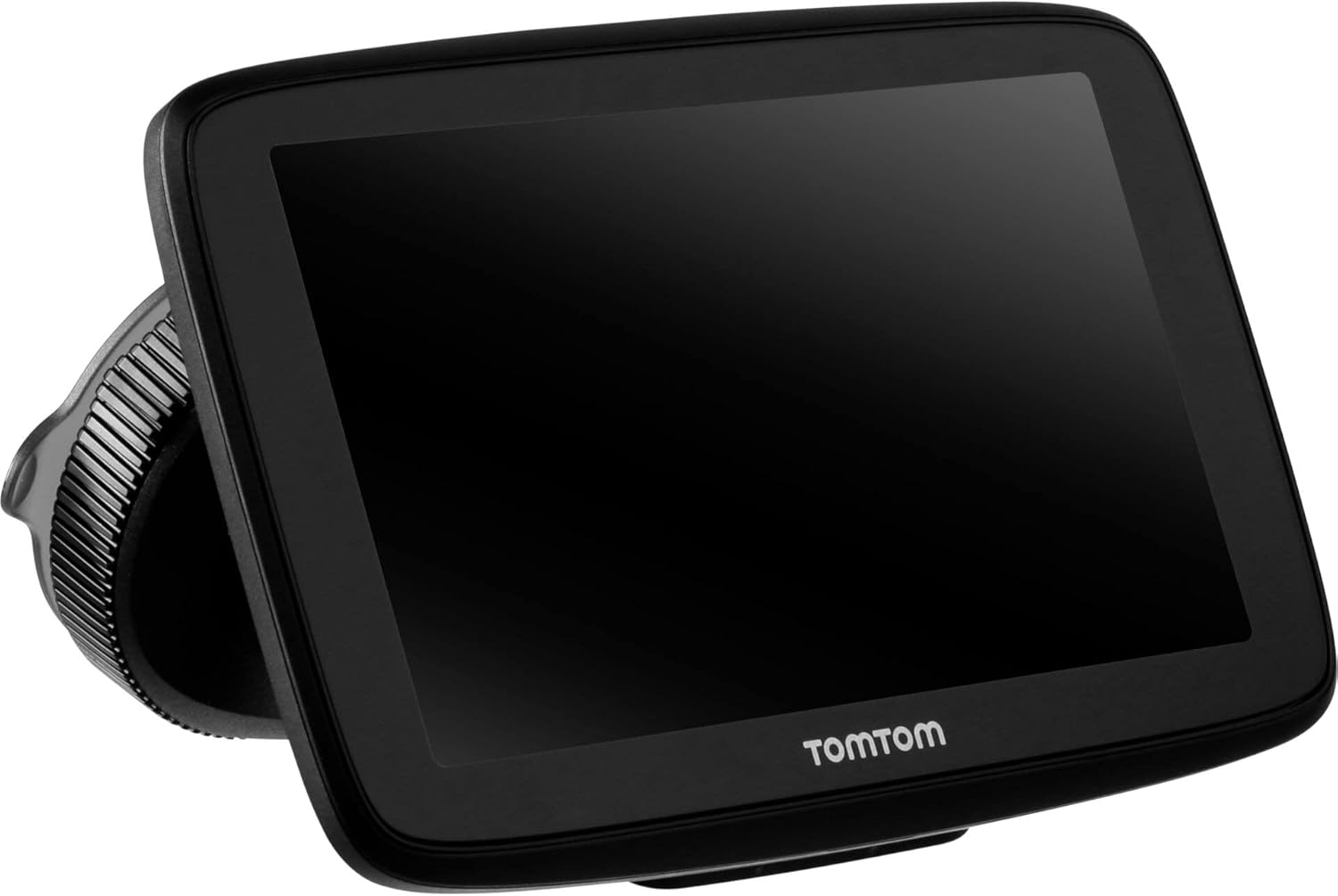
Image: The TomTom GO Expert Sat Nav device attached to its Click-and-Drive mount, viewed from an angle, showing the suction cup base.
2. Ligando e carregando
- Conecte o carregador veicular: Plug the car charger into your vehicle's 12V power outlet.
- Conectar ao dispositivo: Connect the other end of the charger to the TomTom GO Expert device.
- Carga inicial: Allow the device to charge for at least 30 minutes before first use, or until the battery indicator shows sufficient charge.

Imagem: Side profile of the TomTom GO Expert Sat Nav device, showing its slim design and how it connects to the Click-and-Drive mount.
3. Configuração inicial e conexão Wi-Fi
- Siga as instruções na tela para selecionar seu idioma e região.
- Connect to a Wi-Fi network for quick map updates and traffic information. Navigate to Configurações > Wi-Fi e selecione sua rede.
- Configure your vehicle profile (truck, bus, coach) by entering dimensions, weight, and other relevant details. This is crucial for custom routing.
Operando seu dispositivo
Noções básicas de navegação
- Inserir um destino: Tap the search icon on the main menu and enter an address, POI, or coordinates.
- Roteamento personalizado: The device will automatically calculate routes based on your configured vehicle profile, avoiding unsuitable roads for large vehicles.
- Live Traffic Updates: With an active Wi-Fi connection, the device provides real-time traffic information to help you avoid delays.
- Lane Guidance: The device displays clear lane guidance to help you prepare for exits and turns.
- Controle de voz: Use voice commands for hands-free operation. Refer to the on-screen guide for available commands.
Map Updates and Services
Your TomTom GO Expert receives 3X faster updates via Wi-Fi. Ensure your device is connected to a stable Wi-Fi network to download the latest maps and software updates conveniently and at no extra cost.
- Atualizações do mapa: Navegar para Configurações> Atualizações e novos itens to check for and install map updates.
- Alertas de radares de velocidade: The device includes 1 year of speed camera alerts. Ensure this service is active for safer driving.
Manutenção
- Limpeza: Use a soft, lint-free cloth to clean the screen and device casing. Não utilize produtos de limpeza abrasivos ou solventes.
- Atualizações de software: Regularly check for and install software updates via Wi-Fi to ensure optimal performance and access to new features.
- Cuidados com a bateria: To prolong battery life, avoid exposing the device to extreme temperatures. If storing for an extended period, ensure the battery is partially charged.
- Armazenar: When not in use, store the device in a cool, dry place, away from direct sunlight.
Solução de problemas
Problemas e soluções comuns
- Dispositivo não liga:
- Ensure the car charger is securely connected to both the device and the vehicle's power outlet.
- Check the vehicle's power outlet for functionality.
- Try resetting the device by holding the power button for 15-20 seconds.
- Sem sinal de GPS:
- Certifique-se de que o dispositivo tenha uma clara view of the sky. Obstructions like tall buildings or tunnels can block the signal.
- Move to an open area and allow the device a few minutes to acquire satellites.
- Check for any pending software updates that might improve GPS performance.
- Map Not Updating:
- Verify that the device is connected to a stable Wi-Fi network.
- Ensure there is sufficient storage space on the device for the new map data.
- Restart the device and try the update again.
- Tela sensível ao toque não responde:
- Para efetuar uma reinicialização simples, mantenha pressionado o botão liga/desliga até que o dispositivo reinicie.
- Certifique-se de que a tela esteja limpa e livre de detritos.
Especificações
| Recurso | Detalhe |
|---|---|
| Dimensões do produto | 5.51 x 0.79 x 3.54 polegadas |
| Peso do item | 12.7 onças |
| Número do modelo | 1YB 5.002.20 |
| Baterias | 1 bateria de íon de lítio necessária (incluída) |
| Sistema operacional | Windows (internal OS) |
| Tecnologias de conectividade | Bluetooth, Sem fio (Wi-Fi) |
| Características especiais | Bluetooth, Lane Assist, Touchscreen |
| Entrada de Interface Humana | Tela sensível ao toque |
| Cor | Preto |
| Tipo de serviço do veículo | Bus, Truck |
| Tamanho da tela | 5 polegadas |
| Tipo de mapa | Mundialmente |
| Modo de saída de áudio | Palestrante |
Garantia e Suporte
For detailed warranty information and technical support, please visit the official TomTom support website ou consulte o cartão de garantia que acompanha o produto.
Suporte online: www.tomtom.com/support
Ensure you have your device's serial number and model number (1YB5.002.20) ready when contacting support.


