1. Introdução
Thank you for choosing the MAXTOP T5 Smartwatch. This device is designed to help you monitor your health and fitness activities, receive notifications, and manage various daily functions. Please read this manual carefully to ensure proper use and optimal performance.

Image: The MAXTOP T5 Smartwatch in use during a run, highlighting its fitness and health tracking capabilities.
2. Conteúdo da embalagem
Verifique se todos os itens estão presentes na embalagem:
- MAXTOP T5 Smartwatch Head
- Pulseira de relógio
- Cabo de carregamento magnético
- Manual do usuário
3. Configuração e uso inicial
3.1. Carregando o smartwatch
Before first use, fully charge the smartwatch.
- Conecte o cabo de carregamento magnético aos pontos de carregamento na parte traseira do smartwatch.
- Conecte a extremidade USB do cabo a um adaptador de energia USB padrão (5V/1A recomendado) ou à porta USB de um computador.
- O visor do relógio indicará o status do carregamento. Uma carga completa normalmente leva cerca de 2 horas.
Observação: The battery life is approximately 3 to 5 days with normal use and up to 7 days in standby mode. Actual battery life may vary based on usage.
3.2. Instalação e pareamento do aplicativo
To access all features and synchronize data, download and install the companion app on your smartphone.
- Scan the QR code in the manual or search for "MAXTOP" or "H BAND" in your smartphone's app store (Google Play Store for Android, Apple App Store for iOS).
- Baixe e instale o aplicativo.
- Certifique-se de que o Bluetooth esteja ativado em seu smartphone.
- Open the app and follow the on-screen instructions to create an account and pair your MAXTOP T5 Smartwatch.
- During pairing, select "T5" from the list of available devices.
Compatibilidade: Requires iOS 9.0 or higher, or Android 6.0 or higher.
4. Operando o Smartwatch
4.1. Navegação Básica
- Tela sensível ao toque: Deslize para a esquerda/direita, para cima/baixo para navegar pelos menus e funções. Toque para selecionar.
- Botão lateral: Pressione para retornar à tela inicial ou ativar o dispositivo.

Image: The MAXTOP T5 Smartwatch showing its main display with time, steps, distance, and calories.
4.2. Monitoramento de condicionamento físico
The smartwatch tracks various fitness metrics throughout the day.
- Contador de passos: Automatically records your daily steps.
- Distância: Calcula a distância percorrida com base nos seus passos.
- Calorias queimadas: Estimates calorie expenditure.

Image: A visual representation of the smartwatch's 24-hour tracking feature, showing steps, distance, and calorie data.
4.3. Modos esportivos
The smartwatch offers 10 exercise modes to track specific workouts.
- Access the "Sports" menu on the watch.
- Select your desired activity (e.g., Running, Walking, Cycling).
- The watch will record duration, distance, and calories for the selected activity.

Image: A man running, with icons representing the 10 available sports modes on the MAXTOP T5 Smartwatch.

Image: A man exercising with weights, illustrating the 10 sports modes available on the smartwatch.
4.4. Monitoramento de saúde
O smartwatch oferece monitoramento contínuo de indicadores-chave de saúde.
- Monitor de frequência cardíaca: Measures your heart rate in real-time. Access this function from the watch menu or view dados no aplicativo.
- Monitor de pressão arterial: Provides blood pressure readings. For medical accuracy, consult a professional medical device.
- Monitoramento do sono: Monitors your sleep patterns, including deep sleep, light sleep, and awake time. View detailed analysis in the app to adjust sleep habits.
- Acompanhamento do ciclo menstrual: Para usuárias do sexo feminino, o aplicativo pode monitorar e prever os ciclos menstruais.

Image: A man sleeping, with the smartwatch displaying heart rate and icons indicating deep sleep, light sleep, and awake time tracking.

Image: The smartwatch screen showing sleep data, including duration and quality.

Image: The smartwatch displaying a heart rate reading.

Image: The smartwatch displaying a blood pressure reading.

Image: A woman wearing the smartwatch, with an overlay showing the menstrual period management feature.
4.5. Notificações
Receive call and message notifications directly on your smartwatch when paired with your phone.
- Chamadas recebidas: The watch will vibrate and display caller ID. You can reject calls from the watch.
- Alertas de mensagens: Receive notifications from SMS, Facebook, WhatsApp, Twitter, Instagram, LinkedIn, etc.
Importante: The smartwatch cannot answer calls or reply to messages.
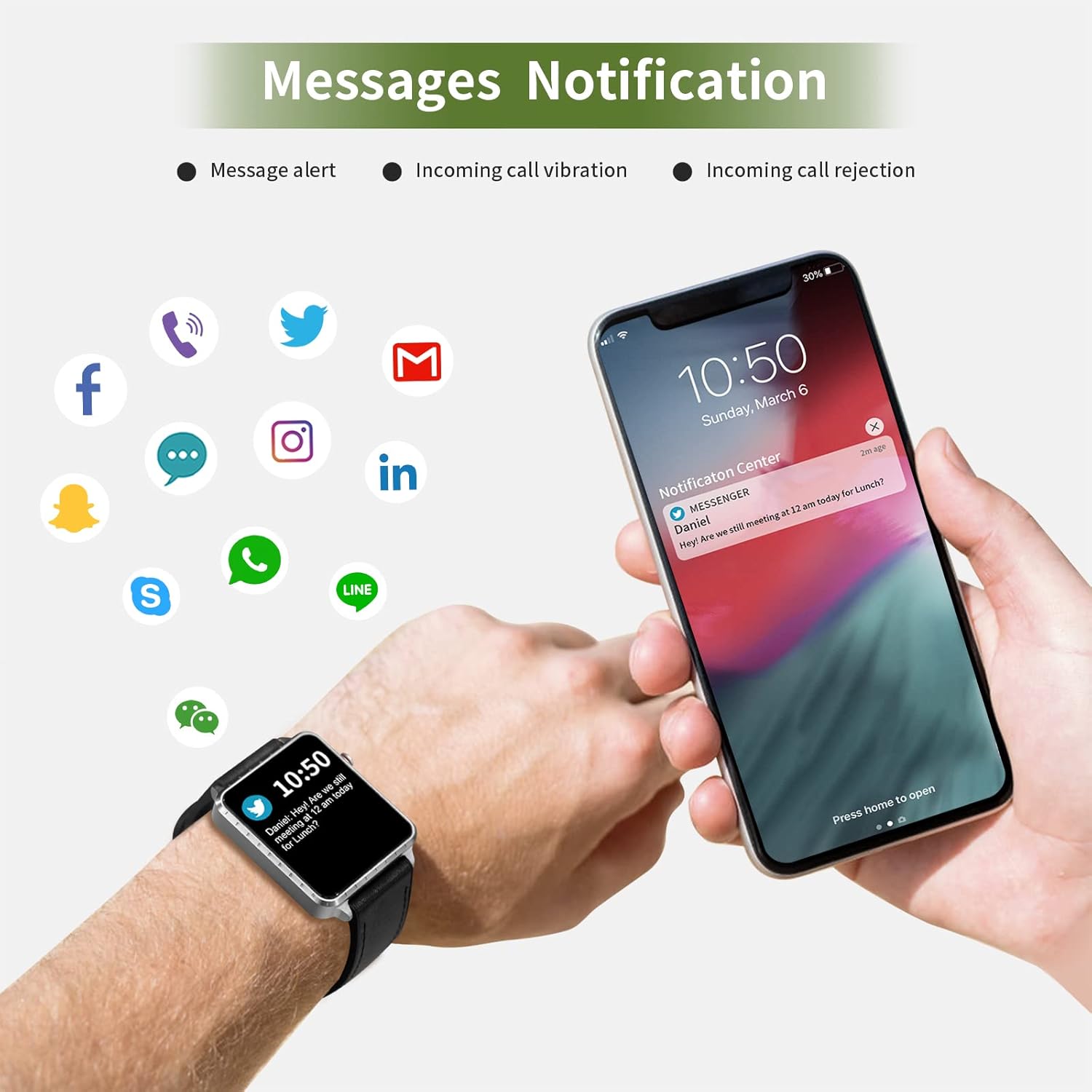
Image: The smartwatch and a smartphone displaying message notifications from social media and communication apps.

Image: The smartwatch screen showing icons for various social media and communication app notifications.
4.6. Recursos adicionais
- Controle de música: Controle a reprodução de música no seu smartphone (reproduzir, pausar, pular faixas) diretamente do relógio.
- Controle remoto da câmera: Use o relógio como um disparador remoto para a câmera do seu smartphone.
- Despertador: Set alarms through the app, and the watch will vibrate to alert you.
- Cronômetro/Timer: Funções básicas de controle de tempo.
- Encontrar telefone: Localize seu smartphone emparelhado acionando um alerta sonoro no relógio.
- Lembrete sedentário: The app can remind you to move if you've been inactive for too long.
- Mostradores de relógio personalizáveis: Choose from various watch faces via the app.

Image: The smartwatch screen showing the camera icon, indicating its remote camera control function.

Image: The smartwatch screen showing music control icons (play, pause, skip).

Image: A collage of different watch faces available for the MAXTOP T5 Smartwatch.
5. Manutenção
5.1. Waterproof Rating (IP68)
The MAXTOP T5 Smartwatch is IP68 waterproof, meaning it is dust-tight and protected against continuous immersion in water up to 1.5 meters for a maximum of 30 minutes.
- You can wear the watch while washing hands, running in the rain, or swimming in shallow water.
- Não immerse the watch in seawater, hot water, or use it in hot springs or saunas.
- Avoid exposing the watch to high-pressure water jets.
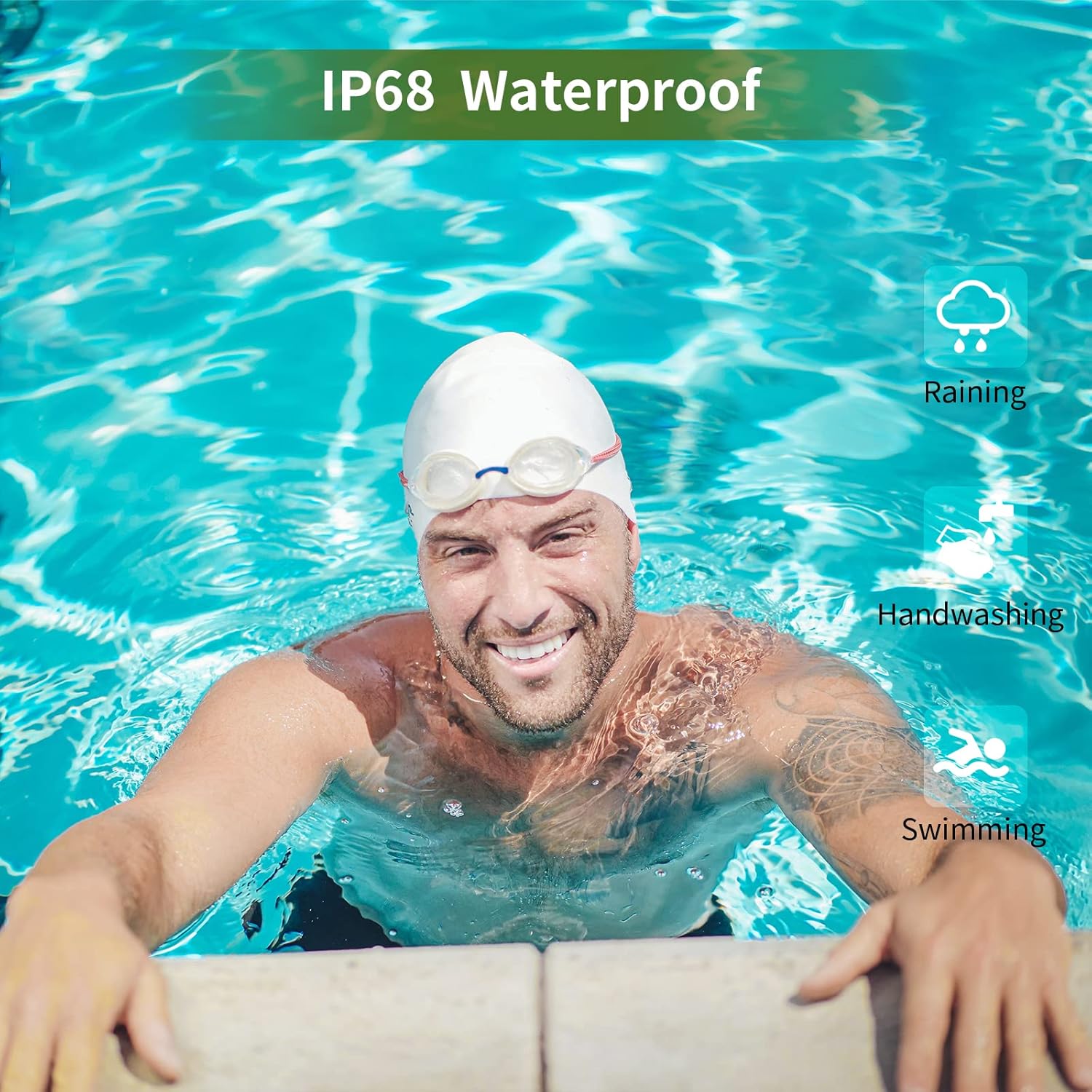
Image: A man swimming, demonstrating the IP68 waterproof capability of the MAXTOP T5 Smartwatch.

Image: The smartwatch with water droplets, visually confirming its IP68 waterproof rating.
5.2. Limpeza
Limpe o relógio e a pulseira regularmente com um pano macio e seco. Se necessário, use um pano levemente umedecido.amp cloth and dry thoroughly. Avoid harsh chemicals.
6. Solução De Problemas
- Relógio que não liga: Certifique-se de que o relógio esteja totalmente carregado. Conecte-o ao carregador por pelo menos 10 minutos.
- Não foi possível emparelhar com o smartphone:
- Certifique-se de que o Bluetooth esteja ativado em seu telefone.
- Certifique-se de que o relógio esteja dentro do alcance do Bluetooth (normalmente 10 metros).
- Reinicie o relógio e o smartphone.
- Verifique se o aplicativo está atualizado para a versão mais recente.
- If previously paired, try unpairing from your phone's Bluetooth settings and re-pairing through the app.
- Dados de saúde imprecisos:
- Certifique-se de que o relógio esteja ajustado ao seu pulso, nem muito apertado nem muito folgado.
- Evite movimentos excessivos durante as medições.
- Environmental factors can affect readings. For medical accuracy, consult a professional medical device.
- Notificações não recebidas:
- Check app permissions on your smartphone to ensure the app has access to notifications.
- Verify that notification settings are enabled within the MAXTOP/H BAND app.
- Certifique-se de que o relógio esteja conectado via Bluetooth.
- Vida curta da bateria:
- Frequent use of features like continuous heart rate monitoring, bright screen, and numerous notifications can reduce battery life.
- Reduce screen brightness and notification frequency if extended battery life is desired.
7. Especificações

Image: Detailed physical dimensions of the MAXTOP T5 Smartwatch, including watch face and strap measurements.
| Recurso | Detalhe |
|---|---|
| Marca | MAXTOP |
| Modelo | T5 |
| Tamanho da tela | 1.54 polegadas |
| Dimensões | 4.5 x 3.8 x 1 cm |
| Peso | 250 g |
| Classificação à prova d'água | IP68 |
| Conectividade | Bluetooth |
| Sistema operacional | iOS (9.0 and above), Android (6.0 and above) |
| Tipo de Bateria | Polímero de lítio |
| Tempo de carregamento | Aproximadamente 2 horas |
| Duração da bateria (uso típico) | 3-5 dias |
| Vida útil da bateria (em espera) | Até 7 dias |
| Componentes incluídos | Watch head, strap, magnetic charging cable, manual |
8. Garantia e Suporte
For warranty information and customer support, please refer to the warranty card included in your package or visit the official MAXTOP website.
Isenção de responsabilidade: The health monitoring features of this device are for general wellness and fitness purposes only and are not intended for medical diagnosis, treatment, or prevention of any disease. Always consult a medical professional for health-related concerns.


