1. Introdução
Thank you for choosing the Lemorele TC44 6-in-1 USB C Hub. This multiport adapter is designed to expand the connectivity of your USB-C enabled devices, offering a versatile solution for various peripherals and display needs. It integrates essential ports including 4K HDMI, Gigabit Ethernet, USB-A 3.0, USB-C 3.0 data, and 100W USB-C Power Delivery.
2. Principais características
- Conectividade 6 em 1: Includes 1x 4K HDMI@60Hz port, 2x USB-A 3.0 ports for data transmission, 1x RJ45 1000Mbps Ethernet port, 1x USB-C 100W Power Delivery (PD) charging port, and 1x USB-C 3.0 data port.
- 4K UHD Video Output: Supports duplicating or extending your screen with HDMI, streaming 4K UHD video at 60Hz to compatible displays. Resolution depends on the original video pixel and connected display capabilities.
- Transferência de dados em alta velocidade: Features 2x USB-A 3.0 ports and 1x USB-C 3.0 data port, offering data transfer speeds up to 5Gbps, significantly faster than USB 2.0. Compatible with mobile hard drives, cameras, mice, keyboards, printers, and scanners.
- Gigabit Ethernet: Provides a stable and fast wired network connection with automatic support for 10/100/1000M Ethernet.
- Fornecimento de energia de 100 W: The USB-C PD port supports fast charging for laptops, mobile phones, and tablets, with a maximum power input of 100W. It supports one-way charging only and does not transmit data, audio, or video.
- Ampla compatibilidade: Compatible with most Type-C (USB-C) devices that support data, charging, and video output via the Type-C port (DP Alt Mode), including MacBook Pro, MacBook Air, iPad Pro, and Chromebooks. Supports Windows, Android, Mac OS, Linux, and Chromebook OS.
- Dissipação de calor eficiente: Constructed from aluminum alloy with a dual anodic oxidation process to ensure effective heat dissipation and prevent overheating.
3. Portas e Conexões
The Lemorele TC44 hub provides the following ports:
- 1x USB-C Host Connector: Connects to your device's USB-C port.
- 1x RJ45 Gigabit Ethernet Port: Para conexão de rede com fio.
- 1 porta USB-C com Power Delivery (PD): For charging your host device (up to 100W input).
- 1 porta HDMI: For video output (up to 4K@60Hz).
- 2 portas USB-A 3.0: For connecting USB-A peripherals and data transfer (up to 5Gbps).
- 1x USB-C 3.0 Data Port: For connecting USB-C peripherals and data transfer (up to 5Gbps).
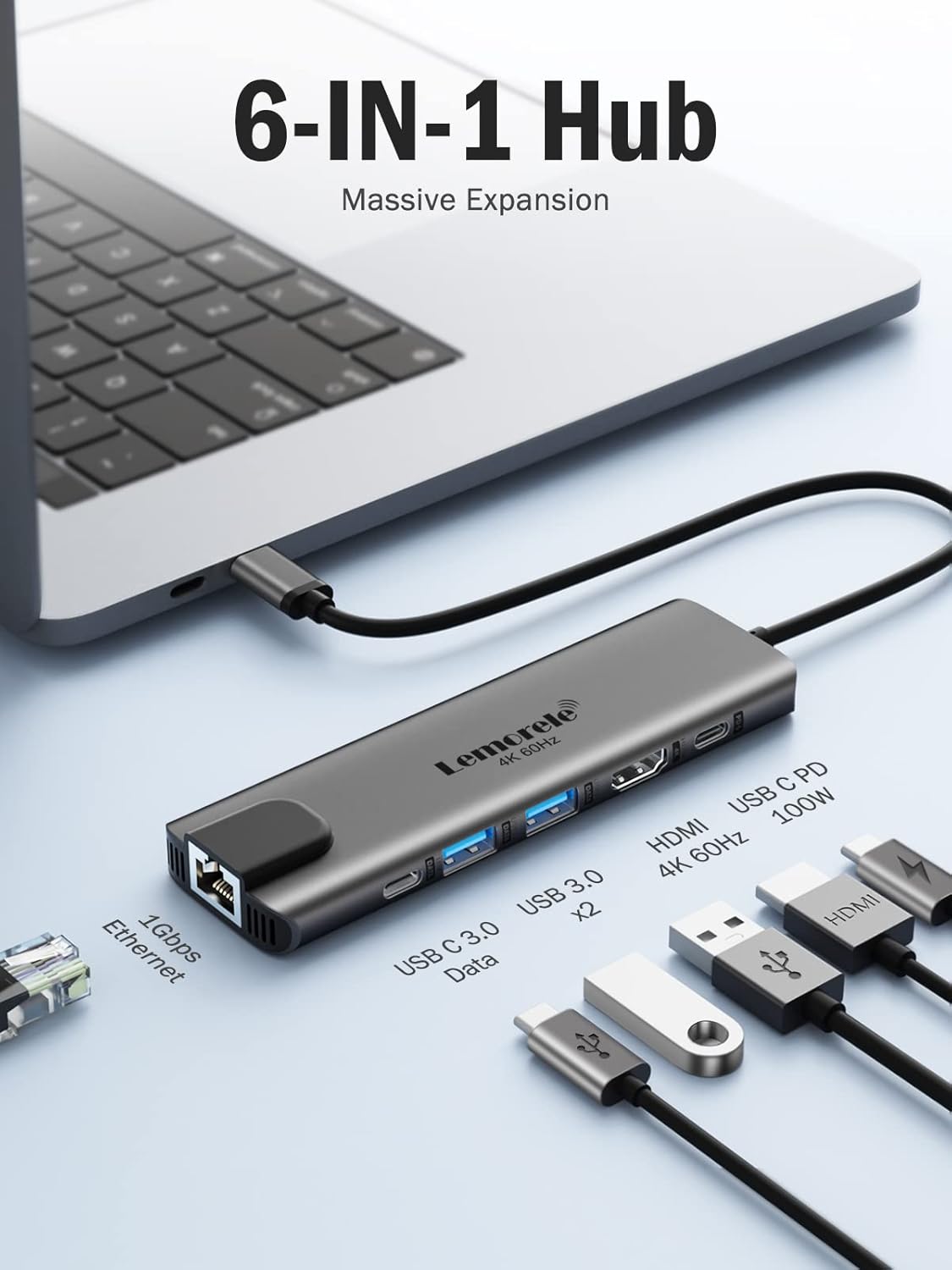
Imagem: Acimaview of the Lemorele TC44 6-in-1 USB C Hub, highlighting its various ports including Gigabit Ethernet, USB-C Data, USB 3.0, HDMI 4K 60Hz, and USB-C PD 100W.
4. Instruções de configuração
- Conecte o hub ao seu dispositivo: Plug the integrated USB-C host connector cable from the Lemorele TC44 hub into an available USB-C port on your laptop, tablet, or smartphone.
- Conexão de energia (opcional): If your device requires charging or if you are connecting power-intensive peripherals, connect your USB-C power adapter to the USB-C PD (Power Delivery) port on the hub.
- Conecte periféricos: Plug your desired peripherals (e.g., external monitor, USB drives, mouse, keyboard, Ethernet cable) into the corresponding ports on the hub.
5. Instruções de operação
5.1. Saída de vídeo via HDMI
Connect an HDMI cable from your external display to the HDMI port on the hub. Ensure your device's USB-C port supports DisplayPort Alternate Mode (DP Alt Mode) for video output. The hub supports resolutions up to 4K at 60Hz. Adjust display settings on your host device as needed for mirroring or extending your screen.

Image: A laptop connected to a large external monitor through the USB C hub, demonstrating 4K 60Hz video output for an immersive viewexperiência.
5.2. Transferência de dados
Use the 2x USB-A 3.0 ports or the 1x USB-C 3.0 data port to connect external storage devices, keyboards, mice, or other USB peripherals. Data transfer speeds can reach up to 5Gbps.

Image: Visual representation of high-speed data transfer, showing 5Gbps for USB 3.0 compared to 480Mbps for USB 2.0, facilitating quick file transferências.
5.3. Conexão de rede
Plug an Ethernet cable into the RJ45 Gigabit Ethernet port for a stable and fast wired internet connection. For Windows 8 and older versions, you may need to click a pop-up icon to install the driver upon first connection.
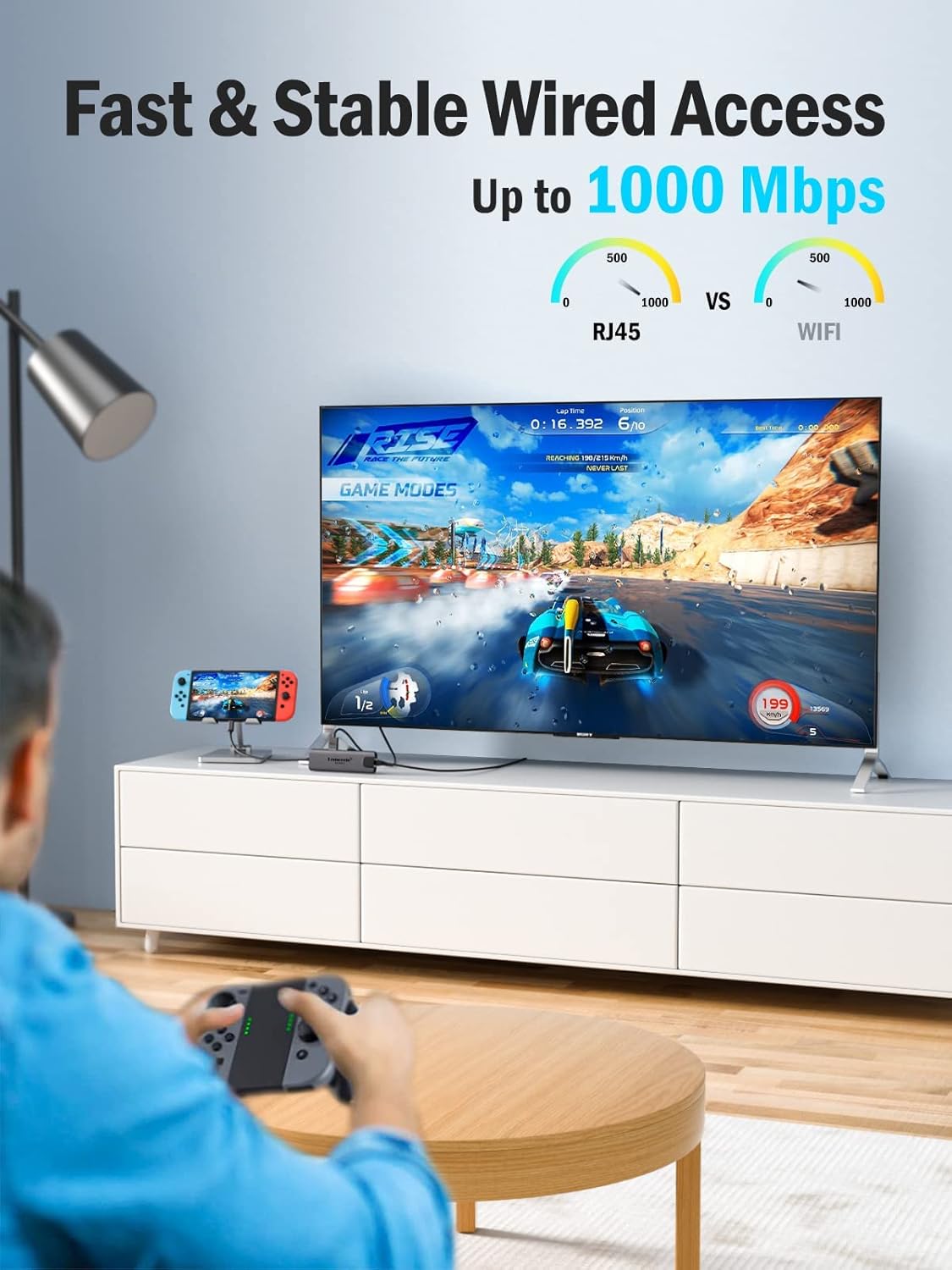
Image: A user connected to a TV via the hub's Ethernet port, enjoying a stable and fast wired network connection for online activities.
5.4. Power Delivery (Charging)
Connect your device's original USB-C power adapter to the USB-C PD port on the hub. This allows the hub to pass through up to 100W of power to charge your host device while using other hub functions. The actual output power to your device depends on your computer's rated power and the hub's internal power consumption (typically around 20W).

Image: A laptop receiving power through the hub's 100W PD port, illustrating efficient charging while connected to the hub.
6. Compatibilidade
The Lemorele TC44 USB C Hub is widely compatible with devices supporting USB-C with DisplayPort Alternate Mode (DP Alt Mode) for video output, and Power Delivery for charging.
- Sistemas operacionais: Windows, Android, Mac OS, Linux, Chromebook OS.
- Dispositivos compatíveis: MacBook Pro, MacBook Air, iPad Pro, Dell XPS, ThinkPad, Surface Pro, and other Type-C enabled laptops, tablets, and smartphones.

Image: An infographic detailing the hub's compatibility with major operating systems like Windows, Linux, macOS, Android, and various devices including MacBooks, iPad Pro, Dell/XPS/ThinkPad, and Surface.
7. Dissipação de calor
The Lemorele TC44 hub is designed with an aluminum alloy casing and a dual anodic oxidation process, which contributes to excellent heat dissipation. This design helps to manage the heat generated during operation, ensuring stable performance and longevity of the device.

Image: A cutaway diagram illustrating the internal structure and airflow for super heat dissipation through dual side vents in the hub's aluminum casing.
8. Especificações
| Recurso | Detalhe |
|---|---|
| Nome do modelo | TC44 |
| Tipo de conector | USB C, HDMI, USB A, RJ45 |
| Tipo de cabo | USB |
| Saída HDMI | 4K a 60Hz |
| Portas USB-A 3.0 | 2 (5Gbps Data Transfer) |
| Porta de dados USB-C 3.0 | 1 (5Gbps Data Transfer) |
| Porta de carregamento USB-C PD | 1 (Up to 100W Input) |
| Porta Ethernet | RJ45 Gigabit (10/100/1000M) |
| Material | Liga de alumínio |
| Cor | Cinza |
| Dimensões do produto | 5.47 x 0.43 x 1.57 polegadas |
| Peso do item | 3.2 onças |
9. Solução De Problemas
- Sem saída de vídeo: Ensure your device's USB-C port supports DisplayPort Alternate Mode. Check all cable connections (USB-C to hub, HDMI to monitor). Try a different HDMI cable or monitor if possible.
- Transferência de dados lenta: Verify that your connected peripherals and cables are USB 3.0 compatible. Ensure the hub is connected directly to your device and not through another adapter.
- Sem carregamento: Confirm your USB-C power adapter is connected to the hub's PD port and is functioning correctly. Ensure your host device supports USB-C Power Delivery.
- Ethernet não está funcionando: Check the Ethernet cable connection. For Windows 8 and older, ensure the necessary driver is installed (a pop-up usually prompts installation).
- Superaquecimento: While the hub is designed for efficient heat dissipation, prolonged heavy use with multiple power-intensive devices may cause it to warm up. Ensure adequate ventilation around the hub. If it becomes excessively hot, disconnect some peripherals or reduce usage.
10. Garantia e Suporte
The Lemorele TC44 USB C Hub typically comes with a one-year warranty. For technical support, warranty claims, or any product-related inquiries, please contact Lemorele customer service through the retailer's platform or the official Lemorele website.
11. Produto acabadoview Vídeo
Vídeo: Um oficial sobreview of the Lemorele USB C Hub 4K 60Hz - 6 In 1, demonstrating its features and functionality.


