1. Produto acabadoview
The Oladance OWS1 Open Ear Headphones offer a unique open-ear design for comfort and situational awareness. These wireless Bluetooth 5.2 headphones feature dual 16.5mm drivers for high-quality sound and extended battery life, making them suitable for various activities.
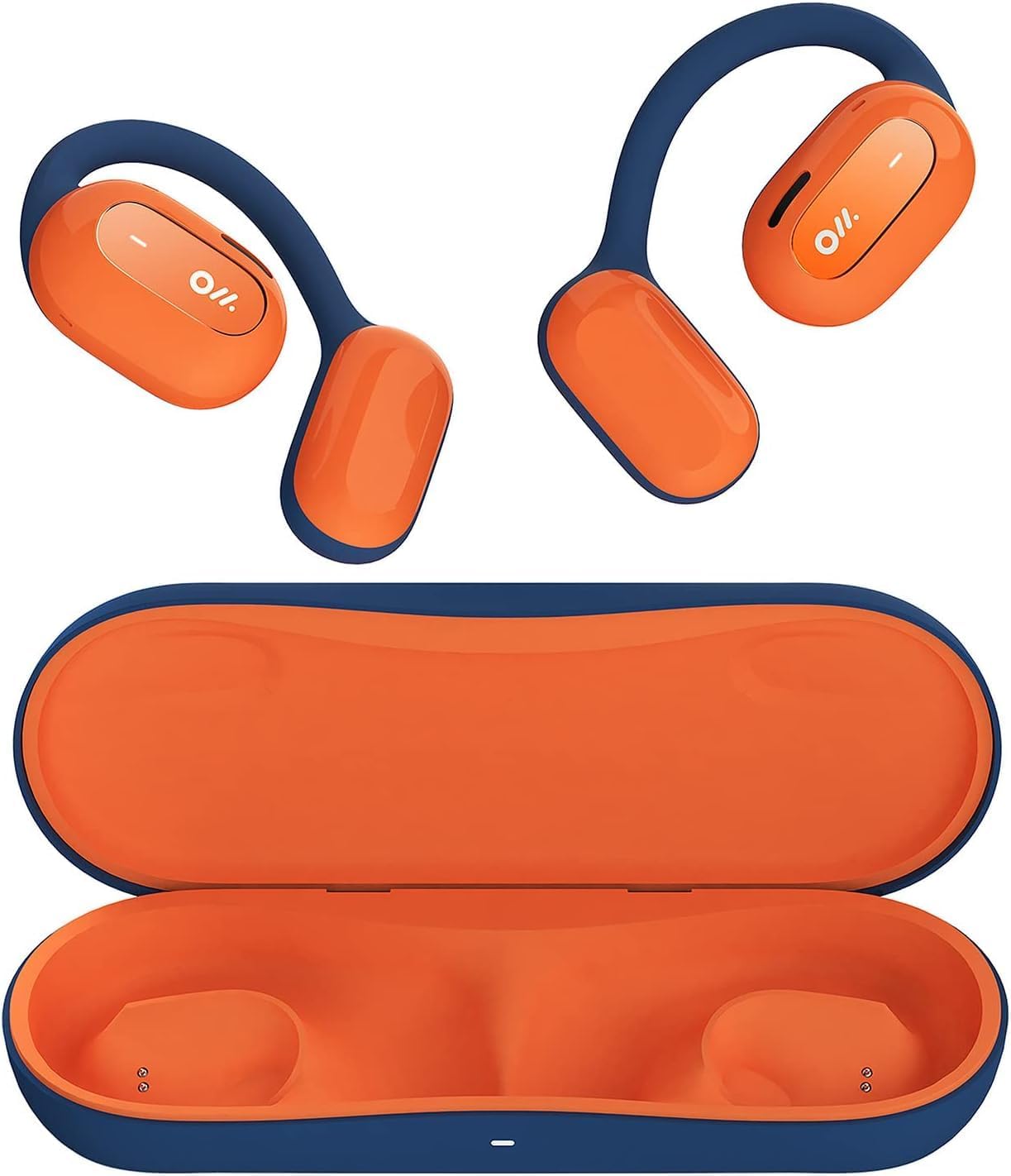
Image 1: Oladance OWS1 Open Ear Headphones and their carry case.
2. O que está na caixa
- 1 × Oladance Wearable Stereo (Pair of Open Ear Headphones)
- 1 × Non-charging Carry Case
- 1 × Cabo Tipo C
- 1 × Manual do usuário
3. Principais características
- Design de orelha verdadeiramente aberta: Earbuds rest gently on top of the ear, avoiding insertion into the ear canal for enhanced comfort and situational awareness.
- 360° Superior Sound: Equipped with dual powerful 16.5mm dynamic drivers and bio-diaphragm technology for rich, clear audio across all volume levels.
- Anti-Hearing Loss Focus: Designed to prevent common health issues associated with traditional earbuds by not blocking the ear canal, reducing pressure and potential hearing damage.
- Extended 16-Hour Playtime: Features a built-in 160mAh battery and low-consumption algorithms, providing up to 16 hours of continuous playback on a single charge. Note: A separate charging case is required for extended playtime beyond the included carry case.
- Ajuste seguro e confortável: Multi-point support system distributes weight evenly across the ear, ensuring a stable and comfortable fit for various activities.

Image 2: The Oladance OWS1 headphones are designed for a secure and comfortable fit, ideal for activities like yoga.
4. Guia de configuração
4.1 Carregamento Inicial
Before first use, fully charge your Oladance OWS1 headphones. Connect the provided Type-C cable to the charging port on the headphones and a compatible USB power source. The LED indicator will show charging status.
4.2 Ligar/Desligar
- Para ligar: Press and hold the power button (location typically on one of the earbud units) for approximately 2-3 seconds until you hear an audible prompt or see an LED indicator light up.
- Para desligar: Press and hold the power button for approximately 3-5 seconds until you hear an audible prompt or the LED indicator turns off.
4.3 Emparelhamento Bluetooth
- Certifique-se de que os fones de ouvido estejam desligados.
- Press and hold the power button for approximately 5-7 seconds until the LED indicator flashes red and blue alternately. This indicates the headphones are in pairing mode.
- No seu dispositivo (smartphone, tablet, computador), acesse as configurações de Bluetooth.
- Procurar "Oladance OWS1" in the list of available devices.
- Select "Oladance OWS1" to connect. Once connected, the LED indicator will typically flash blue slowly or turn off, and you will hear a confirmation tone.

Image 3: The Oladance OWS1 headphones are designed for an ergonomic and stable fit during various activities.
5. Instruções de operação
5.1 Controles Básicos
| Função | Ação |
|---|---|
| Tocar/Pausar Música | Pressione o botão multifuncional uma única vez. |
| Próxima faixa | Pressione duas vezes o botão multifuncional. |
| Faixa anterior | Pressione três vezes o botão multifuncional. |
| Aumentar o volume | Pressione o botão Volume + uma única vez. |
| Diminuir volume | Pressione o botão de diminuir o volume uma única vez. |
| Atender/encerrar chamada | Single press the Multi-function button during an incoming call or active call. |
| Rejeitar chamada | Durante uma chamada recebida, mantenha pressionado o botão multifuncional por 2 segundos. |
| Ativar Assistente de Voz | Pressione e segure o botão multifuncional por 2 segundos. |
5.2 Conexão multiponto
The Oladance OWS1 headphones support multi-point connection, allowing them to be connected to two Bluetooth devices simultaneously. This enables seamless switching between devices without re-pairing.
- Ensure the headphones are paired with the first device.
- Put the headphones into pairing mode again (usually by holding the power button until the LED flashes red and blue).
- On the second device, search for "Oladance OWS1" in the Bluetooth settings and connect.
- The headphones should now be connected to both devices. Audio will automatically switch to the device playing content or receiving a call.

Image 4: The open-ear design allows for comfortable extended wear, even during work or calls.
6. Cuidados e Manutenção
- Limpeza: Use a soft, dry cloth to wipe the headphones. Avoid using harsh chemicals or abrasive materials.
- Armazenar: Store the headphones in their provided non-charging carry case when not in use to protect them from dust and damage.
- Resistência à água: The headphones are water-resistant (IPX4 rated). Avoid submerging them in water or exposing them to high-pressure water jets. Dry thoroughly if they get wet.
- Temperatura: Evite expor os fones de ouvido a temperaturas extremas (quentes ou frias) ou alta umidade.

Image 5: The included carry case protects your Oladance OWS1 headphones during transport and storage.
7. Solução De Problemas
- Não é possível ligar
- Ensure the headphones are fully charged. Connect them to a power source using the Type-C cable.
- Não é possível emparelhar com o dispositivo
- Certifique-se de que os fones de ouvido estejam no modo de emparelhamento (LED piscando em vermelho e azul).
- Desligue e ligue o Bluetooth do seu dispositivo.
- Limpe as conexões Bluetooth anteriores no seu dispositivo.
- Aproxime os fones de ouvido do seu dispositivo.
- Sem som ou baixo volume
- Verifique os níveis de volume tanto nos fones de ouvido quanto no dispositivo conectado.
- Certifique-se de que os fones de ouvido estejam conectados corretamente ao seu dispositivo.
- Tente reproduzir o áudio de um aplicativo ou fonte diferente.
- Conexão intermitente
- Certifique-se de que não haja obstruções entre os fones de ouvido e o seu dispositivo.
- Evite interferência eletromagnética forte.
- Keep the headphones within the effective Bluetooth range (typically 10 meters).
8. Especificações do produto
| Recurso | Detalhe |
|---|---|
| Número do modelo | OLA02 |
| Marca | Oladança |
| Tecnologia de Conectividade | Sem fio (Bluetooth 5.2) |
| Colocação da orelha | Ouvido aberto |
| Fator de forma | Ouvido aberto |
| Tamanho do driver | Dois drivers dinâmicos de 16.5 mm |
| Duração da bateria (média) | Até 16 horas |
| Tempo de carregamento | Aproximadamente 2 horas |
| Nível de resistência à água | Resistente à água (IPX4) |
| Formato do microfone | Construído em |
| Tipo de controle | Controle de mídia (botões) |
| Material | Plástico |
| Dimensões do produto | 13 x 11 x 457.2 cm |
| Peso do item | 260 g |

Image 6: A close-up of the Oladance OWS1 headphones, highlighting their design and color.
9. Garantia e Suporte
Oladance products are covered by a limited warranty. For detailed warranty information, product support, or service inquiries, please refer to the official Oladance webou entre em contato diretamente com o serviço de atendimento ao cliente. Guarde o comprovante de compra para eventuais solicitações de garantia.
Para obter mais assistência, visite: www.oladance.com


