1. Introdução
The EMEET M3 is a Zoom-certified conference speaker and microphone designed for high-quality audio communication in various meeting environments. It features advanced AI-powered microphones, extended battery life, and versatile connectivity options to ensure clear and efficient communication for all participants.
2. Conteúdo da embalagem
- EMEET OfficeCore M3 Speakerphone
- EMEET Adapter A300 (USB Dongle)
- Cabo USB tipo C
- Estojo de transporte
- Manual do usuário
- Declaração de Segurança
- Parameters Card
3. Recursos do Produto
3.1. 360° Voice Pickup with 4 AI Microphones
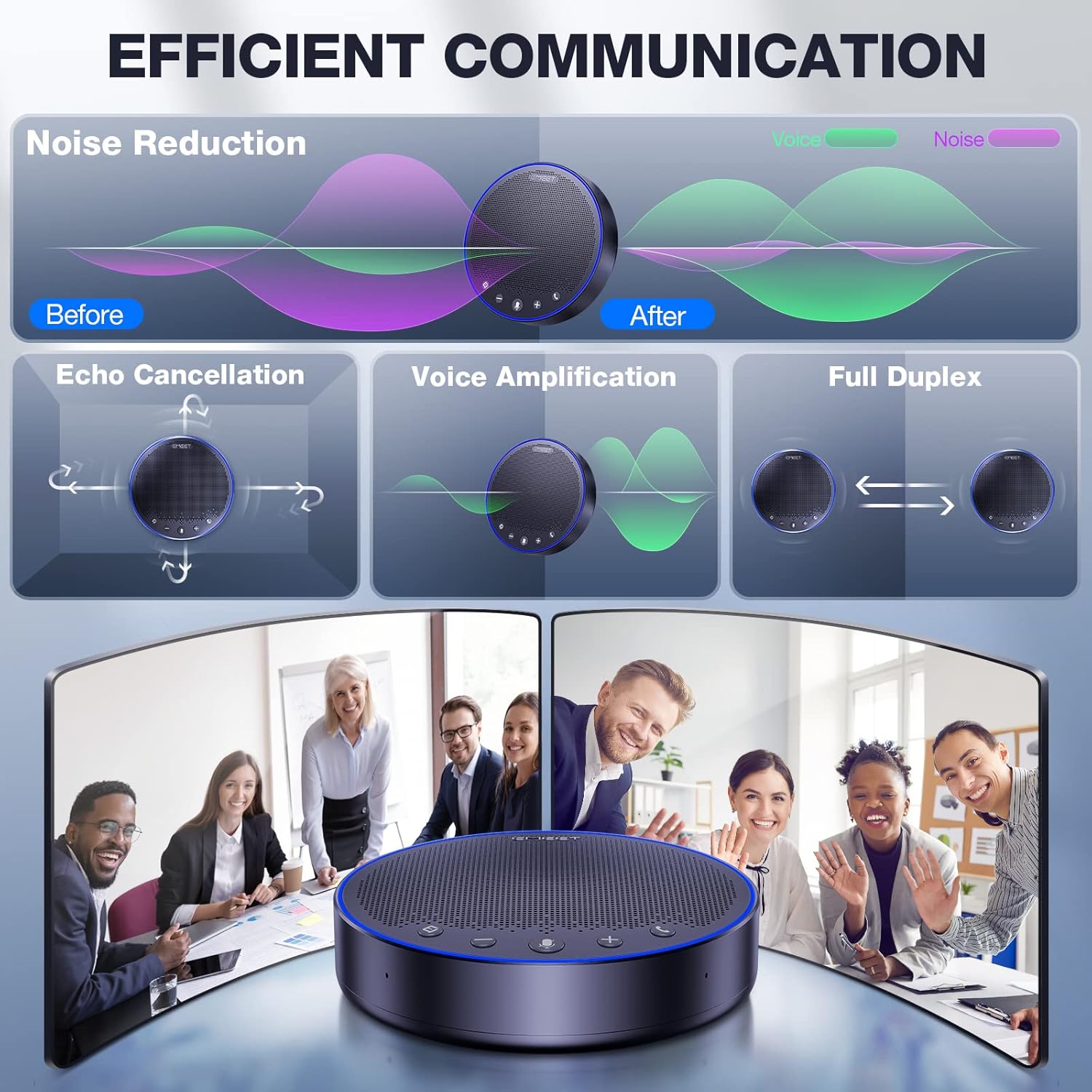
The EMEET M3 is equipped with four smart omnidirectional microphones and VoiceIA exclusive technology. This ensures 360° voice pickup, noise reduction, and echo suppression, allowing all attendees to be heard clearly without distortion. For optimal performance, place the speakerphone within a 15ft (4.5m) pickup range and avoid excessively noisy environments.

3.2. High-Performance Speaker
The built-in 5W high-performance speaker automatically balances volume, ensuring voices remain clear whether close to the device or across the table. This feature is recommended for medium to large meeting rooms.

3.3. Maior duração da bateria
The EMEET M3 features a super performance battery that supports over 18 hours of continuous calling on a single 4-hour charge, eliminating concerns about power interruption during meetings.

3.4. Zoom Certified
The EMEET OfficeCore M3 is officially recognized by Zoom as a compatible voice partner, ensuring professional-grade performance for online communication.
3.5. Daisy Chain Functionality
For larger meetings, the M3 can be daisy-chained with another EMEET unit using a dedicated cable (Note: exclusive for EMEET daisy chain) to accommodate up to 20 attendees, expanding its voice pickup and audio coverage.
4. Configuração e conectividade
4.1. Connecting Your EMEET M3
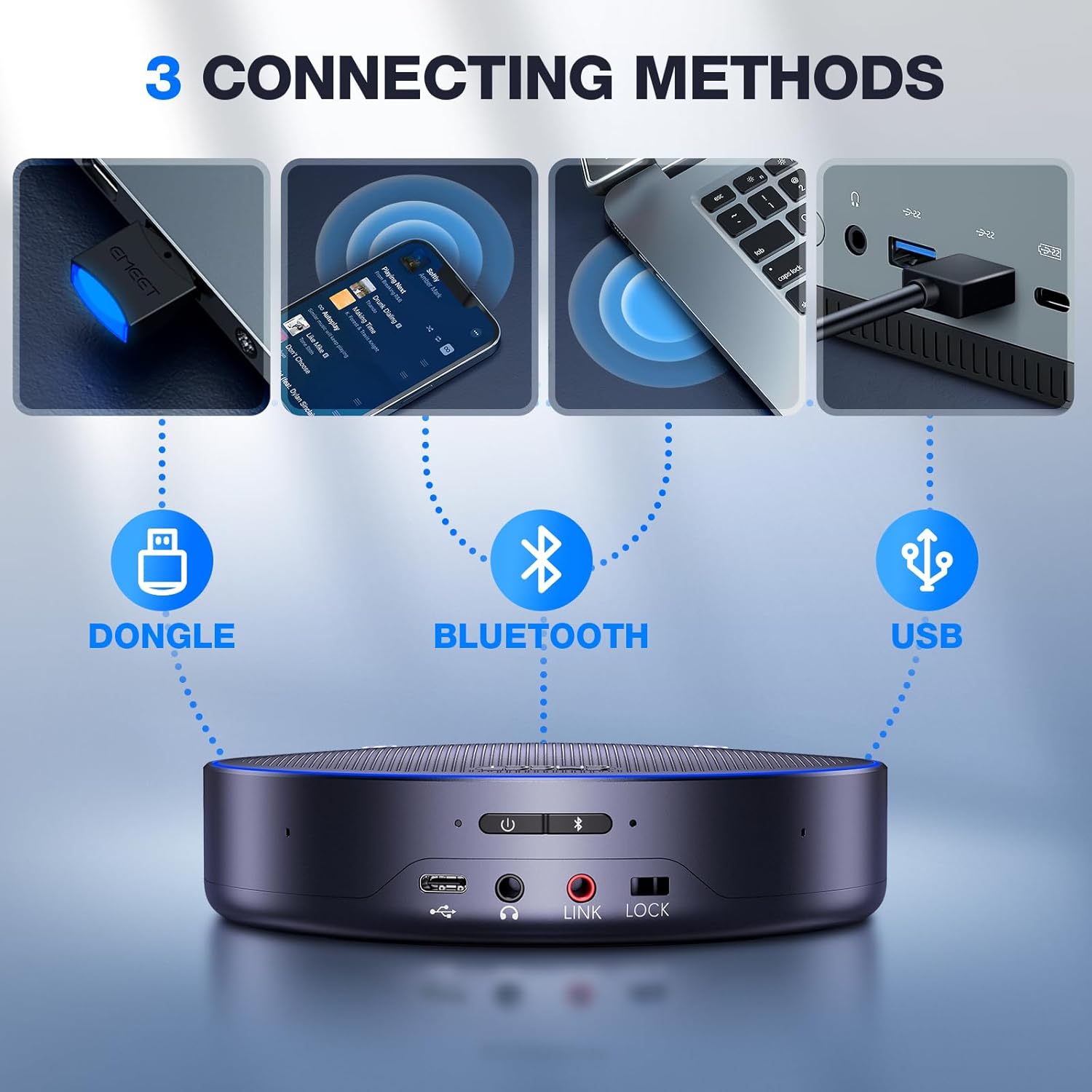
The EMEET M3 offers multiple connection methods for flexibility:
- USB 2.0 Wired Connection: Connect the device directly to your computer using the provided USB Type-C cable for stable audio transmission. Avoid docking stations or low-power USB ports to prevent sound cut-outs.
- Bluetooth 5.0 Wireless Connection: Pair the M3 with your smartphone or other Bluetooth-enabled devices. The Bluetooth range is up to 10 meters.
- USB Dongle (EMEET Adapter A300): For computers without built-in Bluetooth, use the included EMEET Adapter A300 for a stable wireless connection.

4.2. Compatibilidade universal
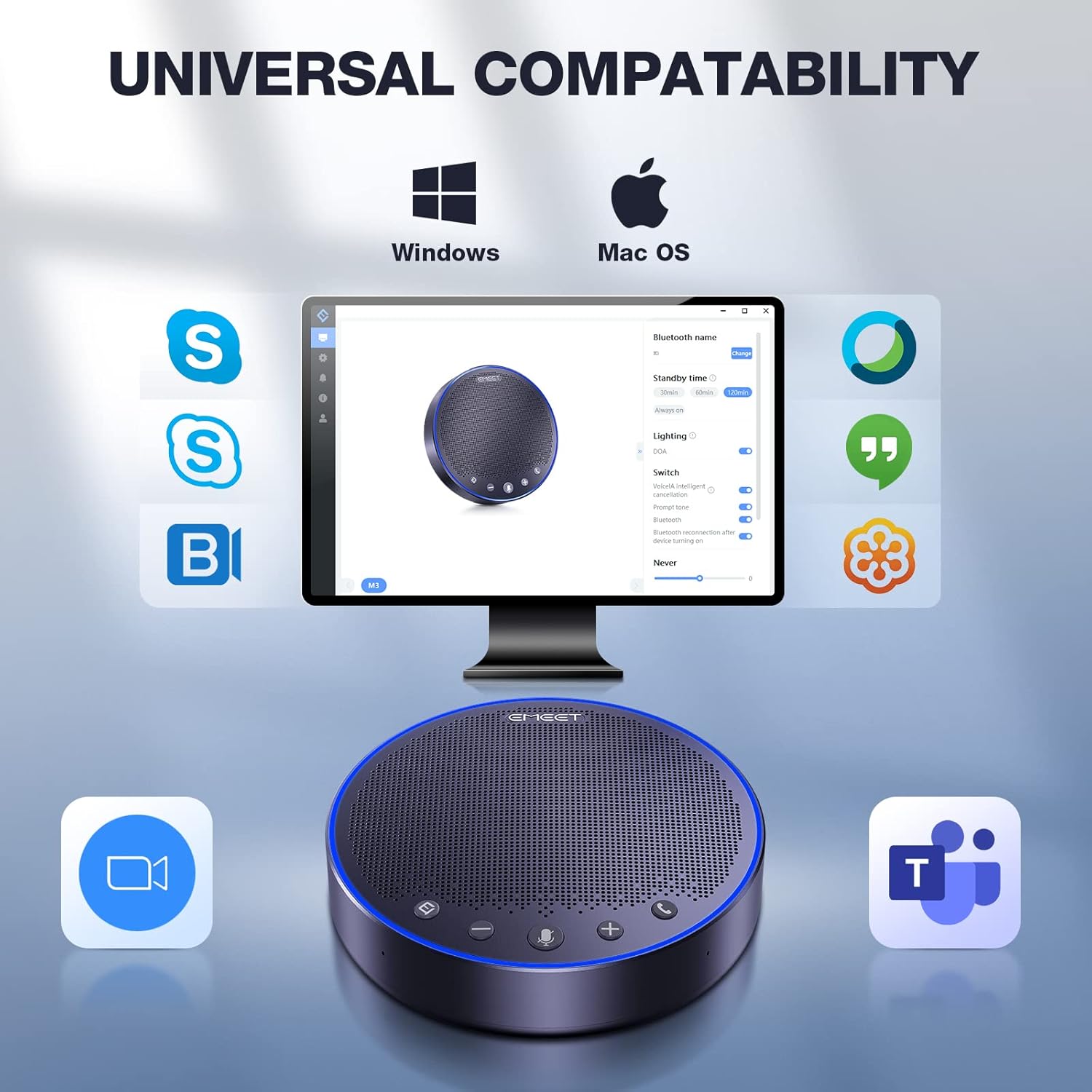
The M3 ensures stable connection with various operating systems and platforms:
- Sistemas operacionais: Windows 7/8/10/11, macOS 10.10+, Android 5.0+, Linux (UVC mode).
- Meeting Platforms: Zoom, Microsoft Teams, Google Hangouts, GoToMeeting, Skype, WebEx, e mais.
5. Instruções de operação
5.1. Controles do dispositivo
The EMEET M3 features intuitive touch controls for easy operation:
- Ligar/desligar: Use the dedicated power button to turn the device on or off.
- Controle de volume: Adjust the speaker volume using the '+' and '-' buttons. The blue LED light indicates the volume level.
- Silenciar/ativar microfone: Press the microphone button to mute or unmute. A red LED light indicates the microphone is muted.
- Voice Localization: A green LED light indicates active voice localization, showing where the sound is being picked up.
- Atender / encerrar chamadas: Use the call button to manage phone calls.
6. Especificações
| Marca | EMEET |
| Nome do modelo | EMEET OfficeCore M3 |
| Tecnologia de Conectividade | Bluetooth 5.0, USB 2.0, Daisy Chain (EMEET exclusive), Dongle A300 |
| Tipo de alto-falante | Speaker Portátil |
| Recurso especial | VoiceIA exclusive tech, noise & echo cancellation |
| Usos recomendados | Indoor/Outdoor, Travel |
| Dispositivos compatíveis | Smartphone, PC (Windows, macOS, Android, Linux) |
| Cor | Cinza |
| Dimensões do produto | 1.4"P x 5.3"L x 5.3"A |
| Peso do item | 8.82 libras (4000 gramas) |
| Fonte de energia | Alimentado por bateria (1 bateria de polímero de lítio incluída) |
| Tempo de carregamento | 4 horas |
| Tempo de conversação | 18 horas |
| Potência máxima de saída do alto-falante | 5 Watts |
| Alcance Bluetooth | 10 metros |
7. Solução De Problemas
- Sound Cut-outs: Ensure a stable USB 2.0 or Bluetooth 5.0 connection. Avoid connecting the device to docking stations or low-power USB ports.
- Má qualidade de áudio: For best voice pickup, place the speakerphone within its 15ft (4.5m) range and minimize background noise in the environment.
- Dispositivo não conecta: Verify that Bluetooth is enabled on your device or that the USB dongle is properly inserted. Check device compatibility with the EMEET M3.
- Bateria não carregando: Ensure the USB Type-C cable is securely connected to both the speakerphone and a power source. Allow 4 hours for a full charge.
8. Garantia e Suporte
The EMEET M3 Conference Speaker and Microphone comes with a full warranty. EMEET is committed to providing excellent customer service and technical support.
- Garantia: 2-year exclusive warranty.
- Suporte técnico: Lifetime professional technical team support.
- Atendimento ao Cliente: Quick replies within 24 hours.


