1. Terminadoview
The FIFINE K669PRO2 is a USB condenser microphone designed for various applications including podcasting, gaming, streaming, voice-overs, and online meetings. It features RGB lighting, a tap-to-mute function, a gain control knob, and a cardioid pickup pattern for clear audio capture. This manual provides instructions for setting up, operating, and maintaining your microphone.
2. Conteúdo da embalagem
Por favor, verifique o conteúdo da embalagem para garantir que todos os itens estejam presentes:
- FIFINE K669PRO2 USB Condenser Microphone with Pop Filter
- USB-C to USB-A Cable (6.5ft / 2m)
- tripé
- Manual do usuário

Figure 2.1: Package Contents. Includes the microphone with pop filter, USB cable, tripod stand, and user manual.
3. Guia de configuração
Follow these steps to set up your FIFINE K669PRO2 microphone:
3.1 Montagem Física
- Fixe o tripé: Screw the microphone onto the included tripod stand. Ensure it is firmly attached and stable on your desk.
- Instale o filtro pop: Attach the pop filter to the microphone's shock mount. This helps reduce plosive sounds for clearer audio.

Figure 3.1: Plug and Play setup. The microphone connects directly to your computer via the provided USB cable.
3.2 Conectando-se ao seu dispositivo
- Conecte o Cabo USB: Plug the USB-C end of the cable into the microphone and the USB-A end into an available USB port on your computer (PC/Mac) or gaming console (PS4/PS5).
- Reconhecimento do sistema: Your operating system should automatically detect and install the necessary drivers. The microphone is plug-and-play, requiring no additional software installation.
- Selecione como dispositivo de entrada:
- Windows: Navegar para Configurações de som > Entrada and select "FIFINE K669PRO2" as your input device.
- MacOS: Navegar para Preferências do sistema > Som > Entrada and select "FIFINE K669PRO2".
- PS4/PS5: Navegar para Configurações > Dispositivos > Dispositivos de áudio and select "FIFINE K669PRO2" as your input device.
4. Instruções de operação
4.1 Controle de ganho
The microphone features a gain control knob on the front. Rotate the knob to adjust the microphone's input sensitivity. Turn clockwise to increase gain and counter-clockwise to decrease it. Adjust the gain to achieve optimal audio levels without distortion.

Figure 4.1: Front panel controls, including the gain knob for volume adjustment.
4.2 Função Mute
Tap the mute button on the front of the microphone to instantly mute or unmute your audio. The LED indicator will change color to show the mute status (e.g., green for active, red for muted), providing a visual reminder.
Figure 4.2: Front panel controls, highlighting the tap-to-mute button.
4.3 Controle de Iluminação RGB
The microphone features customizable RGB lighting. Use the RGB control key on the back of the microphone to cycle through different lighting modes and colors. There are three lighting modes and over nine color options available.

Figure 4.3: RGB lighting in action, showcasing dynamic solid-color, dynamic multi-color, and static solid color modes.

Figura 4.4: Traseira view of the microphone, indicating the RGB control button.
4.4 Cardioid Pickup Pattern
The K669PRO2 utilizes a cardioid polar pattern. This means the microphone primarily picks up sound from the front, reducing unwanted noise from the sides and rear. Position the microphone directly towards the sound source (e.g., your mouth) for optimal voice capture.
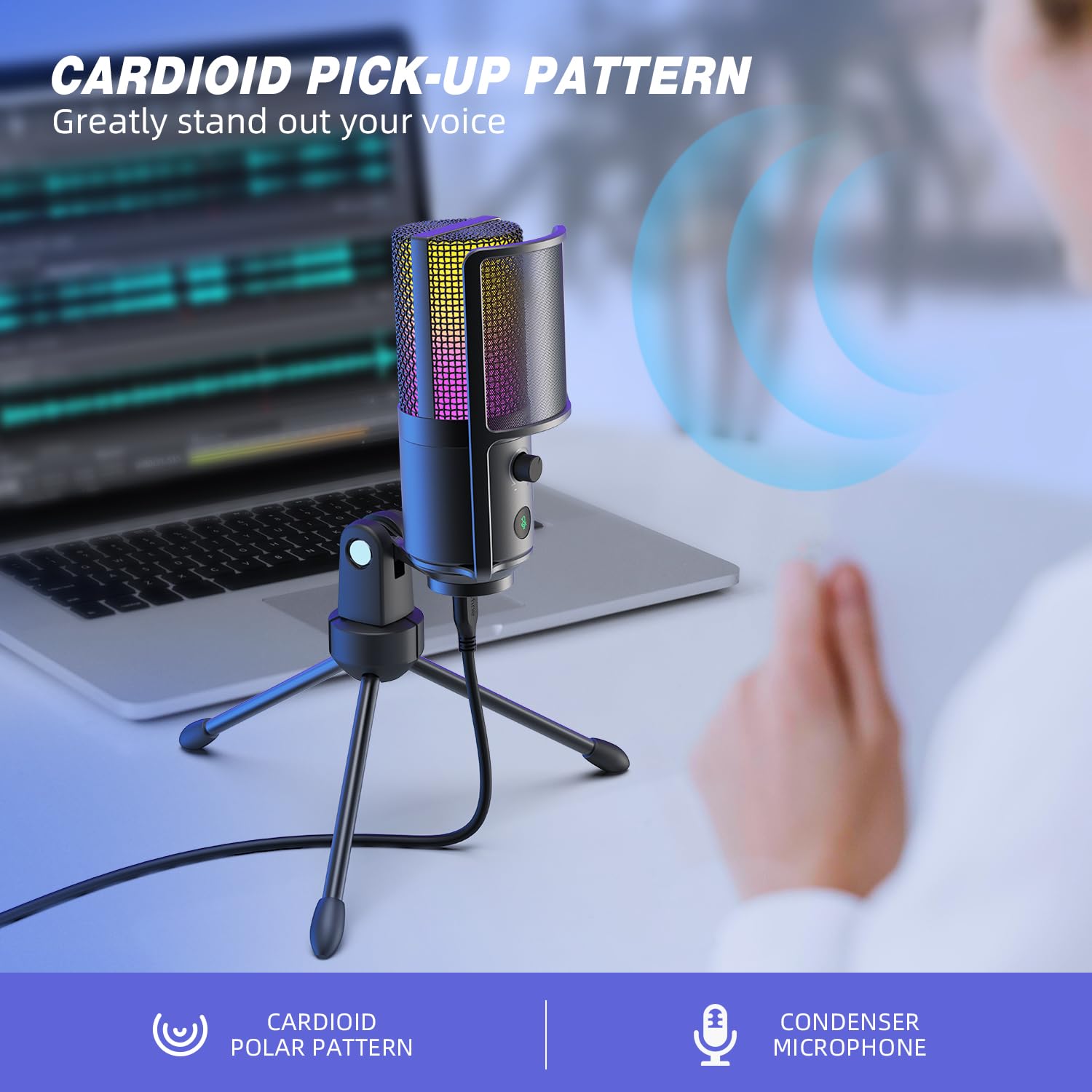
Figure 4.5: Cardioid pickup pattern illustration, demonstrating focused sound capture.
5. Manutenção
- Limpeza: Use a soft, dry cloth to clean the microphone's exterior. Avoid using liquid cleaners or solvents, as they may damage the device.
- Armazenar: When not in use, store the microphone in a dry, dust-free environment.
- Manuseio: Handle the microphone with care. Avoid dropping it or subjecting it to strong impacts, which can affect its performance.
6. Solução De Problemas
| Problema | Possível causa | Solução |
|---|---|---|
| Nenhum som é emitido pelo microfone. |
|
|
| Low volume or weak audio. |
|
|
| Áudio distorcido ou pouco nítido. |
|
|
| A iluminação RGB não está funcionando. |
|
|
7. Especificações
| Modelo | K669PRO2 |
| Padrão polar | Unidirecional (Cardióide) |
| Tecnologia de Conectividade | USB |
| Tipo de conector | USB-C (on mic), USB-A (on cable) |
| Dispositivos compatíveis | PC, Mac, PS4, PS5 |
| Material | Metal |
| Resposta de frequência | 20 Hz - 20 kHz |
| Sinal-Ruído | 70 dB |
| Fonte de energia | Elétrico com fio (alimentado por USB) |
| Peso do item | 508 g |
| Componentes incluídos | Microphone, USB Cable, Tripod Stand, Pop Filter |
8. Garantia e Suporte
Para informações sobre garantia, suporte técnico ou atendimento ao cliente, consulte o site oficial da FIFINE. webou entre em contato diretamente com o suporte ao cliente. Os detalhes geralmente podem ser encontrados na embalagem do produto ou nos canais online oficiais do fabricante.
You can visit the FIFINE store for more information: FIFINE Official Store


