1. Introdução
Thank you for choosing the MINISO Xo-9838 Waterproof Bluetooth Speaker. This portable wireless speaker is designed to provide high-quality audio with the convenience of Bluetooth connectivity and a durable, waterproof design. Please read this manual carefully before using the product to ensure proper operation and to maximize your listening experience.
2. Conteúdo da embalagem
- MINISO Xo-9838 Waterproof Bluetooth Speaker
- Cabo de carregamento USB
- Manual do usuário (este documento)
3. Recursos do Produto
- Design impermeável: IPX5 rated, offering protection against low-pressure water jets from any direction.
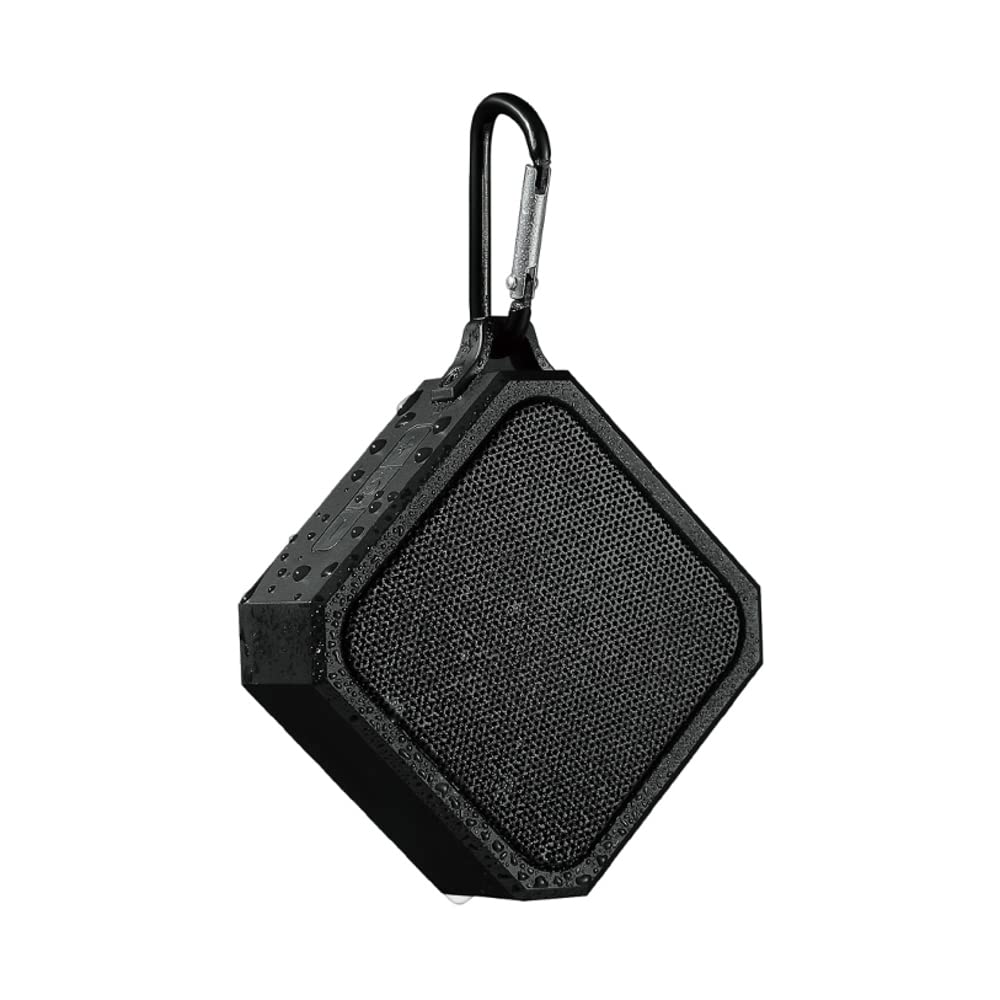
- Portátil e leve: Compact design with an integrated hook for easy carrying.
- Bluetooth 5.0: Garante conectividade sem fio estável e eficiente.
- Bateria de longa duração: Bateria de lítio embutida de 3.7V.
- Carregamento rápido: Aproximadamente 1.5 horas para uma carga completa.
- Tempo de jogo estendido: Até 2 horas de reprodução contínua de música.
- Controles intuitivos: Easy-to-use buttons for power and volume.
4. Configuração
4.1 Carregando o alto-falante
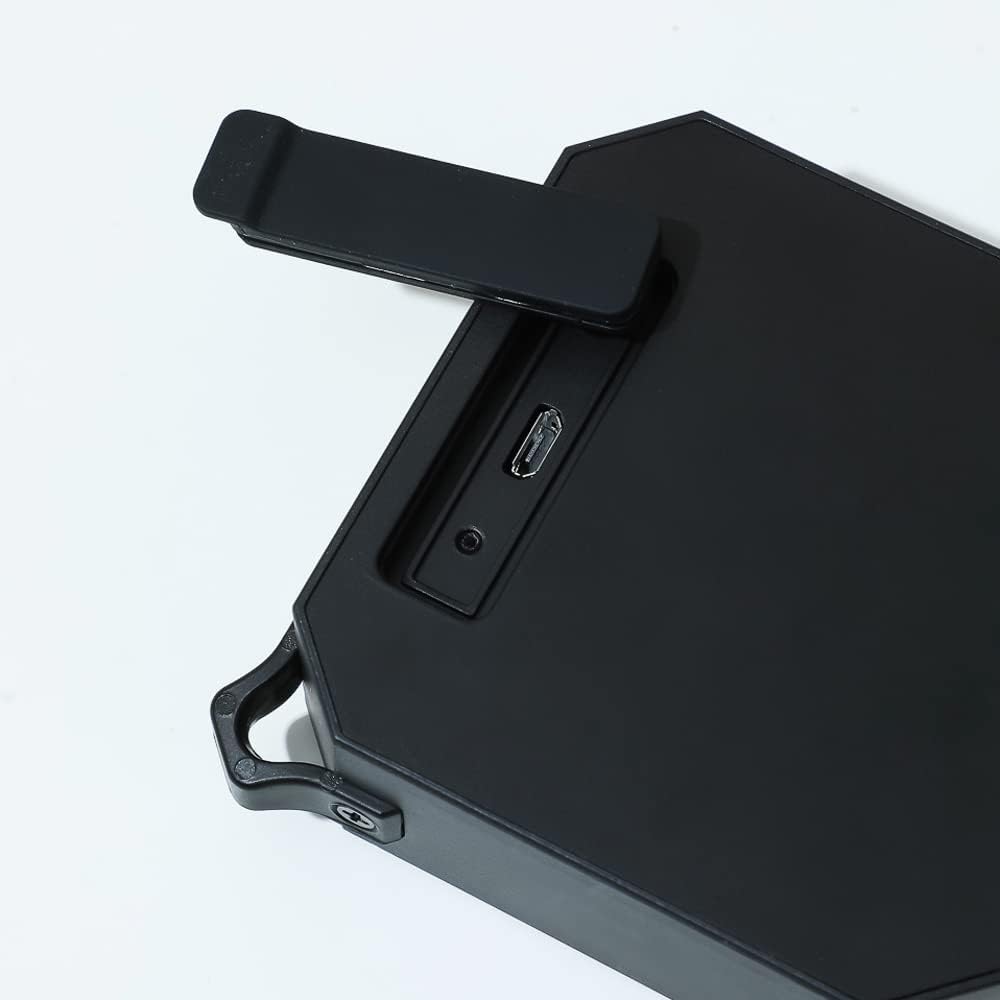
- Localize a porta de carregamento na lateral da caixa de som, geralmente protegida por uma aba de borracha.
- Open the rubber flap to expose the Micro USB charging port.
- Conecte a extremidade menor do cabo de carregamento USB incluído à porta de carregamento da caixa de som.
- Conecte a extremidade maior do cabo USB a um adaptador de energia USB (não incluído) ou à porta USB de um computador.
- The charging indicator light (usually red) will illuminate to show that the speaker is charging.
- Once fully charged (approximately 1.5 hours), the indicator light may change color or turn off.
4.2 Ligar/Desligar
- Para ligar: Pressione e segure o botão liga/desliga (⏻) located on the top panel of the speaker for a few seconds until you hear an audible prompt or see an indicator light.
- Para desligar: Pressione e segure o botão liga/desliga (⏻) again for a few seconds until you hear an audible prompt or the indicator light turns off.
4.3 Emparelhamento Bluetooth
- Ensure the speaker is fully charged and powered on. The Bluetooth indicator light will typically flash, indicating it is in pairing mode.
- On your mobile device (smartphone, tablet, laptop), go to the Bluetooth settings.
- Ative o Bluetooth e pesquise os dispositivos disponíveis.
- Select "MINISO Xo-9838" (or similar name) from the list of found devices.
- Once paired, the speaker will emit an audible confirmation, and the Bluetooth indicator light will stop flashing and remain solid.
- Agora você pode reproduzir áudio do seu dispositivo através do alto-falante.
5. Operando o alto-falante
5.1 Reprodução de música e controle de volume
- Reproduzir/Pausar: While music is playing, a short press of the power button (⏻) will typically pause or resume playback.
- Aumentar o volume: Press the "+" button to increase the volume.
- Volume baixo: Press the "-" button to decrease the volume.
- Próxima faixa: A long press of the "+" button may skip to the next track.
- Faixa anterior: A long press of the "-" button may go to the previous track.
5.2 Uso à prova d'água (IPX5)
The MINISO Xo-9838 speaker is rated IPX5, meaning it is protected against low-pressure water jets from any direction. This makes it suitable for use in environments where it might be exposed to splashes, such as by a pool or in a bathroom. However, it is não designed to be submerged in water. Ensure the charging port's rubber flap is securely closed before exposing the speaker to water.

6. Manutenção
- Limpeza: Use a soft, dry cloth to wipe the speaker. For stubborn dirt, a slightly damp cloth can be used, but ensure the charging port flap is closed and dry the speaker thoroughly afterward. Do not use harsh chemicals or abrasive cleaners.
- Armazenar: Guarde a caixa de som em local fresco e seco, longe da luz solar direta e de temperaturas extremas.
- Cuidados com a bateria: Para prolongar a vida útil da bateria, evite descarregar completamente a caixa de som com frequência. Recarregue-a regularmente, mesmo que não a utilize por longos períodos.
- Proteção da água: Always ensure the rubber flap covering the charging port is securely closed when not charging, especially when near water.
7. Solução De Problemas
- A caixa de som não liga: Ensure the speaker is charged. Connect it to a power source and try again after a few minutes.
- Não foi possível emparelhar com o dispositivo:
- Make sure the speaker is in pairing mode (indicator light flashing).
- Certifique-se de que o Bluetooth esteja habilitado no seu dispositivo.
- Aproxime a caixa de som do seu dispositivo.
- Desligue e ligue novamente o alto-falante e o Bluetooth do seu dispositivo.
- Esqueça o dispositivo da lista de Bluetooth do seu telefone e tente emparelhar novamente.
- Sem som ou volume baixo:
- Verifique os níveis de volume tanto na caixa de som quanto no dispositivo conectado.
- Certifique-se de que a caixa de som esteja devidamente emparelhada.
- Tente reproduzir uma fonte de áudio diferente.
- Má qualidade de som:
- Aproxime a caixa de som do seu dispositivo para reduzir a interferência.
- Certifique-se de que não haja obstruções entre a caixa de som e o seu dispositivo.
- Check if the speaker's battery is low, which can affect sound quality.
8. Especificações
| Recurso | Especificação |
|---|---|
| Modelo | Xo-9838 |
| Versão Bluetooth | 5.0 |
| Tipo de Bateria | Bateria de lítio de 3.7 V |
| Tempo de carregamento | Aproximadamente 1.5 horas |
| Tempo de uso | Aproximadamente 2 horas |
| Classificação à prova d'água | IPX5 |
| Dimensões do alto-falante | 9.2 x 9 cm (aprox.) |
| Dimensões da embalagem | 20.3 x 12.2 x 6 cm |
| Peso | 200 g |
| Conectividade | Bluetooth, USB |
| Modo de saída de áudio | Mono |
9. Garantia e Suporte
For warranty information, please refer to the terms and conditions provided at the time of purchase or contact your retailer. Keep your purchase receipt as proof of purchase.
For technical support or further assistance, please contact MINISO customer service through their official website ou as informações de contato fornecidas na embalagem do seu produto.