1. Introdução
This instruction manual provides essential information for the safe installation, operation, and maintenance of your Legrand Micromodule for Connected VMC (Ventilation Mécanique Contrôlée) with Netatmo. This micromodule is designed to enable smart control of a single-flow, 2-speed VMC system, with a maximum power rating of 250W. It integrates seamlessly with the Home+Control application and wireless control devices, offering enhanced convenience and energy management for your ventilation system.
Leia atentamente este manual antes da instalação e utilização, e guarde-o para futuras consultas.
2. Informações de segurança
AVISO: Risco de choque elétrico
- Installation must be performed by a qualified electrician in accordance with all national and local electrical codes and regulations.
- Always disconnect power at the main circuit breaker before installing, servicing, or removing the device.
- Do not install or use this device if it appears damaged.
- Certifique-se de que todas as conexões estejam seguras e devidamente isoladas.
- This device is intended for indoor use only. Do not expose to moisture or extreme temperatures.
3. Conteúdo da embalagem
Verifique se seu pacote contém os seguintes itens:
- Legrand Micromodule for Connected VMC
- White cover (if applicable)
- Manual de Instruções (este documento)
4. Configuração e instalação
The Legrand Micromodule is designed to be installed as close as possible to the VMC unit it controls. Professional installation is highly recommended due to the electrical nature of the device.
4.1 Pré-instalação
- Desconecte a energia: Turn off the main power supply to the VMC circuit at your electrical panel. Verify that the power is off using a voltage testador.
- Identificar a fiação: Identify the power supply wires and the control wires for your 2-speed VMC system. Consult your VMC's manual if necessary.
4.2 Wiring the Micromodule
Follow the wiring diagram provided with the product packaging. Typically, the micromodule will connect to the main power supply and then to the VMC's speed control inputs (e.g., low speed and high speed). Ensure proper grounding.
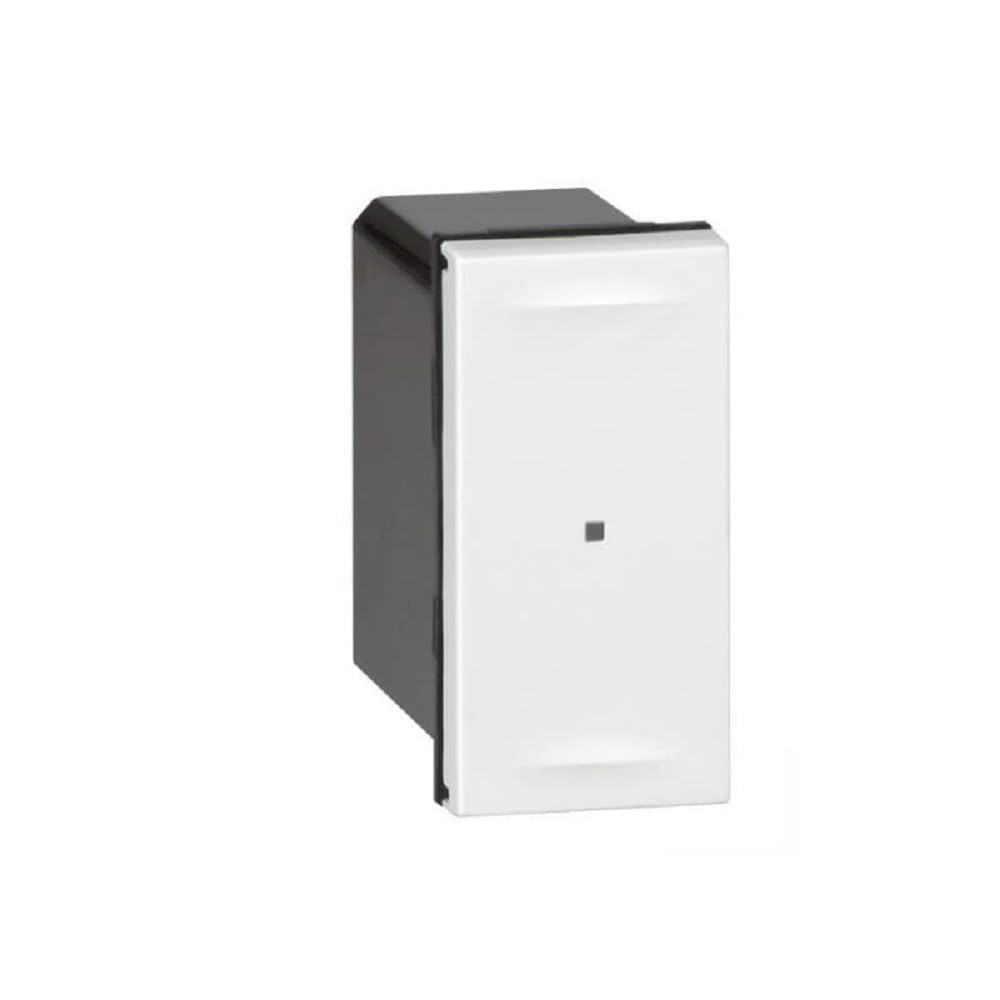
Image 1: Legrand Micromodule for Connected VMC. This image displays the compact design of the micromodule, highlighting its size and the terminals for electrical connections. It is typically installed within an electrical box or near the VMC unit.
4.3 Pairing with Home+Control App
- Restaurar energia: Após a fiação estar completa e segura, restabeleça a energia no circuito.
- Baixar aplicativo: Download the Legrand Home+Control application from your device's app store.
- Criar uma conta: Abra o aplicativo e crie uma conta ou faça login.
- Adicionar dispositivo: Follow the in-app instructions to add a new device. The app will guide you through the pairing process, which typically involves putting the micromodule into pairing mode (refer to the specific instructions in the app or product leaflet for exact steps, often involving a short press on a button on the module or a specific power cycle sequence).
- Configurar: Once paired, you can configure the VMC speeds and integrate with other Netatmo-compatible devices.
5. Operating the Micromodule
The Legrand Micromodule allows for smart control of your 2-speed VMC system.
5.1 Via Home+Control App
- Open the Home+Control app on your smartphone or tablet.
- Navigate to the VMC device.
- You will typically find options to switch between the two VMC speeds (e.g., 'Low' and 'High' or 'Normal' and 'Boost').
- The app may also allow for scheduling, automation, and integration with other smart home scenarios.
5.2 Via Wireless Control (Optional)
If you have paired the micromodule with a compatible Legrand wireless control switch, you can operate the VMC speeds directly from the switch. Refer to the instructions provided with your wireless control for specific operation details.
6. Manutenção
The Legrand Micromodule is designed for long-term, maintenance-free operation. However, consider the following:
- Limpeza: If the exterior of the module or its cover requires cleaning, ensure power is disconnected. Use a soft, dry cloth. Do not use liquid cleaners or abrasive materials.
- Atualizações de firmware: Periodically check the Home+Control app for available firmware updates for your micromodule. Updates can improve performance and add new features.
- VMC Maintenance: Regular maintenance of your VMC system (e.g., filter cleaning/replacement) should be performed according to the VMC manufacturer's instructions.
7. Solução De Problemas
If you encounter issues with your Legrand Micromodule, try the following steps:
- Sem energia/Sem resposta:
- Check the circuit breaker to ensure power is supplied to the VMC circuit.
- Verifique se todas as conexões de fiação estão seguras (somente se você for um eletricista qualificado).
- Não foi possível emparelhar com o aplicativo:
- Ensure your smartphone is connected to the same Wi-Fi network as your Netatmo gateway (if applicable).
- Restart the Home+Control app.
- Try resetting the micromodule to factory settings (refer to the app or product leaflet for specific instructions).
- Ensure the micromodule is within range of your Netatmo gateway or Wi-Fi network.
- VMC Not Changing Speeds:
- Verify the VMC itself is functioning correctly when directly controlled (if possible).
- Check the wiring between the micromodule and the VMC's speed inputs.
- Ensure the micromodule is correctly configured in the Home+Control app.
If problems persist, contact Legrand customer support or consult a qualified electrician.
8. Especificações
| Fabricante | Legrand |
| Número do modelo | LEG67766 |
| Número da peça | LEG67766 |
| Dimensões do produto | 2.72 x 3.7 x 3.7 polegadas |
| Peso do item | 2.65 onças |
| Classificação de potência máxima | 250 W |
| VMC Type | Single flow, 2-speed |
| Compatibilidade | Home+Control app, Netatmo ecosystem |
| Pilhas necessárias | Não |
9. Garantia e Suporte
Legrand products are designed and manufactured to the highest quality standards. For information regarding the warranty period and terms for your Micromodule, please refer to the warranty card included with your product or visit the official Legrand website.
For technical support, troubleshooting assistance, or to report a defective product, please contact Legrand customer service through their official website ou as informações de contato fornecidas na documentação do produto.
Legrand Oficial Website: Www.legrand.com


